
Apartment guides: Instruction per apartment for cleaners
One guide per apartment with sections, photos, and video link: this is how you train new cleaners, translated into their language.
Updated on November 12, 2026
Apartment guides: Instruction per apartment for your cleaners
New cleaner, new apartment: Where is everything, how does the washing machine work, where is the trash? For this, you write a Guide to the apartment per apartment, with sections, photos, and if desired, a link, for example to a video. Your team reads it in their language, directly in the task and under My apartments.
What applies to every cleaning (keys, access, trash) stays in the cleaning notes (see Cleaning notes: Access, trash, special features). The guide is the instruction that a cleaner reads once and looks up when needed.
Where: Cleaning & maintenance, Management, Settings, Apartment guides. The list shows No guide, Draft, or Visible to team for each apartment.
Creating a guide
- Click Create guide at the apartment (you open an existing guide with Edit).
- Under Add section, choose a suggestion (Arrival, Cleaning products and laundry, Kitchen, Bathroom, Sleeping area, Trash, Important) or Custom section.
- Write text and add photos, with camera or from the gallery, also several at once, each with a caption if desired. You do not upload a video, you link it in the field Link, e.g. to a video.
- Done saves the section. Use the arrows to change the order, Delete section removes it along with its photos.
- Turn on Visible to team. Until then, the guide is a draft that your team cannot see.
On the computer, you see how your team sees the guide to the right of the editor; on the phone via Preview.
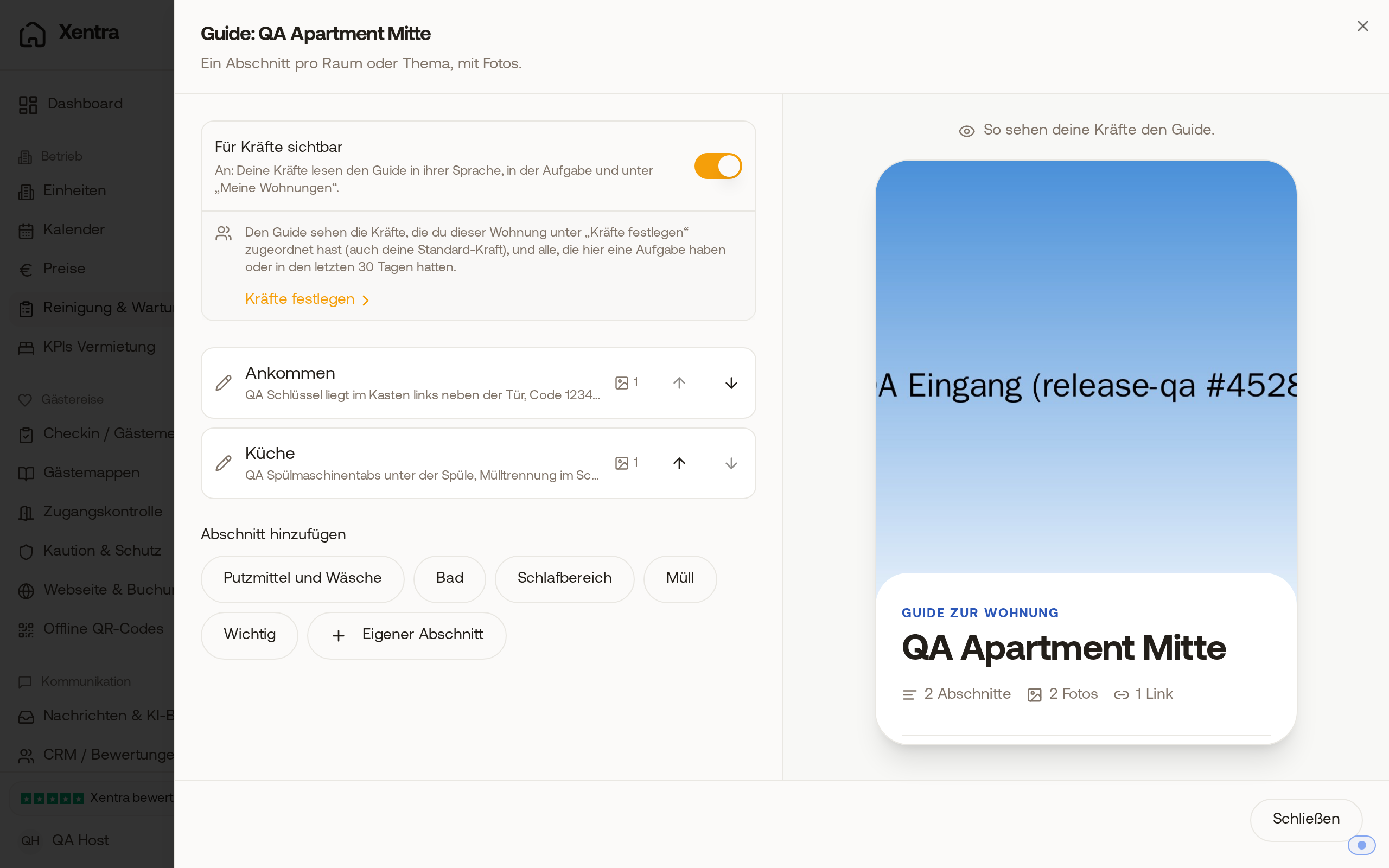 The editor of an apartment guide with two sections, enabled "Visible to team" and the preview on the right
Translation
If you turn on Visible to team, Xentra translates title, texts, captions, and link labels into all 6 languages. If you change texts later, it re-translates when you Close the editor. Each cleaner reads the guide in the language of their app.
Who sees the guide
- Cleaners you assigned to the apartment under Set people, including your default cleaner,
- everyone who has an open task in the apartment or had one in the last 30 days.
For this, Gets cleaning briefings must be turned on for the team member. Team members with Tasks: Edit write guides for their own units themselves.
What your cleaner sees
In the task and during work, it says Guide to the apartment. A tap opens the guide over the task: at the top the photo of the apartment (without an apartment photo, the first photo of the guide), below it the sections with their photos and the link as a button. Back to task brings them back, the task remains as it was. In My day, under My apartments, they will find all guides they are allowed to see.
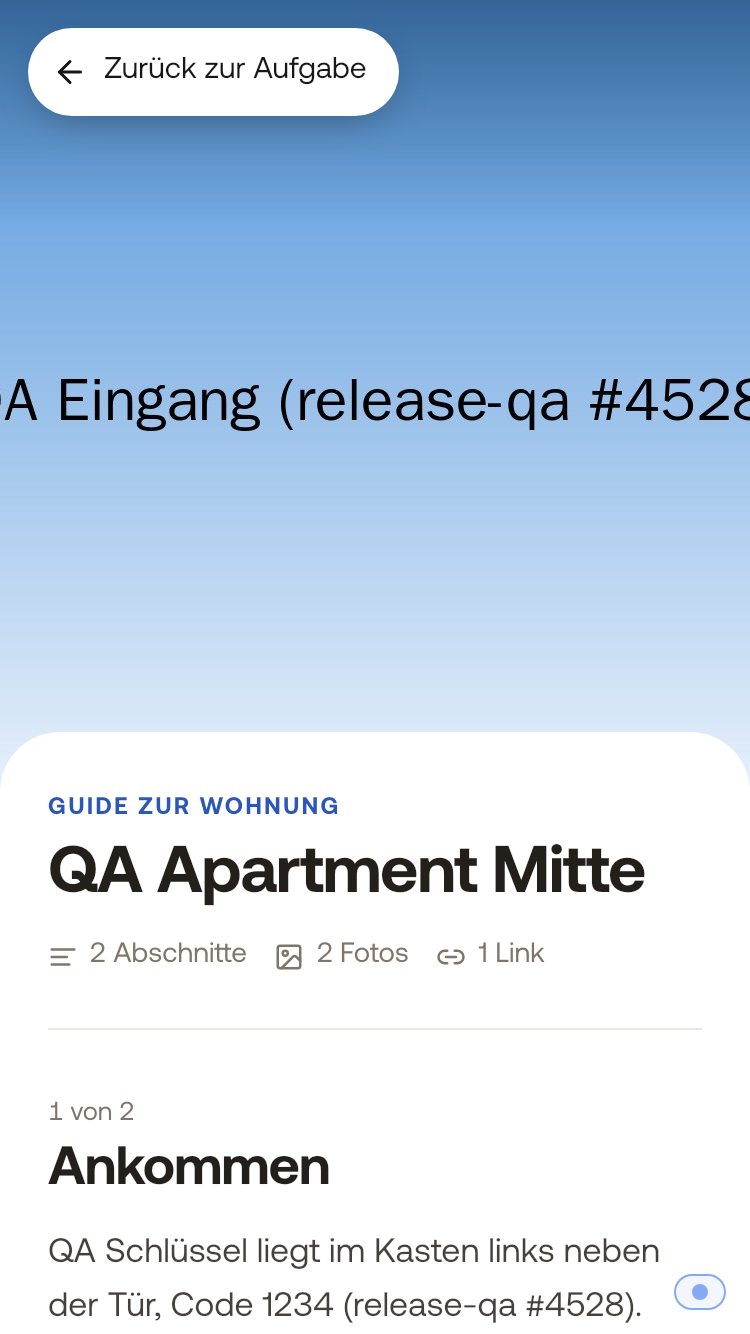 The guide to the apartment on the cleaner's phone, with "Back to task" at the top
You yourself also see the link Guide to the apartment when you open a task for this apartment.