
Report an insurance claim and understand its status
Report damage for an insured booking in the Insurance Claims tab, what you enter and what the statuses Submitted, In review, Approved and Paid mean.
Updated on October 19, 2026
You report damage to the insurer directly in Xentra: Open Deposits & Protection, tab “Insurance Claims”, button “New Claim”.
This only works for a booking for which insurance was taken out and paid, whether by the guest or by you. The booking selection shows only such bookings. If you have none, it says “No insured bookings”. For a deposit or a damage waiver there is no claim: you keep the deposit by withholding it in the booking itself, and you have already received the protection fee.
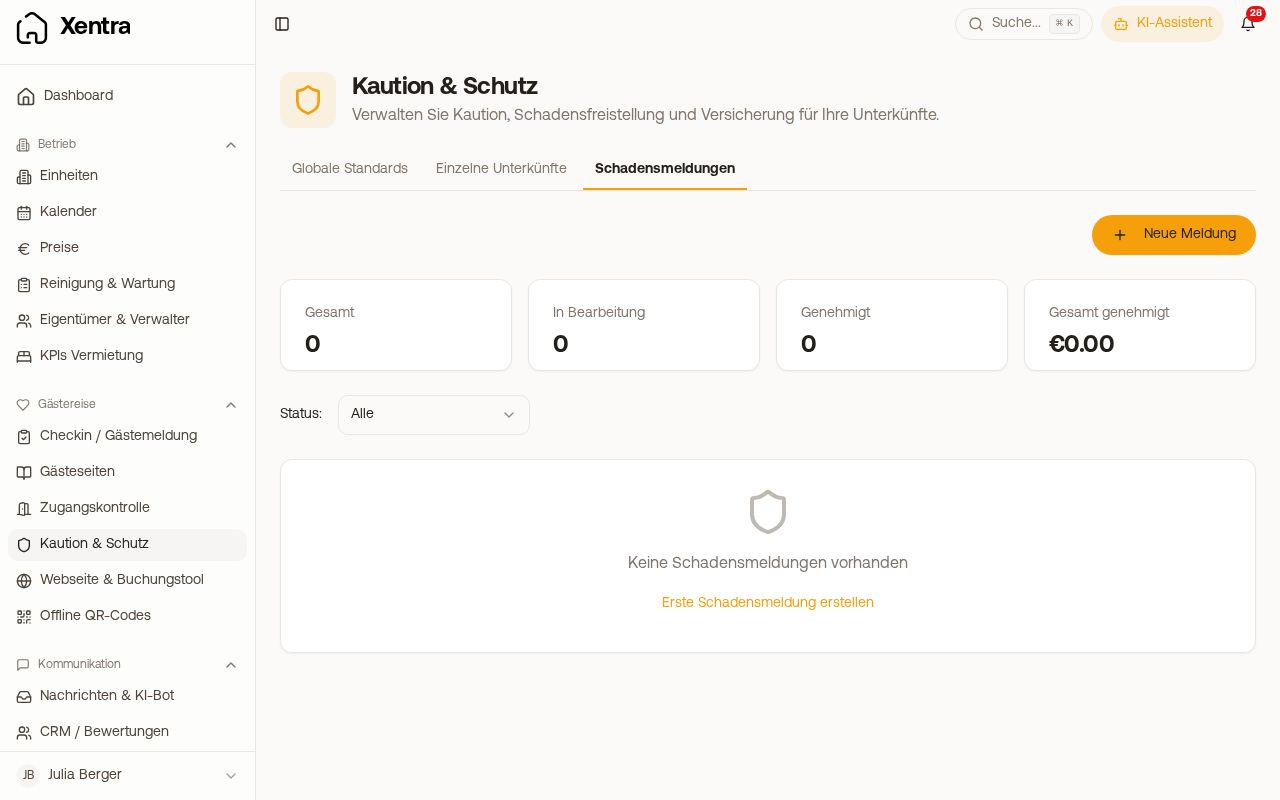 Insurance Claims tab with the New Claim button
What you enter
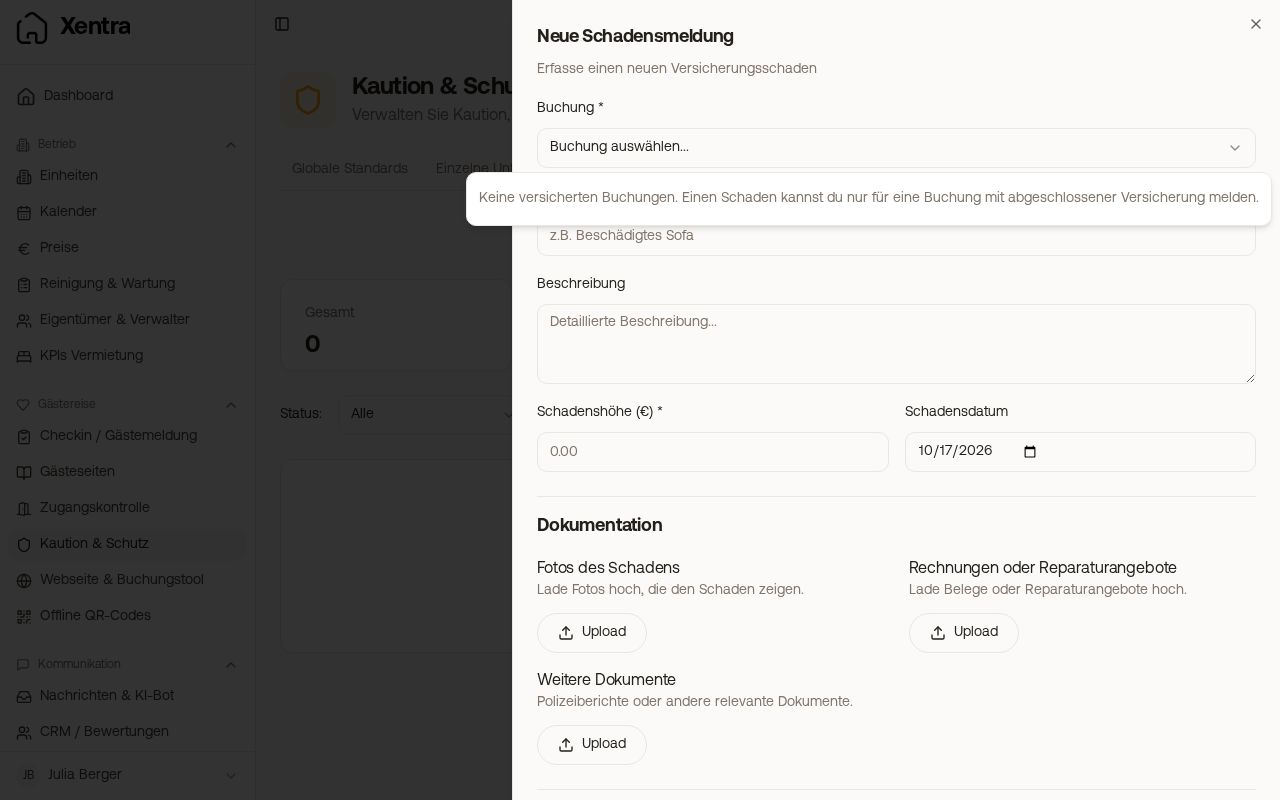 New claim: booking selection with the note No insured bookings
- Booking, Title (e.g. “Damaged sofa”), Description, Damage amount (€) and Damage Date
- Documentation: photos of the damage, invoices or repair quotes, further documents such as a police report
- Guest information: first and last name, country
- Bank details for the payout: account holder and IBAN
- the confirmation of the fraud policy
With “Create” the claim is sent to the insurance partner.
What the statuses mean
| Status | Meaning |
|---|---|
| Draft | not sent yet. Open the claim and click “Submit”. |
| Submitted | the claim is with the insurance partner, no decision yet |
| In review | the insurance partner is reviewing the case |
| Approved / Partially approved | the case has been accepted in full or in part; the approved amount is shown in the claim |
| Declined | the case was not accepted |
| Paid | the approved amount has been paid out |
| Closed | the case is closed |
After submission, the status only changes when the insurance partner processes the case; you do not need to trigger anything else. At the top of the tab you can see how many cases are “In progress” and what has been approved in total. For questions about an ongoing case, support can help at hello@support.myxentra.com.