
Deposit & protection: protection modes at a glance
Deposit, damage waiver, or insurance: protection modes at a glance and where you set them for all or individual units.
Updated on November 6, 2026
How your units are protected against damage is set under Open Deposit & Protection (sidebar, Guest Journey section). The page has three tabs:
- Global defaults: applies to all units without their own setting.
- Individual Units: here you deviate from the default for a unit.
- Insurance Claims: your insurance claims, see "Report an insurance claim and understand the status".
Save your changes below with "Save All".
Requirement: connected Stripe account
A deposit is authorized on the guest's card, and this runs through your Stripe account. Without a fully set up Stripe account (form submitted to the end, payments enabled), Xentra cannot authorize a deposit, even if the mode is saved. You can connect it under Go to settings, "Payments" section, "Stripe accounts" card, see "Where your guests' money lands: payouts and receipts".
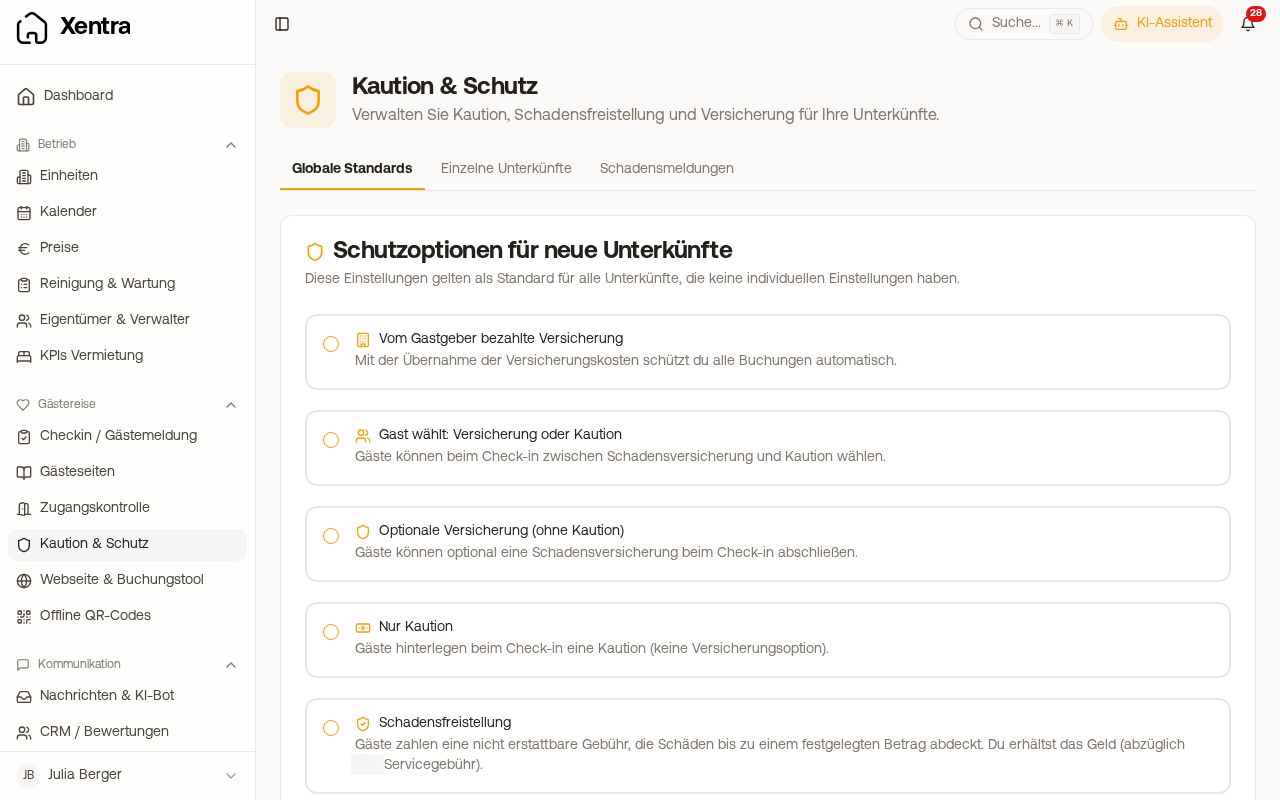 Deposit & protection with the tabs Global defaults, Individual Units, and Insurance Claims
The protection modes
| Mode | What the guest experiences during online check-in |
|---|---|
| Deposit only | provides a deposit by card |
| Damage Waiver | pays a non-refundable protection fee |
| Damage Waiver (optional) | can add or decline the fee, no deposit |
| Damage Waiver or Deposit | chooses between fee and deposit |
| Host-paid insurance | notices nothing, you pay for the insurance |
| Guest chooses: Insurance or deposit | chooses between insurance and deposit |
| Optional insurance (no deposit) | can take out insurance |
| No Deposit | provides nothing |
You only see the three insurance modes if at least one unit has a German address. Insurance and damage waiver are mutually exclusive for the same unit.
How the deposit is authorized, retained, and released is explained in "Deposit: when it is authorized, retained, and released". Everything about the protection fee is in "Damage Waiver".
Deposit only for certain portals
Below the mode is the "Portal Exclusions" card. There you select the portals where no protection should be offered, for example all except direct bookings. You can do this in the Global defaults tab for all units or in the Individual Units tab for one unit. There is no condition for regular guest or new customer: it is based only on the portal.
The deposit is not an invoice item. It runs as a separate card authorization, separate from any invoice.
Insurance (Germany only)
- Two tiers: €5,000 coverage or €10,000 coverage. The app shows you the price per night during selection before you turn on insurance.
- Only for units with a German address. If some of your units are abroad, they will be skipped when saving; the page lists them for you.
- Only per unit, not per guest: You cannot take out insurance for an individual guest or an individual booking. Who pays (you or the guest) is set for the entire unit in the Individual Units tab; this then applies to all bookings for this unit. If you only want to pay when the guest does not take out insurance themselves, use a mode where the guest decides and turn on "Automatic insurance protection".
- When enabling it for the first time, you confirm the insurance terms.
- "Automatic insurance protection": a toggle in modes where the guest decides themselves. If it is turned on and the guest takes out neither insurance nor deposit by 3:00 PM on the day of arrival, you are charged for the insurance. If it is turned off, the booking remains uninsured.
- After payment, the guest automatically receives an insurance confirmation with a PDF by email, and you get a summarized confirmation.
- If you pay for the insurance yourself, it is charged per booking immediately via your subscription payment method. You can find the invoices under Open billing in the "Invoices" tab, and the insured bookings in the "Insurance" tab.
Report a claim in the Insurance Claims tab, see "Report an insurance claim and understand the status".