
Damage Waiver
The damage waiver is a non-refundable protection fee instead of or next to the deposit. How to set the fee, coverage, terms and VAT.
Updated on November 6, 2026
What is the damage waiver?
The damage waiver is a non-refundable protection fee that the guest pays during online check-in. In return, you cover damage up to a set amount yourself. Unlike a deposit, it is not reserved and released later, but paid immediately.
The three variants
Under Open Deposits & Protection you choose in the tab Global defaults (for all units) or Individual Units (for one unit) how the guest is offered it:
| Mode | The guest … |
|---|---|
| Damage Waiver | pays it as mandatory |
| Damage Waiver or Deposit | chooses between fee and deposit |
| Damage Waiver (optional) | can book it or decline it; whoever declines pays nothing and stores no deposit |
In the optional mode a deposit is never offered, even if the unit still has a deposit amount stored. Existing units do not change their mode on their own; you switch them actively.
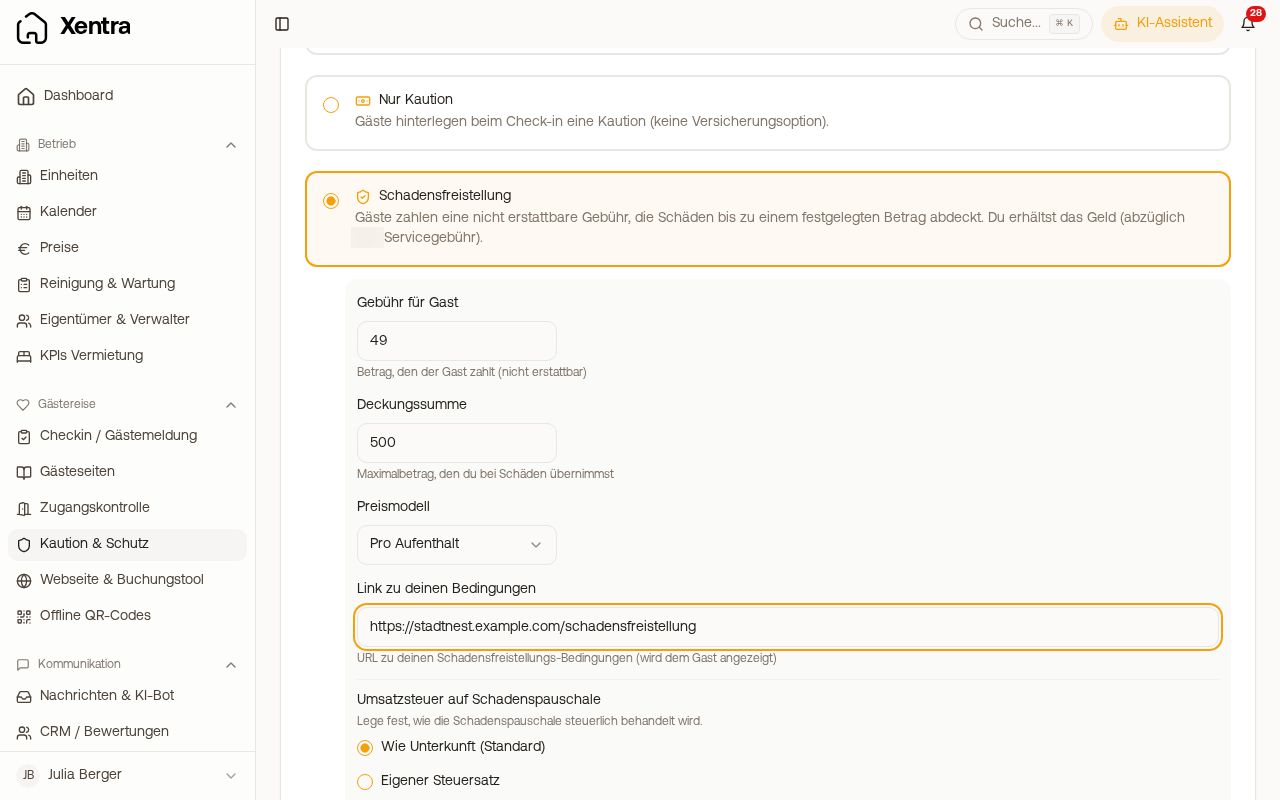 Damage waiver with fee, coverage amount, pricing model, terms and VAT
Settings
As soon as you choose one of the three modes, the following appear below it:
- "Guest Fee": the amount the guest pays
- "Coverage Amount": up to which amount you cover damage
- "Pricing Model": Per stay or Per Night
- "Link to your terms": your own terms, which the guest sees
- "VAT on damage waiver": Your VAT rate (default) uses your own VAT rate, the same one that your extra services get in the check-in; if you have not set one, your country's standard rate. Custom rate sets a different rate, Tax free (0%) shows no VAT. The VAT is included in the fee: the guest always pays exactly the fee you set. VAT treatment depends on the country; when in doubt, ask your tax adviser.
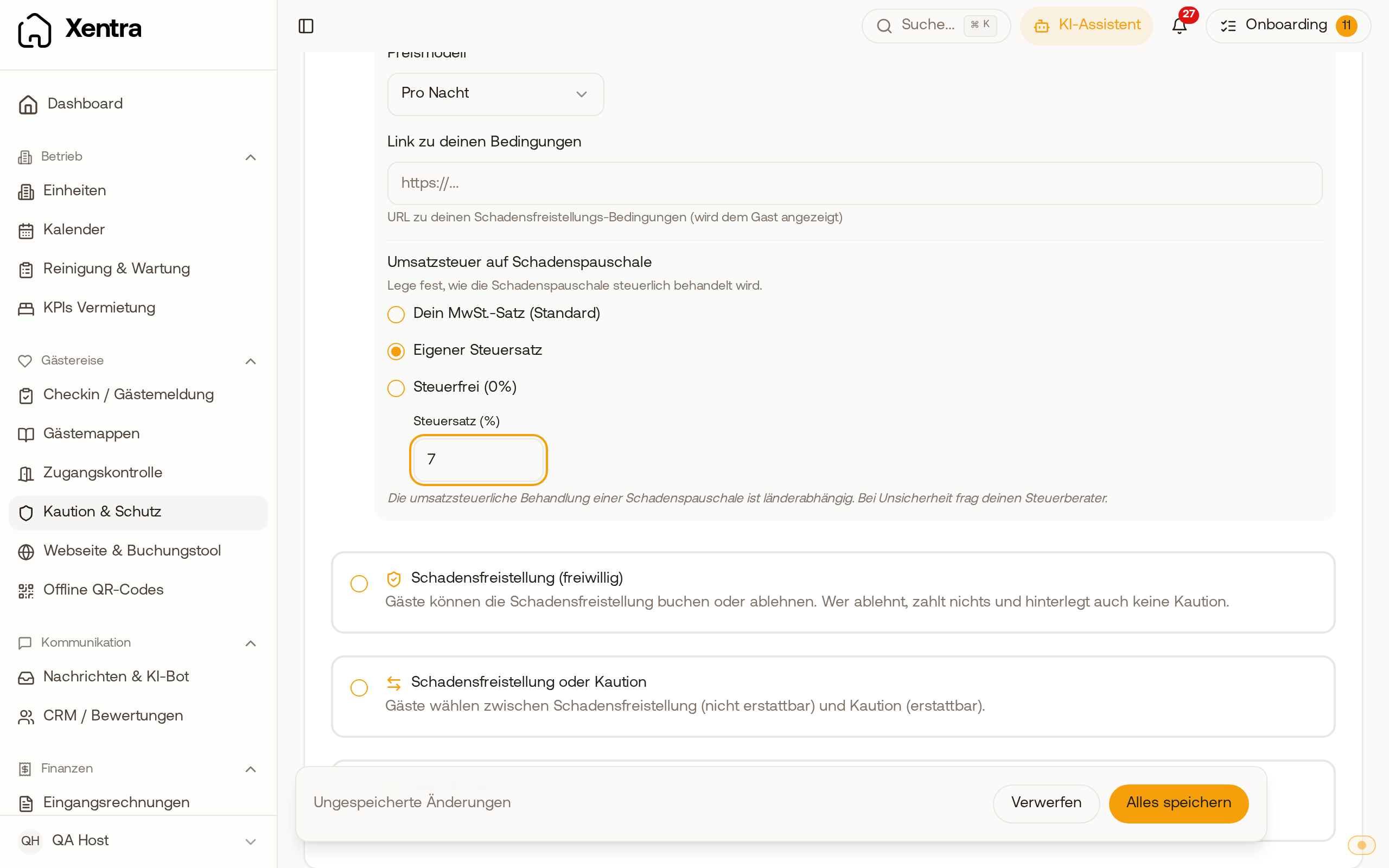 Host settings for the unit: the VAT options read Your VAT rate (default), Custom rate and Tax free, with a custom 7% set.
Insurance and damage waiver cannot be active for the same unit at the same time.
Billing
- The fee flows via Stripe Connect directly to your account. For that, your Stripe account must be fully set up.
- Xentra keeps the platform fee net plus VAT, unless a different rate is agreed for your account. You find the current rate on the pricing page; details under "Platform fee: how high it is and where you prove it".
- It appears as its own item on the guest invoice and under Open billing on the tab "Finance" as the type "Damage Waiver".
What the guest sees in the check-in
- In the step Protection options, on the Damage Waiver card under the price, it says "incl. VAT (…)" with your rate. Only with Tax free (0%) does it say "Tax free".
- In the step Payment, the damage waiver has its own line with coverage amount, price per night, net and VAT. All lines together make up the amount under Immediate payment.
- In the VAT overview below, its VAT appears as its own line, for example "VAT (7%, Damage Waiver)". If it is tax free, it counts under "VAT-exempt".
Visibility in the booking and in automations
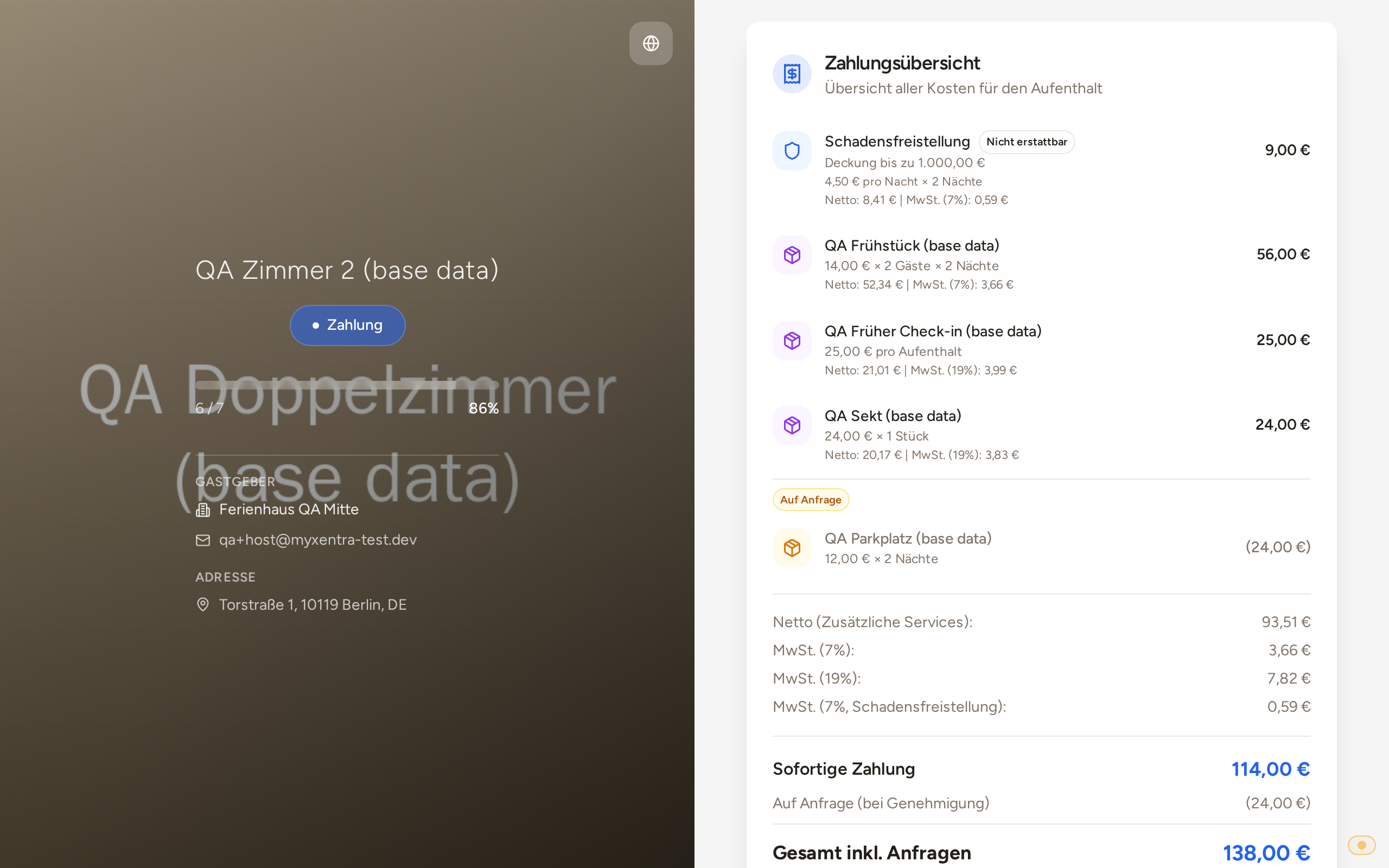 Payment step in the online check-in: the damage waiver as its own line with coverage amount, price per night, net and VAT.
- After check-in it appears in the booking under "Booked services" on the check-in tab.
- It counts as a booked service: it appears in the placeholder
{{booked_services}}and triggers the automation trigger "Extra service booked".
Important note: The damage waiver is a contract directly between guest and host. Xentra only provides the technical handling and is not a contracting party. You are yourself responsible for:
- your own terms and contract texts
- the legal permissibility of the damage waiver in your country
- compliance with all applicable laws
- the correct tax treatment of the fees