
Where your guests' money goes: Payouts and receipts
How guest payments reach you via Stripe Connect, payout schedule, receipt per payout, Excel export, name on the bank statement, and SEPA.
Updated on November 12, 2026
Where your guests' money goes
Two paths, depending on the payment method
- Paid via Xentra (card in online check-in, in the booking engine, via an invoice payment link, or a payment link from the booking): The money flows via Stripe Connect to your Stripe account and from there to your bank account. The platform fee is deducted directly upon receipt of payment; you do not transfer anything retroactively. How high it is can be found in "Platform fee: how high it is and where to prove it".
- Paid directly to you (bank transfer, cash, or collected by the portal): does not run through Xentra, no platform fee applies.
Tourist tax, extra services, and security fees land in your Stripe account. An insurance paid by the guest is a transitory item and is not paid out to you.
Collecting payments only works with a fully set up Stripe account: form submitted to the end, payments and payouts enabled. You can connect it under Go to settings, section "Payments", card "Stripe accounts": select country and "Connect with Stripe". After that, "Stripe dashboard" there opens your account at Stripe. What the labels "Setup incomplete", "Active", and "Restricted" mean: see Connect Stripe account: setup, status, and what does not work without a finished account.
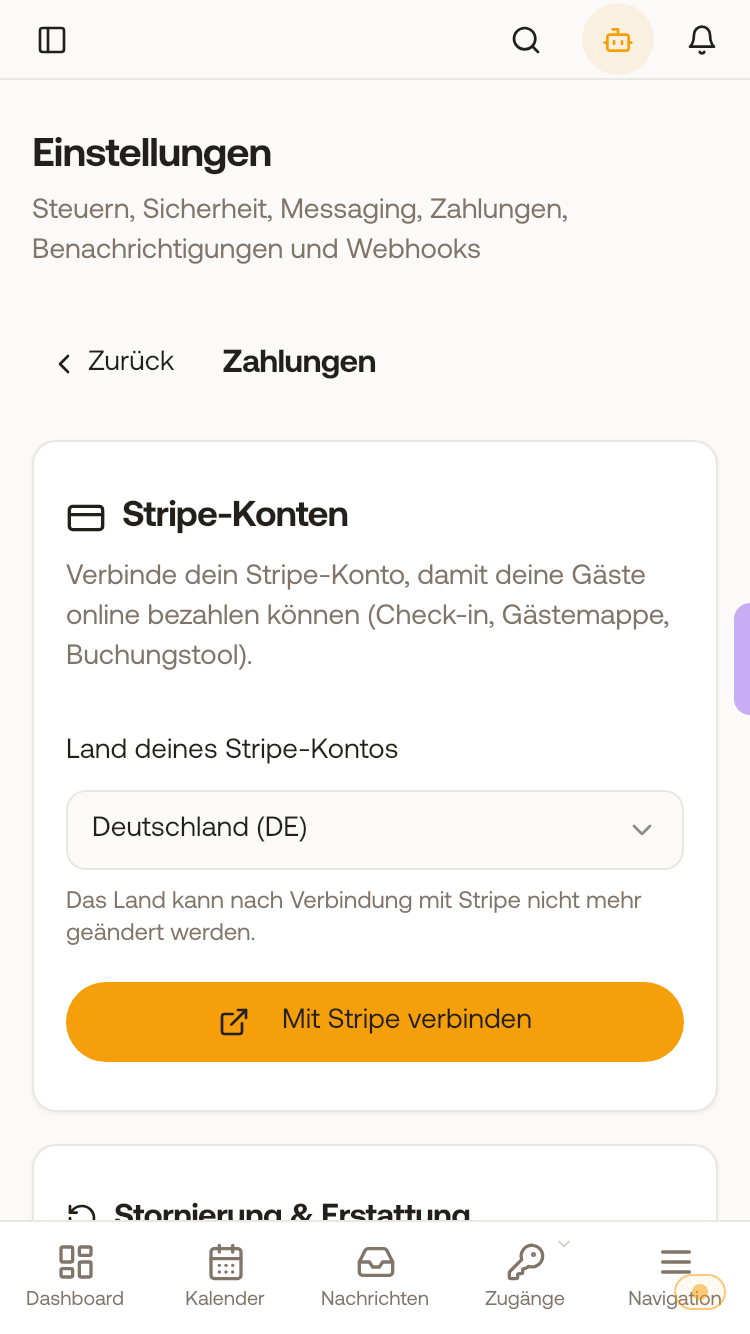 The Stripe accounts card without a connected account: select country and Connect with Stripe.
Payments of individual units to another Stripe account: see Multiple Stripe accounts: assign units.
Payout schedule: daily, weekly, or monthly
How often Stripe transfers your balance to your bank account is set by yourself: Open billing → tab "Finance" → sub-tab "Payouts" → card "Payout schedule". Select Daily, Weekly (with day of the week), or Monthly (with day of the month) and click "Save schedule". The change applies starting from the next payout.
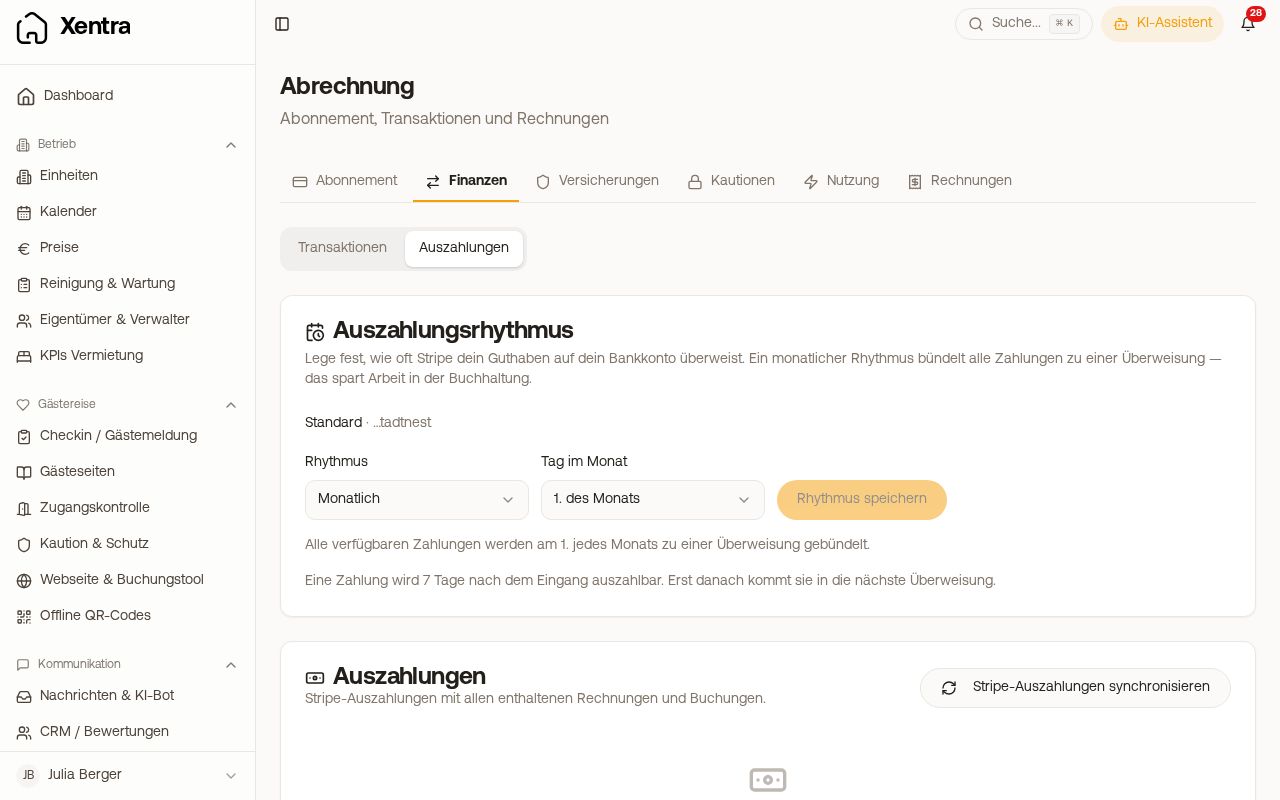 Payout schedule card with schedule and day of the month
Newly connected Stripe accounts start with a monthly payout on the 1st, so that money for refunds remains in the balance. Older accounts keep their previous schedule (mostly daily in Germany) until you change it here. A payment becomes payable only a few days after receipt and is then included in the next transfer.
Only Xentra sets the schedule, not the Stripe dashboard; there you change your bank account. The billing page only exists in the browser, not in the app.
One receipt per payout, matching the bank transfer
Stripe pays out in bundles, which is why a transfer almost never matches an individual guest invoice. Under Open billing, tab "Finance", card "Payouts & receipts", you see which payments are in which payout. Payments without a payout are listed there as "Not yet paid out". With "Receipt (PDF)" you download the receipt for the payout:
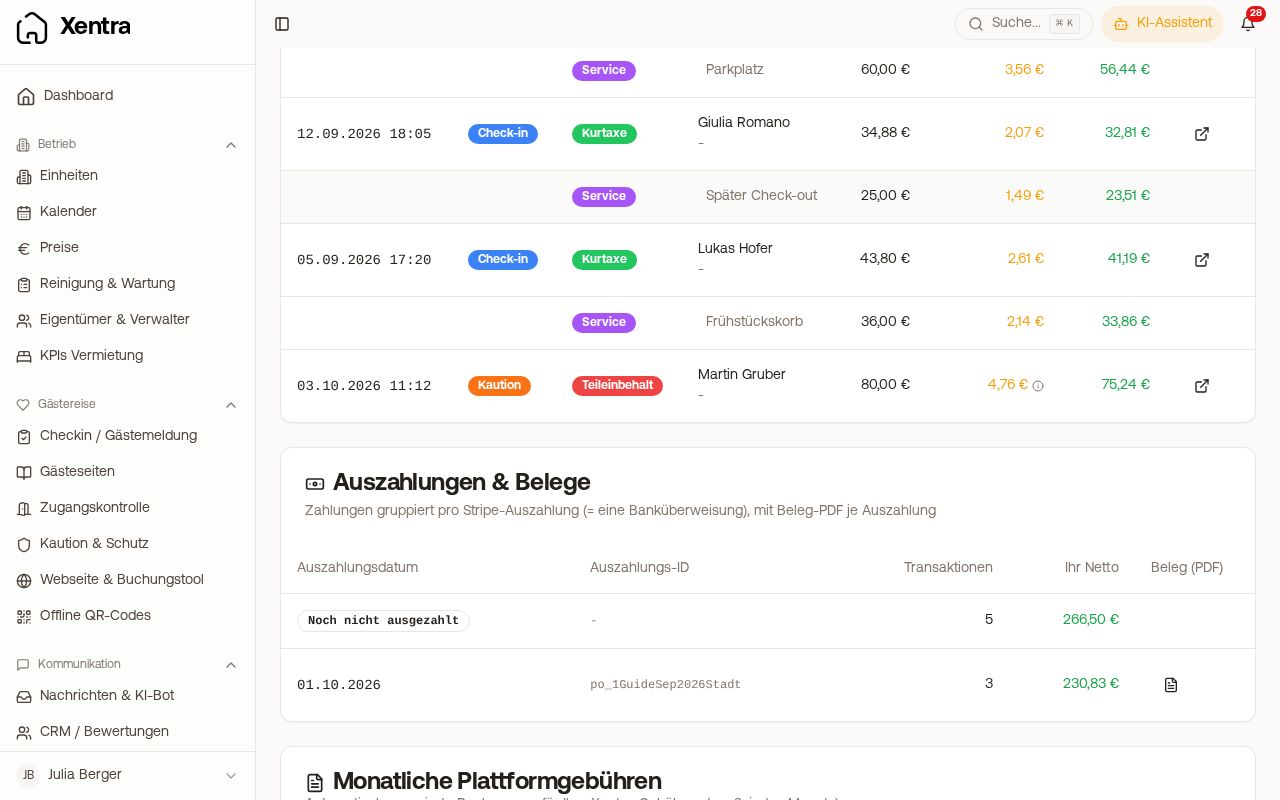 Payouts & receipts with a payout and the Receipt (PDF) button
- It lists every guest payment with guest, booking number, and breakdown (tourist tax, insurance, services), plus refunds as a negative amount.
- "Total payout" is exactly the amount that arrives in your bank account.
- At the top is the bank reference (EREF); it starts with "ST-" and appears exactly like that on your bank statement.
- For each payment, the withheld platform fee is shown with the VAT portion, and at the end the total as net plus VAT.
The receipt is not an input tax document. You only deduct input tax from the monthly fee invoice. For accounting, you book the bank payout against this receipt, not against individual guest invoices.
Excel export
In the same tab, with "Excel export" you download a file with multiple sheets: a detail sheet per payment (booking number, guest, unit, portal, arrival and departure, fee base, fee rate, net, VAT), a monthly overview, a sheet per payout, and a control sheet against the monthly invoice. A CSV version and an additional sheet "Payout proof" are available with the add-on module Guest payment report; request this from support.
What the guest sees on their bank statement
Under Go to settings, section "Payments", card "Name on the bank statement", you specify which name appears on your guests' bank statement for card payments, for example your property name. Without your own entry, Xentra uses the name from your profile. For Klarna, SEPA, and wallets, the bank continues to show only "XENTRA/STELLAR".
In the Stripe dashboard, each payment carries a description with service, property, and guest, for example Frühstückskorb ×2 · Apartment Altstadt · Hofer.
SEPA direct debit and other delayed payment methods
If a guest pays with a method that is not immediately final, the payment is initially considered paid so that check-in is not delayed. If it fails later or is charged back, Xentra automatically resets the status and the item is open again.
Refunding money and chargebacks
Refunding works right inside the booking, see "Refunds: refund whole payment or individual line item". Do not refund directly in the Stripe dashboard: this bypasses Xentra's accounting. If a guest disputes a payment with their bank, see "Chargeback: when a guest disputes the payment".
Did you already have a Stripe account with another software?
Then you still create a new one at Xentra. A Stripe Express account always belongs to the platform that created it; anyone switching from Stellar Trust, Smoobu, or another provider cannot take it with them. This is a requirement from Stripe. If the exact same Stripe form keeps welcoming you when connecting, your Xentra account has long been created: the registration just hasn't been clicked through to the end.