
Invoices: Overview, invoice list, and settings
Incoming and guest invoices at a glance: list, filters, menu, export, DATEV, and where to find the settings.
Updated on November 12, 2026
Invoices in Xentra: the overview
You can find invoices in the menu under Finance in two places:
- Incoming Invoices (open): receipts that you pay, for example cleaning company, electricity, or software.
- Guest Invoices (open): the invoices to your guests.
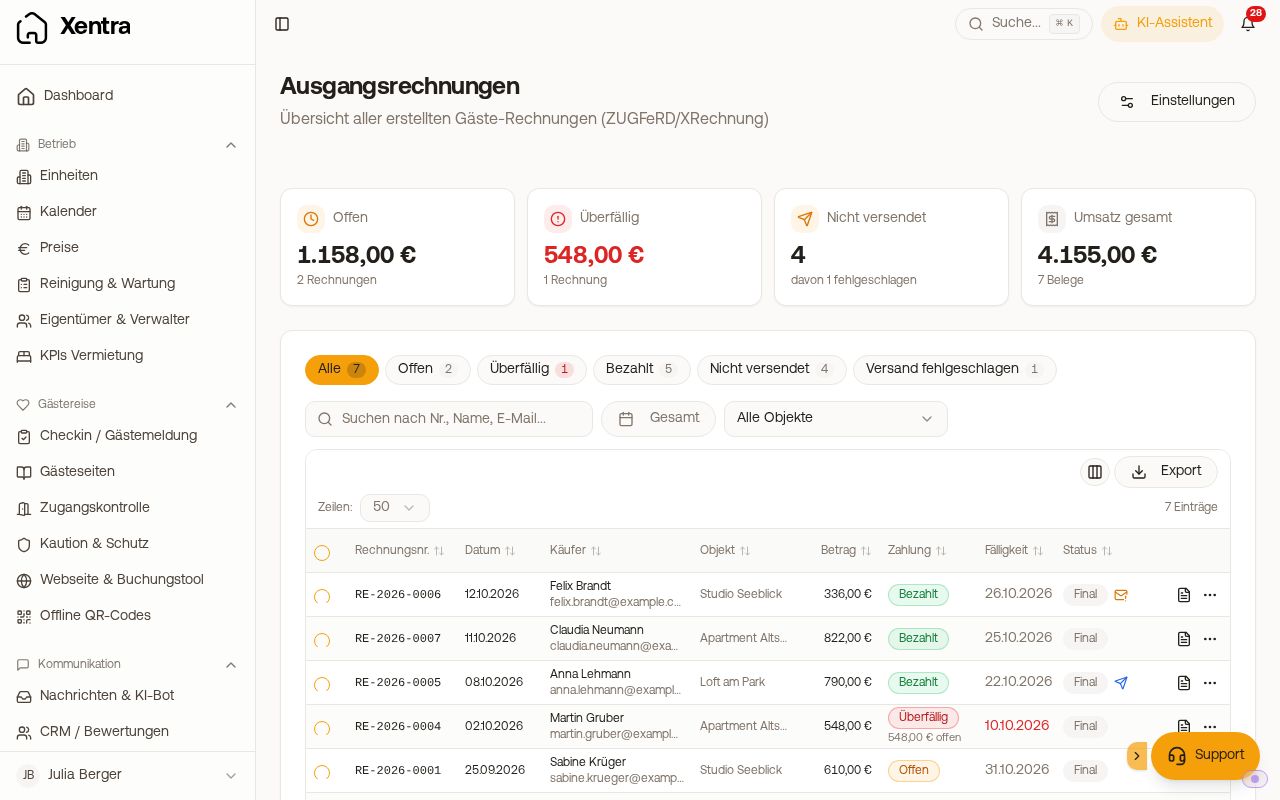 The list of guest invoices with tiles, quick filters, and status
Incoming Invoices
Upload receipts, have them read automatically, and export them as a DATEV file: see Incoming Invoices: Upload receipts and DATEV export.
Guest Invoices: the list
- At the top, there are four tiles: Open, Overdue, Not sent, and Total revenue (with the selected time period Revenue in period). They follow your filters, clicking on a tile filters the list accordingly.
- Below are the Quick filters: All, Open, Overdue, Paid, Not sent, Delivery failed, Drafts, Credit notes. A filter appears as soon as there are matching invoices. Plus a time period and filters by property and invoice series (as soon as you have multiple). "Open", "Paid", and "Overdue" count only issued invoices, no drafts.
- The Amount column shows the gross amount. In the Status column, you find the document (Draft, Final, Credit note, Canceled), the payment (Open, Partially paid, Paid, Overdue), and the delivery as a small icon.
- Clicking on a row opens the invoice on the right: amounts, line items, the delivery to the guest with the text that actually went out, and a preview.
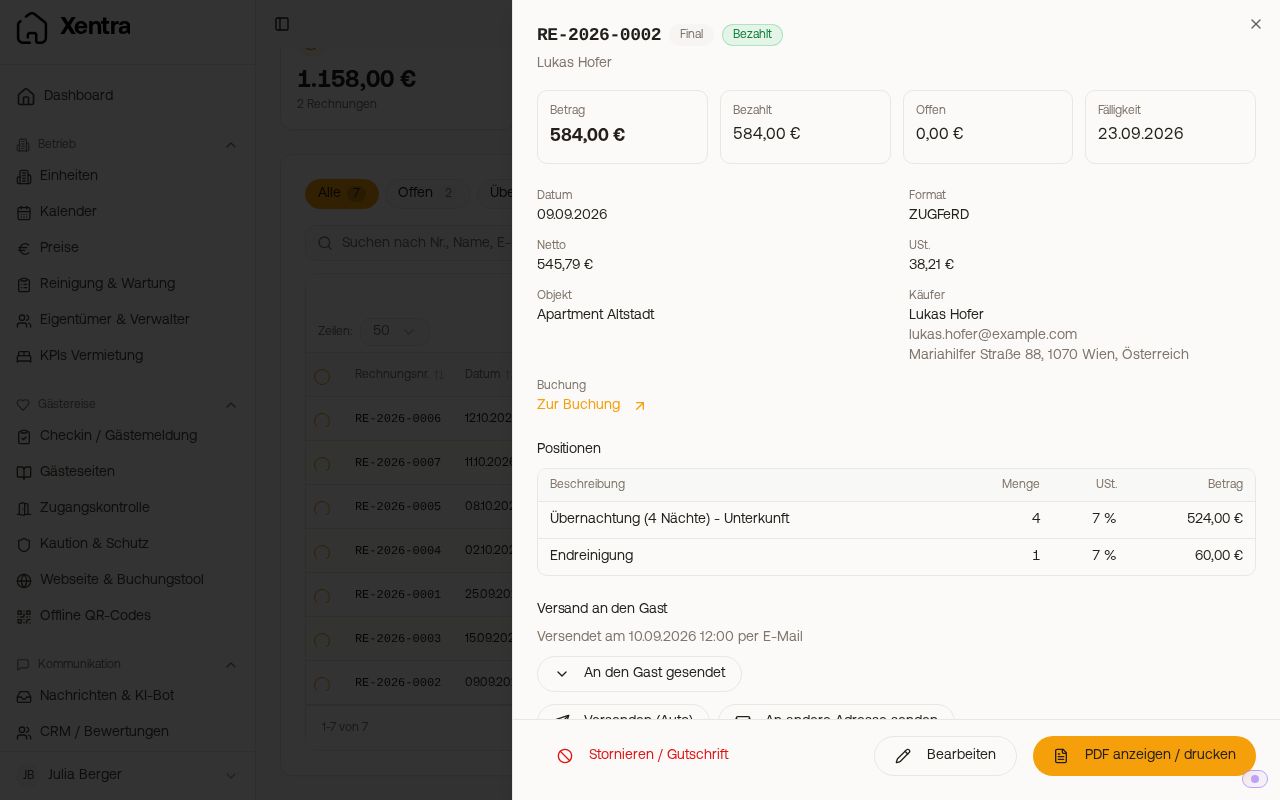 An open invoice with amounts, line items, and "Delivery to the guest"
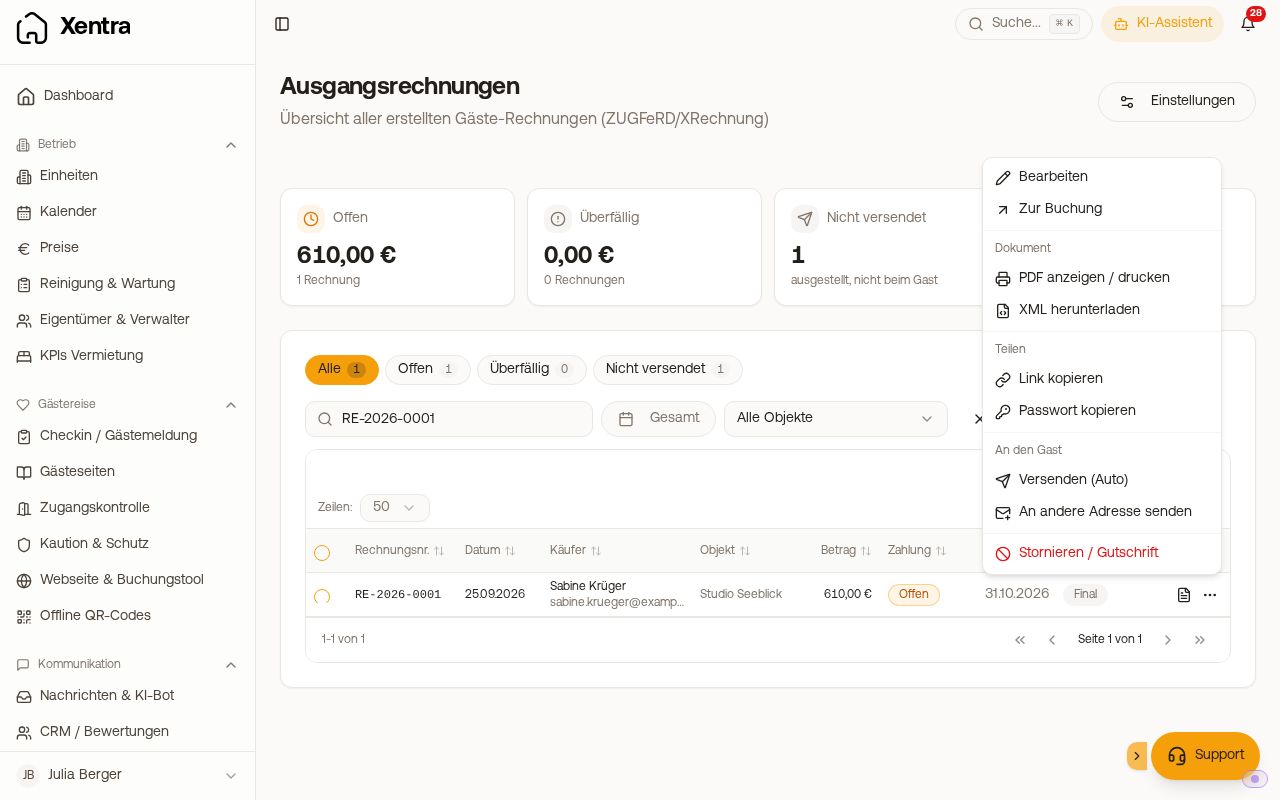 The three-dot menu on an invoice
The three-dot menu is grouped:
- at the top Edit and Go to booking
- Document: Download PDF, View / print PDF, Download XML
- Share: Copy link, Copy password, Copy payment link
- To the guest: Send (Auto), Send to different address
- Cancel / credit note
Export above the list: "Download PDFs (ZIP)" or "List as Excel", for the checked invoices or without selection for the filtered list. The ZIP download is only available in the browser, not in the app.
BMD export (Austria, Beta): If you have at least one unit in Austria, "BMD export (Austria)", "BMD payments through Xentra", and "BMD settings" are additionally listed under Export; only issued invoices are exported, no drafts. Setup, payment file, and what helps with errors: see BMD export (Austria): Invoices and payments for tax advisory.
Settings for guest invoices
In Guest Invoices, the "Settings" button, or directly open settings for guest invoices. Using the bar on the left (on mobile at the top), you jump to the sections: Sender information, Bank details, Document (format, PDF language, payment term), Display, Message to the guest, Automation, Payment status per booking channel, Forwarding (Invoice copy to your bookkeeping), and Invoice series. You save changes in the bar at the bottom, and each sender saves invoice series individually.
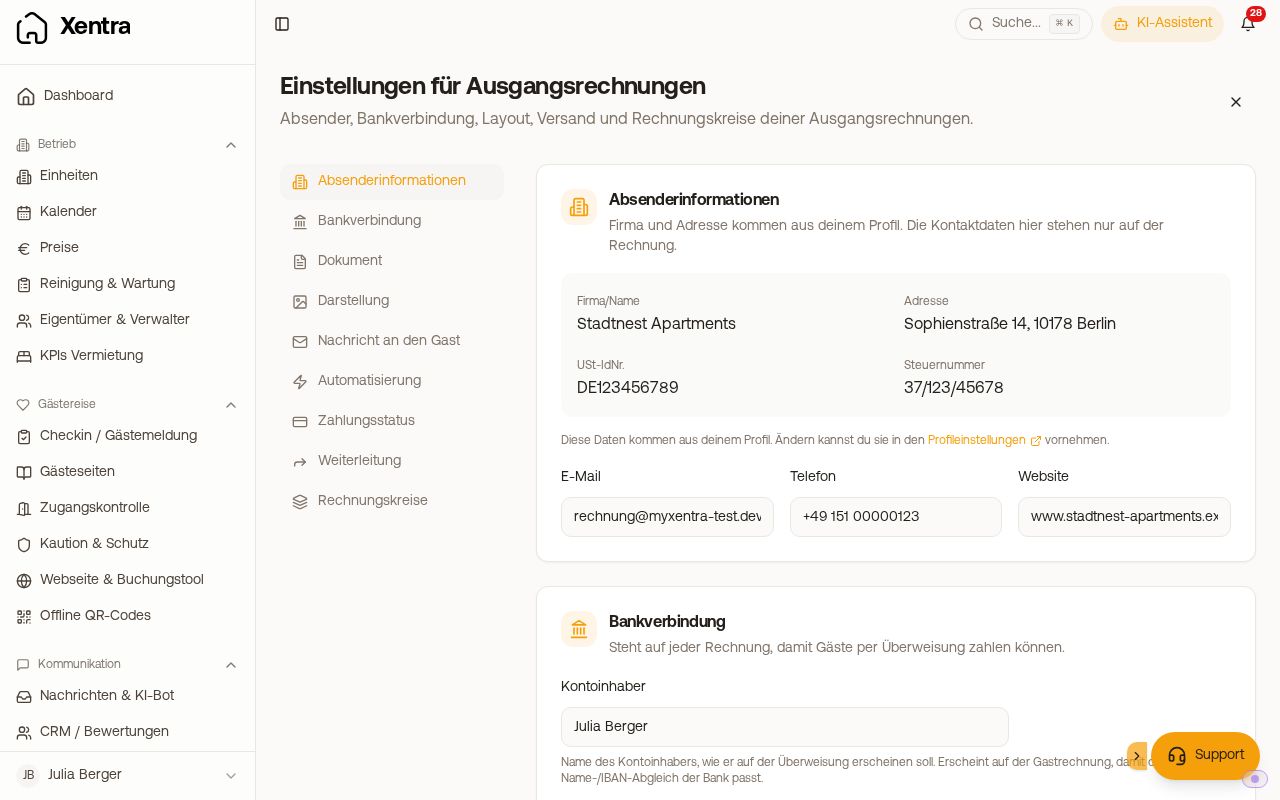 The settings for guest invoices with the section bar on the left
Team members see the invoices and the settings page if the guest invoices area is shared with them. What they are allowed to change follows their permissions. Only the main account can change bank details and forwarding.
Continue to individual topics
- Creating an invoice, draft, payment status: Create guest invoice: draft, live invoice, and payment status
- Create and send automatically, delivery status: Automatically create and send invoices to the guest
- The guest retrieves the invoice themselves: Self-service invoices
- Something is no longer correct: Modify, cancel, or credit an issued invoice
- Notifications in the bell and warning icons: Guest invoices: notifications and typical issues
- Appearance, bank details, password protection: Guest invoices: appearance, bank details, password protection, and export
- Numbers, prefixes, multiple companies: Invoice sender, invoice series, and invoice numbers
- Formats: E-invoicing: ZUGFeRD, XRechnung, FatturaPA, and FacturaE
- Copy to tax advisory: Invoice copy to your bookkeeping
- Lexware Office: Lexware Office: Transfer invoices as receipts