
Change VAT rates: accommodation, cleaning, and products
Where you set the VAT for accommodation, cleaning, and extra products, what applies without an entry, and what happens when changing a line item.
Updated on November 11, 2026
There are two separate places: one for accommodation and cleaning, one for products (upsells, extra services).
Bed tax, accommodation tax, city tax, or local tax are not VAT. You set up these levies just like the tourist tax under Open tourist tax, see "Set up tourist tax: calculation method, obligation, and service fee". Here you only change the VAT rates.
Accommodation and cleaning
Settings, Financial import tab, Booking price per channel card. There are six tabs there: Airbnb, Booking.com, Vrbo, Expedia, Agoda, and Direct Booking. The Agoda tab starts with the values that applied from Direct Booking for Agoda until then. On mobile phones, the tabs show only the logos of the channels. Each contains the fields VAT Accommodation (%) and VAT Cleaning (%).
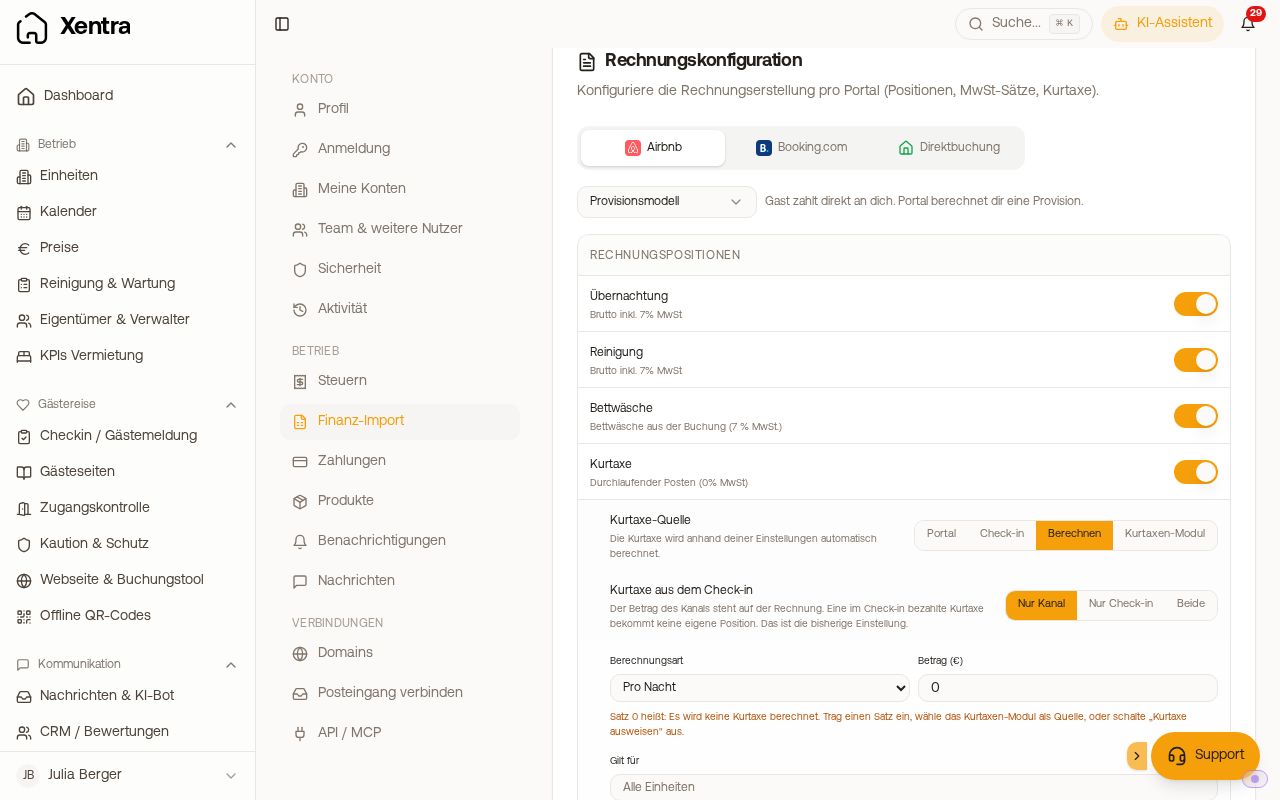 The "Invoice Configuration" card in the "Financial import" tab
- The Vrbo tab applies to all Vrbo bookings, even if they arrive as FeWo-direkt or HomeAway.
- The Direct Booking tab applies to any channel without its own tab, for example HomeToGo, Holidu, and your website.
- If you want the same rate everywhere, enter it in all six tabs.
- The section Line items under Guest Invoices → Settings has the same six tabs. There you set per channel which items appear on the guest invoice.
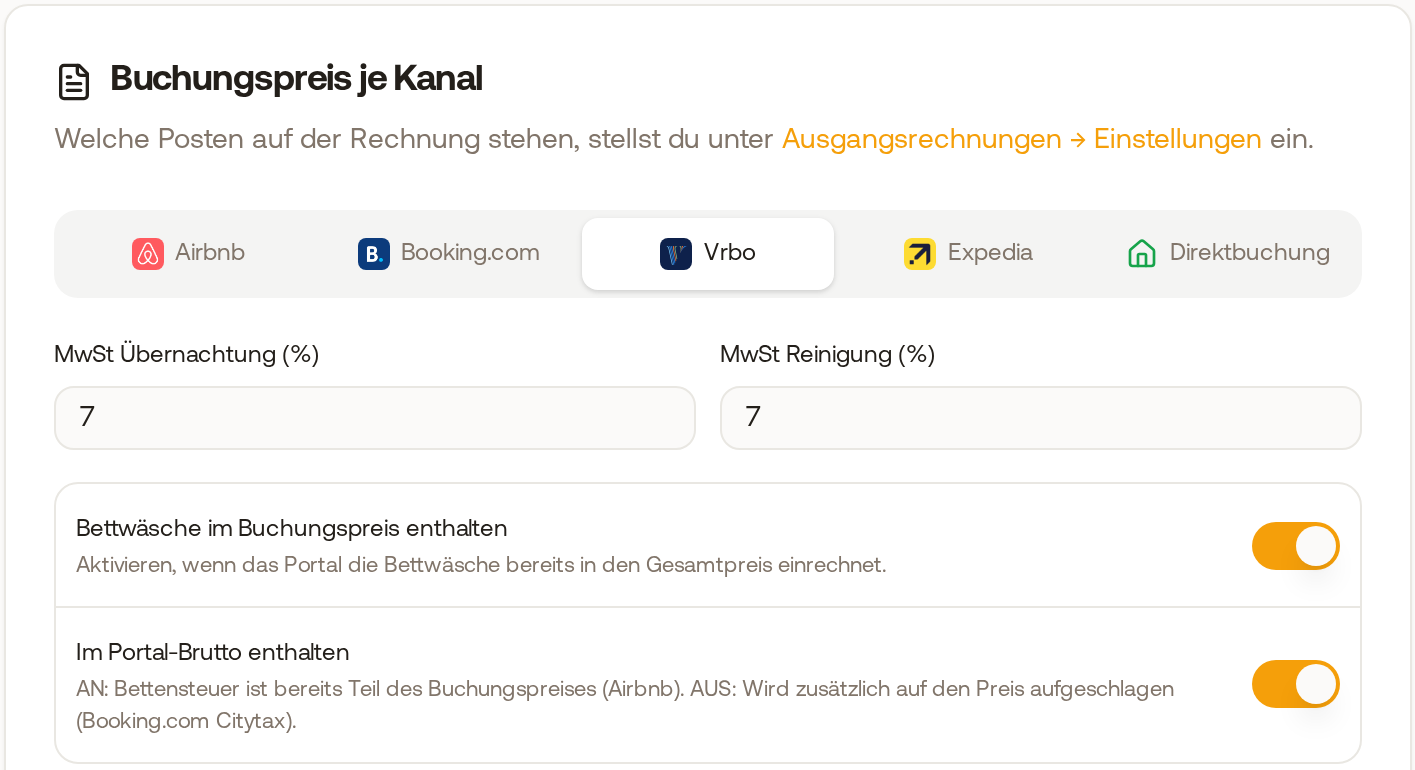 The "Booking price per channel" card with the five tabs Airbnb, Booking.com, Vrbo, Expedia, and Direct Booking, with Vrbo open
- The rate applies simultaneously to the booking overview, evaluations and exports, and automated guest invoices. Already issued invoices do not change.
- An individual unit with a different rate (for example an apartment in the Netherlands with 21%): VAT rates per unit card in the same tab, fields VAT accommodation (%) and VAT cleaning (%). Blank means: the unit inherits the default. The rate is calculated out of the gross price and applies only to arrivals from the day you set it. It applies to the booking tool, evaluation, and guest invoices.
"Tax Office - Tax Rates to Remit": You can find this area in the same tab in the Portal Settings & Tax Configuration card. Stay VAT and Cleaning VAT (Default) are your default rates: They apply in every tab of "Booking price per channel" where no separate rate is specified. VAT Paid is the sales tax on channel fees (commission and payment fees). Service VAT is the rate for additional services that Xentra uses as long as VAT is not enabled under Products (below).
What applies if you do not enter anything? For arrivals from 01.09.2026, Xentra uses the standard rate of the country where the unit is located, the same for accommodation and cleaning: Germany 7%, Austria 10%, Italy 10%. For all other countries, 7% applies. If your unit is located somewhere else, enter the rate yourself. You should check with your tax advisor whether 7% or 19% is correct for cleaning in Germany and then enter that rate.
Denmark: Here the rate depends on what you rent out. Renting an independently surveyed (cadastral) holiday home is generally exempt from VAT; rooms, hotel-like rentals, and short-term rented holiday apartments without their own cadastral plot carry 25%. Therefore, there is no default for Denmark. Enter the appropriate rate yourself and, if in doubt, clarify with your tax advisor what applies to you.
Products (upsells, extra services)
Settings, Products tab, VAT settings for product sales card, turn on Enable VAT and enter VAT rate (%). This is the rate for all products. You set a different rate for an individual product directly on the product.
If VAT is not enabled there, Xentra still calculates VAT for the guest, usually the standard rate of your country (for example 19% in Germany, 25% in Denmark). Enable it and enter your rate so that display and billing match. You only get no VAT with an explicitly entered 0%. On the guest invoice, a paid product appears with the rate that the guest actually paid.
Change VAT of an item on the invoice
If you change the VAT (%) of an item in the "E-Invoice" window, the gross amount stays the same, and net and tax are redivided from it. So a stay for €684.87 remains €684.87 even at 0%. If you typed Quantity or Price (net) on the item itself, your net amount stays as is and the tax is added on top: €100 net at 19% equals €119.
The unit price appears on the invoice and E-Invoice with up to four decimal places so that quantity times unit price results in the exact line amount: 10 nights for €635.87 net show €63.587 per night. Line amounts and totals remain rounded to the cent. Already issued invoices do not change.