
Portal Invoices (CALC-): Commission Receipts for Airbnb and Booking.com
What calculated portal documents are, where you generate them, and why you do not record them additionally.
Updated on November 11, 2026
What Portal Invoices Are
Xentra compiles a portal document for you per portal and quarter that breaks down the commissions and payment fees from Airbnb and Booking.com. You recognize these documents by the number starting with CALC- (for example CALC-AIRBNB-Q3/2026).
These are not invoices issued to you by Airbnb or Booking.com, but documentation documents calculated from your booking data for your accounting and tax advisor.
Where You Generate Them
Incoming Invoices, below the upload area the button “Generate Portal Invoices”. It opens a preview with portal, quarter, number of bookings, commissions, and payment fees, marked as “New” or “Update” per line. With “… generate invoices” at the bottom, you generate the documents.
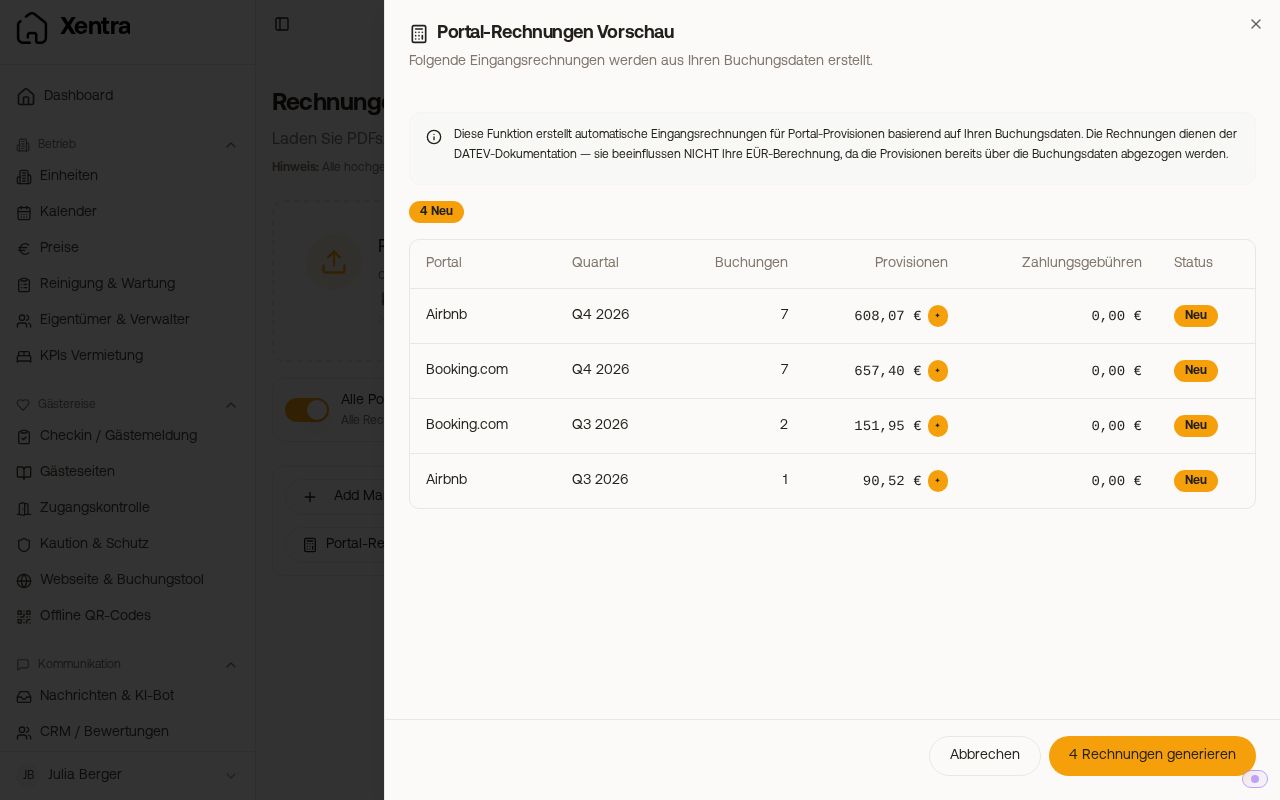 The preview “Portal Invoices Preview” with portal, quarter, and commissions
The button only exists if you selected “Calculate automatically” under Portal Commission Recording. If you selected “Upload invoices”, you upload the real commission invoices from the portals yourself, and Xentra does not calculate anything additionally.
How You Record Them: Not Additionally at All
The commissions are already deducted from your revenue at the booking level. If you record the portal document again as a separate expense, the commission is entered twice in your accounting. If you upload a real commission invoice from the same portal anyway, Xentra asks which version you want to keep.
How this looks in your chart of accounts, you clarify with your tax advisor.
Do the Documents Change Later?
Not on their own. A portal document captures the state that the bookings had when it was created.
If you click “Generate Portal Invoices” again for the same quarter and the same portal, the same document is overwritten with the current numbers: the number stays, the amounts change. No second document is created. This is practical if bookings were canceled or corrected afterward, but it also means that a document that has already been passed on can change. It is best to generate it only when the quarter is closed.
Wrong VAT Rate on the Portal Document
The tax rate on the CALC document comes from your settings. For Booking.com, from the field “VAT on payment fees” under Settings, tab “Financial import”, portal settings. For Airbnb, there is a separate field for commission VAT there. The new rate applies to documents that you generate afterward or regenerate.
Reverse Charge for Airbnb and Booking.com
In the tab “Financial import” under Settings, there is a toggle “Airbnb Reverse Charge” and “Booking.com Reverse Charge” in the portal settings. If it is on, Xentra sets the paid VAT on commission and payment fees of this portal to €0, in the financial figures of the booking and on the portal documents (CALC-): net equals gross. Turn it on if the commission invoices of the portal do not show VAT, but refer to reverse charge (tax liability of the recipient). If they show VAT, leave it off. You change already generated documents by regenerating them. Whether reverse charge applies to you, you clarify with your tax advisor.
Commission Included in Price?
In the tab “Financial import” under Settings, the card “Portal Import Configuration” contains “Commission included in price?” per portal. You can set it differently per portal and per unit.
The card has six tabs: Airbnb, Booking.com, Vrbo, Expedia, Agoda, and Direct Booking. Vrbo also applies to bookings arriving as FeWo-direkt or HomeAway, Direct Booking for any channel without its own tab. A tab shows its toggles as soon as you have a booking from that channel. The “Cleaning Fee Source” (PMS or Manual) is only available for Airbnb and Booking.com.
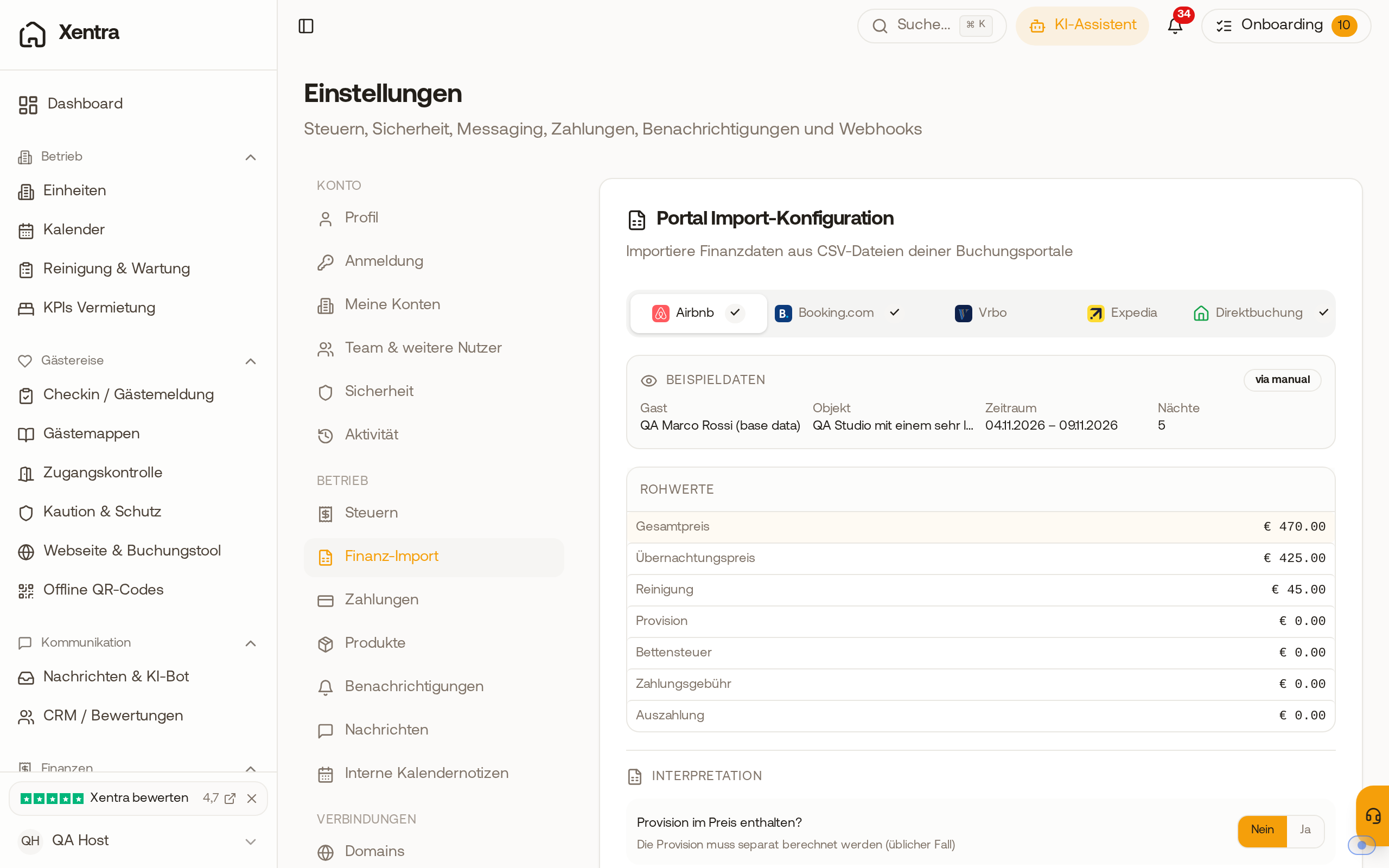 The card “Portal Import Configuration” in the tab “Financial import” with the five tabs Airbnb, Booking.com, Vrbo, Expedia, and Direct Booking
- No (the normal case): the imported price is the gross price of the guest. Xentra deducts the commission to calculate your payout. First, the commission amount supplied by the portal is taken, otherwise your stored commission rate.
- Yes: the imported price is already reduced by the commission. Xentra does not deduct it a second time and does not create a commission line for this booking.
If you are unsure, compare an individual booking (price, commission, payout) with the settlement statement of the portal.
Payment Fees
For portals with their own payment collection, a fee document with -FEES- in the number is additionally created (for example CALC-BOOKING-FEES-Q3/2026). It separates the fee for payment processing from the referral commission, both belonging to the same quarter.