
Guest invoice: Payment status, down payment, and payment link
Which items on the guest invoice count as paid, per booking channel, after payment in check-in, with down payment and payment link.
Updated on November 13, 2026
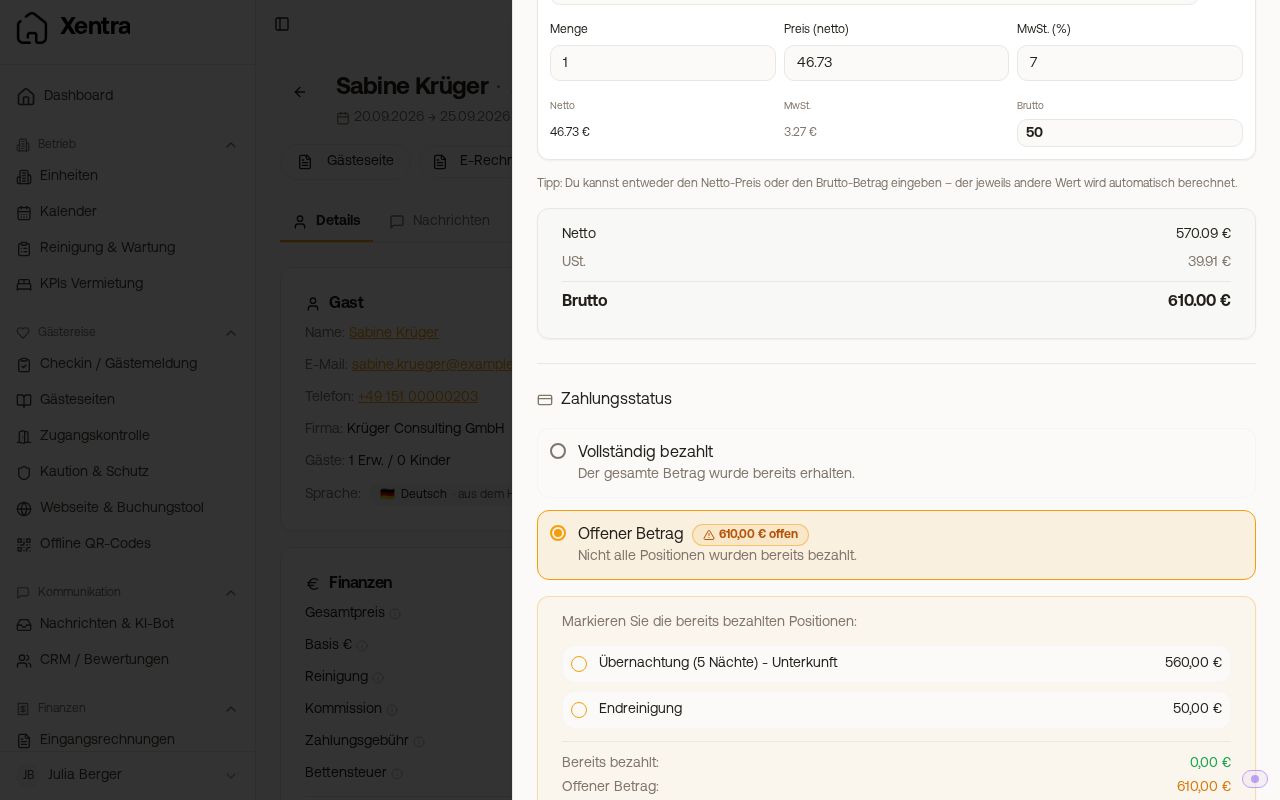 The "Payment status" area with "Fully paid" and "Outstanding amount"
Under "Payment status", you select "Fully paid" or "Outstanding amount". With "Outstanding amount", you check off which items are already paid. Each item from the booking adopts its payment status: whatever was already paid via the portal or in check-in is checked. For portals that collect the money themselves (Airbnb, Booking.com, Vrbo, Expedia, and similar), the stay is checked by default. You define who collects for which portal in the invoice settings under the section "Payment status per booking channel": "Portal collects" (the stay is checked) or "I collect myself" (it starts open). This way, you can also set a portal that starts open by default, such as Feratel, to "Portal collects". If the booking itself reports that the guest pays you, the stay starts open. A Direct Booking starts open until you record a payment in the booking or mark it as paid; if the guest paid for the whole stay by card in the booking tool, it is checked. The same rule applies to the invoice that Xentra creates automatically or that your guest requests via their invoice link.
An item that you enter yourself using "Add item" (for example a lost key) always starts as open. If the guest has already paid it, check the box yourself. This also applies to a follow-up invoice.
Payment in online check-in after the invoice: If your guest pays the tourist tax or a service in online check-in by card after the invoice is already created, Xentra automatically checks off exactly this item on the invoice as paid. The invoice then stands at "Partially paid", or at "Paid" if nothing else is open. A service is only recognized if the invoice item has the exact same name as the product (or its display name in check-in) and the same amount. If the payment is refunded, canceled, or disputed, the item is open again. Tourist tax paid by the guest via the payment link from the "Tourist tax unpaid" card does not count yet.
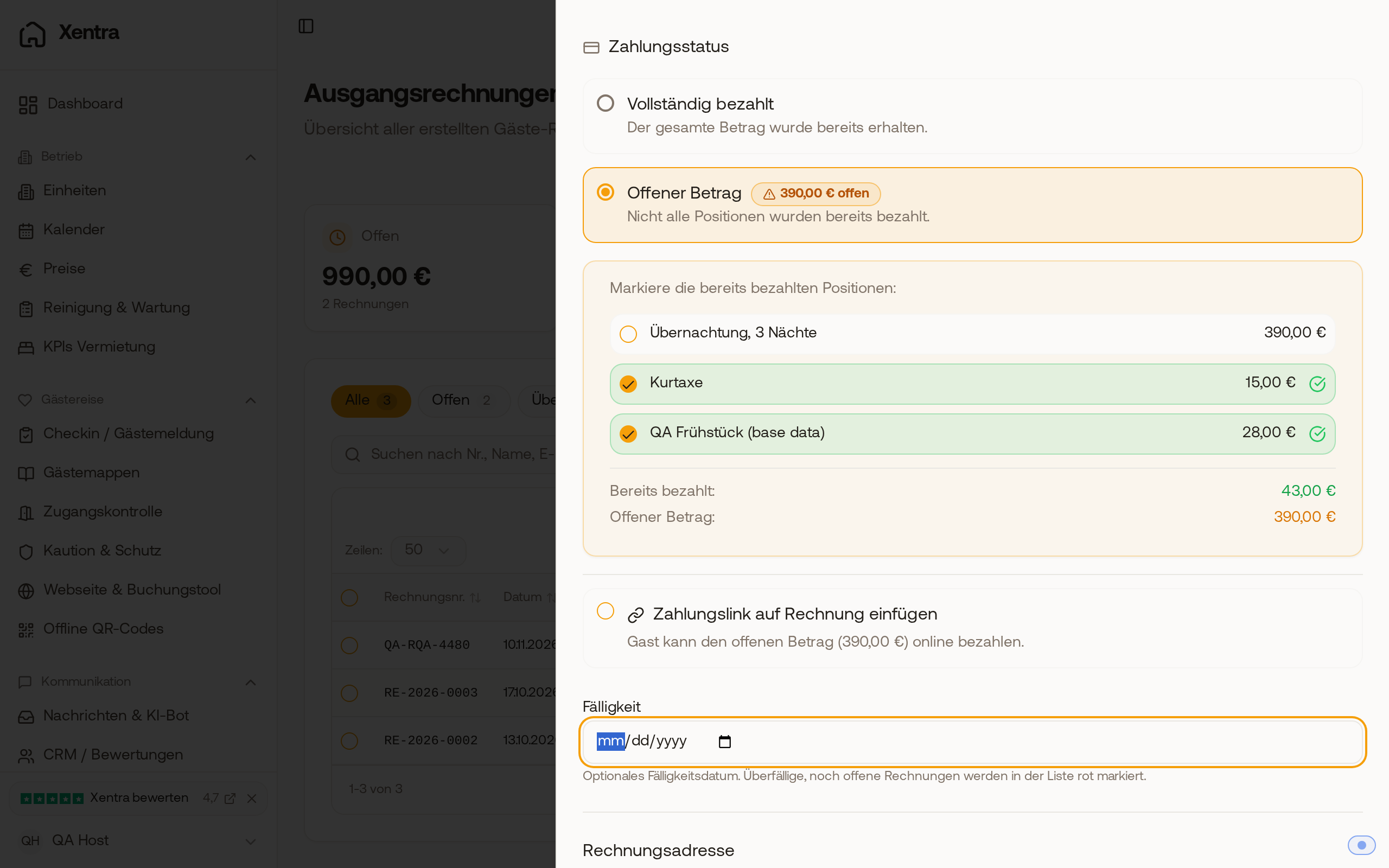 After card payment in check-in, tourist tax and breakfast are checked as paid on the invoice, the overnight stay is still open.
Down payment on the invoice: If you entered a payment in the booking under "Record payment" (for example a down payment by bank transfer or a credit from a previous stay), the first invoice for this booking automatically adopts it. Under "Payment status", "Outstanding amount", you will find the line "Deduct payments recorded on the booking" with the date, payment method, and amount of each payment. It is checked: the amount appears on the invoice as "Already paid", and the "Outstanding amount" and a payment link only calculate with the remainder. If you do not want to deduct them, uncheck the box.
Deduction happens only on the first invoice of a booking, not on a follow-up invoice. A payment that you record after the invoice is already created does not change this invoice: open the invoice via "Edit" and check the paid items or select "Fully paid".
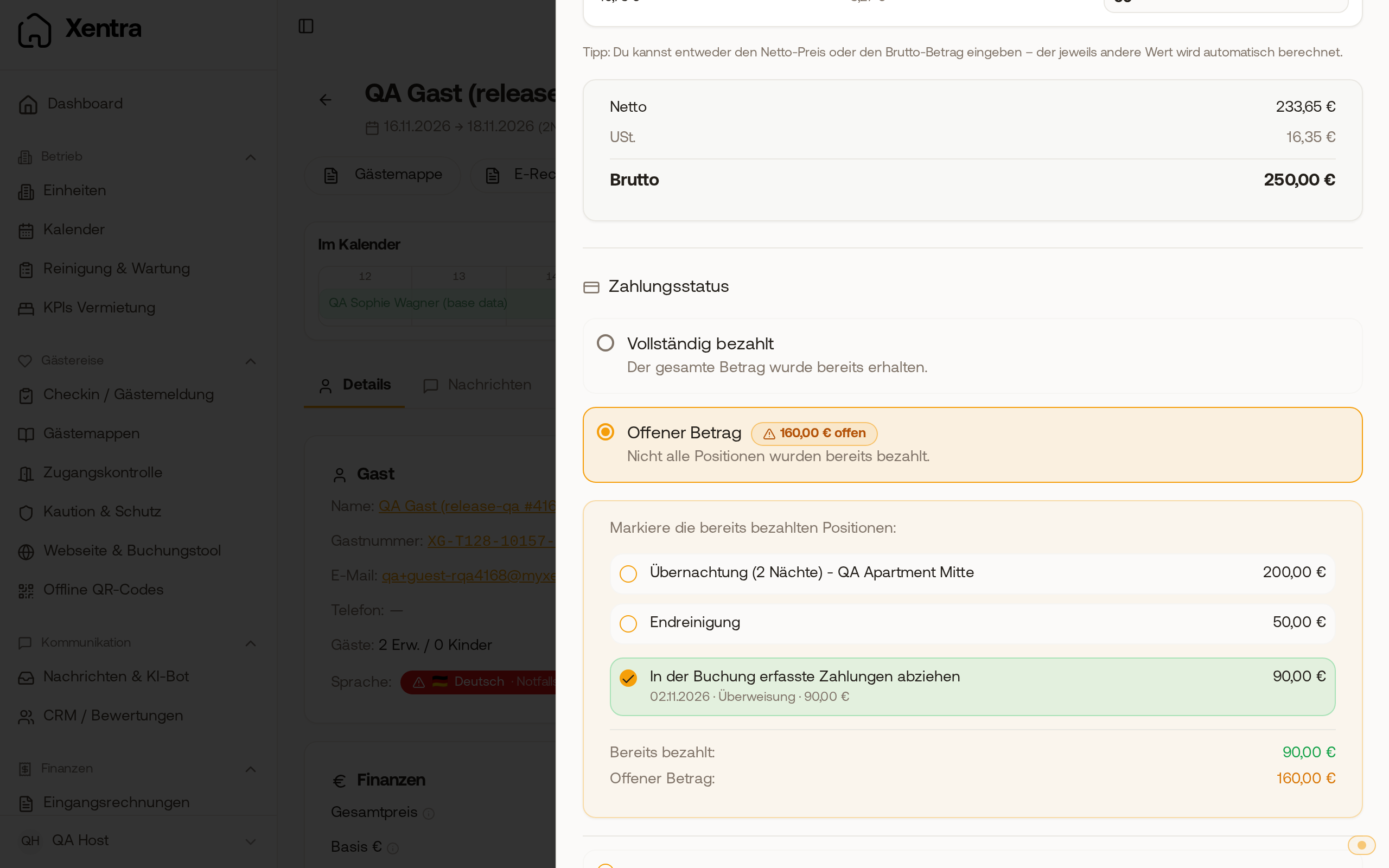 In the "Create guest invoice" window, the line "Deduct payments recorded on the booking" is checked, "Already paid" shows €90.00, and "Outstanding amount" €160.00.
Payment link: With "Insert payment link on invoice", the guest can pay the outstanding amount online. This only works with a connected Stripe account (Settings, Payments) and only as long as something is open.