
Payments for direct bookings: Payment status, Record payment, and deposit
For direct bookings, Payment status shows what is outstanding. Here is how you record payments by bank transfer or cash and plan a deposit.
Updated on November 8, 2026
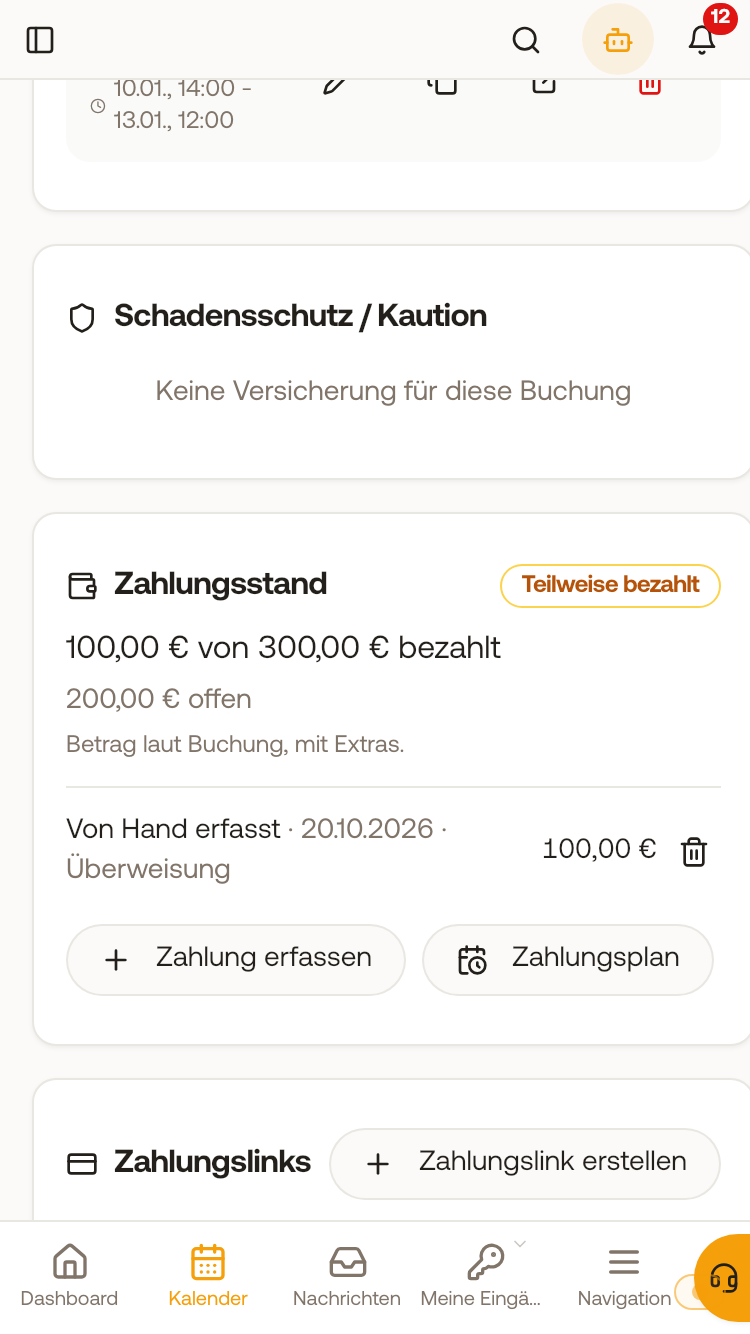
For bookings that you create yourself in Xentra, that come via a quote or your booking tool, or that originated from a confirmed request from a request portal (for example worker apartments), the booking shows the card "Payment status": what the guest owes, what is already there, and what is still outstanding, along with the next due date. As long as the request is still open, the card does not exist yet.
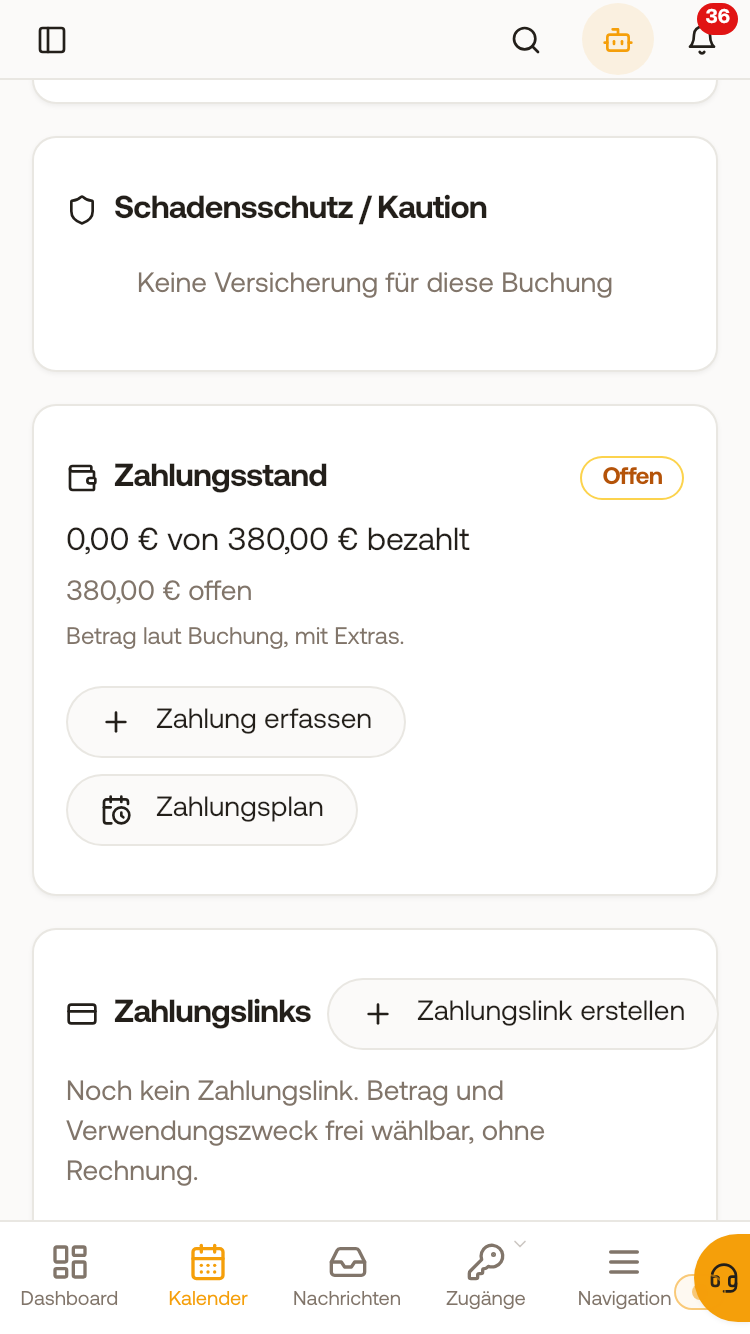 A confirmed worker apartment request shows the card Payment status with Record payment and Payment plan in the booking. If an invoice exists, its amount counts. Money that did not come via Xentra (bank transfer, cash) is entered under "Record payment" in the booking; you can remove an incorrectly recorded payment again via the trash icon. If you then create the first invoice for this booking, it deducts the recorded payments as "Already paid" (line "Deduct payments recorded on the booking" in the window "Create guest invoice"). Under "Payment plan", you define a deposit and the balance with a date. In the booking list, the filter "Paid", "Direct, payment open" shows all direct bookings with an outstanding amount. In the booking tool under payment, you configure "Deposit (%)" and "Balance due (days before arrival)": The guest then pays the deposit by card and receives a payment link for the balance by email 3 days before the due date. If arrival is so close that the due date for the balance has already been reached (for example arrival in 5 days with "Balance due 42 days before arrival"), the guest pays the entire amount immediately, without a deposit. This also applies if the deposit or balance is below the minimum amount for a card payment, if the guest books multiple units together in the shopping cart, or if they do not pay by card. The guest always pays extra services immediately in full. If you want to test the deposit, choose an arrival date that is further away than the configured period. As soon as everything is paid, the booking is set to "paid". If you marked it as paid yourself, it stays that way. The first invoice for the booking deducts the recorded payments: It displays them as "Already paid" and only the remainder as "Outstanding amount". This also applies to invoices that Xentra creates automatically after check-out or that your guest requests themselves via their invoice link. For a direct booking, the stay on every invoice is considered outstanding until you record a payment or set the booking to "Paid" under "Mark payment". You do not need to check anything under "Payment status per booking channel" for this. If the guest paid for the entire stay by card in the booking tool, it is listed as paid on the invoice. If you only record a payment after the invoice has already been issued (for example because the guest transfers the invoice amount later), the invoice is automatically set to "Partially paid" or "Paid" afterwards, in the invoice list and in the booking under "Invoices". If you remove the payment again, the status of the invoice reverts. The invoice document itself remains unchanged.
Does the guest get a confirmation when the money arrives? There is no "Payment received" email or automation trigger for this. If the guest pays by card in the booking tool, the booking is only created after payment, so your automation for new bookings acts as the confirmation at the same time. With bank transfer, the booking is created immediately; if you record the receipt later under "Record payment", you write to the guest yourself or send them the invoice with "Already paid".
You can also send the outstanding amount to your guest in a message or automation, for example as a reminder for the balance after a deposit: Click "Placeholders" in the text field and select the placeholder "Outstanding amount" ({{open_amount}}) under "Finance". It shows the same amount as the card "Payment status", for example €700.00 if a deposit of €300.00 is recorded for €1,000.00. If everything is paid or you set the booking to "Paid" yourself under "Mark payment", it shows €0.00. For bookings without "Payment status" (portals, PMS, import), it remains blank. The preview in the message field of the booking shows you the amount before you send.
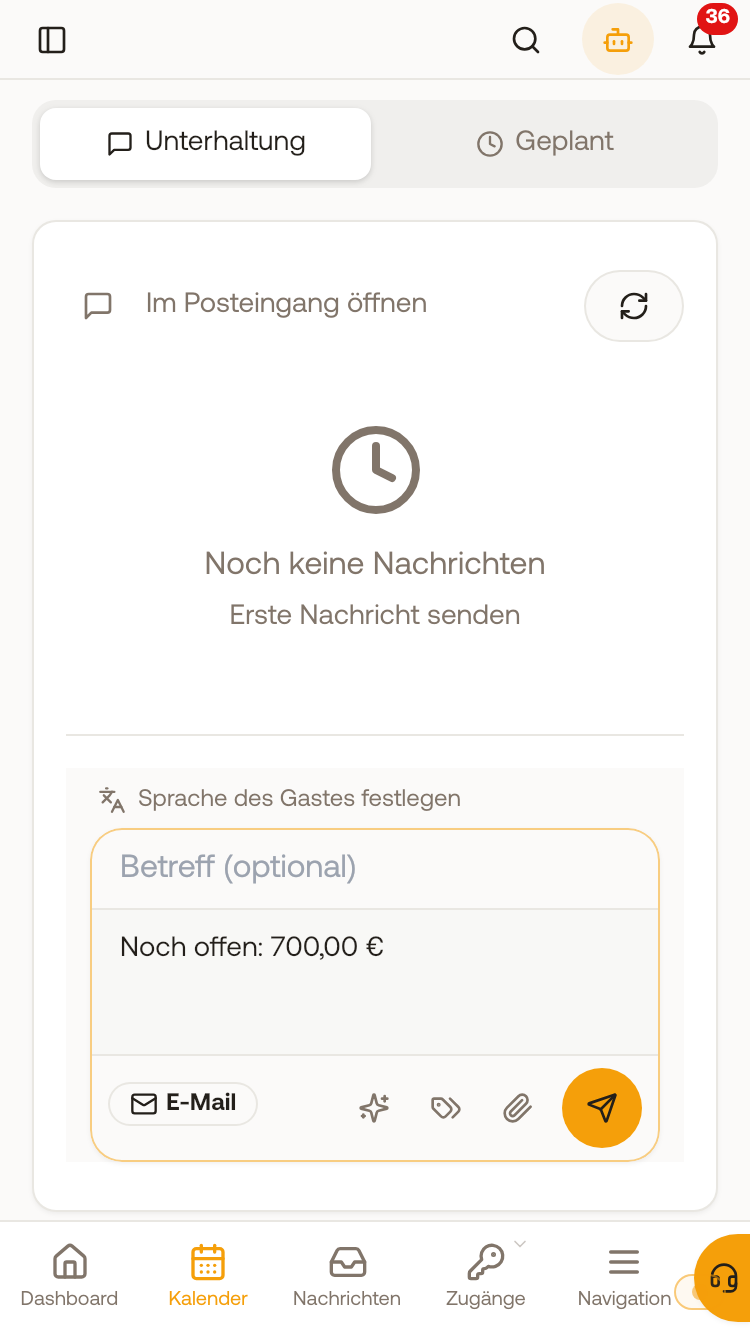 The preview in the message field inserts the balance after the deposit for "Outstanding amount", here €700.00.
Imported bookings (for example from your move to Xentra or from another booking system) and bookings from portals such as Airbnb or Booking.com, including manually created ones, do not show the card "Payment status", and "Record payment" is not available there either. If the money has arrived for such a booking, for example by bank transfer, you set the status to "Paid" in the booking under "Mark payment"; you cannot enter a partial amount there. A payment link created for such a booking is shown as "Paid" in the card "Payment links" after payment, but the booking itself does not automatically switch to paid. You send the link to the guest yourself ("Copy payment link"), there is no automatic reminder for them.
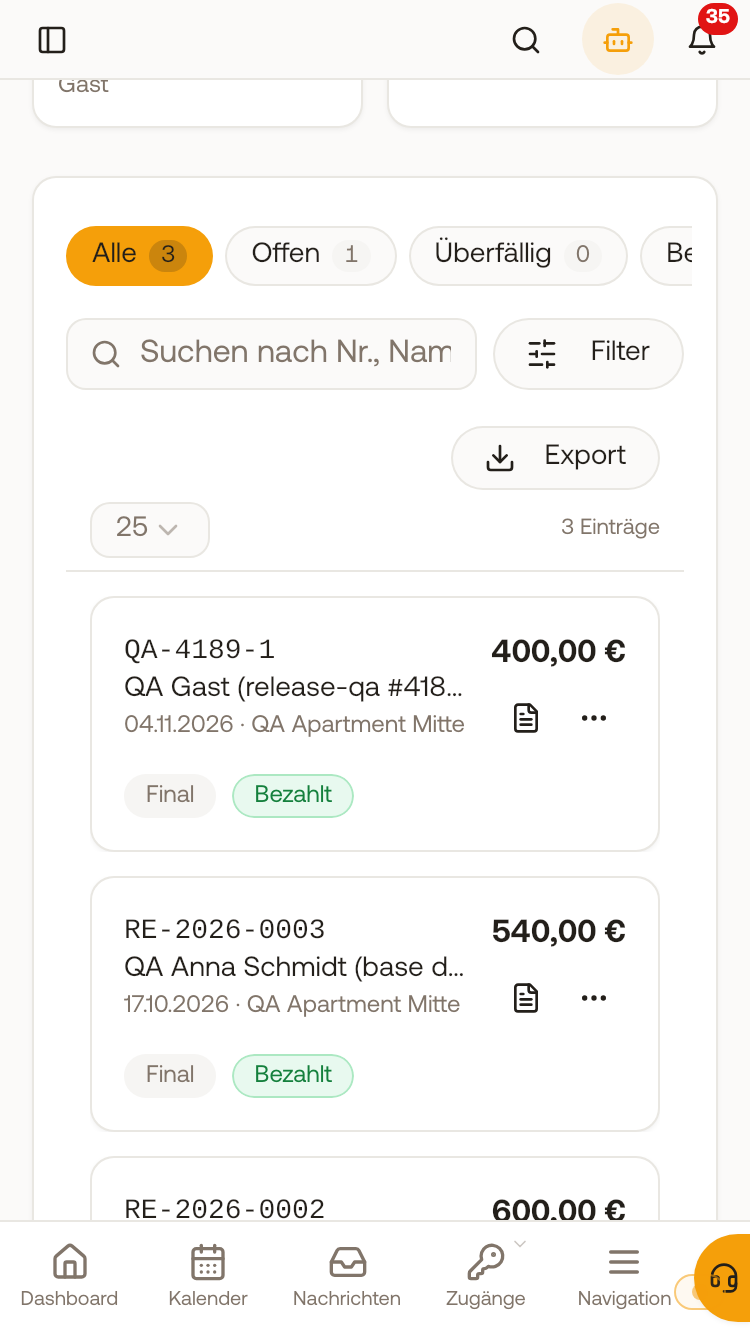 In the invoice list, the invoice is set to "Paid" after the recorded bank transfer.
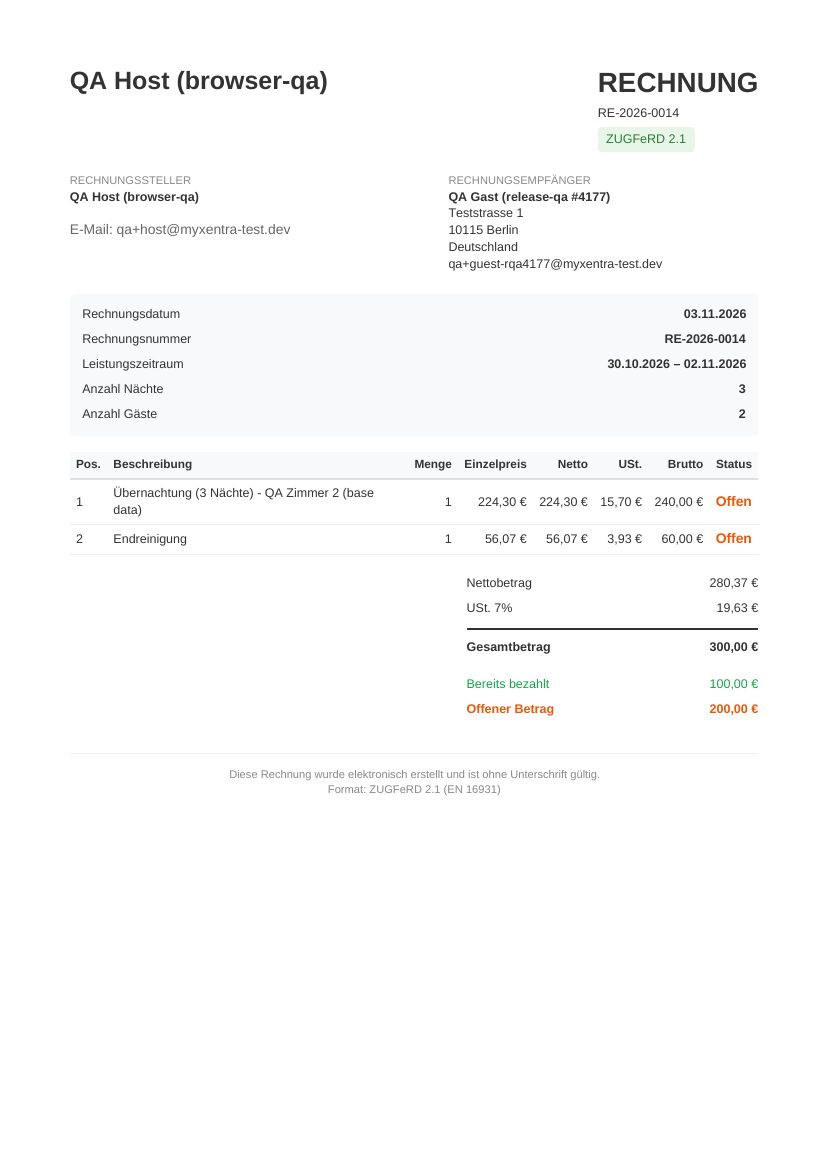 The invoice shows the recorded deposit as "Already paid" and only the remainder as "Outstanding amount".