
Team rights: Template, rights grid and "customised"
What your team members can do: the rights grid with No access, View and Edit, "customised", the AI right, and what can never be assigned.
Updated on November 8, 2026
What a team member is allowed to see and do in Xentra is decided by their rights, not the name of their role. Two cleaners with the same checkmarks see the same thing, regardless of whether they were created with the "Cleaner" template or customised later. This applies to menus, pages, buttons, and also to the search and the AI assistant.
Where you see the rights
Settings, Team and other users, click the arrow on the right side of the team member. The card shows Template, Access details, Permissions (the rights grid) and below that units, visible booking details, and Settings of the member.
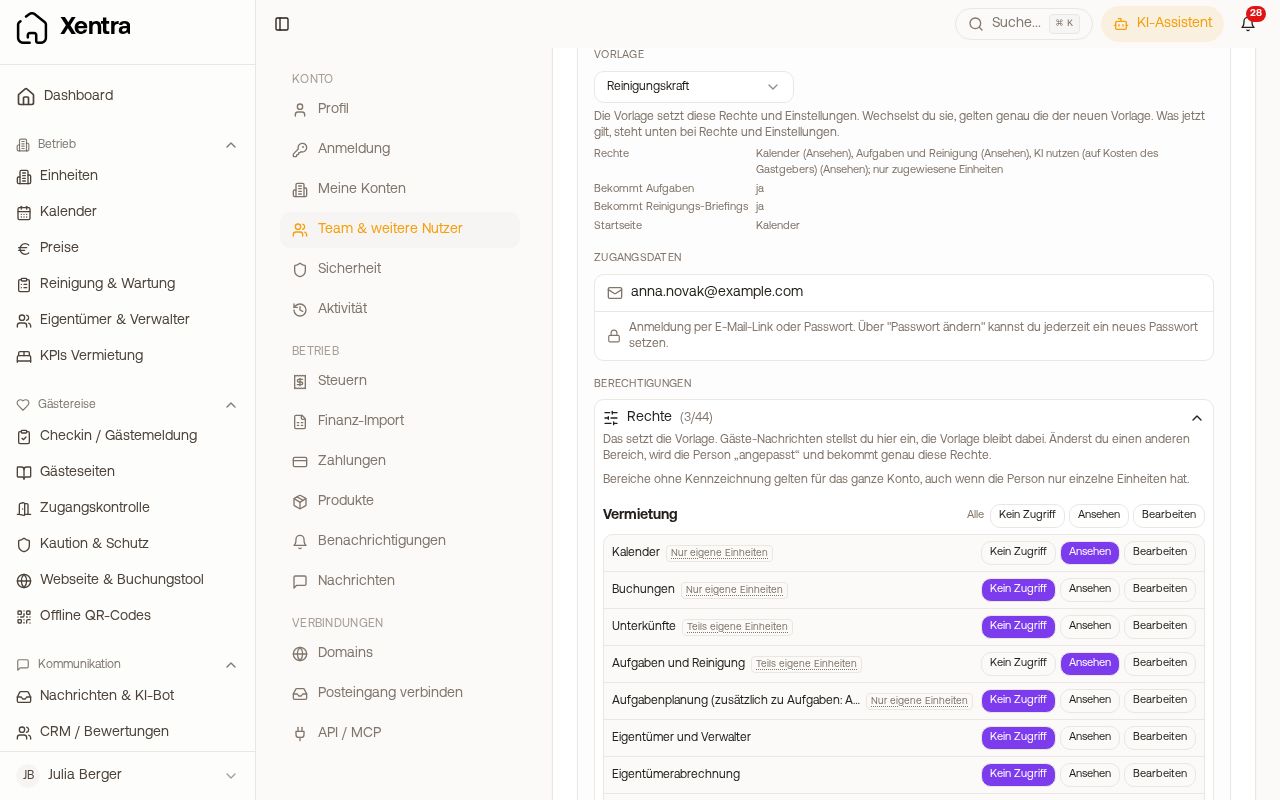 Expanded team member with template and rights grid
In the grid you set for each area: No access, View, or Edit. The areas are grouped (Rental, Guest experience, CRM and website, Accounting, Integrations, Help and AI, Settings). If an area is set to View, Xentra hides the buttons for creating, changing, and deleting there.
How far a right extends
Next to the areas is a label:
- Only assigned units: applies only to the units assigned to the person, for example calendar, bookings, and guest messages.
- Partly assigned units: the core is limited to the assigned units, the rest applies to the whole account. Example tasks: the tasks themselves only for the assigned units, duty roster, compensation, checklists, and recurring rules for the whole account. Tapping the label shows what exactly is limited.
- Without label: applies to the whole account, even if the person only has one unit. If you additionally give a cleaner "Incoming Invoices", they see all incoming invoices for your account.
For custom and customised team members, there is an additional switch in the grid All units, including future ones: on, every unit of your account applies, including newly created ones; off, only the assigned ones.
Customise template: "Cleaner" becomes "Cleaner, customised"
For Cleaner, Caretaker, and Booking manager, the grid shows what the template is allowed to do. If you change something there, Xentra asks (Customise and save). After that, the person is called, for example, "Cleaner, customised" and has exactly the rights from the grid; their settings and units remain. Going back to a fixed template is no longer possible after that, for that you create the access again.
The role Custom starts without rights, you assemble it completely in the grid. Without rights, the login only sees their own login.
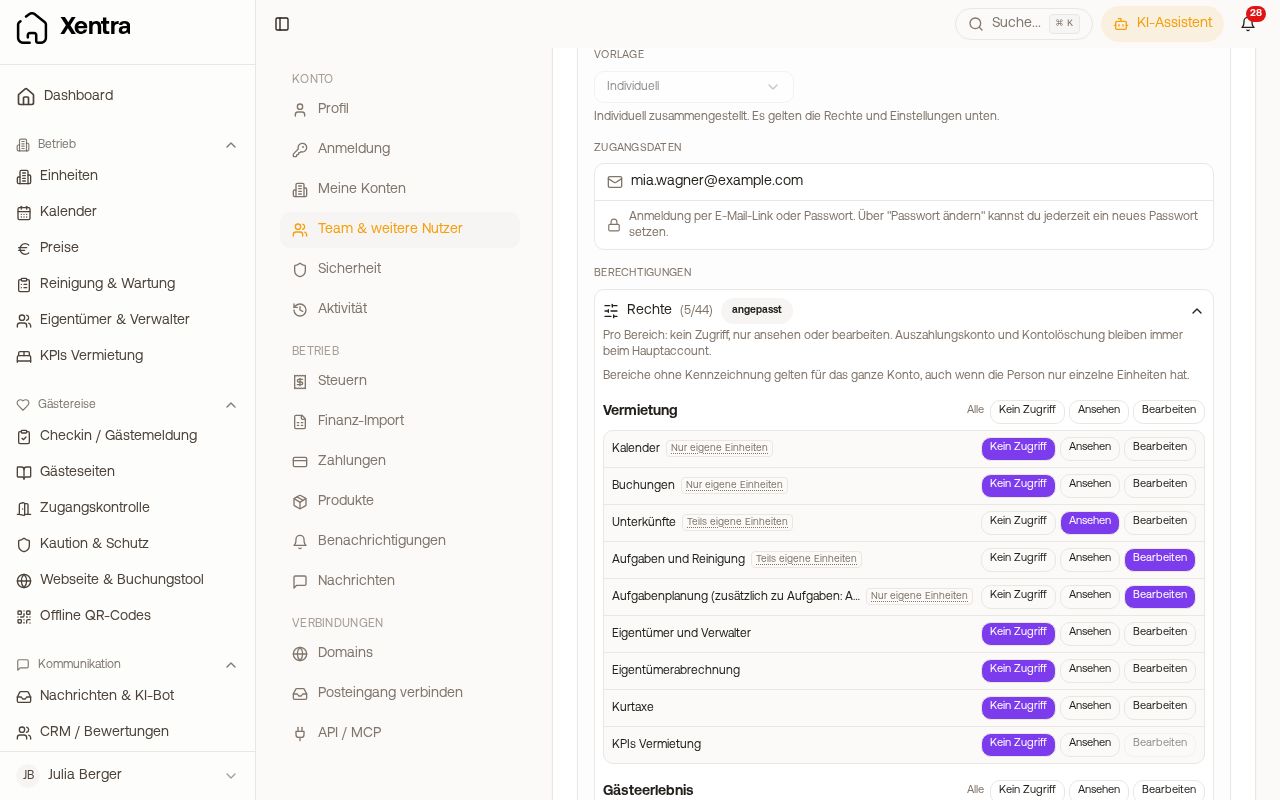 Custom team member with self-assembled rights
Special features
- Owner keep their role because Billing and units depend on it. In the grid, you set messages (no access, view, reply) and bookings (view or enter personal use) for them, and optionally release tasks for viewing. Greyed-out areas are not possible for owners.
- Admins always have full access, there is nothing to set there.
- Booking manager with accounting: If you turn on Use accounting for the booking manager and they do not have all your units, they see incoming and outgoing invoices, costs, financings, and the financial analysis only for their units. An invoice that also belongs to other units counts for them only with its share; only you or an admin can edit or delete it. Bank account, tax & depreciation, exports, and invoices without a unit remain hidden from them. If they upload an invoice, they select one of their units for it. A new unit only belongs to it once you check it in their card under Units. If they have all units, accounting applies to the whole account.
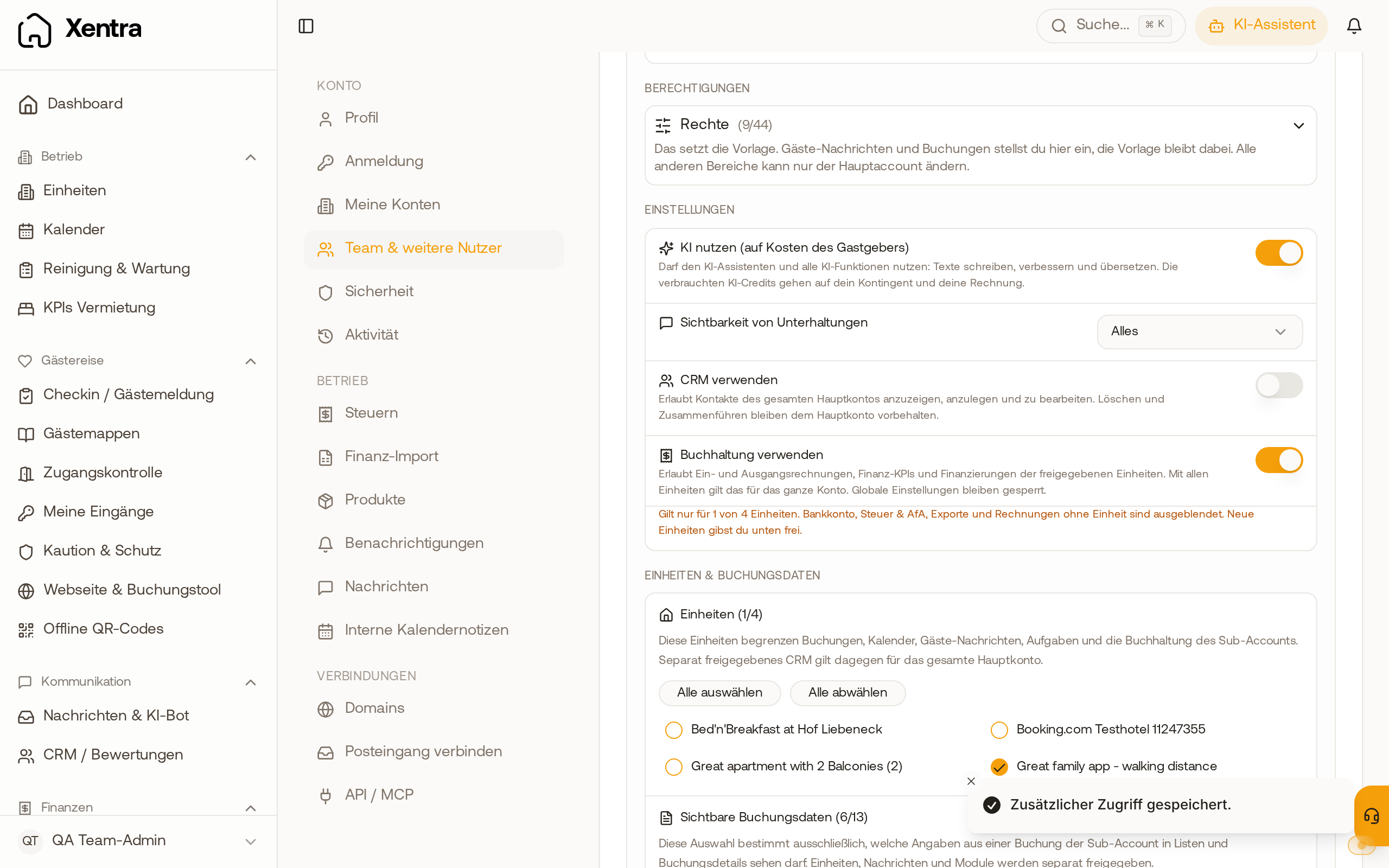 Team member card of a booking manager with accounting turned on and the note that it only applies to 1 out of 4 units
- Use AI (at the host's expense): a single right for the AI assistant and all AI functions (write texts, improve, translate, drafts). The consumed AI credits go against your allowance. The assistant only answers to a team member what they are also allowed to see in the app.
- Prices: Booking managers and owners see the night prices if the field Price is released in their visible booking data; the grid then says "Prices: View".
- Never assignable, only your main access: your Xentra subscription and your Xentra invoices, the payout account, and account deletion. Even an admin does not see them. If you need the Xentra invoices for accounting, you download them yourself under Billing, tab Invoices as a PDF.
- Never assignable, stays with you and your admins: API keys and webhooks under Settings, API / MCP.
- Team and other users can only be enabled for viewing. Only you can create team members and change rights; admins only toggle the switches for guest messages and bookings for other members.
Member settings
Under Settings in the card you define:
- Receives tasks: The person can be assigned tasks, takes over tasks from the pool, is in the duty roster, and counts for wages and time tracking. For this, they need the right "Tasks and cleaning". For an admin, this switch does not exist.
- Receives cleaning briefings: They see your notes on the units in their language.
- Start page: where they land after logging in (dashboard, calendar, tasks, bookings, or inbox). Cleaner, caretaker, owner, and booking manager start in the calendar by default.
What notifications a team member receives is configured in the same card under Notifications; the person sees and changes the same switches themselves. Details in the article Notifications for team members.