
Cleaning lead: plan and assign tasks
With the Task planning permission, a cleaner organizes their own team in their units. New tasks can only be created with the Create tasks switch.
Updated on October 19, 2026
A cleaner who organizes their team
If one person leads your cleaning team and is to distribute jobs themselves, you give them the Task planning permission. It is granted in addition to Tasks and cleaning: View.
To set it up: Settings, Team & additional users, open the person, and under Permissions, rights set the row Tasks and cleaning to View and the row Task planning to Edit. Assign the units they are responsible for and save. For a fixed role such as Cleaner, Xentra asks first; afterwards the role is called “Cleaner, customized”.
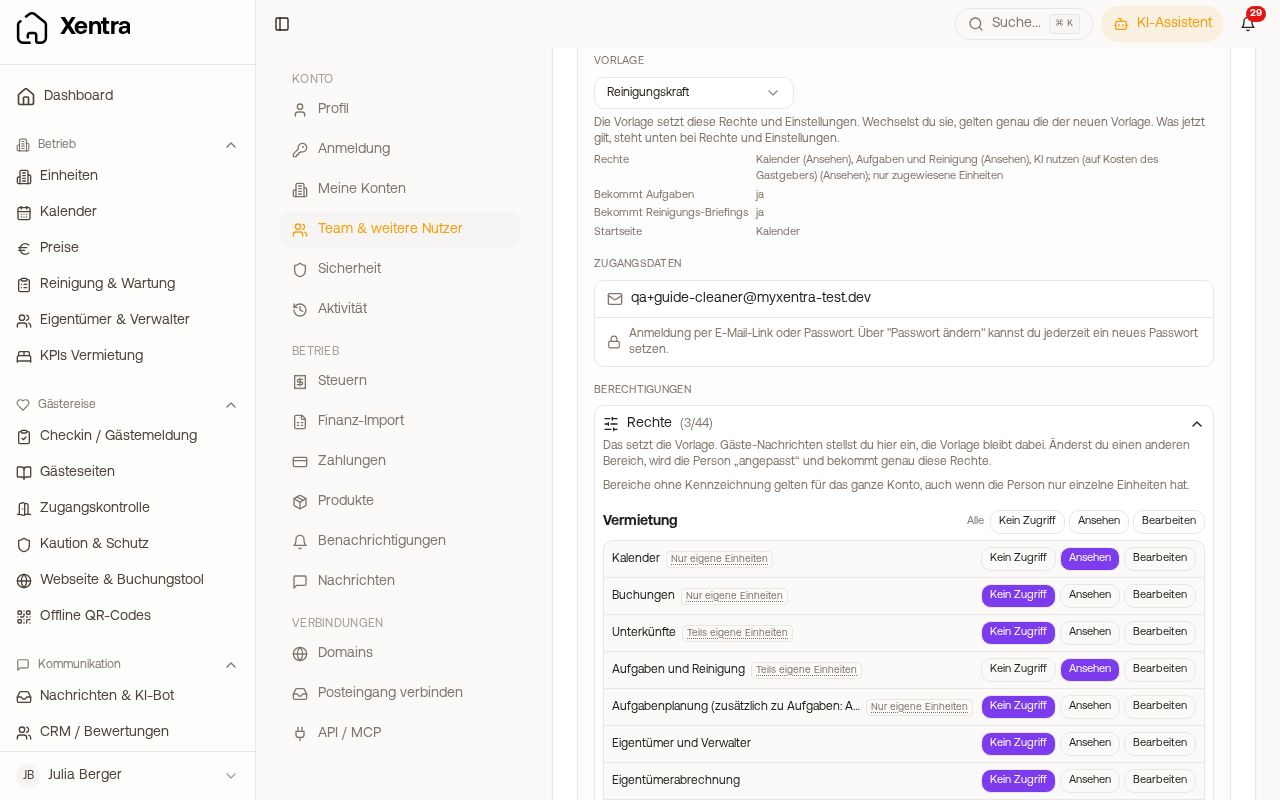 Permissions of a team member with task planning
What they see: under Cleaning & Maintenance, the Planning with overview, calendar and list for their units, and under My tasks their own jobs.
What they can do: in their units, schedule open tasks and assign them to team members, including those the duty roster could not fill, one at a time or several at once. They can only create new tasks if you also switch on Create tasks for them.
What they cannot do: delete tasks, change the recorded work of others, edit recurring rules or the cleaning settings, see other people's pay and working hours, or create new team accesses.
You therefore create the other cleaners yourself: Settings, Team & additional users, Add New User, role Cleaner, assign units, send the invitation. Afterwards the cleaning lead can assign tasks to them.
Anyone who previously had Tasks and cleaning: Edit keeps this broader release. Nothing is changed automatically.