
Multiple Stripe accounts: Assign units
Connect a second Stripe account, for example for private apartments, and assign each unit its account so guests can continue booking them.
Updated on November 12, 2026
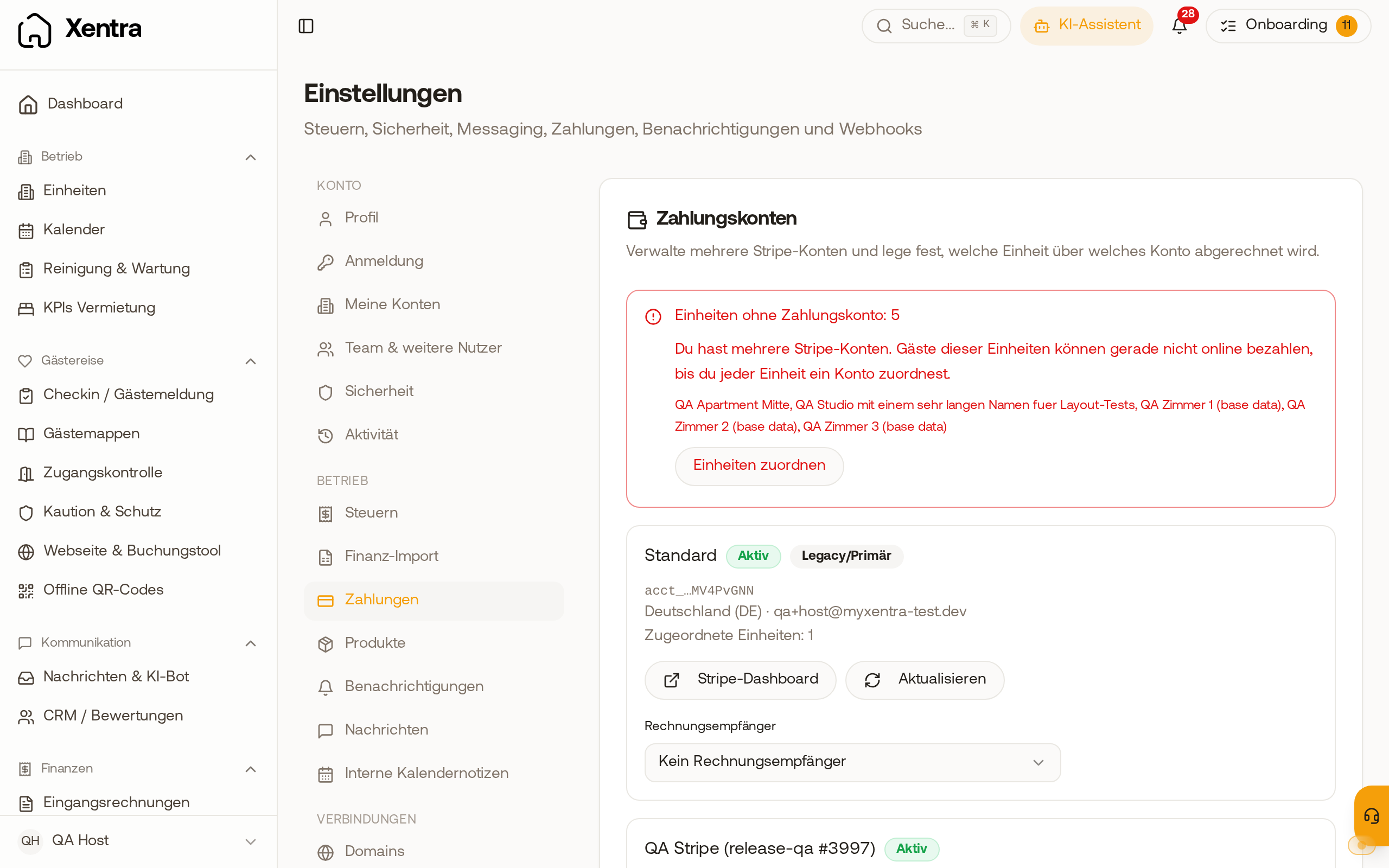
If payments for some units should go to another account, for example private apartments alongside those of your company, you connect a second Stripe account: Settings, Payments, card "Stripe accounts", "Add another Stripe account". The button appears as soon as your first account is connected. In the "New Stripe account" window, you enter a "Label", the "Country of the Stripe account" (it cannot be changed after creation), and optionally an "Email (optional)", and click "Create account". After that, setup continues at Stripe; until it is finished, the account status is "Setup incomplete". What the labels mean is explained in Connecting a Stripe account: Setup, status, and what does not work without a finished account.
After that, everything runs through its account for each unit: booking, extra services, and tourist tax. Each account pays out to its own bank account. In the booking tool, units from different accounts cannot be booked together in one shopping cart.
As soon as you have two or more active Stripe accounts, each unit needs a permanently assigned account. Units without an account cannot be paid online by guests.
In the "Stripe accounts" card, each account then appears as its own line with the number of its units; the first one has the label "Main account". If a unit does not have an account yet, the note "Units without payment account" appears there with the number and names of these units. Via "Assign units", you select an account for each unit and tap "Save mapping". Saving is only possible once every unit has an account. After that, the note disappears. An account that cannot collect payments yet is grayed out in the selection and carries the note "not ready for payments yet".
A new assignment only applies to future payments; existing payments remain with the previous account.
Under "Xentra invoices", you specify who receives the monthly service invoice from Xentra for each Stripe account; without an individual recipient, the data from your profile applies. You archive an additional account without units via the three-dot menu in its line, "Archive". You can only disconnect the main account once the other accounts are archived; until then Xentra says: "You have several Stripe accounts. Archive the others first, then you can disconnect this one."