
Invoices: different bank account for specific properties
Set up a separate bank account for individual properties or groups to appear on their invoices, keeping the same company and invoice numbers.
Updated on November 13, 2026
If individual properties run through their own account, for example one per building, you set up an exception for this. Company, address, and invoice numbers stay the same, only a different account appears on the invoices for these properties.
Where you can find it
Open Outgoing invoice settings (also "Finance settings" under Finance). On the left under "Sender & bank", you will find Sender information, Bank details, and Exceptions. Your default sender and default bank details are at the top, applying to all properties without an exception.
Create an exception
- In the "Exceptions for specific properties" section, click "Add exception".
- Xentra asks "What is different for these properties?":
- "Only the bank account": same company, same address, same invoice numbers, only a different account on the invoice.
- "A different company": separate sender with its own address, own account, and own invoice numbers (see Invoice sender, invoice circles, and invoice numbers).
- For "Only the bank account", select the properties or entire groups under Assigned properties. If you select a group, properties added to the group later will also be included.
- Enter Label (for example "Account Lake View House"), Account holder, IBAN, BIC, and Bank, then click Save.
If your bank is connected under Finance, Bank account, select the account directly from the list under "Connected bank account", and Xentra automatically recognizes guest payments on it. Without a connected bank, it says Connect bank, and you enter the IBAN yourself.
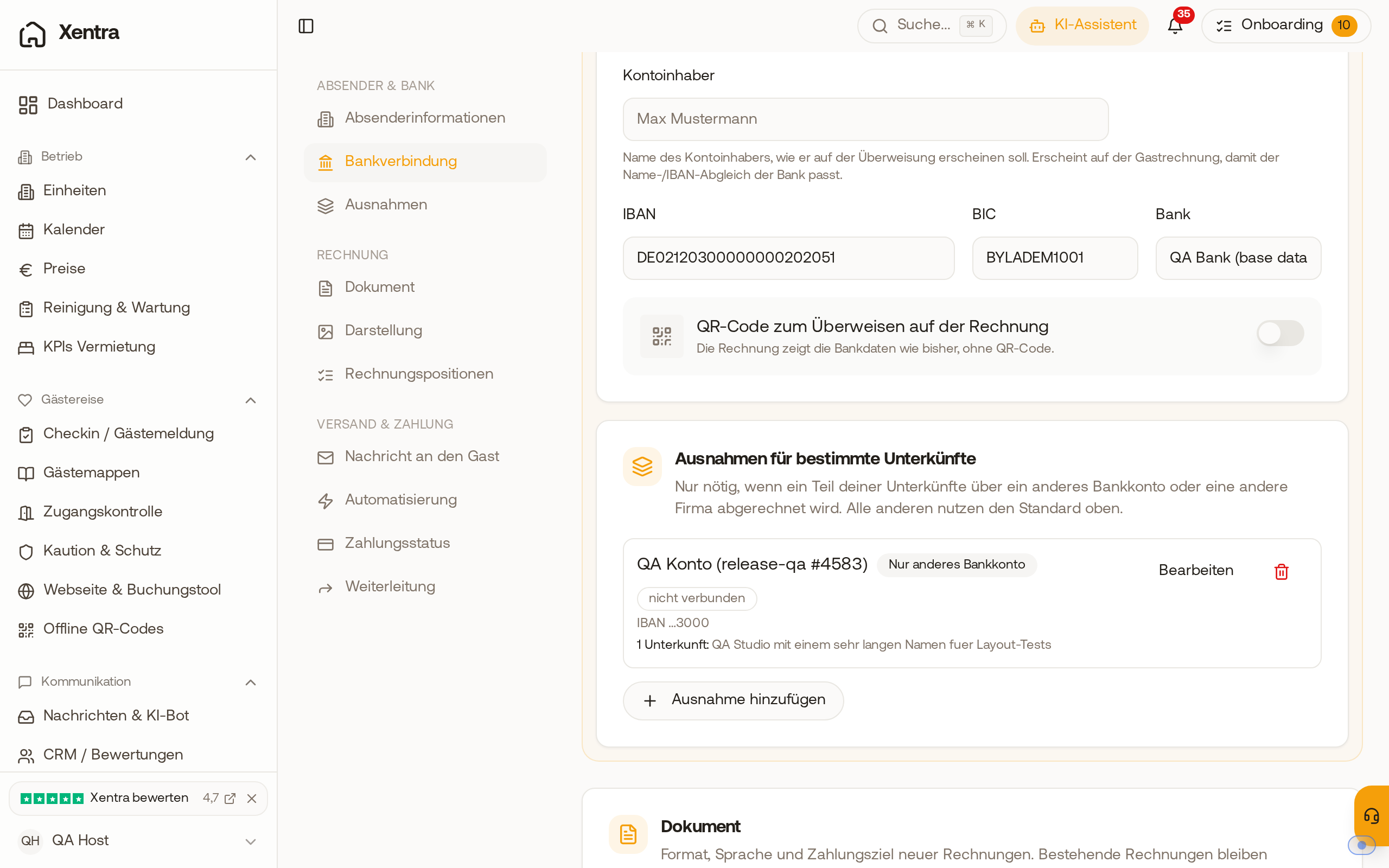 The "Exceptions for specific properties" section with a separate account for a property.
What happens next
- The exception appears in the list with "Only different bank account", the last digits of the IBAN, and the properties it applies to. Next to it, you can see whether the account is connected to your bank.
- New invoices for these properties show Account holder, IBAN, BIC, and Bank of the other account under Payment Information, and automatically created invoices do the same. All other properties keep the default bank details.
- Invoices that have already been created do not change.
- Each property can only have one exception. If a property belongs to a different company, its invoices always show the account of that company.
- A booking with multiple rooms is only billed together if all rooms have the same account.