
Additional rates for direct bookings
Additional rates such as "Non-refundable" or "Early Bird" for your booking tool and your own bookings, and the difference to dynamic rules.
Updated on November 13, 2026
Additional rates for direct bookings (Rates tab)
Besides the standard price, you can create additional rates for your booking tool and for bookings that you enter yourself, for example "Non-refundable -10%", "Last-minute -15%" or an early bird rate: Open Prices, Rates tab, "New rate".
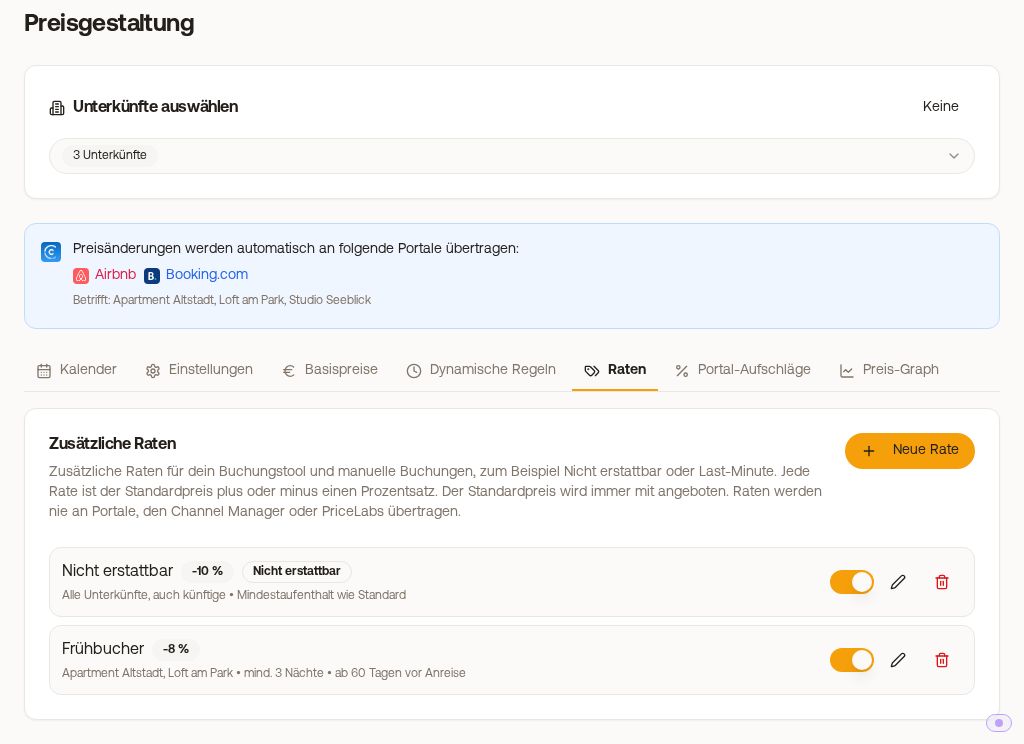 Rates tab with the rates "Non-refundable" and "Early Bird"
The fields of a rate
- Last name and Description and terms per language. Guests see both in their language, if a language is empty, they see yours.
- Adjustment to the standard price (%): negative for a discount (e.g. -10), positive for a surcharge (e.g. 5), between -90 and +200%. It only applies to the night price, not to cleaning, tourist tax, or extras.
- Minimum stay: "Same as the standard rate" or "Fixed minimum stay". A fixed value is never shorter than the minimum stay of the standard rate: if it is longer on a date, it applies.
- Booking window (optional): how many days before arrival the rate can be booked, with "At least days before" and "At most days before". Last-minute for example at most 7, early bird at least 60.
- Refundable: switched off, guests see the note "non-refundable". Payment methods stay the same, you handle cancellations as before.
- Applies to: individual properties or "All properties, including future ones", plus the toggle Active.
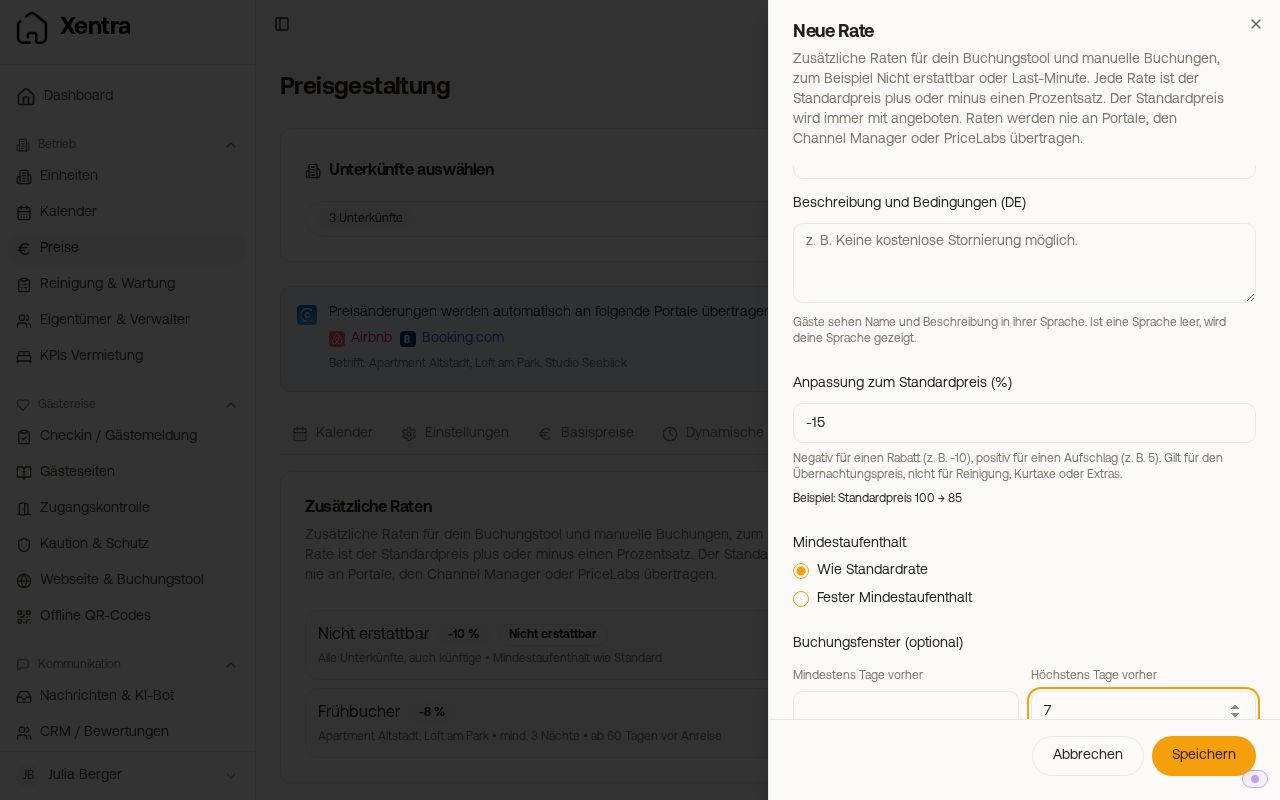 New rate with adjustment, minimum stay, booking window, and Refundable
Example: Standard price €100, "Non-refundable" rate with -10% results in €90 per night. If you delete a rate, it is no longer offered. Existing bookings keep their rate and price.
Description of the standard rate
The standard rate can also get a text, for example your cancellation terms ("Cancel free of charge up to 7 days before arrival"): Rates tab, tap the pencil icon in the Standard rate line at the top. You write the text per language. "Translate from DE" fills the other languages from the currently selected language and overwrites them. Check the translations and tap Save.
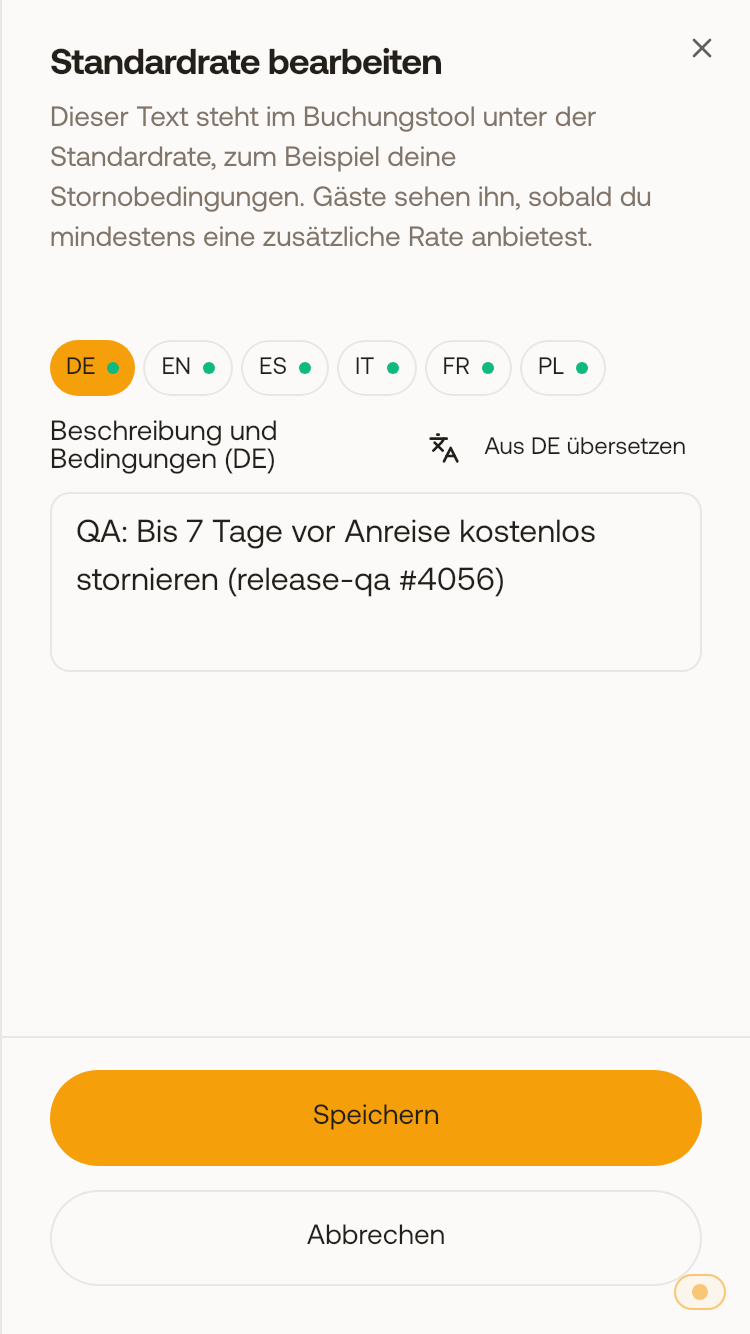 Edit standard rate with the languages and the "Translate from DE" button
In the booking tool, the text appears under "Standard rate" in the guest's language as soon as you offer at least one additional rate. If a language is empty, the guest sees yours. Without text, the standard rate looks as before. The text does not appear in bookings that you create yourself in the calendar.
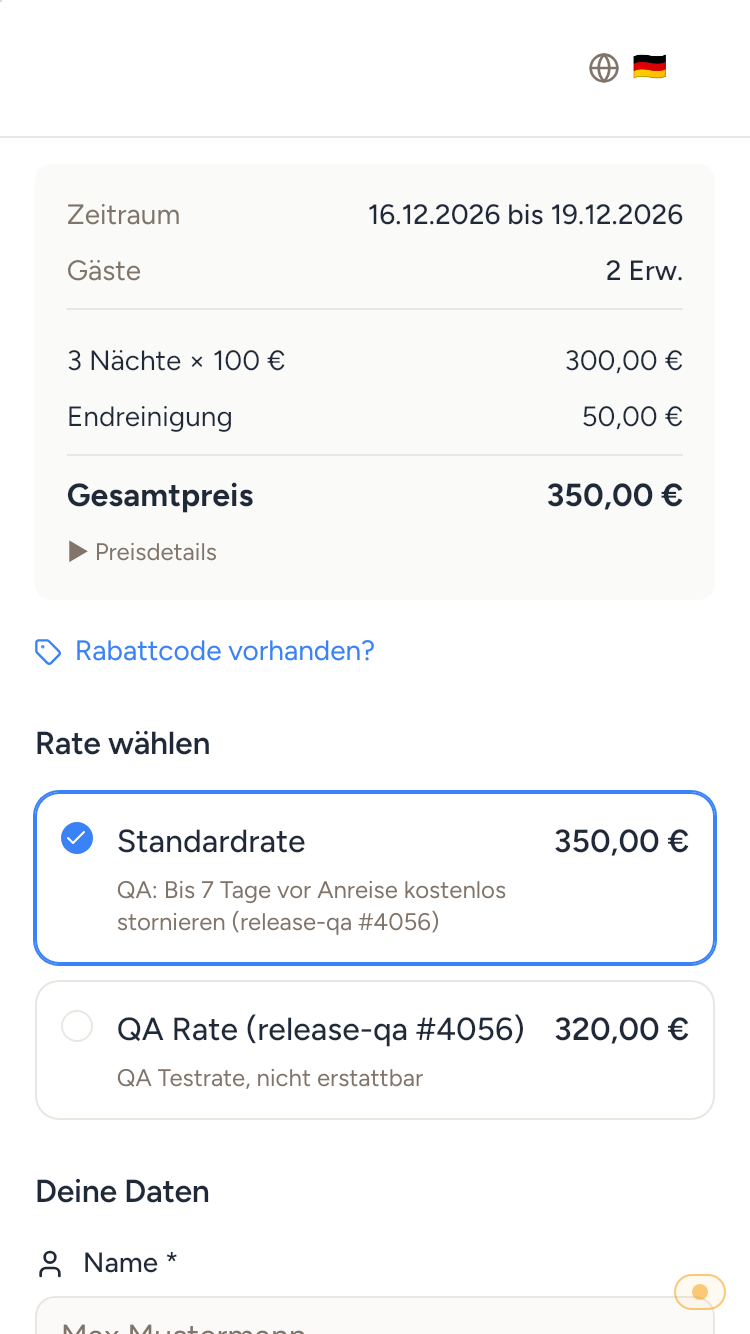 Booking tool on mobile: your text under the standard rate, below an additional rate
How it works
- Booking tool: The standard price is always offered. In the last step, the guest also sees all rates available for their stay and selects one. If they book multiple properties together, the standard price applies.
- New booking in the calendar: In the dialog, under Payment, select the standard rate or one of your rates, the price is then suggested. You can still select rates whose conditions are not met, your entered price always applies.
- In the booking: For every booking via a rate, whether from the booking tool or created yourself, you see the rate in the booking in the Finance area, with name and percentage. The price already includes the surcharge or discount.
- Portals: Rates are never transmitted to portals, the channel manager, or PriceLabs. You create a non-refundable rate at Booking.com in the extranet.
- With PriceLabs: Rates affect the PriceLabs price, only for direct bookings.
"from" price on the result cards
In the booking tool, you can show the cheapest rate directly in the search results: Website & Booking Tool, Booking tool, Settings, Pricing & Payment, toggle "Show cheapest rate on result cards", then Save. The toggle is off by default.
If a property has a cheaper rate for the searched dates (for example "Non-refundable"), its card shows "from..." with the price of this rate and the standard price crossed out, also for the price per night. Properties without a cheaper rate look as before. Sorting by price and the price filter depend on the price on the card. The guest selects the rate in the last step, where the standard rate is preselected and the cheaper rate is next to it with the same price. If the cart (multi-unit cart) is on, the cards show the standard price because the cart only books the standard rate.
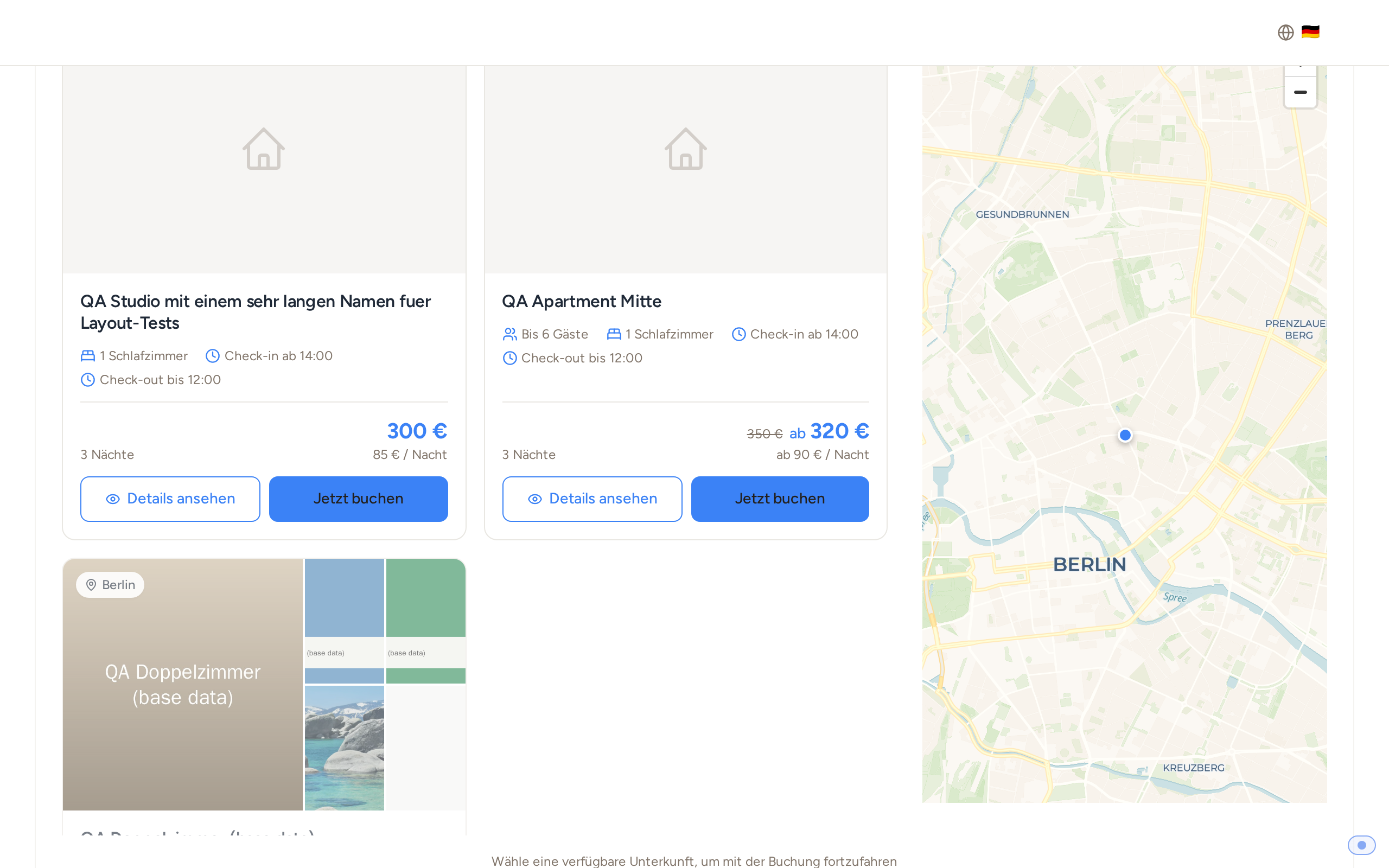 Search result in the booking tool: €350 crossed out, next to it "from €320" and "from €90 / night", the property without rate shows its normal price
Rates or dynamic rules?
A dynamic rule changes the price automatically for everyone who books (for example last-minute -10%). A rate is an additional offer that the guest deliberately chooses, usually with different terms (for example cheaper, but non-refundable). See also "Dynamic Price Rules".