
Change the currency (e.g. to DKK, CHF, GBP)
Which currency your guests pay in, how to switch it, what happens to existing bookings and what you need to adjust afterwards.
Updated on October 25, 2026
Change currency
The currency determines which currency your guests pay in: bookings via the booking tool, payments at check-in, products and deposits.
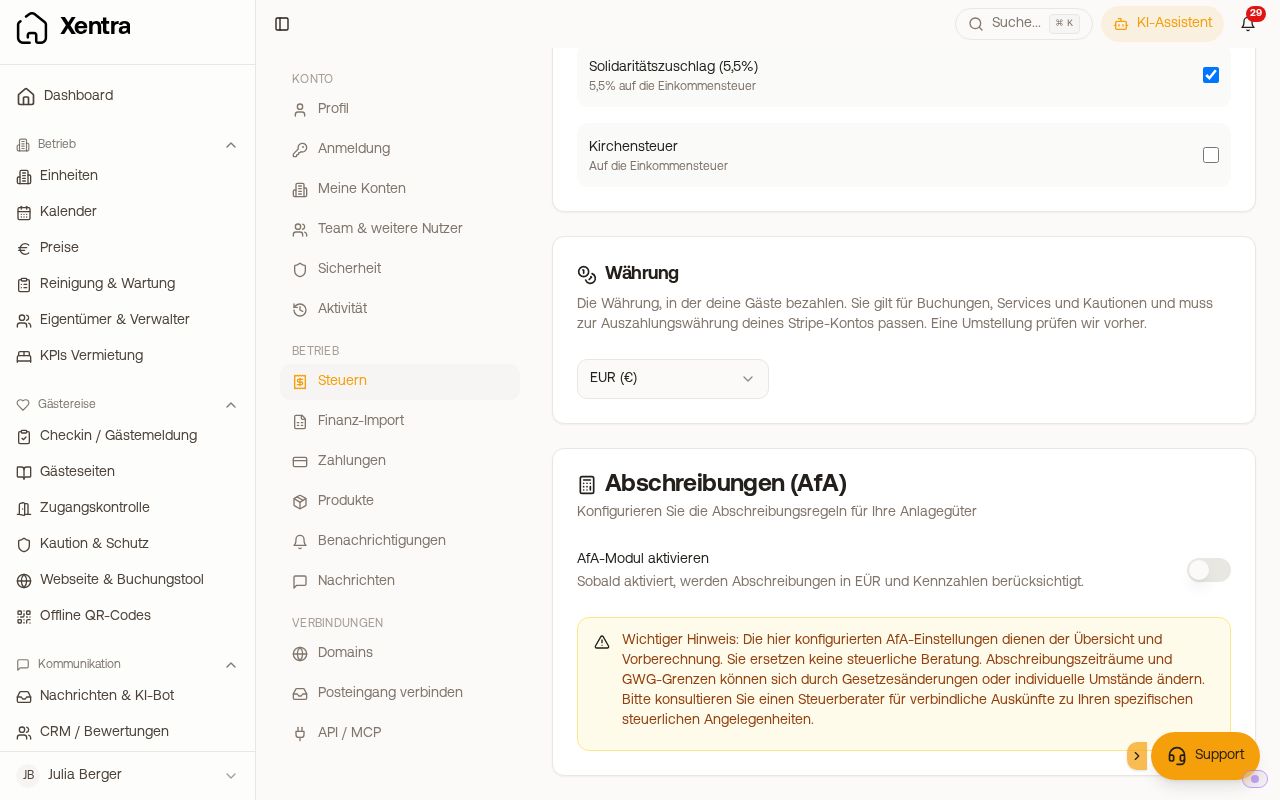 The “Currency” card under Settings, Taxes
How to switch
Settings → tab “Taxes” → card “Currency” → choose the new currency. Xentra checks beforehand whether the switch works and shows you the notes. Confirm with “Switch”.
If some of your bookings have no currency saved yet (usually because your PMS doesn't deliver one), the dialog asks beforehand: “What currency are your previous bookings in?” Choose the currency these prices really are in, not simply the previous account currency. Xentra suggests the currency that is saved most often on your other bookings, and writes your choice to those bookings, so that later invoices show the right currency. This also works for accounts with many thousands of bookings.
When it won't work
- Your Stripe account pays out in a different currency. The currency must match the payout currency (a Danish Stripe account pays out in DKK).
- A payment link is still open or a deposit is reserved. Wait until they are paid or have expired.
- You use FatturaPA or FacturaE as e-invoice format (EUR only) or already transmit invoices to Lexware Office.
- Switching away from EUR only works with a connected Stripe account. Connect Stripe first under Settings → Payments.
- Only the account holder on the main account can switch, not a team member.
Switching back to EUR also works when your Stripe account pays out in a different currency; Stripe then converts each payout.
Then, definitely: adjust prices
Xentra does not convert your prices. Every amount you entered in Xentra counts in the new currency after the switch: a product for 50 then costs 50 kr instead of €50. So adjust right after the switch:
- Product prices: Settings → tab “Products”
- Deposit amounts and other fixed amounts that you entered yourself
Please do not change them beforehand: until the switch, your guests would still pay the new numbers in the old currency.
Good to know
- Invoices, deposits and payments that have already been created keep their currency.
- Booking prices from your PMS or channel manager continue in the currency they have there.
- Portals via the channel manager (Airbnb, Booking.com): Xentra sends your prices in your account currency and does not convert per portal. So set your listings to the same currency as your Xentra account, ideally before you connect the portal.
- The damage protection (insurance) and the payment QR code on invoices only exist in EUR.
- Some parts of the interface still show a € sign. The figures themselves are in your currency.
- EÜR (income statement), asset register, key figures and the transaction export do not yet separate the currencies. From the switch onwards, both currencies appear in one total.
Existing bookings after the switch
Existing bookings keep their currency. In the booking list with totals, in the activity feed and in the booking itself, each booking appears in its own currency. If both currencies are in one list, Xentra totals them separately, e.g. “1,200.00 € + 300.00 DKK”.