
Owners & managers: master data and statements overview
Create owners and managers, assign units, IBAN check, what the master data is used for and when you see the Statements tab.
Updated on November 2, 2026
Owners & Managers
Here you maintain the master data of the owners and managers of your units and settle with the owners every month. Open Owners & Managers
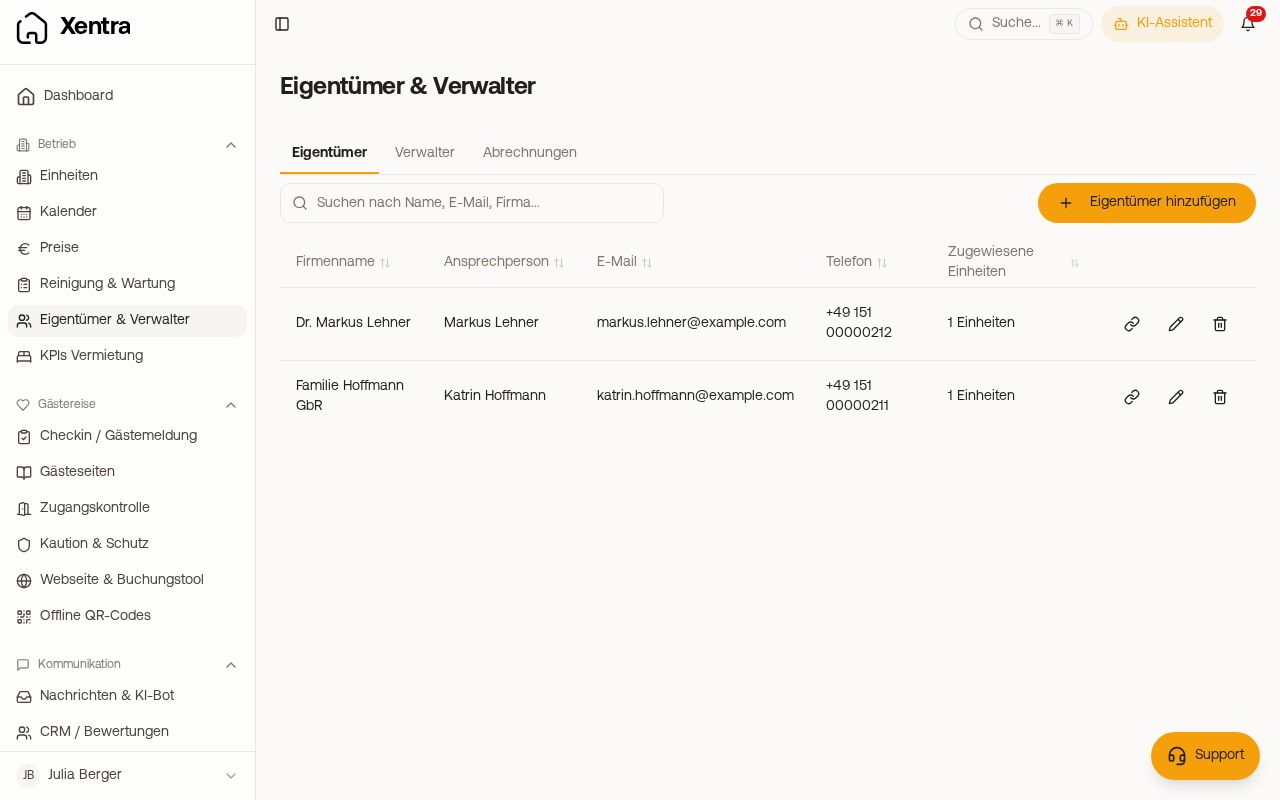 Owners & Managers with owners and assigned units
If the menu item Owners & Managers is missing, switch on the module of the same name under Modules. It is off by default.
Do not confuse: here you do not create logins. You create a login of its own for an owner (calendar and bookings of their units, personal use) under Settings, Team & additional users with the role Owner, see the article "Team & additional users".
Adding an owner or manager
Tab Owner or Manager, then Add Owner or Add Manager. Recorded are company name, contact person, email, phone, website, company address, IBAN, tax number, commission rate, contract start and contract end, payment method, notes, Expense approval limit and custom fields (Add field). Under Assign units you assign the flats; a unit belongs to one owner.
The IBAN is checked as you type it. If it is invalid, "This IBAN is not valid. Please check it again." appears below it and Save stays locked until it is right. This also appears when you open an owner whose incorrect IBAN was saved earlier.
If you delete an entry, assigned units, settlement settings and drafts not yet finalised are deleted too. If finalised statement documents already exist, deletion is not possible, because they are kept for accounting reasons.
What the master data is otherwise used for
- Placeholders in templates, for example
{{owner_company_name}}or{{manager_email}} - Recipients in automations: a message to the owner or manager of the unit
- Units of the type "Managed": in the unit dialog (Units, Edit property, Type) only the owner and the management commission are displayed; they are maintained here.
Owner settlement
In the Statements tab a statement is created for each owner and month, with the revenues of their units, your commission, the payout amount and a PDF that you send directly. The commission invoice is also available as an e-invoice (EN 16931 / ZUGFeRD-CII). You check the preview first and then finalise.
Which unit: Every statement names, below the owner's address, the unit it applies to ("Unit: …"), and with several units all the names ("Units: …"). Every unit of the statement is named, even one without a booking in that month. In the sending email the same line appears right after the first sentence, via the placeholder {units}. If you have saved your own email template, put {units} where the line should appear. This way an owner with several flats can keep their statements apart.
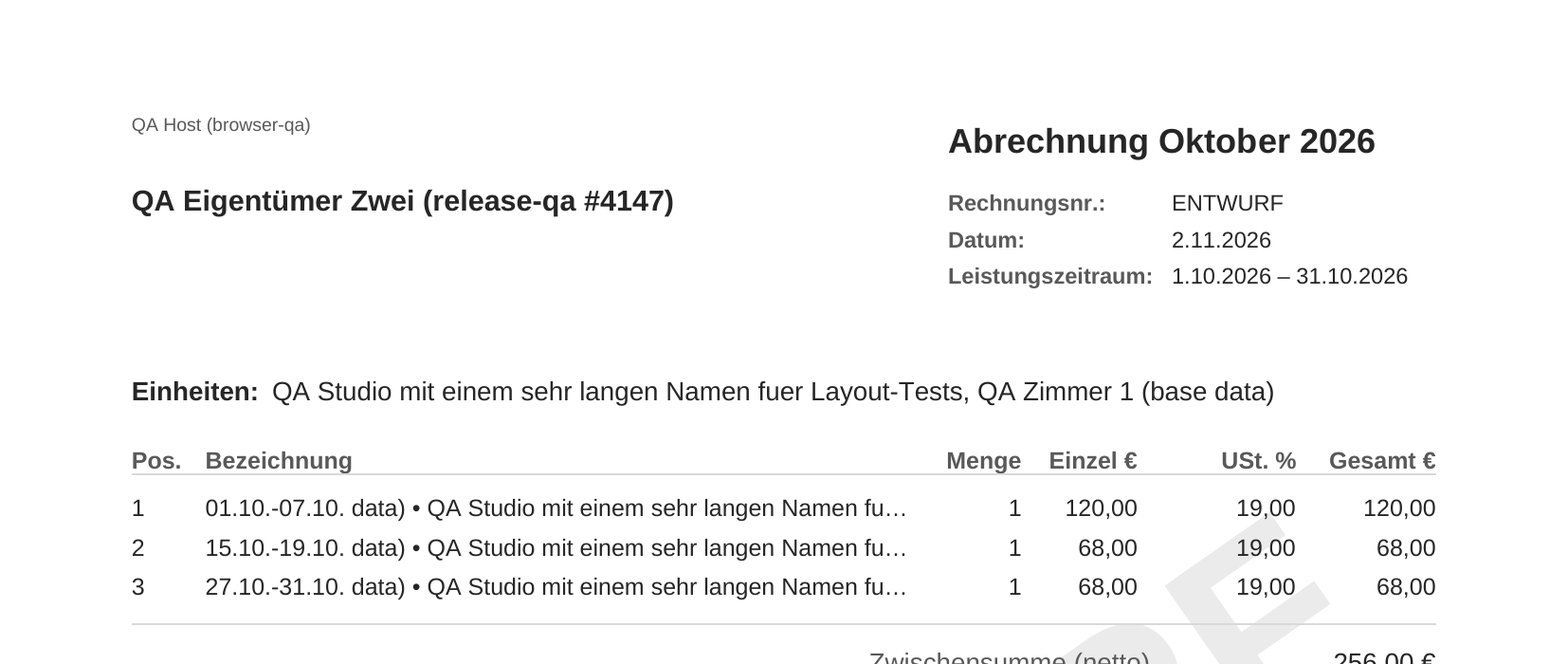 Below the address, the statement names the units it applies to.
Before the first statement is created: add the owner, assign them their units and set the commission model in the settlement settings. Without an assignment the statement stays empty.
Mandatory details: before you create a statement, Xentra checks the mandatory details of an invoice: your address, your country and your tax number or VAT ID, as well as the owner's address and country, and with the credit note procedure also their tax number. If something is missing, the preview shows where you add it, and Create statement stays locked; then click Recompute.
Cancelling and re-settling: if you cancel a statement that has already been paid out and settle the month again, the new statement automatically deducts the amount already paid out.
One booking, one statement: if the unit has an owner and a manager, each booking is settled only once.
Old drafts: you remove drafts from an earlier settlement mode with Discard draft.
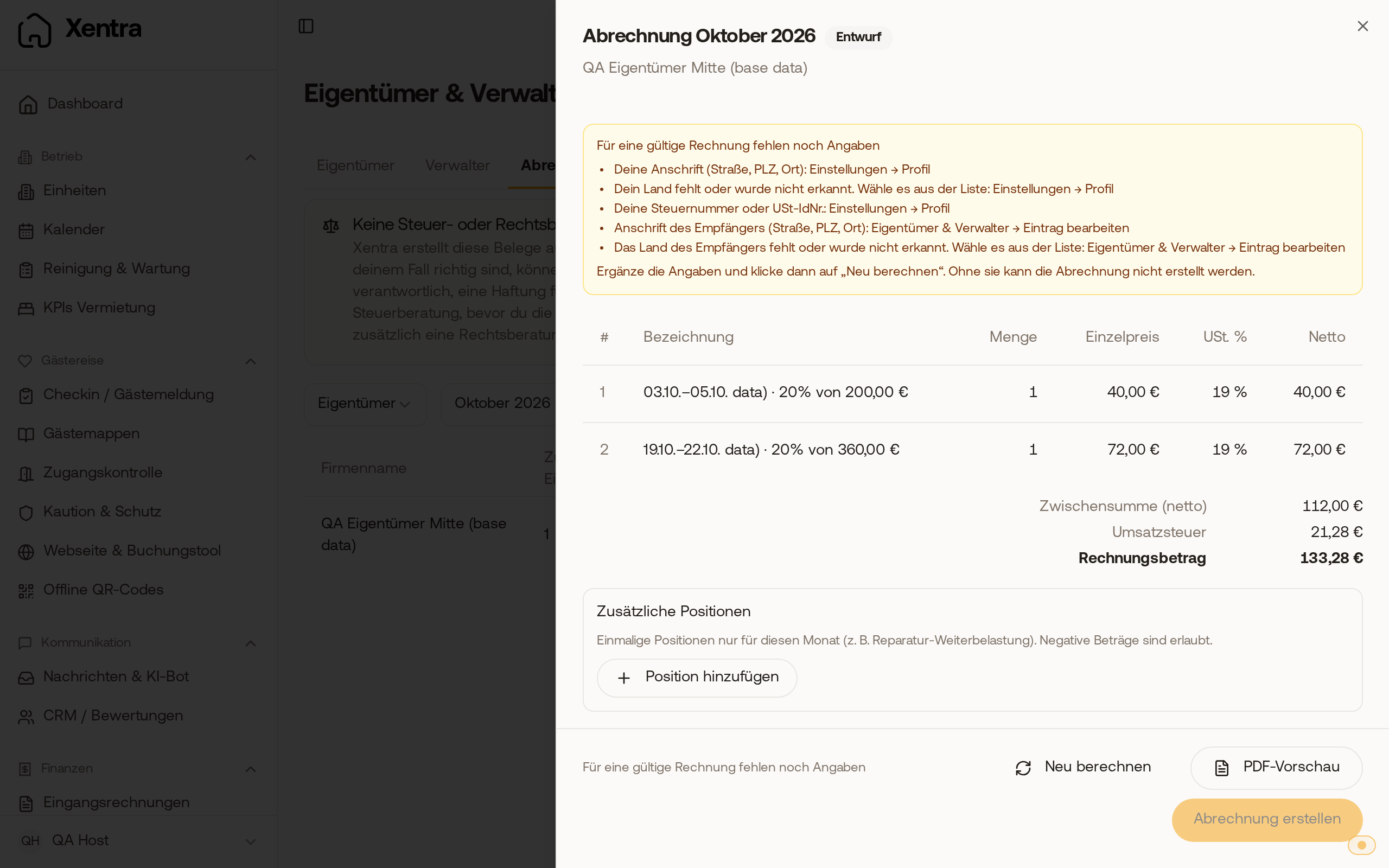 The preview lists missing mandatory details and where you add them; Create statement is locked.
When you see the Statements tab:
- with an active subscription or in the trial period. The owner settlement is included; you do not need to have it unlocked by support or switch it on under Modules.
- as the main account, as admin or as a team member with the right "Owner settlement: Edit".
- only on a desktop. In the app and on narrow screens the area is hidden.
Further:
- Commission model, settlement settings, guest invoices and expenses: Owner settlement: commission and settlement settings
- Bulk dispatch, ZIP, SEPA file and "mark as paid out": Owner settlement: month-end close, SEPA file and expenses