
Notifications for team members
What cleaners, caretakers, owners and admins receive for their units, where they and you set this and why a cleaner receives nothing.
Updated on November 1, 2026
Team members (cleaning, caretakers, owners, booking managers, custom logins) have their own notifications for their units. They go to the team member's email address and device, not to you.
Where this is set
- The person themselves: click their name at the bottom left, Notifications.
- You: Settings, Team & additional users; for the team member, click the bell icon. On the right only their notifications open; you see and change the same switches as the person. Under each name you also see whether the person has installed the Xentra app ("App on iOS, last …" or "No app"). Without the app, their push column is grey ("App not installed").
- From cleaning: under Cleaning & Maintenance, Settings, Notifications, expand Who gets tasks. There you see per person whether they have the app and how they are notified about a New task and a Problem report, for example "Bell, push (no app), email" or "Off". The bell icon next to the person opens their settings on the right of the same page, with Cleaning & Maintenance already expanded; you change them there.
Grey rows need a right that you can grant them, or only go to you. If a right or a field for the visible booking data is missing, this is stated directly in the row, for example "The right for this is missing: …".
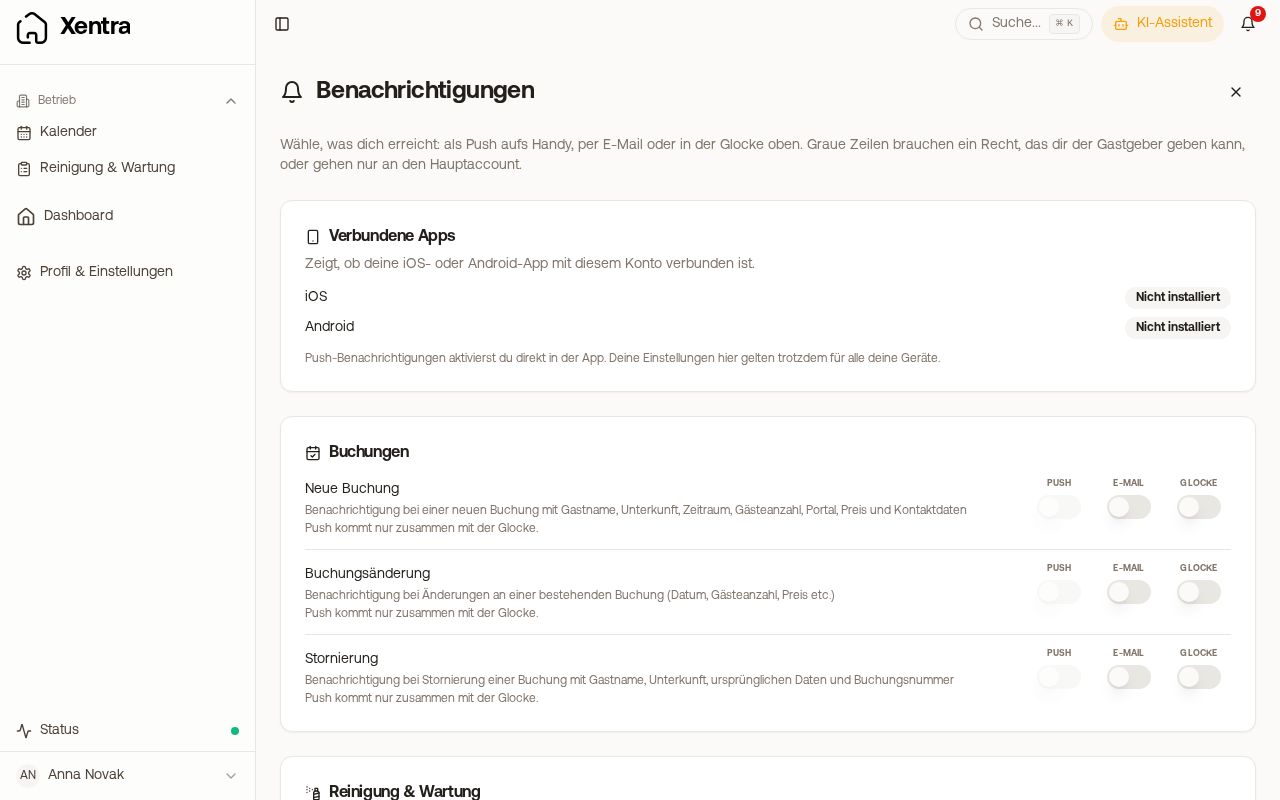 Notifications of a team member with push, email and bell
Why your cleaner receives nothing
There are three separate channels, and none of them is switched on everywhere automatically:
- Push only works via the installed Xentra app. If the person has never downloaded the app from the App Store or Play Store and signed in there, no push can arrive, regardless of what is set.
- The bell in Xentra ("New booking · Unit") they receive in their own login, even without the app. Booking notifications state the stay there ("11.01.2027 → 14.01.2027"), assigned tasks the day of the task, in each case in the date format of their language.
- The email for bookings is off for each new team member. The person can switch it on themselves, or you can do it in their card.
- Assigned tasks Xentra only reports if, under Cleaning & Maintenance, Admin, Settings, Notifications, the switch "Notify people when assigned" is on; there is also "Evening heads-up about tomorrow". More on this: Cleaning: when tasks are missing or do not arrive.
- Without the guest name: if the Guest name box is unticked for the person under Visible booking data, the guest's name is also left out of the bell, the task email and task SMS (placeholder
{task_title}). For cleanings created from bookings, they then only see the kind of task, for example "Checkout Cleaning" or "Check-in Prep", plus the unit and the day. You, your team admin and people with Guest name ticked still see the name. Tasks with a title of their own keep the title you gave them.
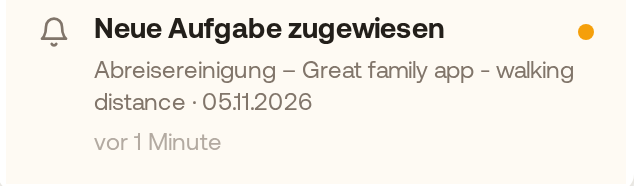 A cleaner's bell without the guest name: only "Checkout Cleaning", unit and day
Independently of this, there are automations to a fixed address (for example "Cleaning, info about booking"). These run via your message automations and reach the address even if the person has no Xentra login at all.
Add-ons booked
If a guest books an add-on, your team members can learn about it. The message names the service, the quantity and the unit, and links to the booking.
- Who: team members with access to the calendar or bookings, for whom the field Booked add-on services is released under Visible booking data, and only for their own units.
- By default: on for team members with the bookings right and for owners, in the bell and as push, without email. Everyone else switches them on themselves.
- Guest name and amount are only included if the person may also see these booking details; amounts only in the email.
Owners
Owners can be informed about new, changed and cancelled bookings of their units and about new guest messages. The notifications always appear in the app; whether an email is also sent is set by the owner (or by you in their card).
Admins
An admin receives the notifications of your account (new booking, new guest message, bot handover and so on) in their own bell and as push, as soon as they use the Xentra app with their login. Notifications that only concern you are not passed on, for example tasks assigned to you and your support chats with Xentra. They do not receive additional emails because of this; those still go to the addresses under Settings, Notifications.
An admin only receives the push for Deposits, Extra service requests, Guest invoice problems and Notices and warnings once it is switched on: by the admin themselves under Settings, Notifications, or by you in their card under Team & additional users (bell icon). In their bell they always see these notifications. Other team members do not receive them; for them the row says "Goes to the main account and team admins only."
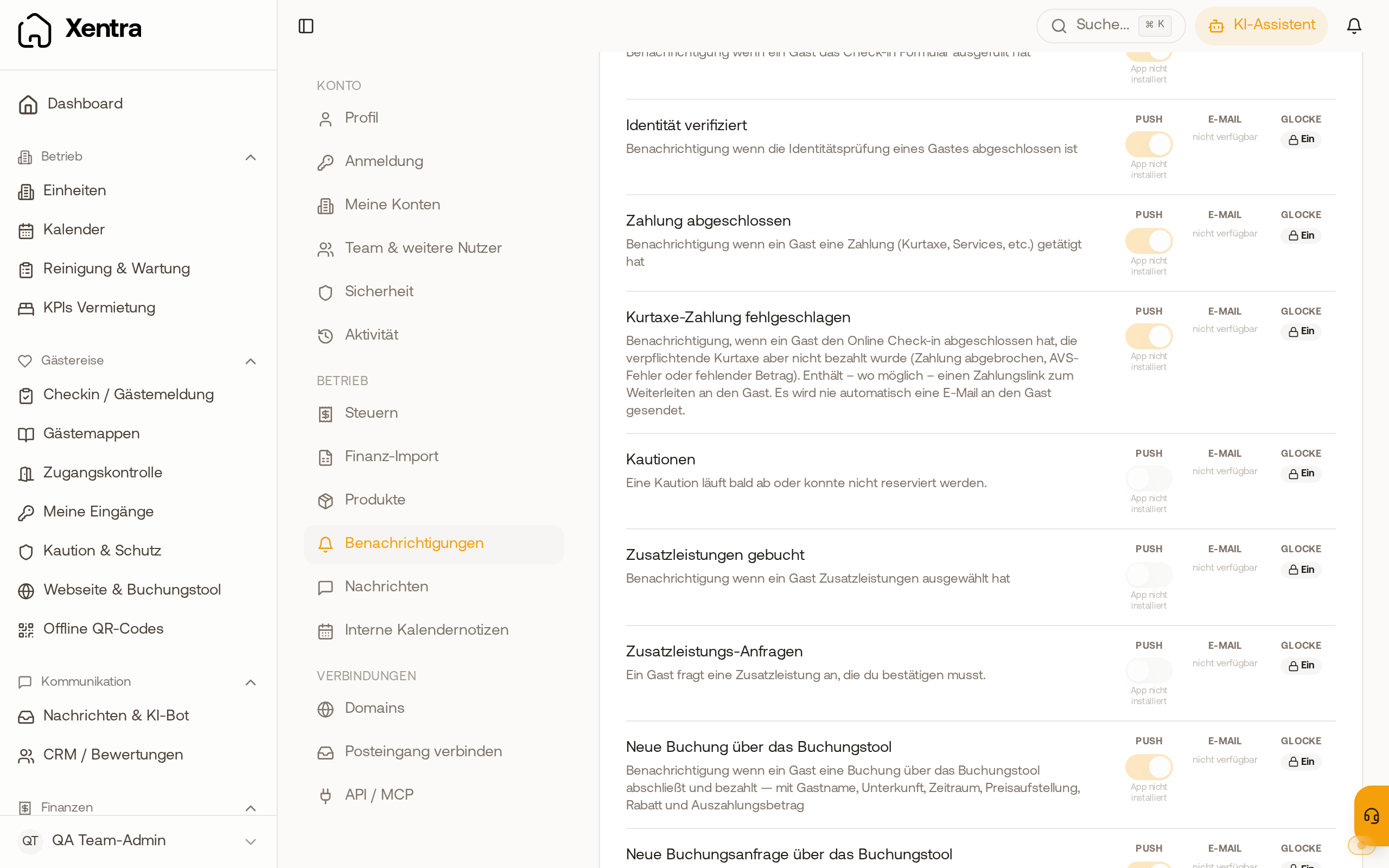 On a team admin's own page, Deposits and Extra service requests are set to push off by default.