
Paying cleaners: Pay per unit and monthly settlement
Where you enter the amounts per unit and person, from when they apply, how the monthly settlement totals up, and who gets credited for a cleaning.
Updated on November 13, 2026
Pay per unit
What a cleaner receives per cleaning, you enter under Cleaning & maintenance, Administration, Settings, Compensation, in the table Pay per unit: one row per unit, one column per person.
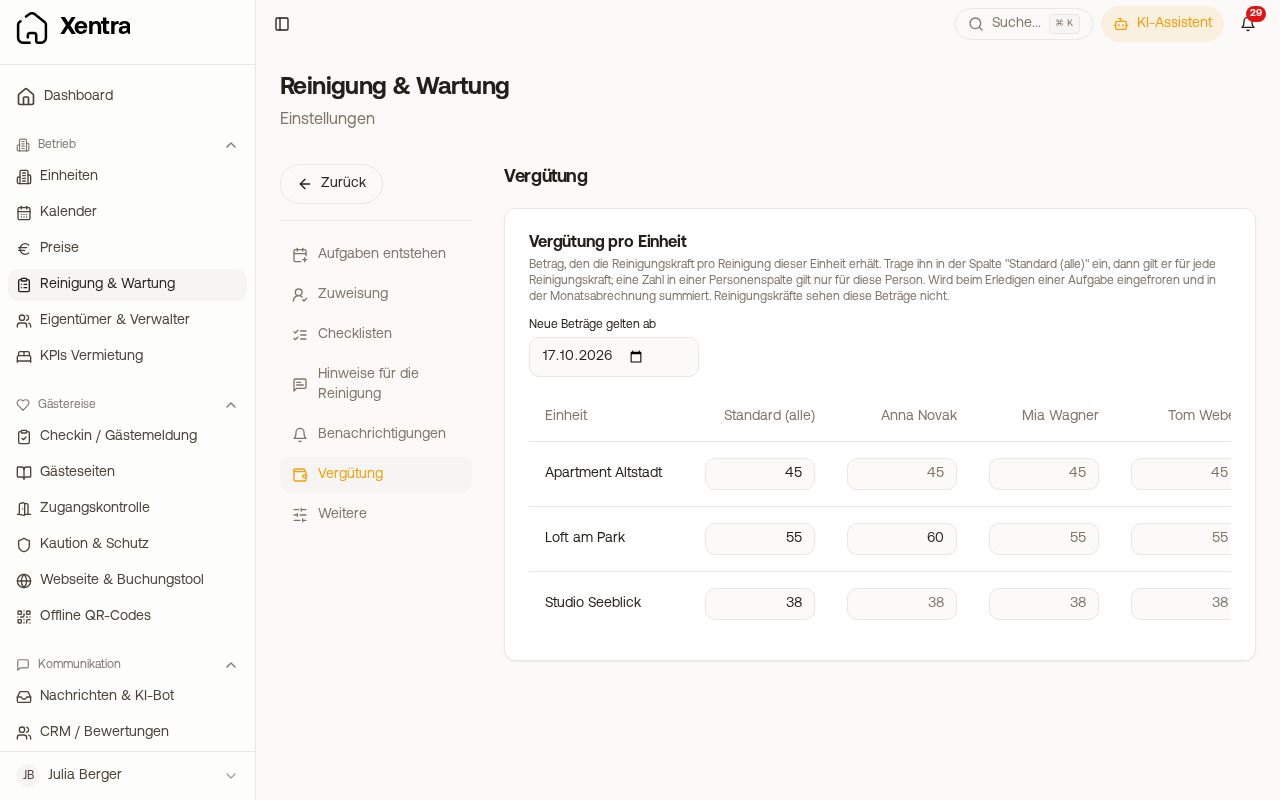 Pay per unit with default amounts and one person column
- "Default (all)" column: applies to every cleaner in this unit, including new ones. This is the standard case.
- Person column: only needed if someone is paid differently. An amount there takes priority over the default.
- "New amounts apply from": from which date a changed amount applies. If a later amount is planned for a field, it appears small underneath it, for example "from 01.01.2027: 77". Clicking it sets the date to that day; then you change or delete the planned amount directly in the field.
The amount applies to check-out cleanings and is fixed as soon as the task is completed. Cleaners do not see the amounts, neither their own nor those of others. If a person is deactivated but still has amounts, their column remains visible so you can transfer or delete them.
Paying by the hour: Who gets paid per hour, you set up in the Settlement per person card above this table. How to do this and how it appears in the monthly settlement: see "Paying cleaners by the hour".
Monthly settlement
Under Administration, Monthly settlement (open), you select the period just like with working hours: Week, Month, Quarter, Year or Period with From and To, for example from the 24th to the 23rd if you pay your team that way. If you switch to Period, From and To are initially set to the current month. You see the completed cleanings per cleaner and unit with amount and total. Additional tasks such as preparation, maintenance or others are listed individually underneath, where you manually enter the amount per task. Counting is based on the cleaning day (due date), not the day it was marked done. With Excel export, you can share the settlement.
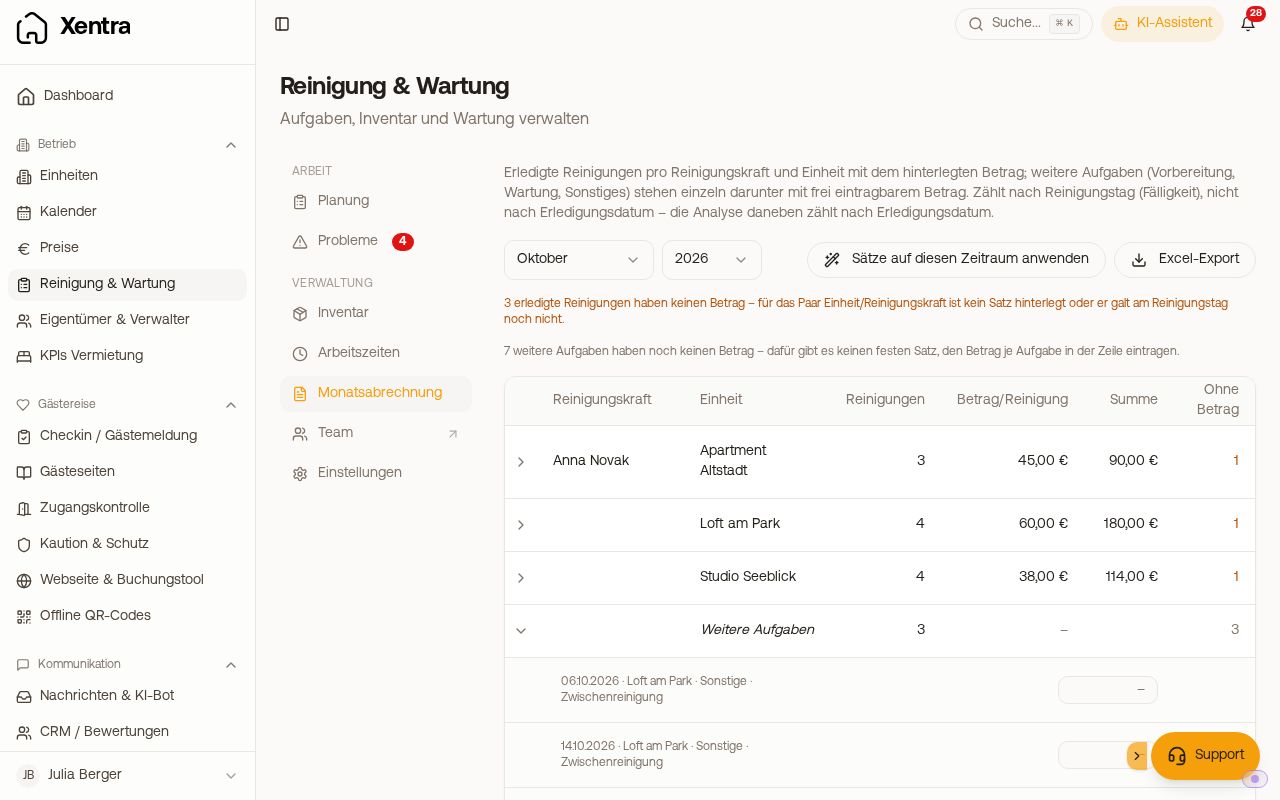 Monthly settlement with cleanings per person and unit
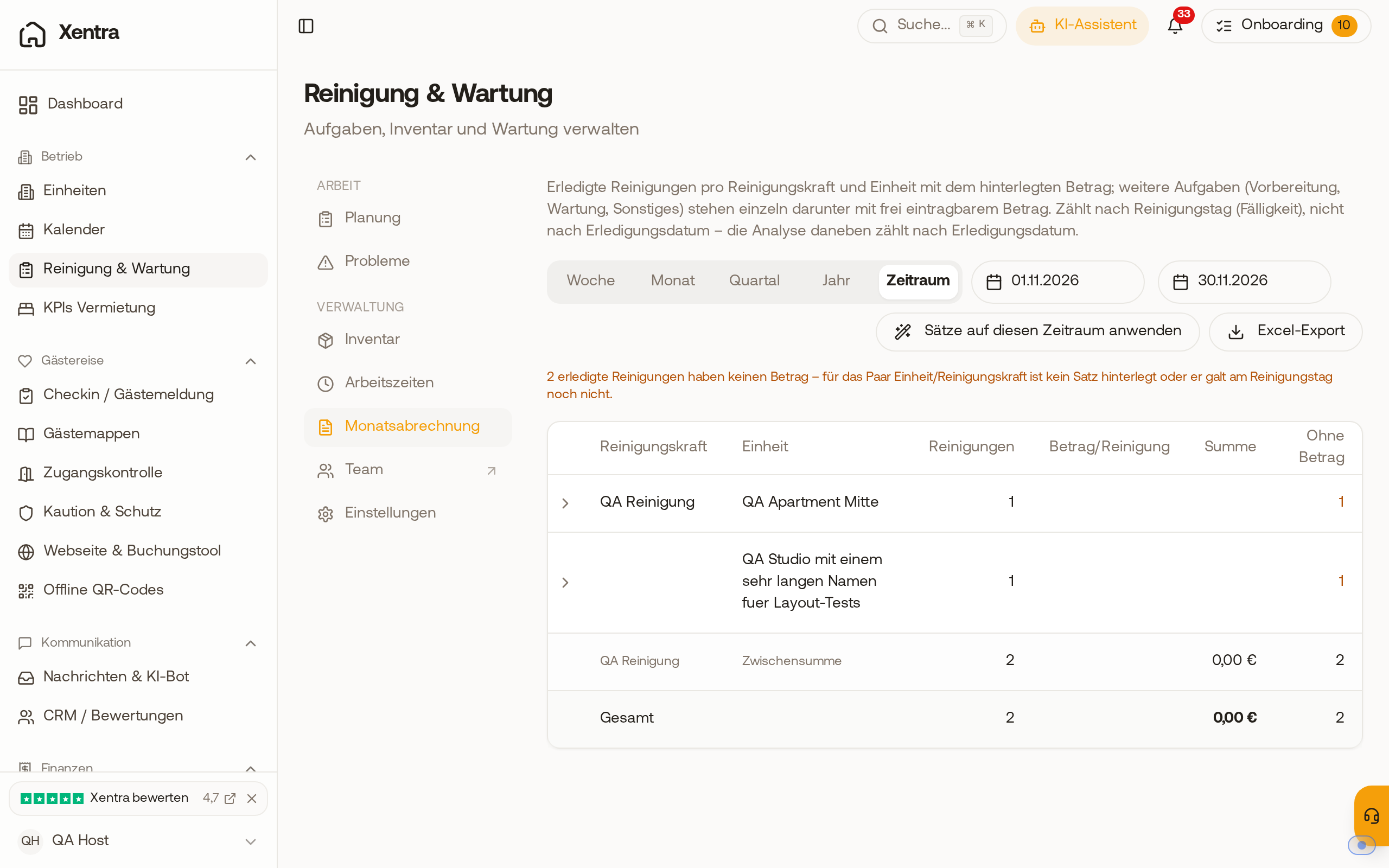 Monthly settlement with the switch Week, Month, Quarter, Year and Period, here the period from 01.11. to 30.11.
Retroactive amounts: If you entered the rates later, the amount will be missing for cleanings that have already been completed; at the top, it shows how many there are. Click "Apply rates to this period". Xentra retroactively adds the amount to all completed cleanings in the period that have a cleaner and a unit and do not have an amount yet. Cleanings without a cleaner or without a unit and other tasks are entered manually. Existing amounts are never overwritten.
Common pitfall: A new person or unit does not have an amount yet. Enter the default amounts first and then apply the rates to the current month.
Who gets credited for a cleaning
Counting is credited to the person assigned to the task, not the person who marked it done. If you or your office mark tasks done for the team, every cleaning still ends up with the correct person.
If you mark a task done that is not assigned to anyone (even several at once via Mark done in the list), Xentra asks "Who did this task?". Select the person. With "Leave blank", the cleaning does not show up for anyone.
If a team member plans the tasks and cleans themselves as well, Xentra also asks "Who did this task?" when marking done in the Day view of the calendar as soon as the task is assigned to someone else. The assigned person is already preselected: if left as is, the cleaning continues to count for them. If the team member selects themselves ("Name (You)") or someone else, that person gets the task and the cleaning.
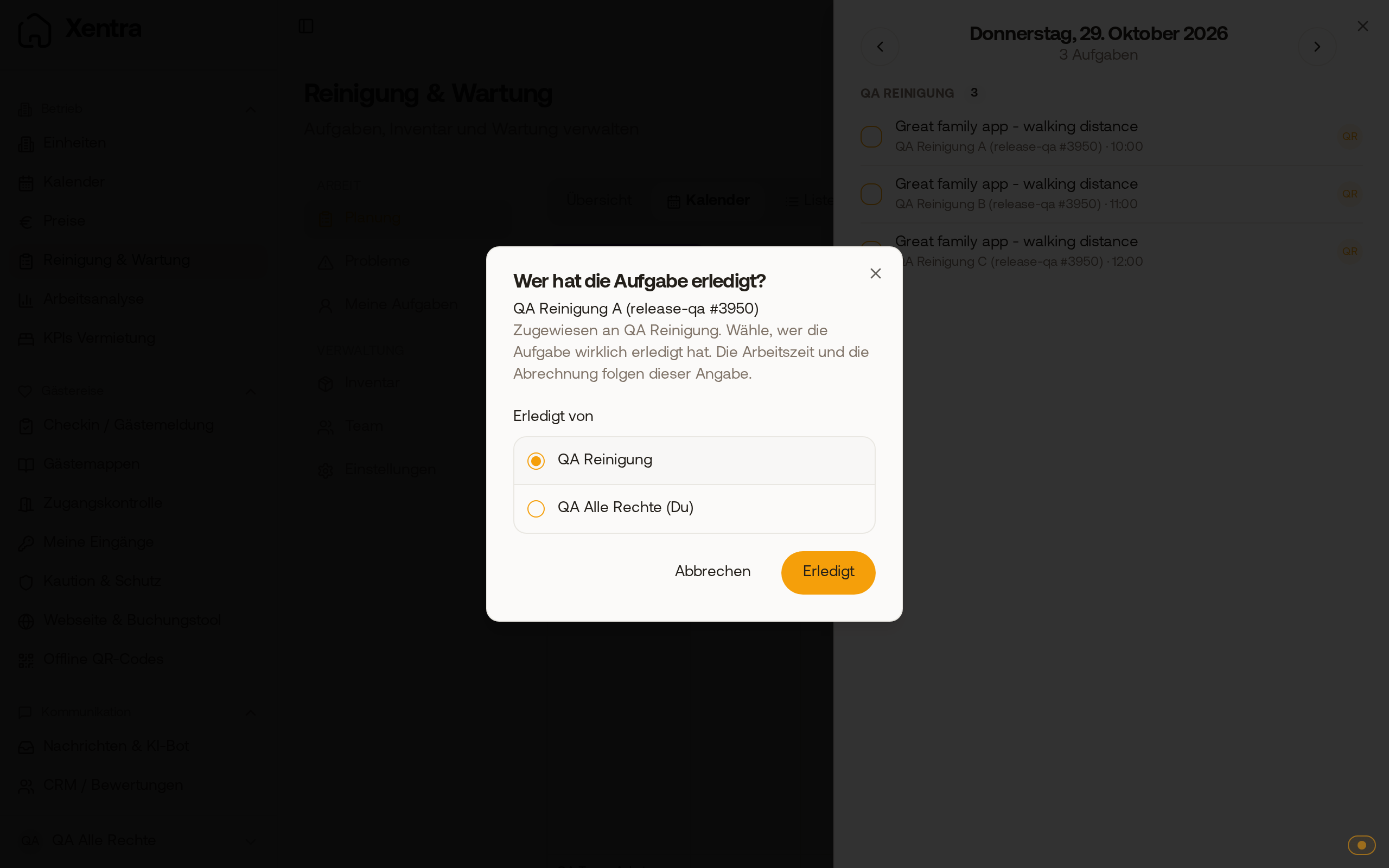 Prompt "Who did this task?" in the day view, the assigned cleaner is preselected
Under a completed task it says "Marked done by ": who marked it done, not necessarily who cleaned. Under Activities in the task, you can see who marked it done and, if the person changed in the process, to whom it went, for example "Assigned (Anna → Mia)".
A cleaning that was never accepted only counts once it is set to Done. Then set it to Done yourself.
Besides you, compensation, working hours, and monthly settlement can only be seen by a team member with the Admin role.