
Multi-room booking: one check-in and one message thread
Why a multi-room booking only receives one check-in link, one message, and one invoice, and what that means for Placeholders like codes.
Updated on November 13, 2026
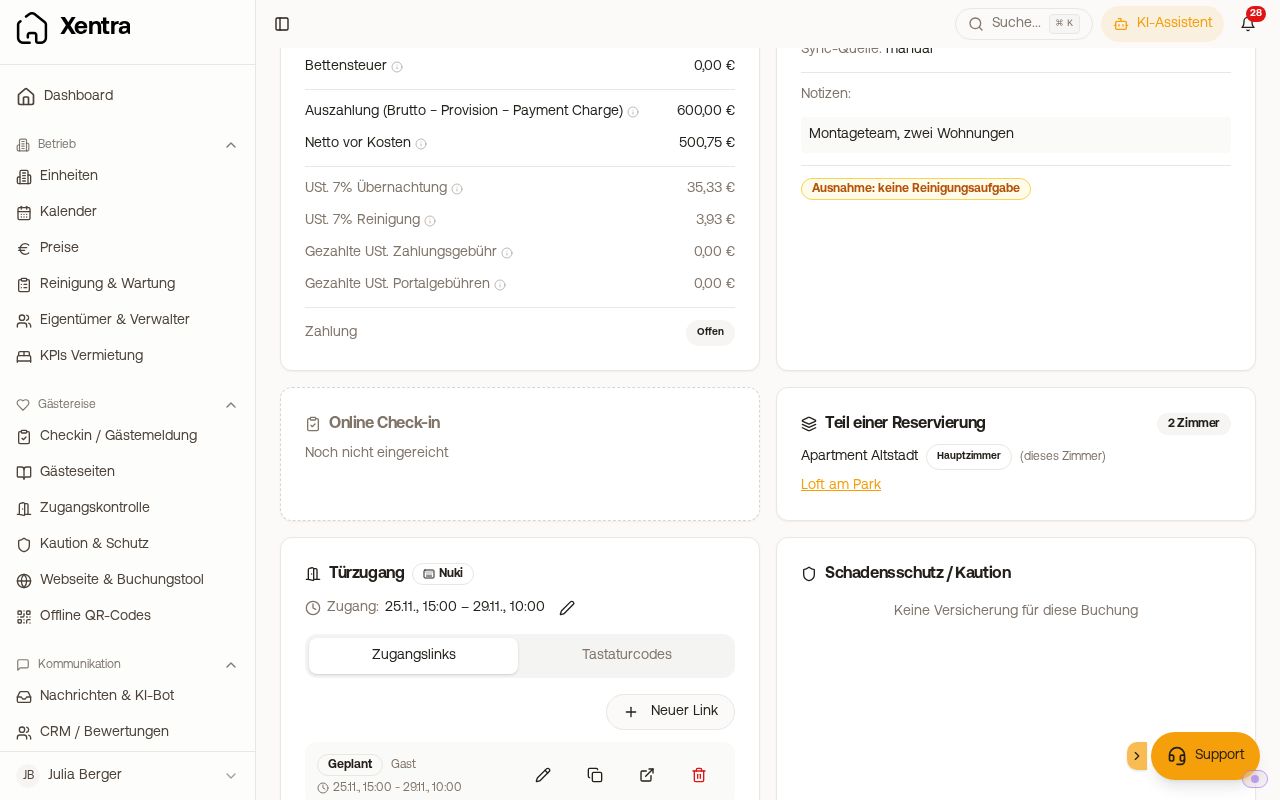
If a guest books two or more rooms at once on Booking.com, this is one reservation, not two. Xentra creates a primary booking from it and one booking for each additional room. You can also create the same type of booking yourself when a guest books multiple units of yours: see "Creating a booking across multiple units". And it is created when a guest books multiple units with the same dates in the booking tool with hotel mode: see "Hotel mode in the booking tool: multiple units in one booking".
Sometimes Booking.com delivers a multi-room booking to Hostaway as multiple individual reservations with the same booking number. Since 13.11.2026, Xentra also combines these into one reservation: The guest receives one message with all rooms (the codes per room with {{rooms_access_codes}}) and checks in once. In Hostaway, they remain separate reservations. If Xentra writes fields back to Hostaway, for example the check-in link or the check-in status, each of them gets the shared check-in link and the status of the single check-in. Bookings that Xentra already created separately before 13.11.2026 remain separate.
Online check-in and messages run exclusively through the primary booking. This is intentional and not a bug:
- There is one check-in link for the whole reservation, not one per room. If you open an attached room, Xentra points there to the check-in of the primary booking.
- One check-in message goes out, not one per room. Your guest has one conversation, just as they made one booking.
In every booking of the reservation, the "Part of a reservation" card shows all rooms; the primary booking carries the label "Main booking" there. A note below states that messages, online check-in, and the shared invoice run through it.
Status in calendar, booking list, and open tasks
Every room of the reservation shows the check-in status of the primary booking: If the online check-in is completed there, it is also completed for the attached rooms, as are the guest registration form and tourist tax. The guest pays the tourist tax once for all persons of the reservation. If you create a tourist tax payment link in an attached room or mark the tourist tax as paid, this applies to the primary booking and thus to the whole reservation.
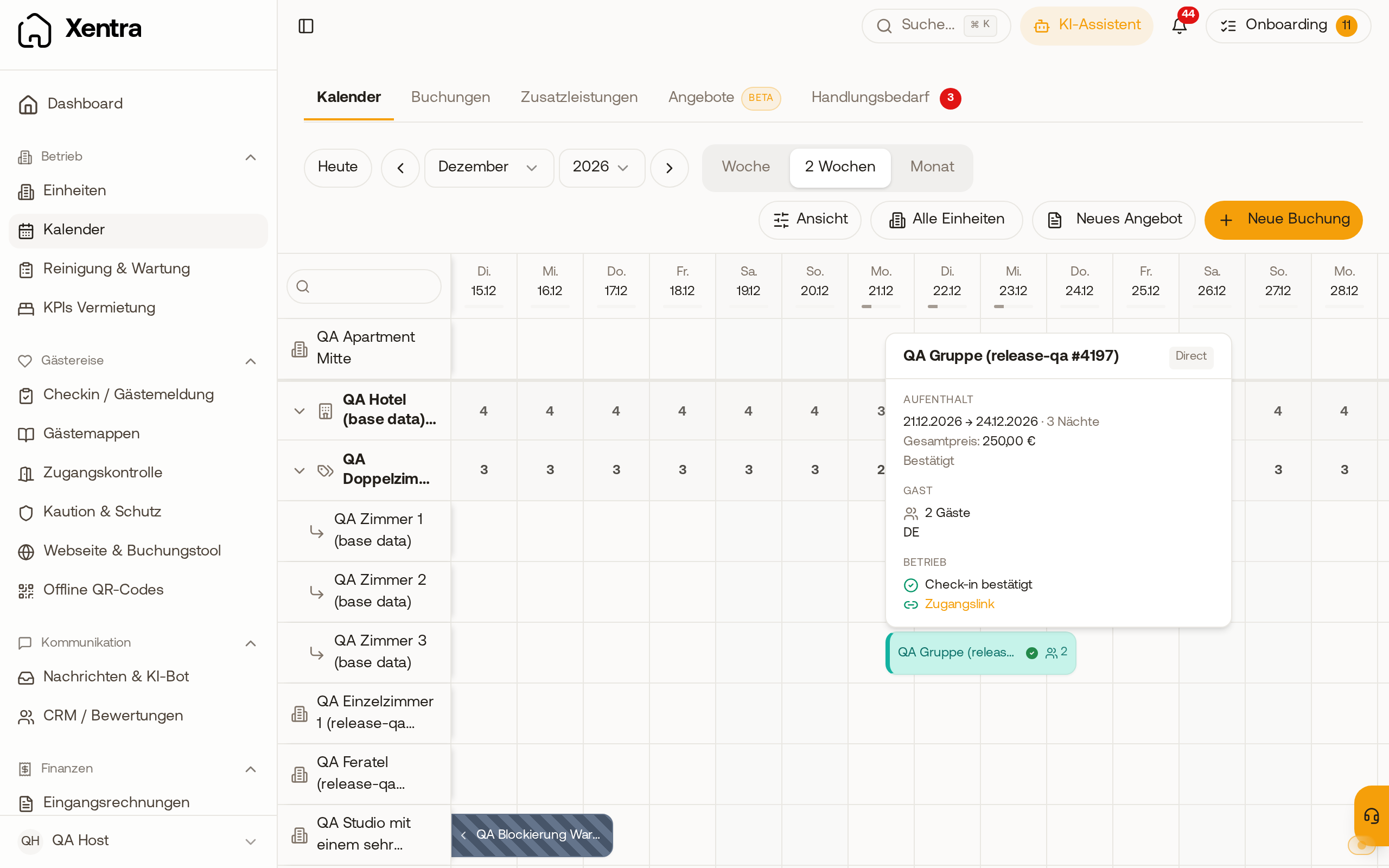 In the calendar, the attached room shows the same check-in status as the main booking.
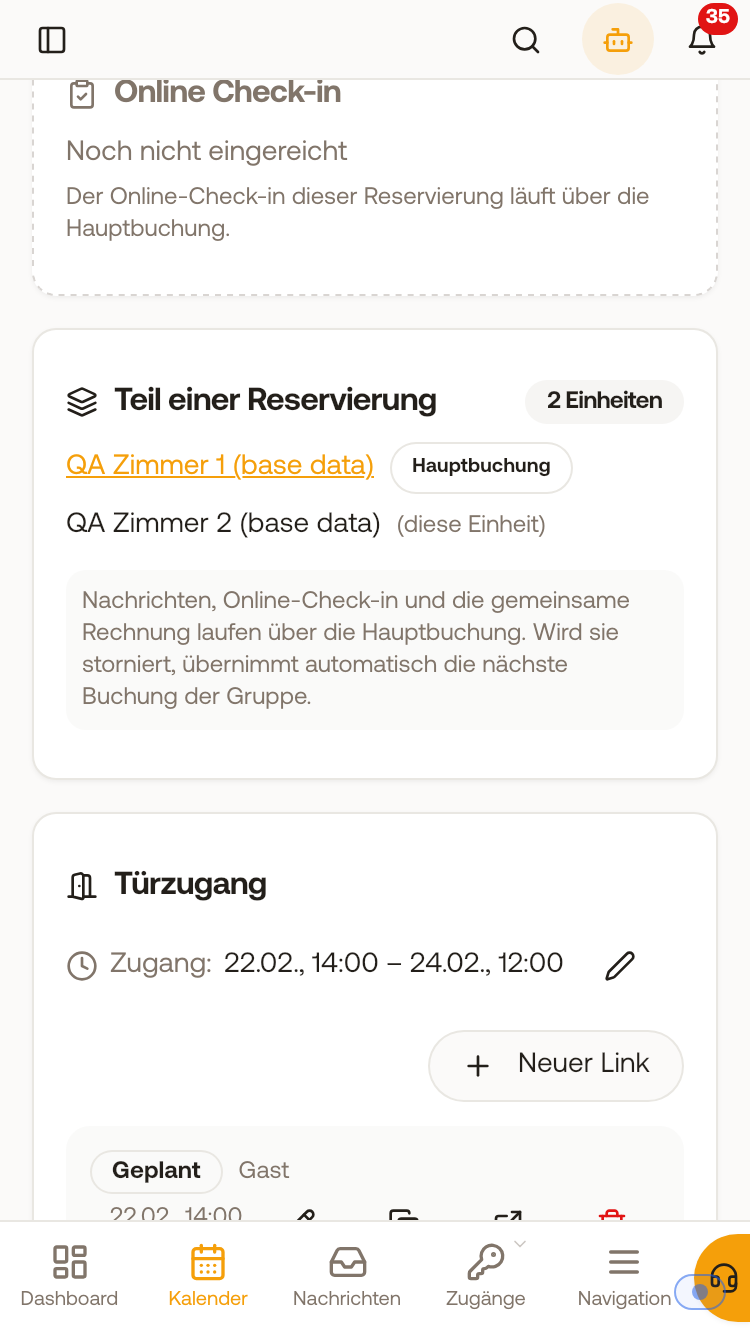 The "Part of a reservation" card with "2 units", the main booking, and the note explaining what runs through it.
Placeholders that name every room
There are dedicated Placeholders for multi-room bookings. They list every room of the reservation with its name and are located in the Placeholders catalog under "Multi-room bookings":
{{room_names}}: the names of all rooms{{room_count}}: how many rooms{{rooms_access_codes}}: the access code per room{{rooms_guestbook_links}}: the link to the dedicated guest guide for each additional room
For a standard single-room booking, they return the value of that single room, without a room name in front of it. So you can use them everywhere and do not need to maintain a second template.
Use {{online_checkin_link}} for the check-in link. The catalog no longer offers the former {{rooms_checkin_links}}. In existing templates, it continues to resolve, but provides one link for the whole reservation, the same as {{online_checkin_link}}. This matches the rule above: one reservation, one check-in form, the guest chooses their room in it.
You need {{rooms_access_codes}} for the door code. {{nukicodesxentragenerated}}, {{xentrattlockcode}}, {{xentratedeecode}}, {{igloohome_code}}, {{xentralivioncode}}, and {{xentramasuntcode}} always resolve only a single code even on a multi-room booking, without room names. {{key_code}}, on the other hand, names every room.
If each room gets its own code, even though there is only one front door, each of these codes opens that same door.
The AI bot also knows the access details of all rooms for a multi-room booking and names them per room, just like messages do. As with a single room, it only releases them once the online check-in is complete.
Custom fields on the unit
Your custom fields on the unit (for example "Box No." or "Parking") list the value of every room when there are multiple rooms. The toggle "For multiple rooms, show custom fields of all rooms" is on by default in all templates, including existing ones, so you do not need to enable it. It is located collapsed under "Advanced" in the template editor and only affects your custom fields ({{unit.<key>}}); {{room_names}}, {{room_count}}, and {{rooms_access_codes}} name every room anyway.
The same applies in the guest guide: The guide for the main booking, which your message sends with {{digital_guestbook_link}}, lists the value of every room for your custom fields. Each additional room has its own guide that shows only its values.
Use {{rooms_guestbook_links}} for a group split across rooms. It lists the link to the separate guide for each additional room, showing only the codes for that room. That way, the person who booked forwards each guest only the guide for their room. Their own guide with all codes ({{digital_guestbook_link}}) is deliberately not in the list, so you do not forward it.
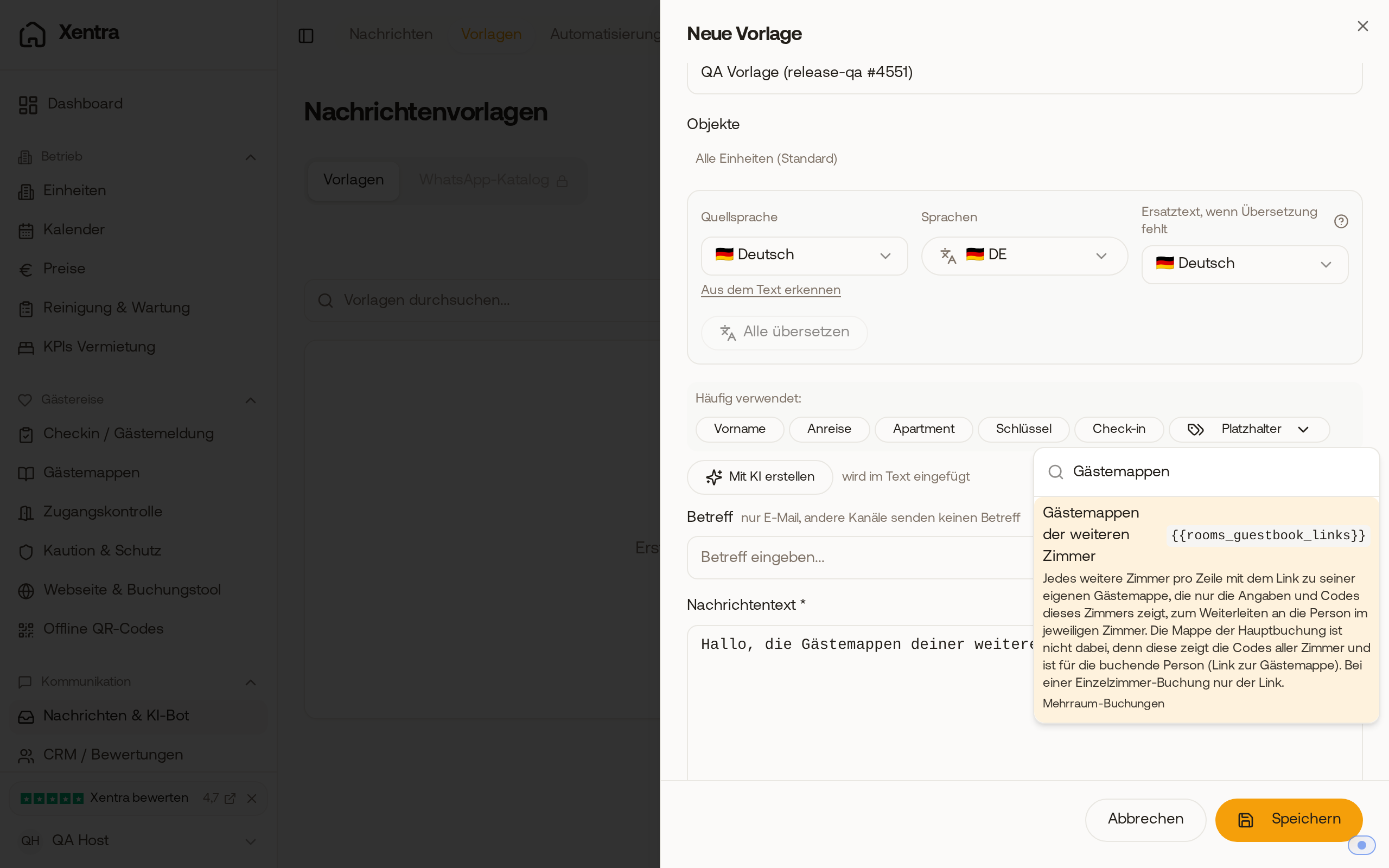 In the template editor, you will find the placeholder under "Placeholders" as "Guest guides of the additional rooms", along with its description.
Invoice
All rooms in a reservation go on a single joint invoice. How that works exactly: see "Multi-room booking: one invoice for all rooms".
Do you really need a separate check-in per room?
Then get in touch with us at hello@support.myxentra.com. This is not the standard approach, but we are happy to look at your case.