
Hotel mode in the booking tool: several units in one booking
Switch on the multi-unit cart, combination suggestions for large groups, and what becomes of it in Xentra.
Updated on October 31, 2026
With Hotel mode, guests can book several of your units at once in the booking tool, for example two apartments for a family or five rooms for a company team. They put the units into a cart and pay for everything in one step.
Switch it on
Open the booking tool, Settings → General, card Multi-unit cart (hotel mode), and switch the switch on. Then save.
 Multi-unit cart (hotel mode) card in the booking tool settings
The switch is grey? The cart is always paid online by card. For that, switch on Online Payment (Stripe) under Pricing & Payment → Payment Methods. If your booking tool takes over the settings from "All booking tools" (padlock at Pricing & Payment), you change them there (at the top of the selection, "All booking tools (default)") or click "Customize for this booking tool". For online payment you need a connected Stripe account.
What the guest sees
- Every accommodation shows Add to cart. At the bottom, the cart appears with the number and the total price; Checkout takes you to payment.
- If the guest searches for more people than a single unit holds, the booking tool suggests a combination of several units and puts them together into the cart with "Add all to cart". The guests are distributed across the units, and each unit is charged for its share. A combination covers up to ten units.
- If you have grouped your units by location (Settings → General, card Unit Clustering) and the guest picks a location in the search, the booking tool only builds combinations from units of that location. With All locations, a combination can contain units from different locations.
- The search bar you embed on your own website counts the same way: with All locations it allows as many guests as up to ten of your units hold together. The number is shown under the guest counter as Max guests. If the guest picks a location, only the units of that location count; if they pick an accommodation, its own maximum applies. Without hotel mode, the guest count stops at your largest single unit.
- A discount code applies to the whole cart.
- If the cart stays untouched for a longer time, it expires; the guest is warned five minutes before.
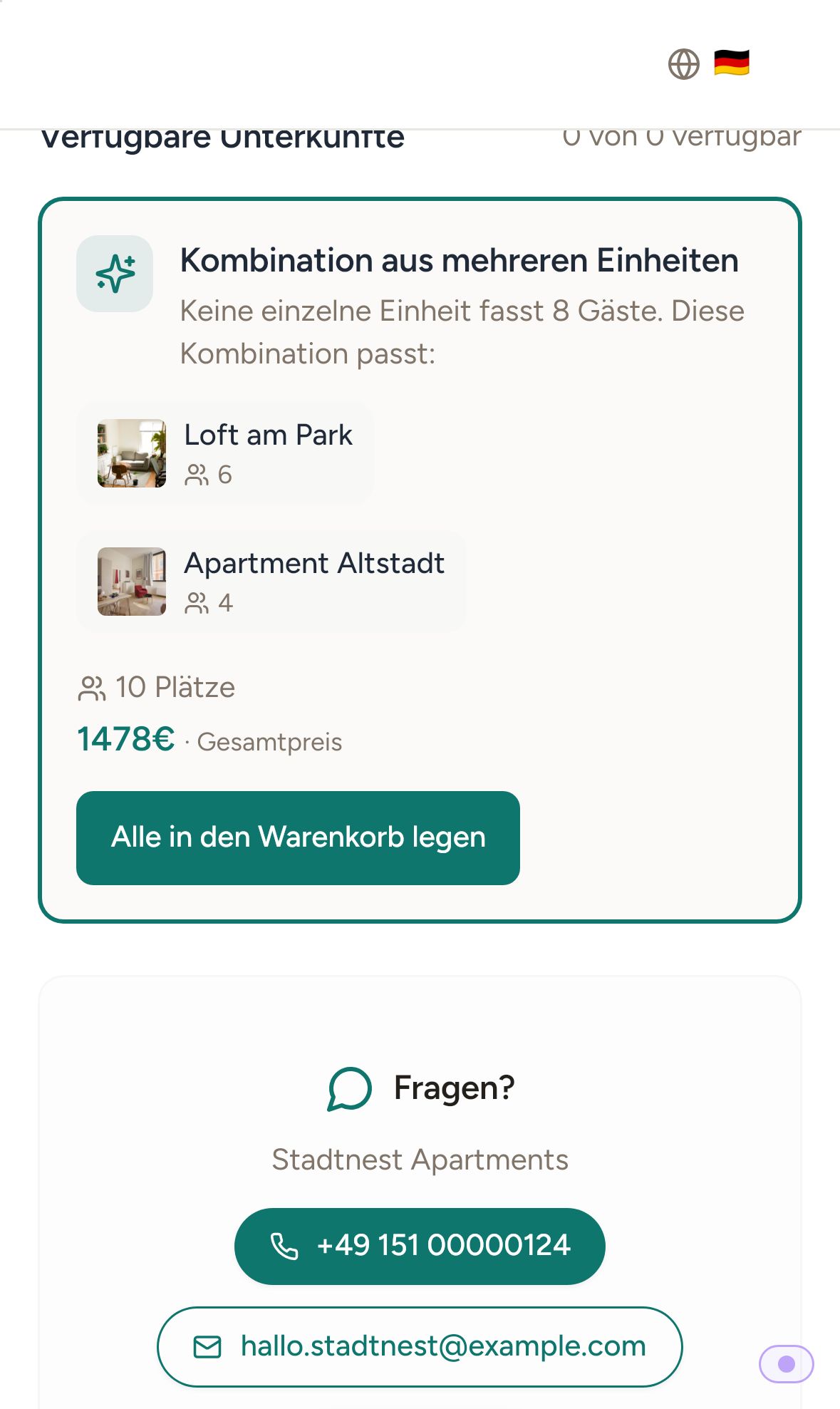 Combination suggestion for a large group on the phone
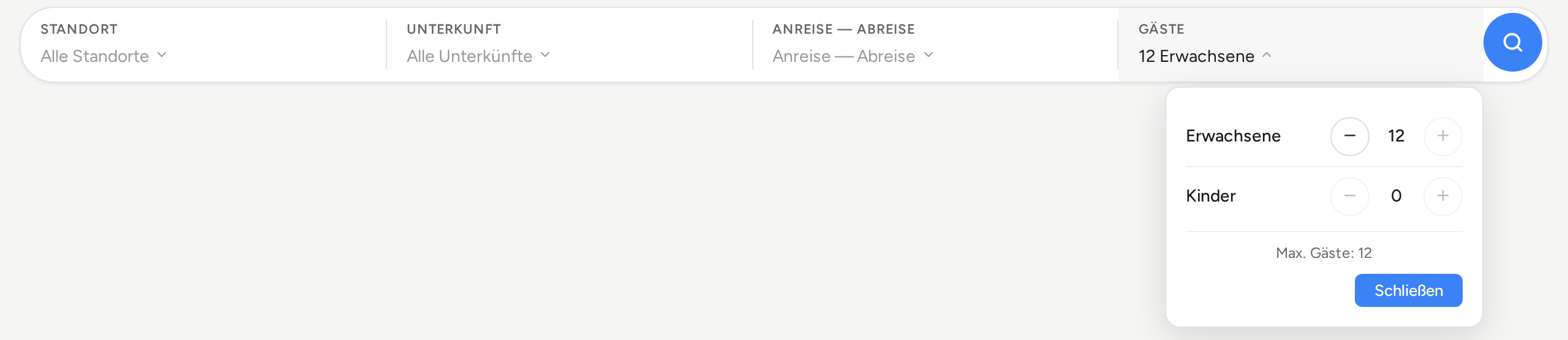 Embedded search bar on your own website: with All locations, the guest counter allows more guests than a single unit holds.
What arrives in Xentra
If all units in the cart have the same arrival and departure, Xentra creates one reservation across several units: one online check-in for the whole group and one message instead of several. In the booking list, each unit carries the note "N units"; on the booking page you see all units of the reservation. If the units have different dates, they become separate bookings.
How you create and edit such a booking yourself is described in "Create a booking across several units". How check-in and placeholders handle it is described in "Multi-room booking: one check-in and one message thread". If you work with room categories, see "Hotels in the booking tool: one card per room category" and "Hotel cart: book several rooms of one category".
Good to know
- Prepayment and "On request" are not available in the cart. If the guest books only one unit, all payment methods of the booking tool are open to them.