
Booking tool: guest count, times, minimum stay and tourist tax
Where the booking tool gets the maximum guest count, check-in and check-out time and minimum stay from, and why it does not include the tourist tax in the price.
Updated on November 2, 2026
You do not set these values in the booking tool: it takes them from your units, access control and the price calendar. How to set up the booking tool itself is described in "Booking tool: direct bookings through your own booking page".
Guest count, times and minimum stay
Max guests, bedrooms and beds are set on the unit: Units → Edit unit, fields Max guests, Bedrooms and Beds (also on the pricing page in the Settings tab, which you open here at the top via Pricing). The limit counts adults and children together, infants are not counted. If the field is empty, the booking tool's limit applies (default 10). If the limit is exceeded, the property shows "Maximum guests: N" instead of a price.
Check-in and check-out time come from Access control, tab Settings, Default access times (see Setting check-in and check-out times). Without an entry, the booking tool shows 14:00 for arrival and 12:00 for departure. A time on the unit only applies if "Use custom times" is set there.
Minimum stay and prices come from the price calendar (see Pricing: where you manage your prices). The minimum stay stored on the arrival day counts.
Tourist tax for bookings through the booking tool
The booking tool does not include the tourist tax in the booking price and does not collect it. If you have set up a tourist tax that applies to the property, the booking page shows the expected amount for the selected guests and nights: in the Your details step, below the total price as "Tourist tax (not included in the total price)" and on the confirmation. The binding amount is determined in the online check-in or on site. If no tourist tax is set up for the property, your guests only see a notice that it applies additionally, if you turn on the tourist tax under Pricing & Payment in the Tourist tax card.
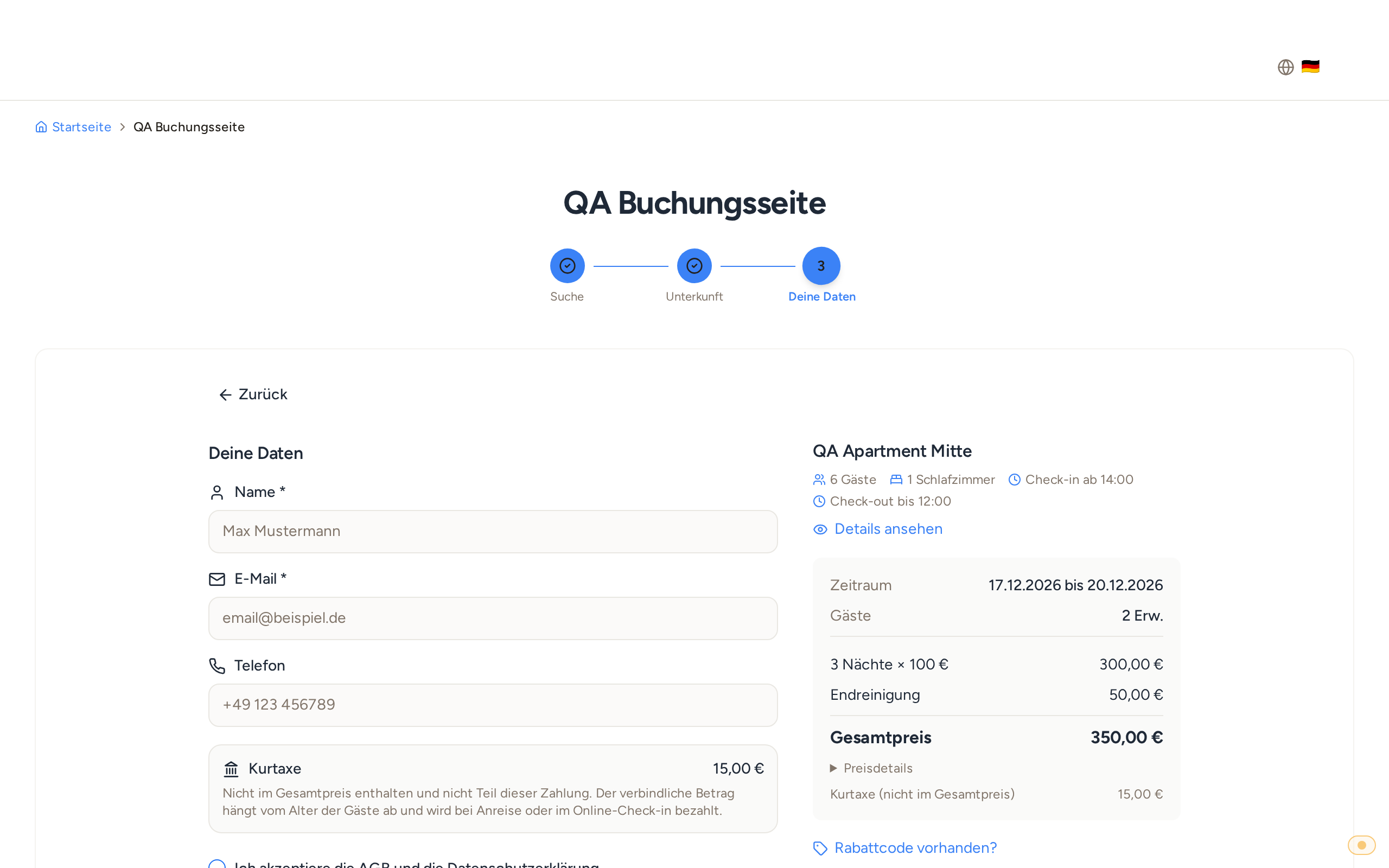 Booking page, Your details step: the tourist tax with amount, explicitly not included in the total price. If they pay the tourist tax to you in the online check-in, the notice says so. You can word the notice text yourself under Settings → Texts & Legal. How high the tourist tax is, you set in your tourist tax configuration.