
Languages: App language, guest languages and how guests are addressed
Which languages Xentra and the guest pages are available in, how you change the app and invoice language, and whether your guests are addressed informally or formally.
Updated on November 13, 2026
App language: what you see
The Xentra interface is available in 6 languages: German, English, Spanish, Italian, French, and Polish. When opened for the first time, Xentra detects your browser language, otherwise German applies.
Change app language: click your name at the bottom left of the sidebar and tap the flag of the desired language in the menu. The app switches immediately.
In a team: The app language belongs to each login. Every team member sets it themselves in their own login (bottom left on their name, then the flag), and Xentra remembers it for this login, also in the app. You do not set the language of a team member from the main account, and your own language setting does not change theirs.
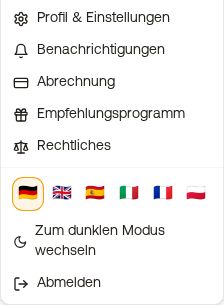 Account menu at the bottom left with language flags
Guest languages: what your guest sees
Guest pages, online check-in, message templates, the Booking tool with your booking page, and your website are available for your guests in 7 languages: German, English, French, Spanish, Italian, Dutch, and Polish. So Dutch is available for guests, but not for the user interface. If a text is missing in Dutch, the guest sees it in English.
In the Booking tool, the guest sees their browser language if included, otherwise the language from the Booking tool settings (German for “Automatic”). At the top right, they switch the language via the flag. With /nl in the link, your booking page opens directly in Dutch.
In the online check-in, a guest sees Dutch if Dutch is enabled as a language in your check-in template.
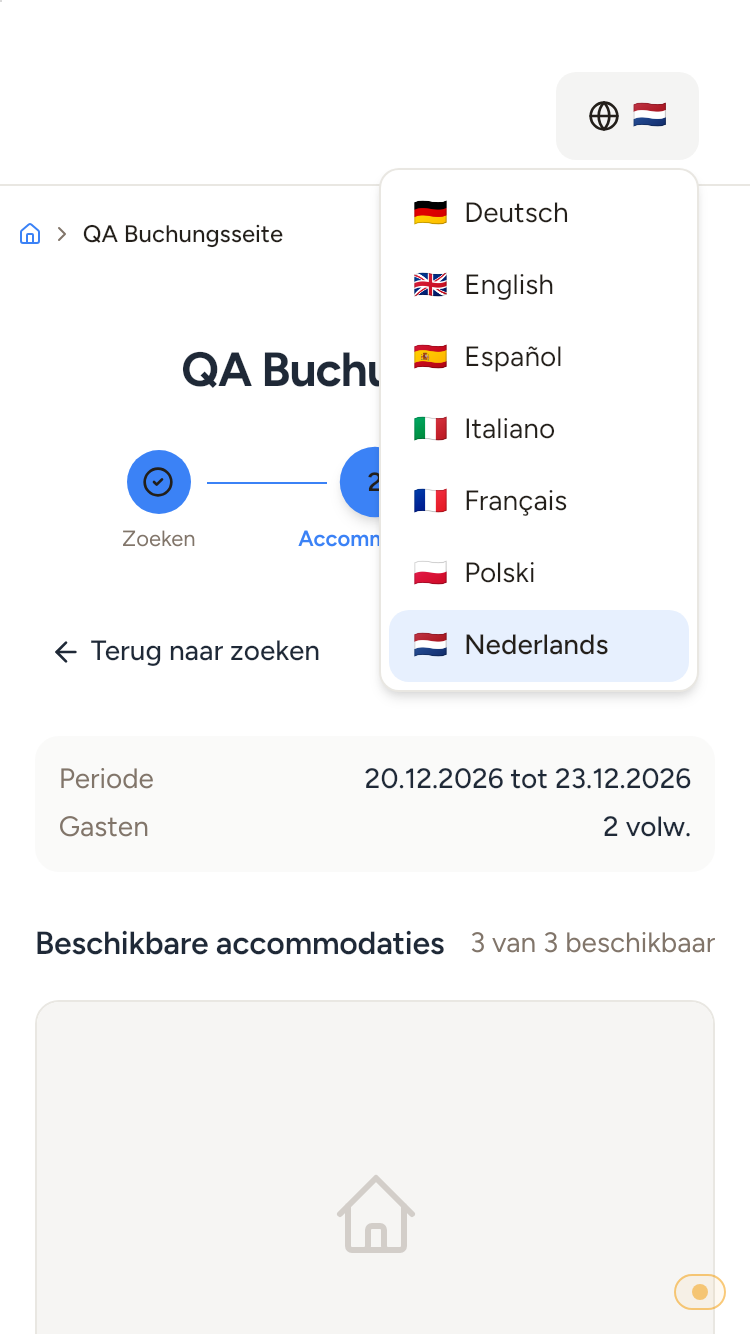 The language switcher in the Booking tool with Nederlands as the seventh language.
Guest invoices are available in German, English, French, Spanish, Italian, and Polish. You set the language under Outgoing invoices, Settings, section Document, field PDF language.
Other languages, for example Russian or Ukrainian, are not available, and you cannot add them yourself either. If you need one of them, write to us so we know what is requested.
Du or Sie: how guests are addressed
Under Settings, Messaging, card How guests are addressed, you choose how Xentra addresses your guests: Du (casual and personal, the default setting) or Sie (formal). This applies to all fixed texts that guests see from Xentra: online check-in, guest guide, Booking tool, invoices, access, and the responses of the AI bot. Your own texts and templates remain unchanged. It is the same setting as “du or Sie” in the style of the AI bot.
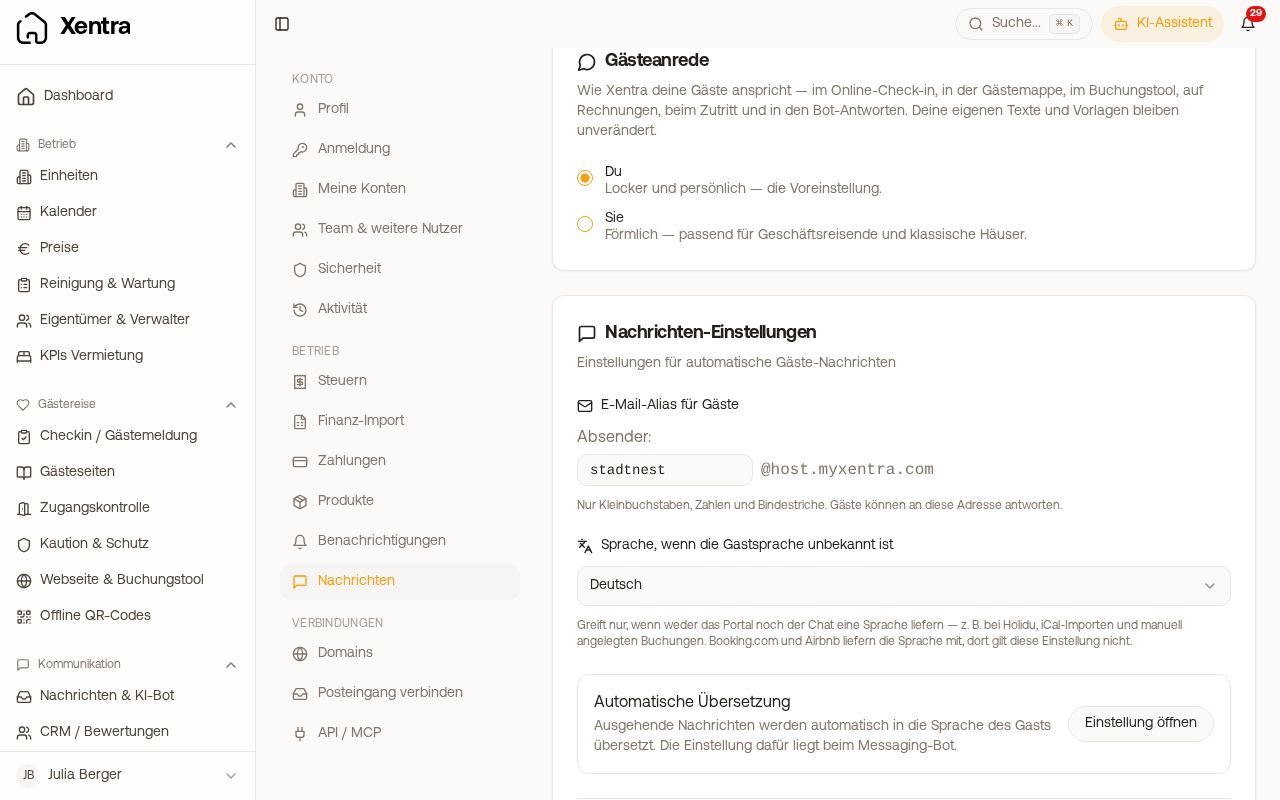 Settings, Messaging with How guests are addressed and Language to use when the guest language is unknown
Which language a message goes out in
This is decided by the Booking, not the default language of the template:
- Guest language on the booking. It comes from the portal (Booking.com, Airbnb, ...), for a booking via your Booking tool from the language in which the guest booked, or you set it yourself, for a manual booking already under New booking in the field Guest language.
- If the portal did not send a language, Xentra looks at the guest's latest messages shortly before sending and detects the language from them. This only works with a messaging channel; for portals without guest messaging (for example Holidu via Smoobu), there is nothing to detect. After that, the guest's country of residence and email extension count.
- Only if that yields nothing either, the setting “Language to use when the guest language is unknown” under Settings, Messaging applies. By default, it is set to English. It typically applies to Holidu, iCal imports, and manually created bookings without Guest language.
- If the template does not exist in the guest's language, Xentra uses the language specified in the template under “Text to use when a translation is missing”. Therefore, the same guest can receive one message in German and the next one in English.
Two settings for emergencies. “Text to use when a translation is missing” in the template decides which translation is used if the guest's language does not exist in that template. The setting under Settings, Messaging decides which language applies if no language is known for the booking at all. For a guest without a language, the second one counts.
Set the language for an individual guest: Open booking, Messages tab, Guest language. A manually set language counts as your decision and will not be changed automatically afterwards.
How you get templates, guest pages, and descriptions into the other languages and keep them up to date: see Templates in multiple languages: Source language, translation, and fallback text and Translations: Keeping guest pages, descriptions, and custom fields up to date. How guest messages are translated in the inbox: see Translation in the inbox.