
Booking tool: Change website address in contact area
Where you set the website address that appears at the bottom in the contact area of your booking tool and your guest pages.
Updated on November 12, 2026
Change website address in the contact area of the booking tool
You do not set the website address at the bottom in the contact area of your booking tool in your profile, but in the invoice settings: Open settings for outgoing invoices, section "Sender information", field "Website". Enter the new address and save, then the booking tool will display it.
The same address also appears in the contact area of your guest pages and in the sender details of your invoices. If the field is empty, the booking tool does not display a website address.
Hide "Questions?" contact box
At the bottom of the booking page that you share via link, the "Questions?" box displays your contact details for guests from your profile and the website address from above. If you do not want to show them there, you do not need to delete any profile data: Open booking tool, Settings tab, Layout section, turn off the "Show contact box at the bottom" switch, and click Save at the bottom. The box is then gone, and your contact details on invoices and guest pages stay as they are. If you turn the switch back on, the box appears again. If the booking tool is embedded on your own website, it never shows the box.
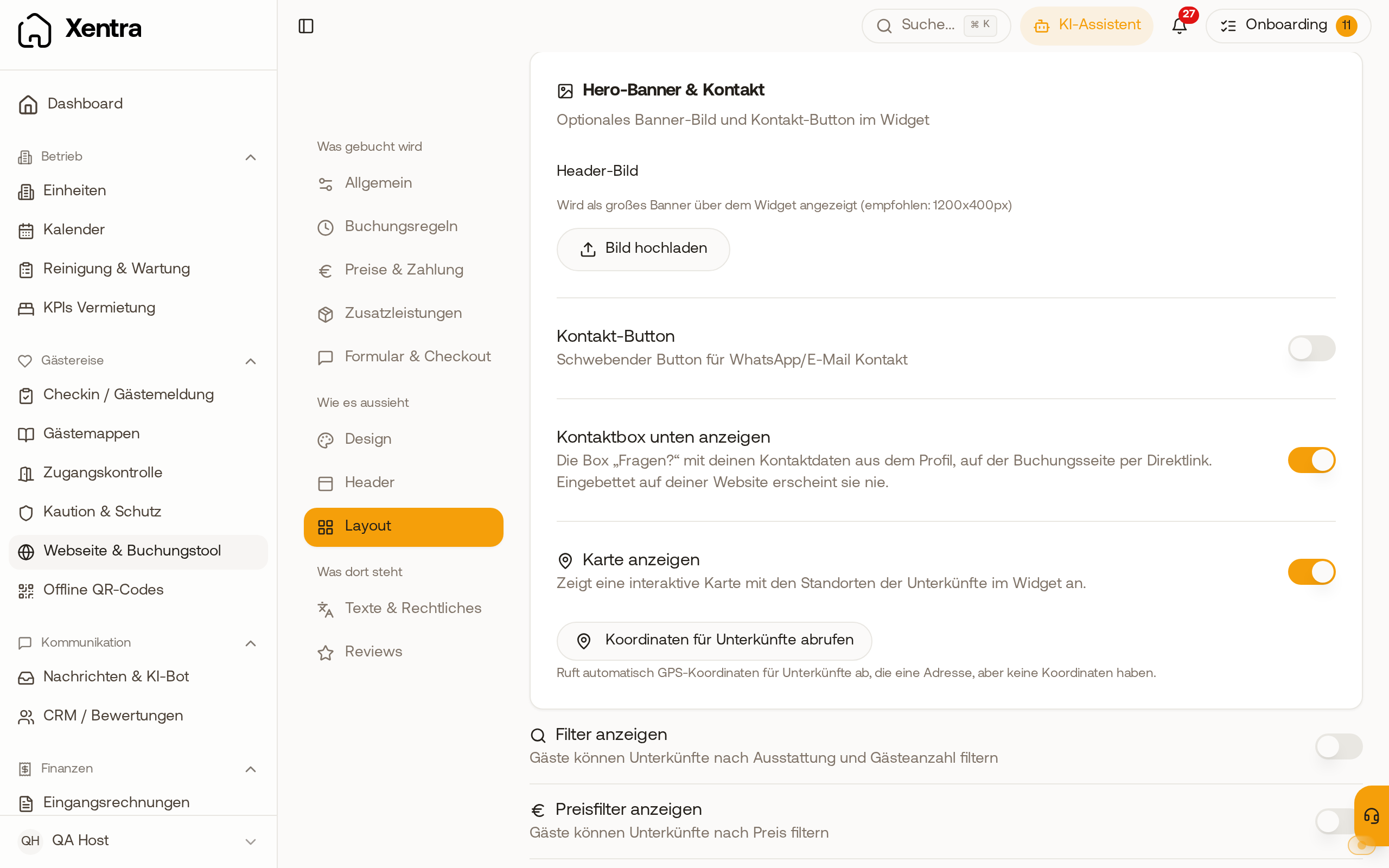 Booking tool, Settings, Layout: the "Show contact box at the bottom" switch under the contact button
Hide only the address: Right under "Show contact box at the bottom" is the "Show address in the contact box" switch. If you turn it off and click Save at the bottom, only the address disappears from the box. Phone and email remain. The address in your profile, on invoices, and on guest pages stays unchanged.
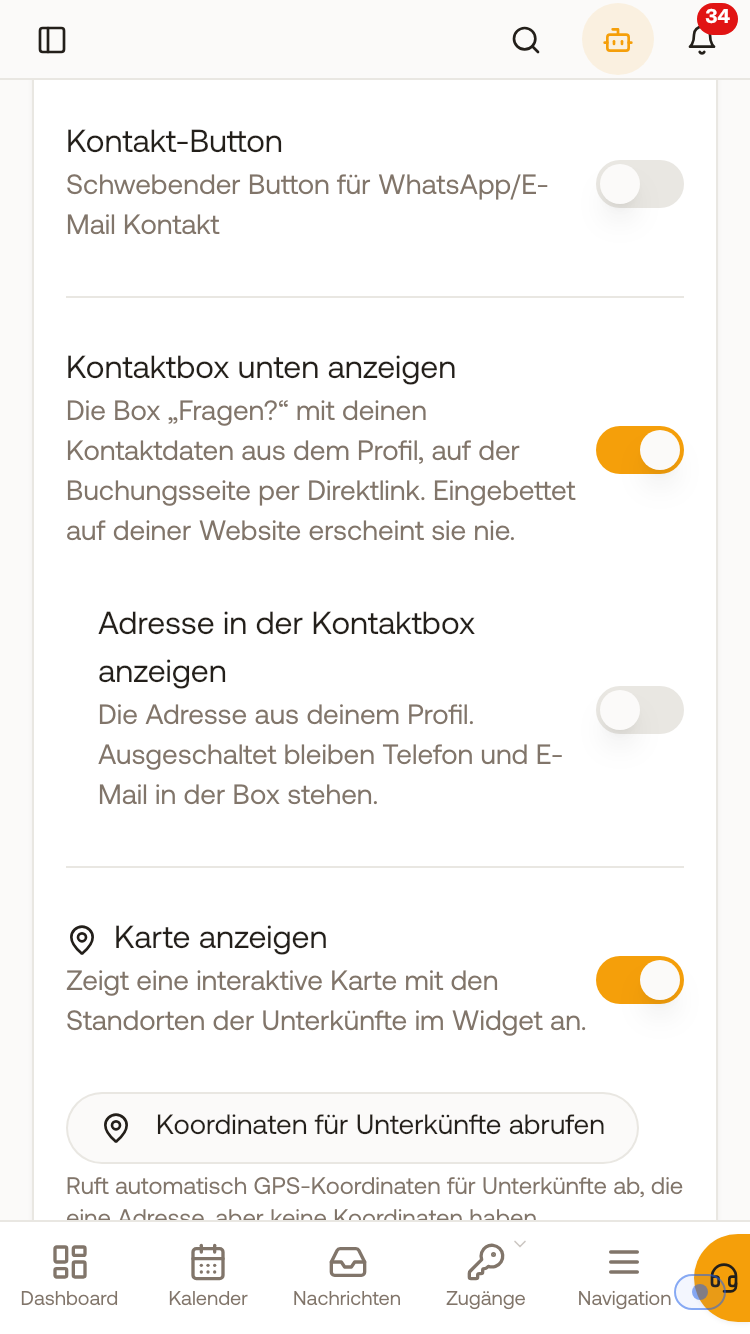 Booking tool settings on mobile: under "Show contact box at the bottom", the switched-off switch "Show address in the contact box"