
Turning modules on and off
Switch areas of the app on and off, which modules are off by default and what “Coming Soon” means.
Updated on October 19, 2026
Under Modules you switch individual areas of the app on and off, so that you only see what you really use. You reach the page via Module overview at the bottom of the sidebar.
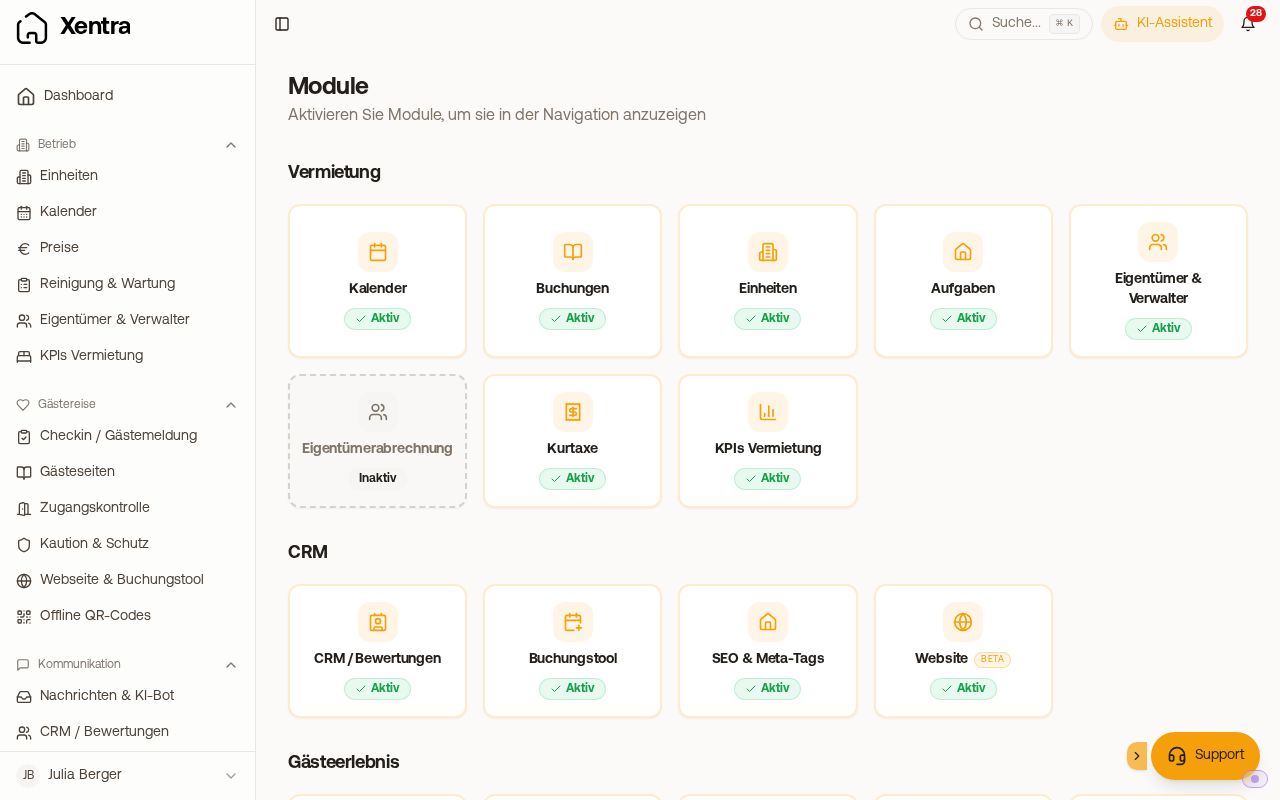 Modules page with active and inactive modules
- An inactive module disappears from the sidebar, from search (Cmd/Ctrl + K), from the setup progress and from the placeholder selection. Your data is kept, and you can switch the module on again at any time.
- Some modules are off by default and must be switched on once, for example Owners & Managers, Incoming Invoices or Financing.
- Modules with the label “Coming Soon” are not yet available and cannot be switched on.
- The modules are available to you in the trial phase and with the Pro subscription alike. If your subscription ends, they are no longer accessible.
- Add-on modules with their own price, for example your own domain and e-mail, you do not book here, but under Billing or directly in Settings, Domains.
Team members only see the modules that their rights release (see “Rights in the team”). A module that you switch off is gone for your team too.
If a module you have booked is missing, or you cannot switch it on: hello@support.myxentra.com.