
Global search (Cmd+K / Ctrl+K)
Quick search across the entire app with Cmd+K / Ctrl+K, including by booking number, company and phone number.
Updated on October 19, 2026
You open the search with Cmd+K (Mac) or Ctrl+K (Windows), or with the field “Search…” at the top right.
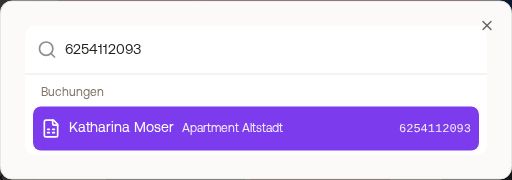 The search with results under Bookings, Units and Navigation
- It finds pages (navigation), Settings, Units, Bookings and Contacts. Only areas that are active in your account and that you are allowed to see appear.
- You find bookings by guest name, unit, company, phone number or a booking number: the portal number (in the booking “# Portal”, e.g. from Booking.com or Airbnb) and the PMS number (in the booking “# PMS”). Numbers are searched from 5 characters on, as long as they contain at least one digit; phone numbers work in any format. The result shows which number matched.
- Pages without their own menu item can also be found here, for example the Command Center.
- Quick actions: “Create booking”, “Add unit”, “Create contact” and “Upload invoice”.
- Your recent searches are listed under “Recently searched”.
- The same number search works in the Inbox when you assign a conversation to a booking with “Assign to booking”.