
Record running costs without a receipt
How to record recurring costs per unit without a receipt, such as cleaning paid in cash, subscriptions or fees, and how they show up in the export.
Updated on November 6, 2026
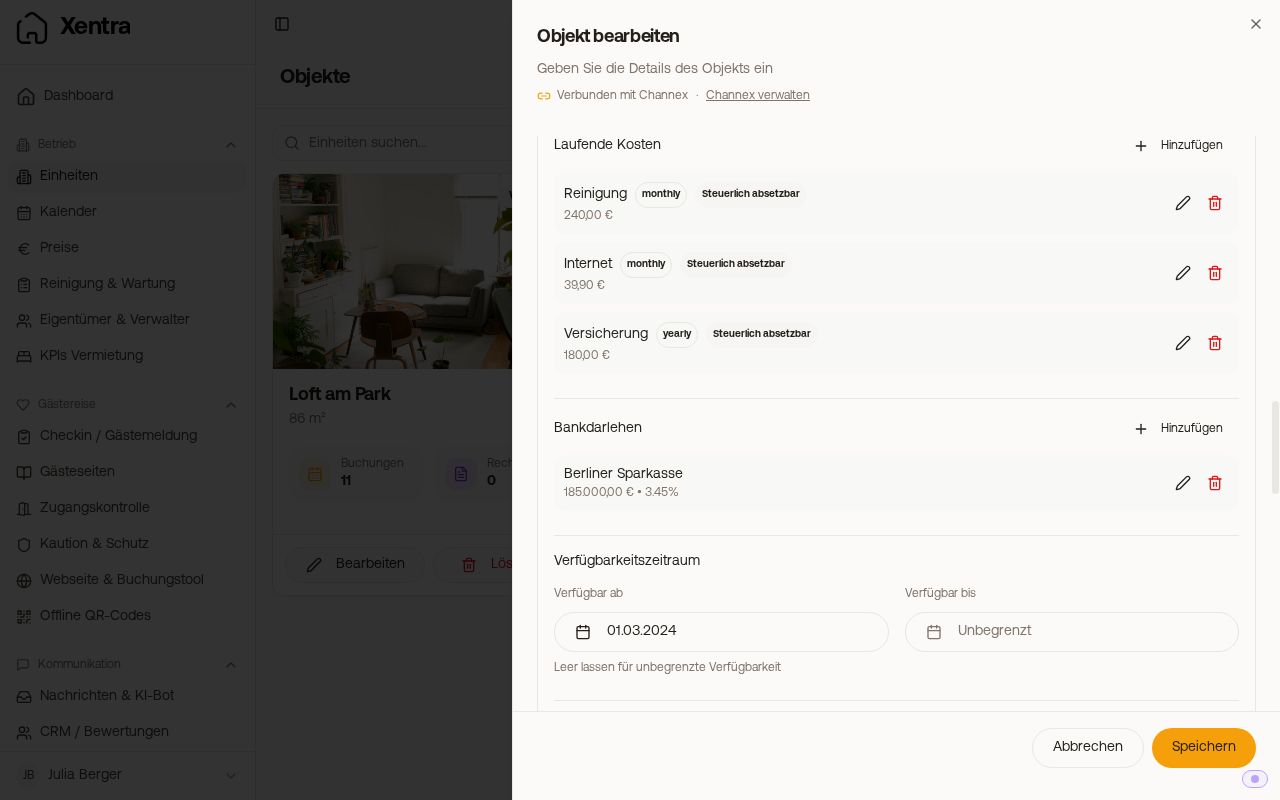
Costs that have no receipt or that are the same every month (cleaner paid in cash, subscriptions, fees, insurance), you record as Running Costs on the unit. You do not need to upload a collective receipt for them.
Where to set it up
Open units, edit the unit, section "Details", "Running Costs", "Add".
 The running costs in the "Details" section of a unit
What you enter
- Amount, Cost Type (for example "Cleaning supplies" or "Other") and a free description
- Period: monthly, quarterly, yearly or one-time
- "Valid from": the day from which the costs apply (optional)
- Tax deductible: yes or no
- "Applies to": "This unit", "All units" or a "Location group". With several units, Xentra splits the amount evenly. If a unit is added to the group later, it counts automatically.
- No document needed
No end date: A running cost keeps applying from its date onward, there is no end date. If it only occurs for a few months, delete the item afterwards, or enter the total amount once with the period one-time.
The portal fee of a single booking (for example Wunderflats on a booking you entered yourself) does not belong here: when you create the booking, enter it under "Advanced fields" in the field "Commission", and enter the amount that reaches you in "Portal payout".
Where the costs show up
The running costs feed into your reports (operating costs, operating result, deductible totals), just like uploaded incoming invoices.
From when they count: In the Financial analysis (Overview, Income Statement, Tax & Depreciation) and on Rental KPIs, a recurring cost only counts from its "Valid from" date, prorated to the exact day. Example: 100 € monthly from 01.09. gives 122 of 365 days for the whole year, so about 401 €, and about 302 € in the last quarter. In the months before and in earlier years it does not count at all. Without a date, it counts in every period. A one-time cost only counts in the period that contains its date.
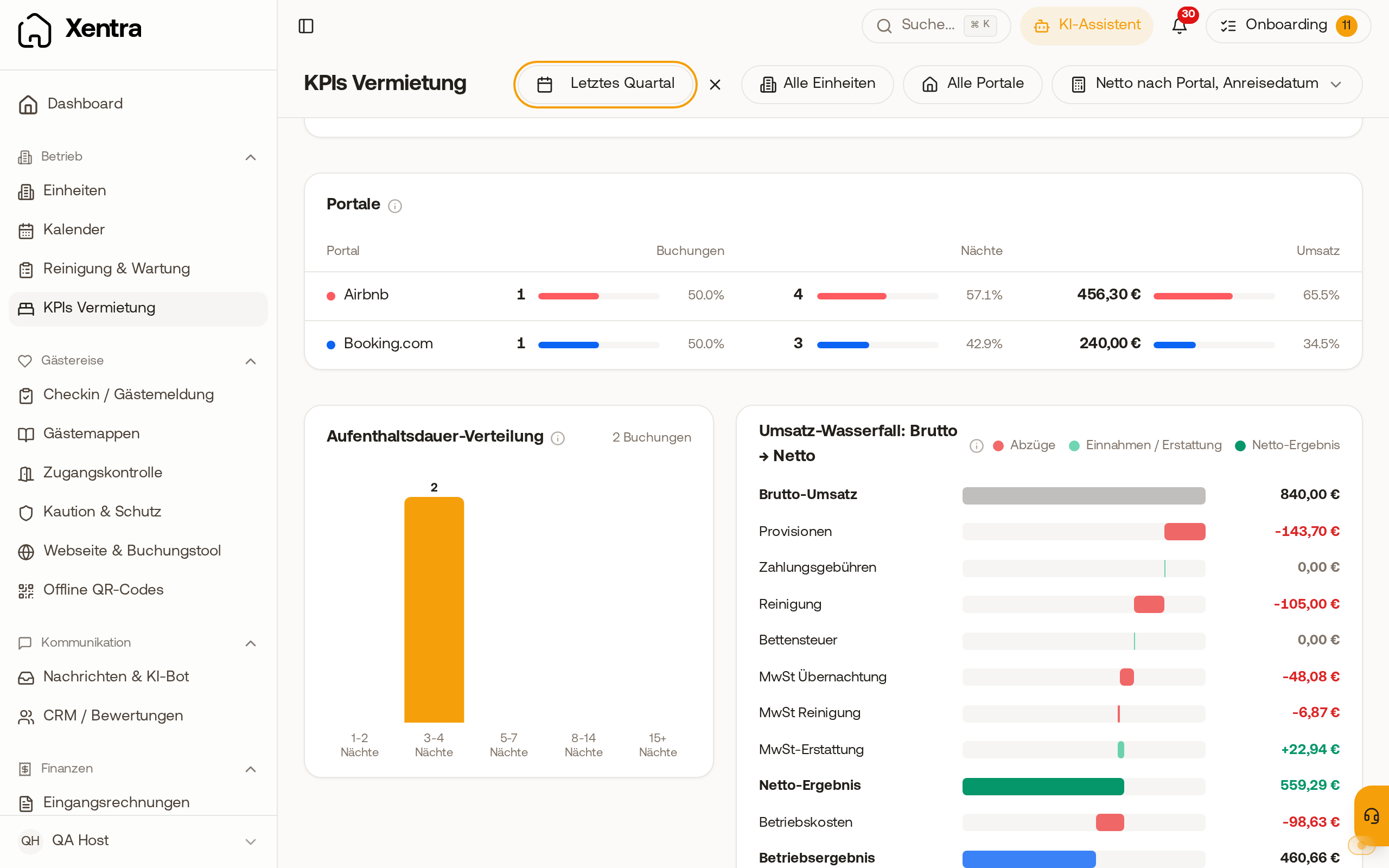 Rental KPIs, revenue waterfall: In the quarter, the operating costs only count from the day the running cost applies
If you export the Incoming Invoices as Excel or CSV, the running costs are included as one row per due date in the selected period: a monthly item appears three times for July to September, a quarterly one once. Costs that only fall due after today are not in the export yet. Without a period, each item appears once. The DATEV export does not contain the running costs, it only includes uploaded receipts.