
Monthly partial invoices for long stays (Beta)
For long stays, issue a partial invoice every month and a final invoice at the end, automatically or manually (Beta).
Updated on November 13, 2026
For long stays, such as fitters, you can issue a partial invoice every month instead of one invoice after departure. The final invoice follows after departure.
Beta: Monthly partial invoices are not yet enabled for all accounts. If you want to use them, write to us in the support chat.
What goes on which invoice
- Partial invoice: overnight stay and tourist tax only for the nights of that month.
- Final invoice: the remaining nights, plus cleaning, bed linen, check-in extras, and services. It does not deduct anything, each partial invoice stands on its own.
- There is no deposit invoice: Each partial invoice bills actual nights.
Direct bookings, bookings via your website or booking engine, and manually created bookings are billed automatically, but not Airbnb, Booking.com, and owner use. Groups that you created yourself and accepted quotes with multiple rooms are billed by Xentra as one stay: The invoices are attached to the main booking, with one line per room. Multi-room reservations coming via channel connection are excluded.
Automatic
Guest invoices, settings, section Automation: first turn on „Auto-create invoice on departure“, then „Monthly partial invoices“. As long as automatic invoice creation is off, the switch is greyed out.
- „Billing“: „In arrears (for the previous month)“, meaning on the 1st for the previous month, or „In advance (for the month ahead)“. With In advance, for the „First invoice“ you select „On arrival day“ or „Right after the booking“; after that, the invoice for the coming month follows on the 1st. In advance, partial and final invoices are open, the guest pays by invoice.
- „Minimum number of nights“ (default 28).
The setting applies from the moment it is turned on ("Active since..."), never retroactively. Partial invoices are sent to the guest with a neutral standard text, not with your invoice template, because they are still staying at your property.
When the first invoice is due is defined in the invoice settings next to the payment terms: „First invoice due (days after arrival)“. If this day has already passed, the normal payment terms apply.
Manual
Open booking, E-Invoice, select „Partial invoice for one month“ under „Invoice type“. This is also possible without the switch in the settings, as soon as the booking crosses a month end.
For a booking with multiple rooms that you created yourself or that comes from an accepted quote, it works the exact same way, no matter which room you open: The partial invoice is attached to the main booking, with one line per room and its own monthly rent. Requirement: There is no invoice yet for any of the rooms. Do not shorten the booking itself for a monthly invoice, otherwise the calendar will show the rooms as available afterwards and the access links will end on the new departure day.
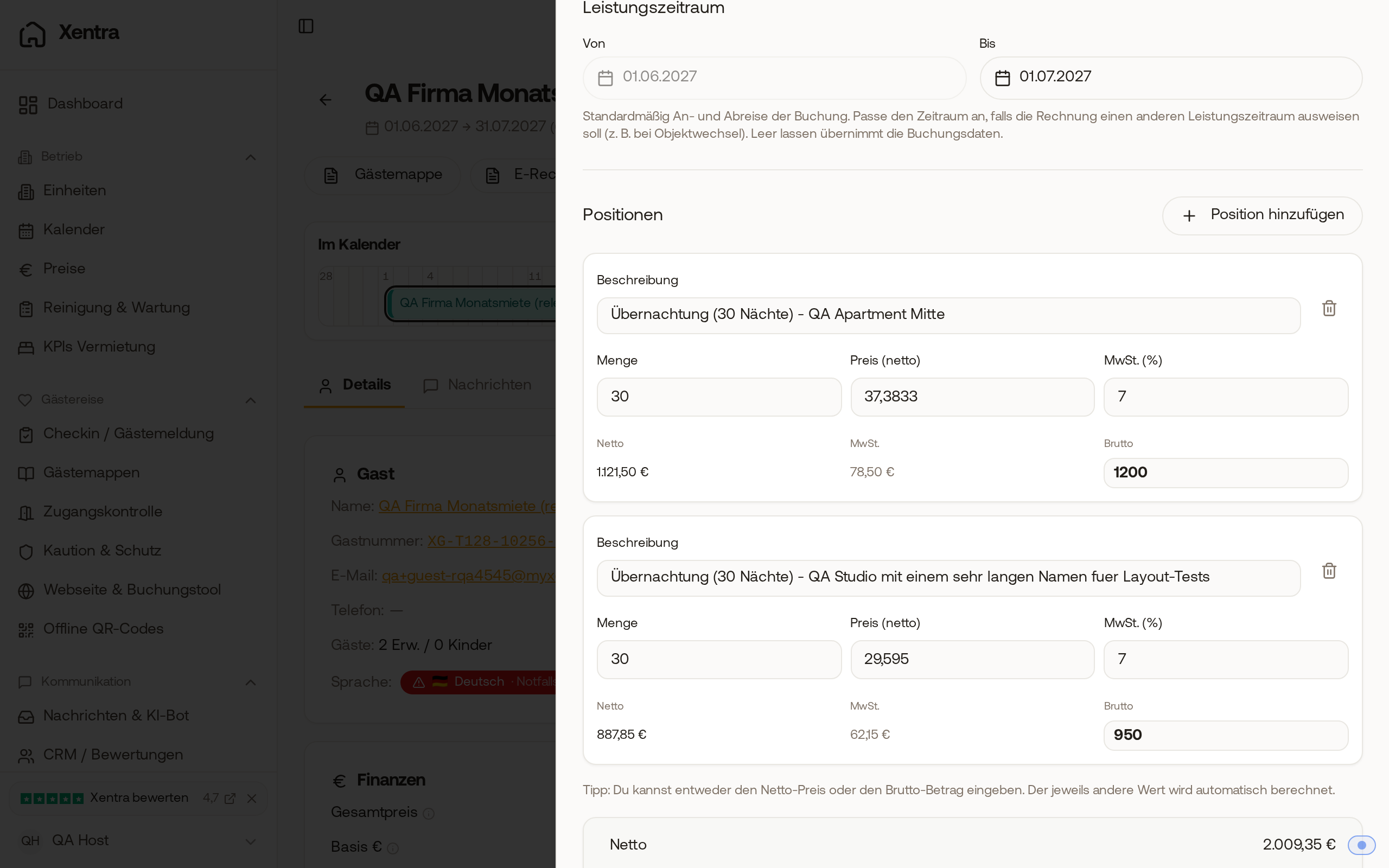 The partial invoice of a booking with two rooms shows one line per room for the month, each with its own monthly rent.
The start is fixed: It connects to the last partial invoice. You create the final invoice later in the same way with „Final invoice for the rest“; „One invoice for the whole stay“ creates a single invoice as before.
Collective invoice for a company
If a company has multiple rooms booked with you as individual bookings, you can put one month for all rooms on one invoice. Open "E-Invoice" for one of the bookings. Under "Collective invoice", Xentra suggests the other bookings with the same contact or company; you can add more via "Add another booking". Check the bookings and select the month. Each booking appears on the invoice with its own nights in that month, with its fixed monthly rent if you entered one. If a room moves out during that month, its remainder is billed. Final cleaning and extras go on the final invoice for the respective booking. For a booking where a previous month is still open, bill that month first.
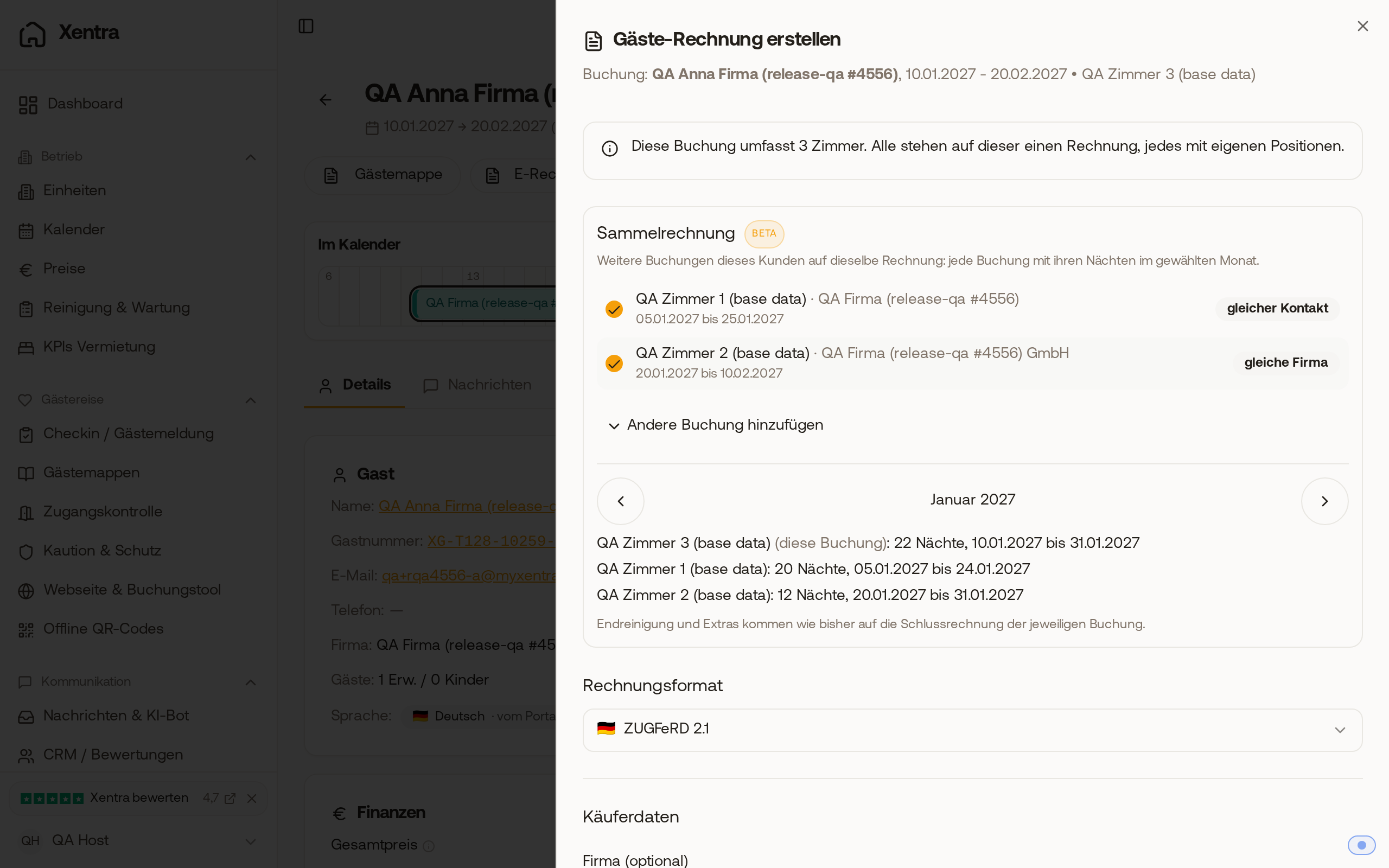 Under 'Collective invoice', two other bookings for the same company are checked; for January, each booking appears with its own nights.
Cancellation
Xentra does not automatically re-create a cancelled partial invoice; you re-issue it in the invoice window. The credit note names the month of the cancelled invoice. If a time period is missing due to a cancellation or if the remainder would be negative, Xentra does not create an automatic final invoice, but notifies you in the bell icon with „Check guest invoice“.
Quotes
If a guest accepts a quote with payment by bank transfer and „Create and send the invoice right away“ is turned on, they receive the first partial invoice instead of a total invoice when billing in advance.
Fixed monthly rent
For a manually created booking, you enter a „Monthly rent“ under New booking or in the Finance card. A full calendar month costs the monthly rent, a partial month costs 1/30 of it per night (at most the monthly rent). The price is calculated from this plus cleaning, and partial invoices calculate the exact same way. Example: €1,500 monthly rent, 15.04. to 15.07., €45 cleaning results in 800 + 1,500 + 1,500 + 700 + 45 = €4,545.
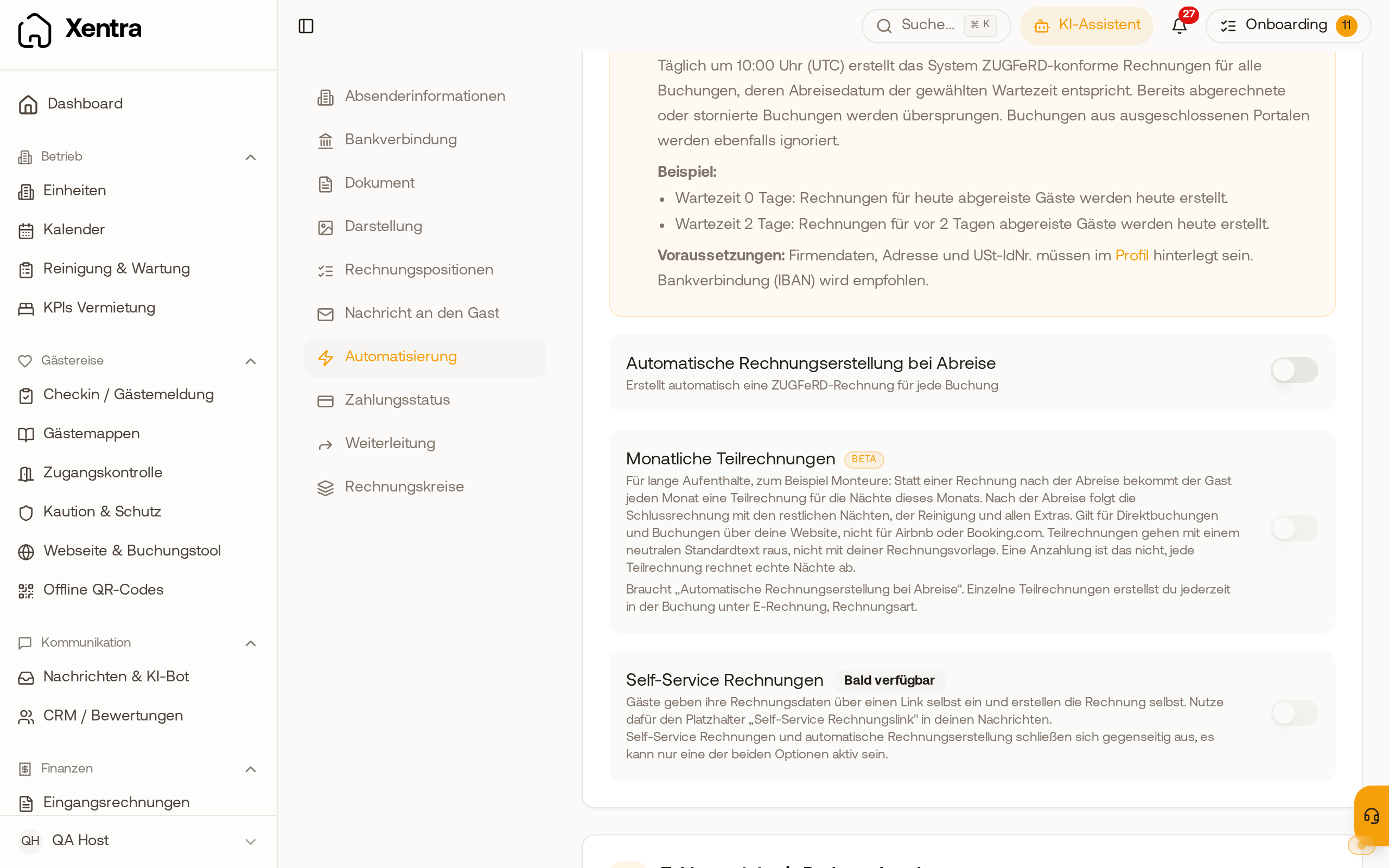 Under Automation, 'Monthly partial invoices' is listed directly below automatic invoice creation, greyed out as long as it is turned off.
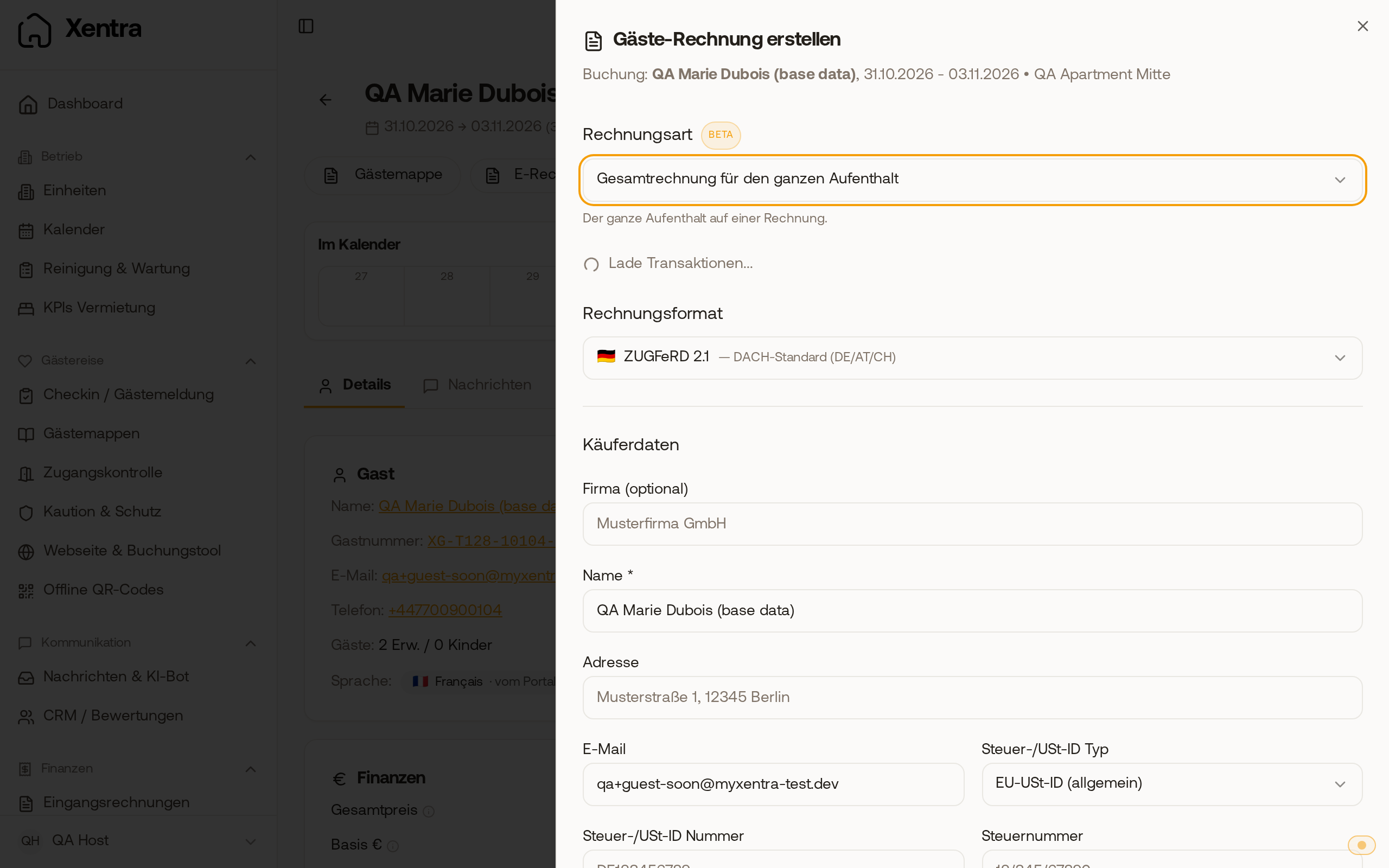 In the invoice window of a booking crossing a month end, select the partial invoice under 'Invoice type'.