
Guest Guide: Products, Purchases and Payment
Offer extra services in the guest guide, show “Your Purchases” and allow online payment or invoice payment.
Updated on November 12, 2026
In your guest guide, guests can book additional services and see what they have already bought. You set this up in the editor of the guest guide (open guest guides). How to create a guest guide: see Guest Pages / Setting up a digital guest guide.
On the Shop tab, Products & Upselling card, you choose which products from your catalog the guest can book on the page, and where the product area is located (Position in the Guest Guide). This selection only appears once you have checked at least one product: without a product, there is no product area on the page. With At the Start (before all sections), your products are at the very top; otherwise, you choose which section they come after, or at the end. Products are created under Settings → Products. You set the price type, different price and approval via the gear icon next to the product, separately from the online check-in. Like everything in the editor, check marks and gear icon changes are only applied with Save.
Booking deadline in the guest guide: The booking deadline in the gear icon counts days before arrival. If a deadline is set (for example 1 day), the product disappears from the guest guide starting on the day of arrival and remains hidden throughout the stay, including on the day of departure. For products that guests only book during their stay, such as a late check-out, you select "No deadline". There is no deadline relative to departure.
Link directly to the shop: There is no separate link per product. If you append ?s=products to the guest guide link, the guest guide opens directly at the product area. There, the guest only sees products whose booking deadline has not yet expired, and requests that they made in time.
- Offered in units (in the gear icon): offer the product only in individual units of the guest guide. If the guest guide has only one unit, the option is locked, with a link to assign further units.
- Max. per booking you set on the product itself: how often a booking can get it in total, across guest guide, online check-in and booking engine combined.
- An extra in the text: Via Insert → Extra / product, you place a product directly in a section, for example late check-out in the Check-out section.
Below that, three switches:
- Show Purchases: On their page under "Your Purchases", the guest sees what they have already booked and paid for (extra services, tourist tax, insurance). Default: off.
- Allow online payment: Payment by card via Stripe. Requires a fully set up Stripe account.
- Allow invoice payment: The guest orders without a card, you invoice them.
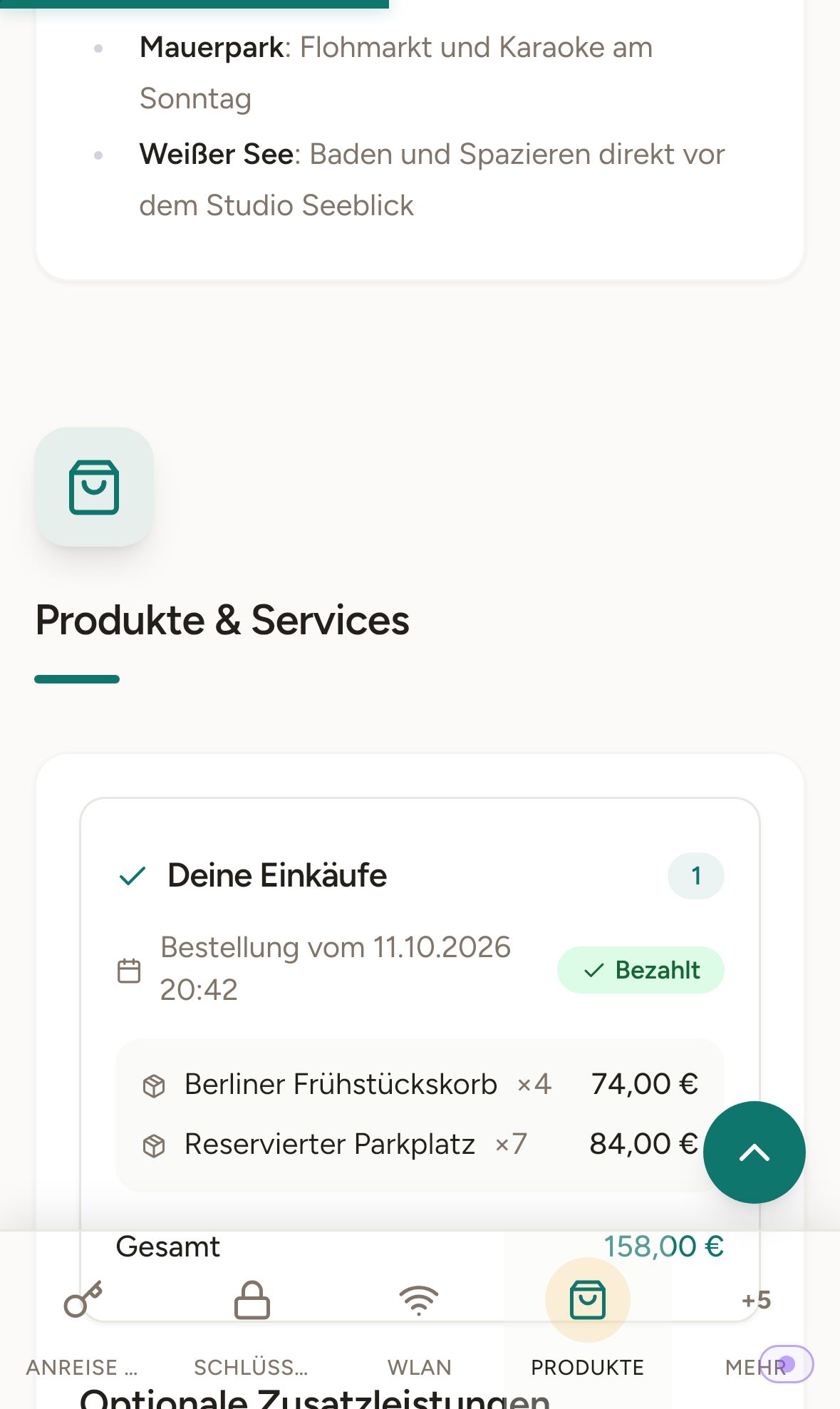 Guest page on mobile: Your Purchases with paid extra services
More on this: Products & Upselling and Collecting extra sales: Commission, invoice payment and Stripe.