
Dunning: Payment reminder and reminders for guest invoices
How you set up, prepare, and send payment reminders, 1st reminders, and final reminders for open guest invoices.
Updated on November 12, 2026
Under Guest Invoices, Settings, Dunning, you set up payment reminders, 1st reminders, and final reminders: after how many days, new deadline, fee, default interest, and flat fee for business customers. With Start dunning, you get started. Only invoices from the start of dunning onwards will be reminded; you can remind older invoices individually.
You will find open invoices in the invoice list under the filter Due for reminder. In the invoice details, click on Prepare reminder under Dunning and check the amount, deadline, and text. Before you send, check "I have checked my bank account, the payment has not been received." because Xentra only knows payments that are recorded in Xentra. The reminder is sent to the guest by email, just like the invoice: with the link to the online invoice, the password, and the letter as a PDF. The payment reminder is free of charge. Each sent reminder then appears in the history of the invoice, with a PDF to download, and the guest also finds it on their online invoice.
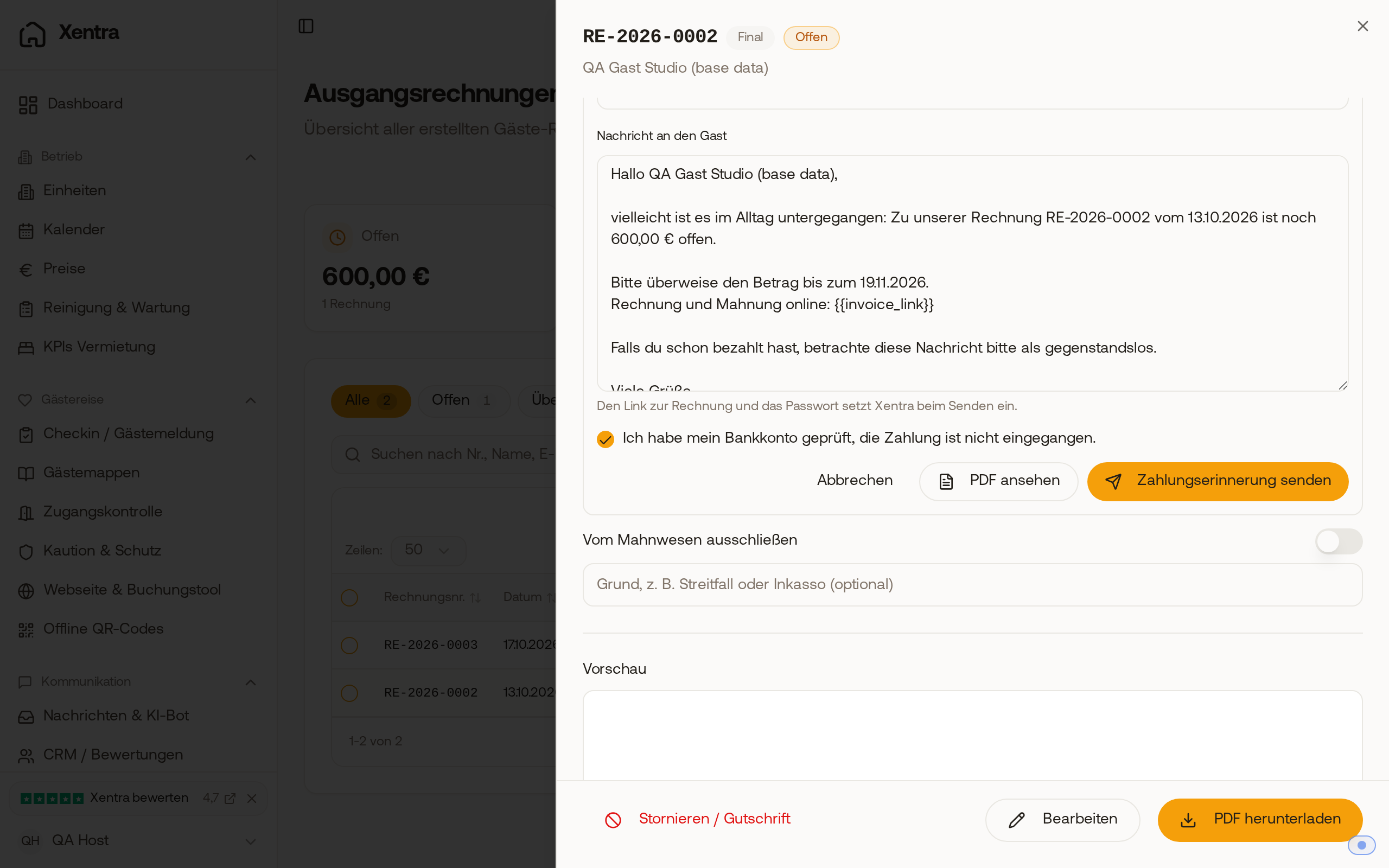 Before sending, you confirm that you have checked your bank account; only then can the payment reminder be sent.
Dunning level in the invoice list
Next to the payment status, the list shows the dunning level of an invoice. Using the filters at the top, you can find the invoices for each level as well as "Paused", "Excluded", and "Paid after reminder". If a reminder did not arrive, the history shows "Not delivered". Correct the email address on the invoice before you send the next level.
What is not reminded
Airbnb invoices are never reminded because Airbnb collects the money itself. Neither are invoices with an open Stripe dispute. Canceled bookings, invoices without an email address, and invoices whose last reminder was not delivered are paused by Xentra; you can still remind them with a click. For Booking.com bookings, Xentra points out to you that the guest may have already paid there.
"Payment received, thank you"
If the guest pays in full after a reminder, they automatically receive a short confirmation by email within an hour. You set up the text under Dunning for each language, using "AI translate" for the other languages. If dunning costs are still unpaid, no confirmation is sent out.
Default interest by country
Under "Advanced: Legal framework, interest, flat fee, notice of default", under "Calculation", you choose between "Germany (BGB)" (default) and "Custom values". Under German law, default interest runs from the start of default and is calculated from the 1st reminder. If the due date was agreed in advance with the guest, turn on "The due date is agreed with the guest". With "Custom values", you also define when interest starts running ("Interest from": start of default, day after due date, a few days after due date, or day after first reminder letter) and from which level it applies ("Interest from level"). In countries without default interest, select "No interest" under "Default interest".
Automatic dunning run
Optional: With "Automatic dunning run", the next level goes out every morning for due invoices, only for invoices from the start of dunning onwards. When turning it on, you confirm once that your payments in Xentra are correct. When turned off, you send reminders manually with a click.
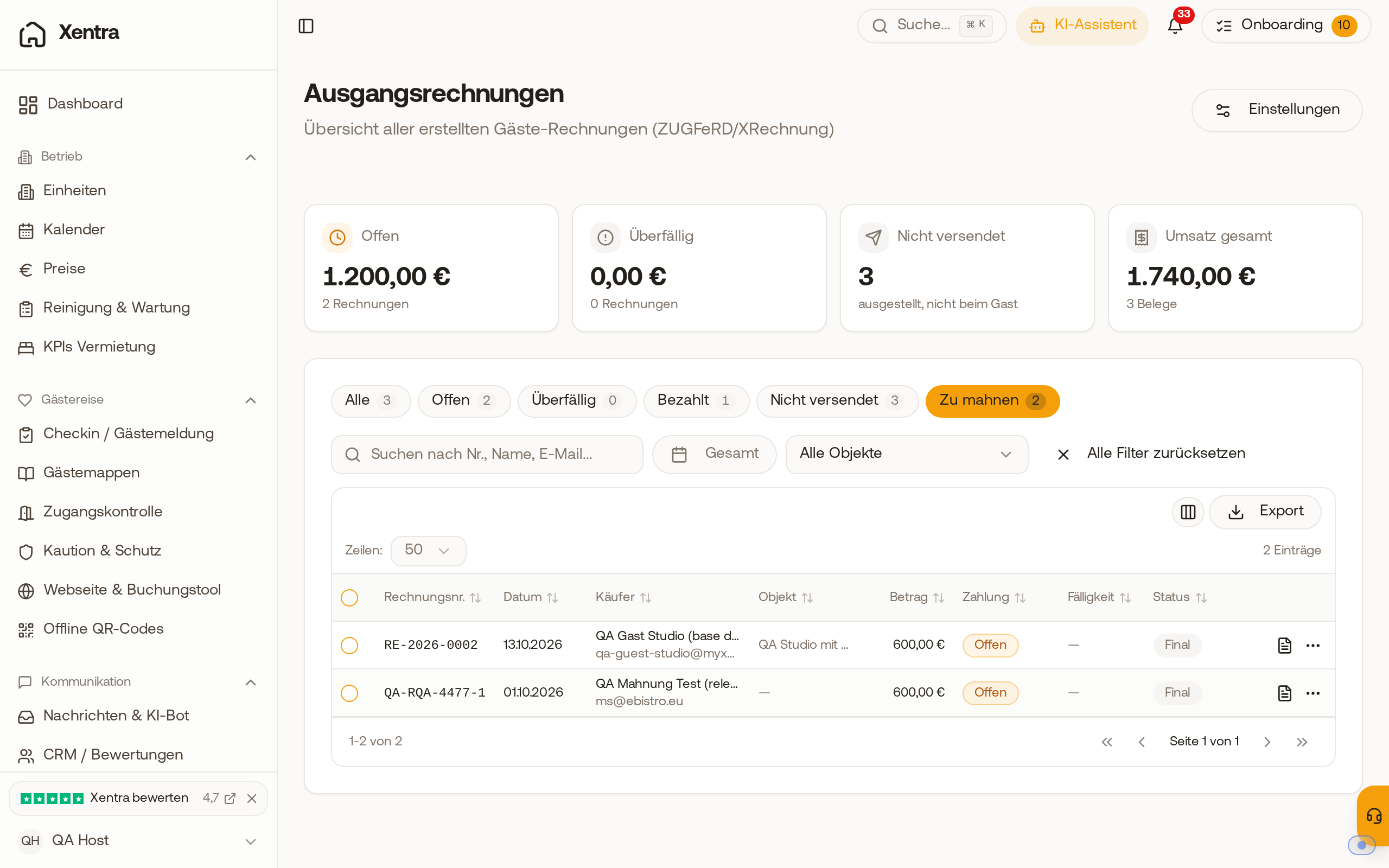 In the invoice list, the "Due for reminder" filter shows open invoices from the start of dunning onwards.
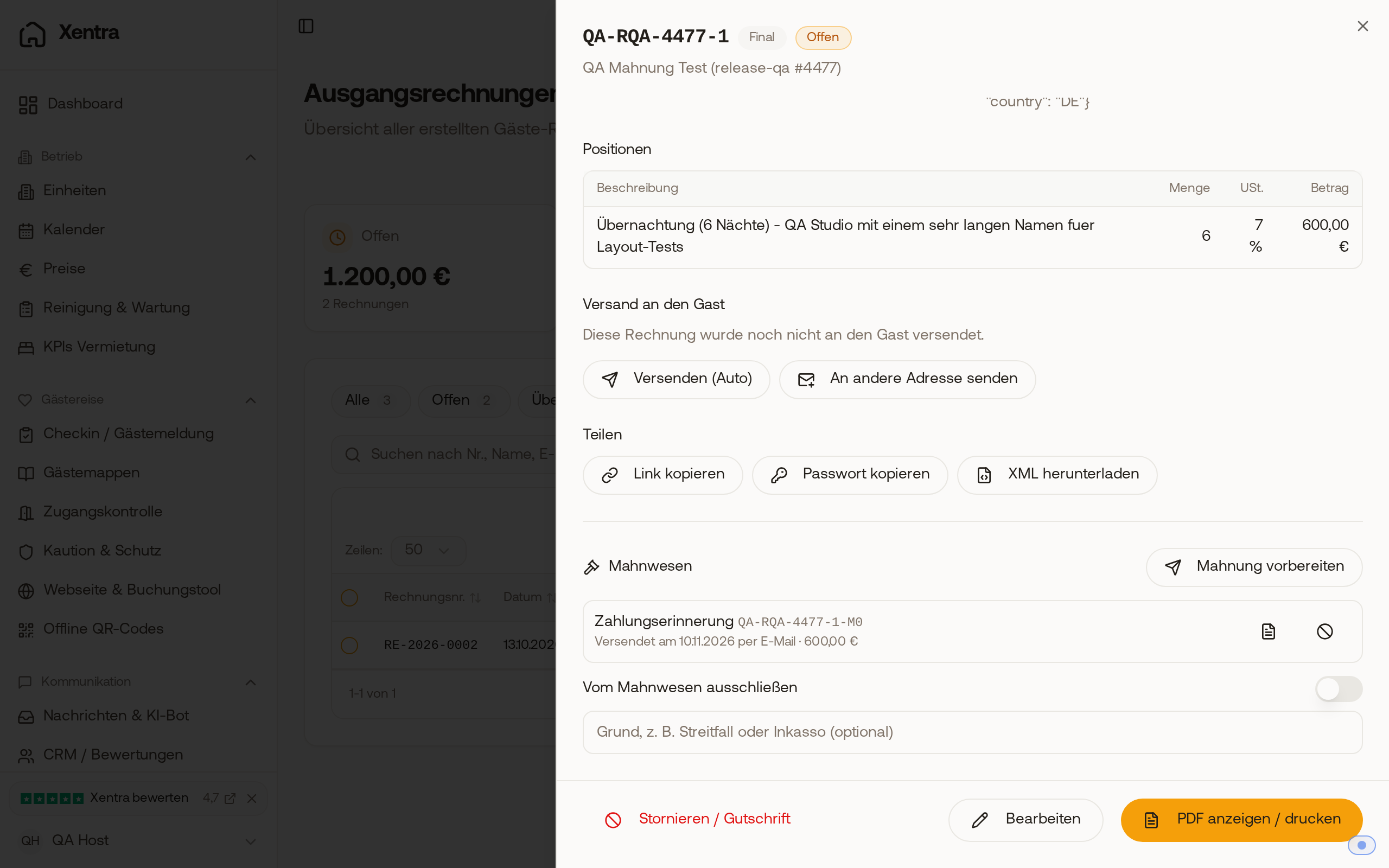 After sending, the payment reminder appears in the history of the invoice, with PDF and cancel option.