
E-invoice: ZUGFeRD, XRechnung, FatturaPA and FacturaE
Which e-invoice formats Xentra creates, where you choose the format, and what applies to Italy (FatturaPA, SdI) and Spain (FacturaE).
Updated on October 19, 2026
E-invoice: which formats Xentra creates
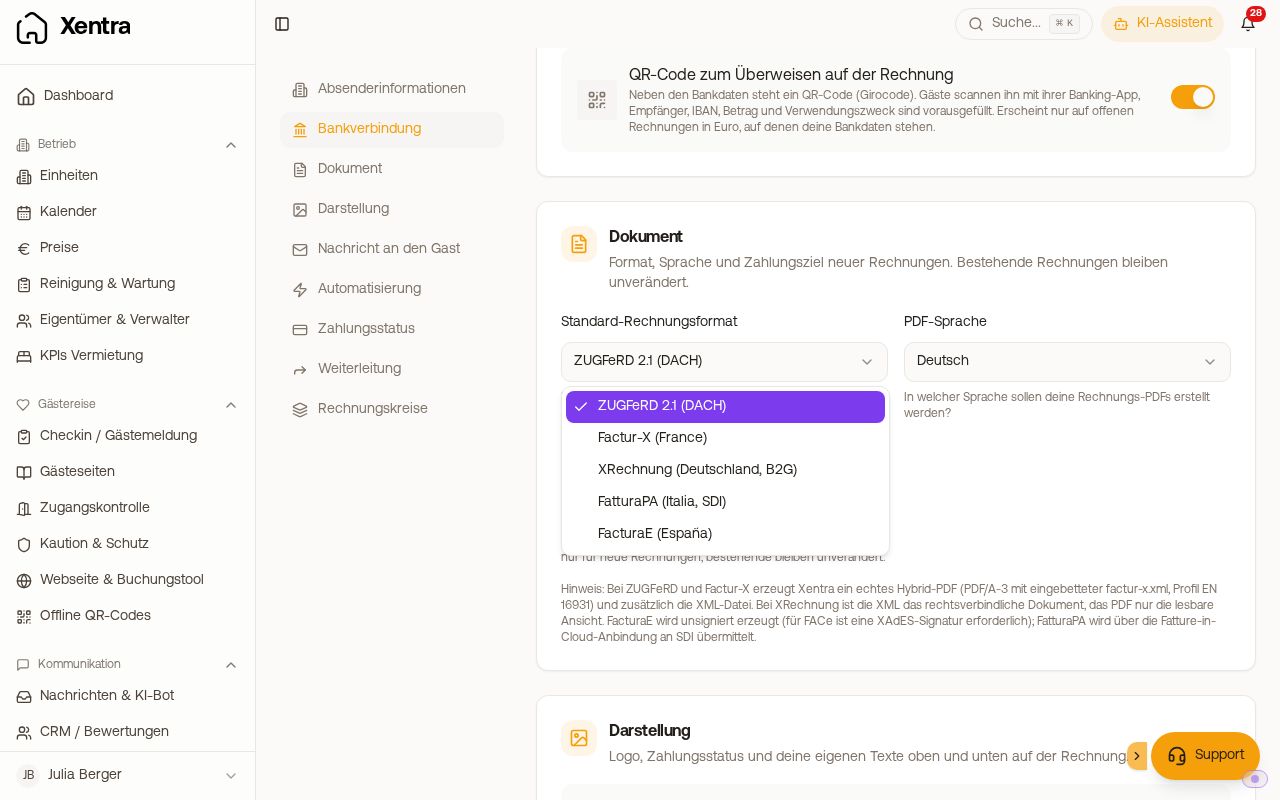
Xentra creates every guest invoice as a PDF and additionally as an e-invoice. You choose the format when you create it, in the window “E-Invoice” under “Invoice format”. Your default is preselected: Guest Invoices, button “Settings”, section “Document”, “Default invoice format”.
 The section “Document” with invoice format, PDF language and payment term
| Format | For | What you get |
|---|---|---|
| ZUGFeRD 2.1 | Germany, Austria, Switzerland | Hybrid PDF (PDF/A-3 with embedded XML, profile EN 16931) plus XML file |
| Factur-X | France | like ZUGFeRD |
| XRechnung | Invoices to German public authorities | XML as the legally binding document, PDF as a readable view |
| FatturaPA | Italy | XML in the Italian format |
| FacturaE | Spain | XML in the Spanish format, unsigned |
- You download the XML file in Guest Invoices via the three dots, “Download XML”.
- You choose the PDF language in the same section: German, English, Italian, Spanish, French or Polish.
- For XRechnung to authorities, enter the “Routing ID (XRechnung)” in the window “E-Invoice”.
- Automatic invoices (on departure and self-service) are created by Xentra as ZUGFeRD or Factur-X. If your default is set to XRechnung, FatturaPA or FacturaE, the automation pauses and you issue these invoices by hand. The settings point you to this.
- FatturaPA and FacturaE only exist in euros.
Italy: FatturaPA
- Choose FatturaPA as the format. The window “E-Invoice” then shows “Codice Fiscale” and “Codice Destinatario (SDI)” for the recipient.
- Under “Tax regime (FatturaPA)” in the section “Document” you enter your regime, for example forfettario. Without an entry, RF01 (ordinary regime) appears on every invoice. A further invoice series can have its own regime.
- Names and addresses may only contain characters that the Italian format knows. Otherwise Xentra rejects the invoice with a note.
- Submission to SdI (Sistema di Interscambio) is not handled by Xentra. Download the XML and submit it through your Italian portal, for example the portal of the Agenzia delle Entrate or your e-invoicing tool.
Spain: FacturaE
- For the recipient there is “NIF/CIF” and “Province / Region”. For recipients outside Spain the province is mandatory; for Spanish addresses Xentra determines it from the postcode.
- For a Spanish corrective invoice, choose a “Correction reason (FacturaE)”.
- The file is unsigned. For the government portal FACe you need a separate signature.
You are responsible yourself for the content and the tax correctness of your invoices. When in doubt, clarify the format with your tax advisor.