
Connect an external cleaning company (without the app)
Bring in an external cleaning company without the app: its own login in the browser, automatic tasks and adding the company to your units.
Updated on November 6, 2026
Connect an external cleaning company, without it installing the app
An external cleaning company does not need the Xentra app. It gets its own access and works in the browser at app.myxentra.com, on the phone just as on the computer.
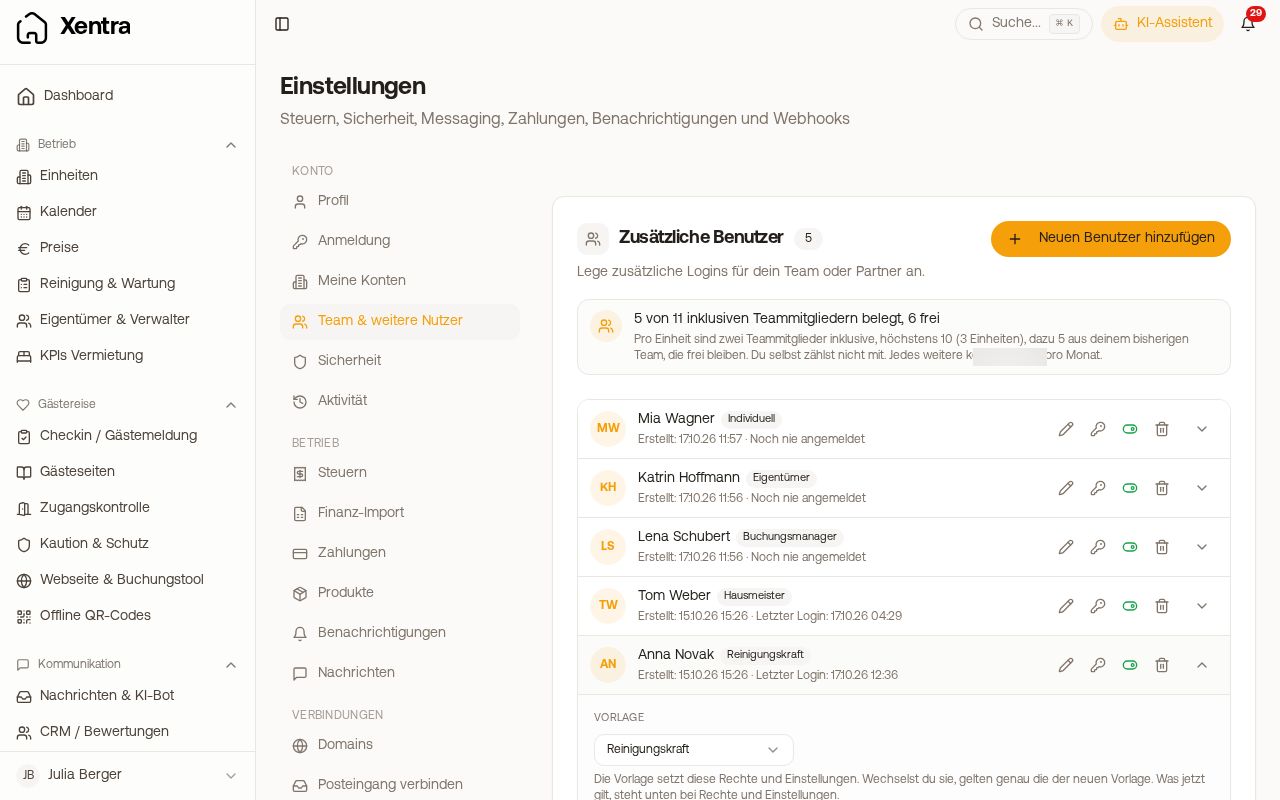 Settings, Team & additional users with “Add New User”
- Settings, Team & additional users, Add New User, role Cleaner, enter the email address and tick the units for which the company is responsible. By default, the company gets an invitation by email and signs in via the link; if you prefer to set a password yourself, switch off “Send invitation by email”. If the address already has a Xentra login, it receives an invitation to confirm (see Sub-account login).
- Under Cleaning & Maintenance, Admin, Settings, Tasks are created, switch on “Task at every check-out”. Without it, the cleaning tasks do not arise by themselves.
- Under Settings, Assignment, Who is planned?, tick the units, click Set people and enter the company. Only then does it automatically receive new tasks.
After signing in, the company lands on My day: its tasks for the day, a List with all upcoming ones and, if you use the pool, Available to take. It only sees its units and the booking details you release, no prices and no settings. For how this looks, see My day: how your cleaner works with Xentra.
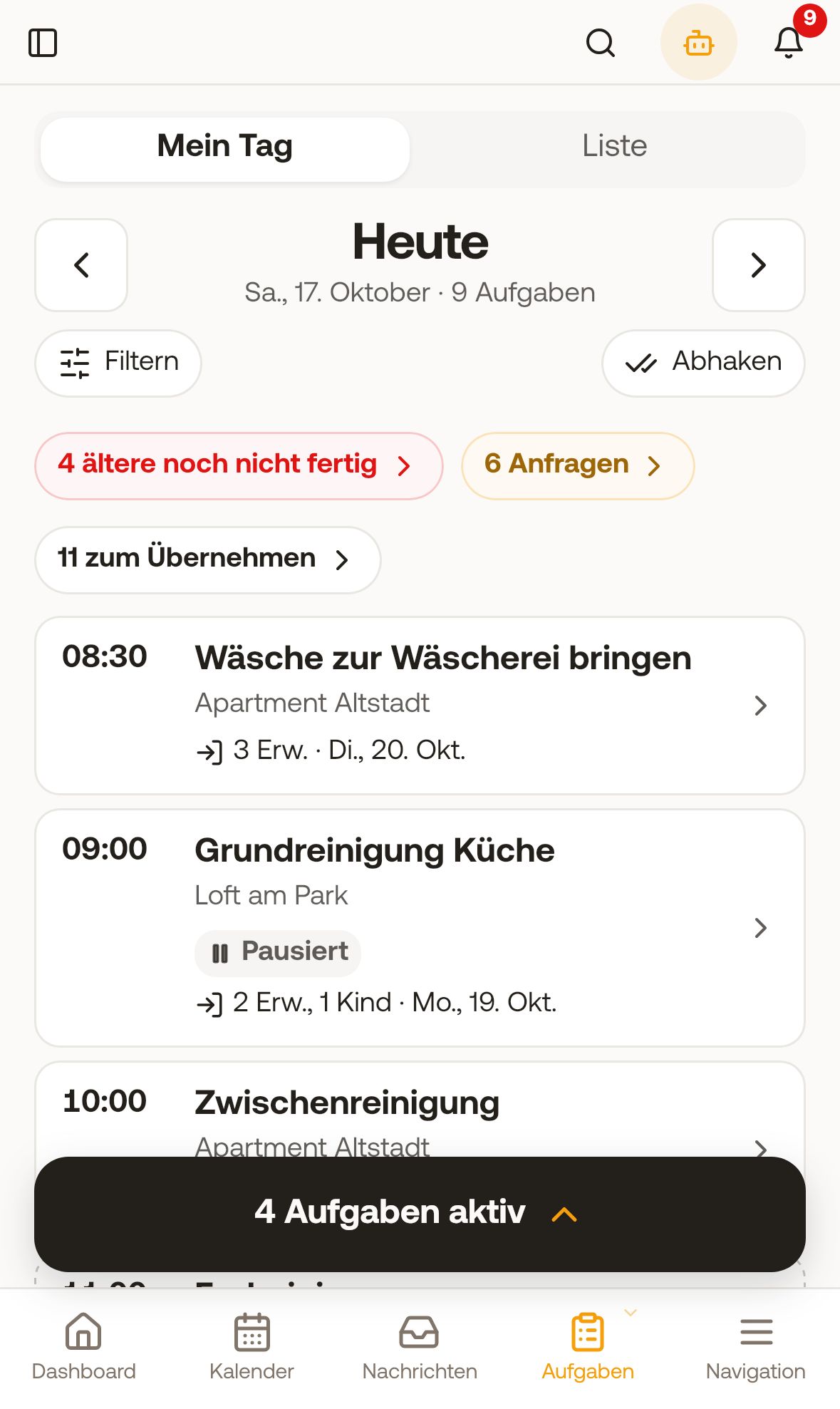 My day of a cleaner on the phone
Xentra notifies this access about new tasks by email or push, if “Notify people when assigned” is switched on under Settings, Notifications.
If several people from the company work for you, you either create an individual access for each person (then you see in working hours and the monthly statement who did what), or the company shares one access.
The access counts as a team member. How many team members your plan includes is shown at the top, under Team & additional users. If the new access exceeds that, the form shows you the price before you create it, and you confirm it.