
Cancelled cleanings (cleaners)
What your cleaner sees and gets notified about when a booking is cancelled and their cleaning is cancelled.
Updated on November 9, 2026
If a booking is cancelled, Xentra automatically sets its open cleaning to Cancelled (more on this: How cleaning tasks are created: bookings, recurring rules, cancellation). This is how your cleaner finds out about it.
The notification
The assigned person receives a notification in the bell and as a push notification in their app language: Cancel task, underneath task, unit, day, and "Booking cancelled". This applies if the cleaning was due today or later; nothing comes for past days. There is no email or SMS for this.
The person turns off the push notification under Settings, Notifications at Task assigned; in addition, their setting New task for me applies.
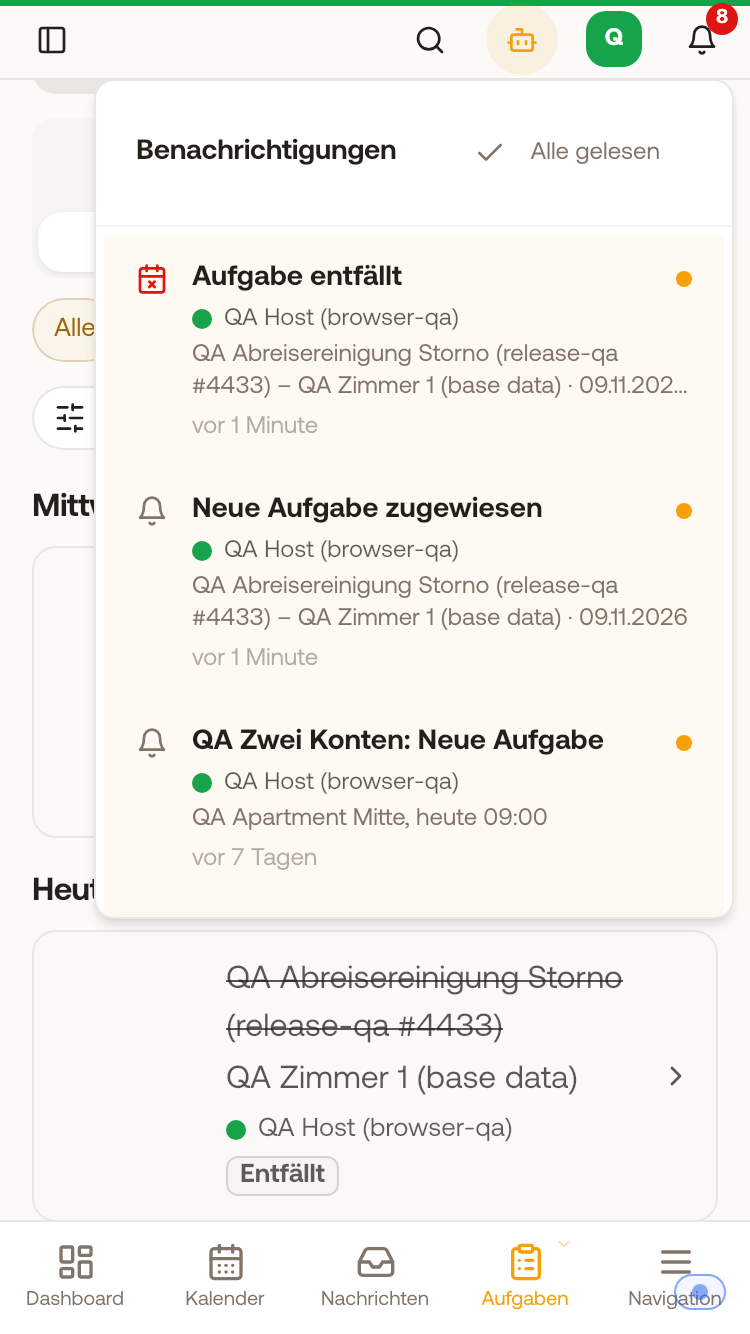 Bell of a cleaner: "Cancel task" with task, unit, and day
If you set a task to Cancelled yourself, nobody receives a notification.
In My tasks
- A cancelled cleaning no longer appears in My day and in the List under All.
- Under List, Done it remains visible: gray, the title crossed out, with the label Cancelled. Tapping it still opens it.
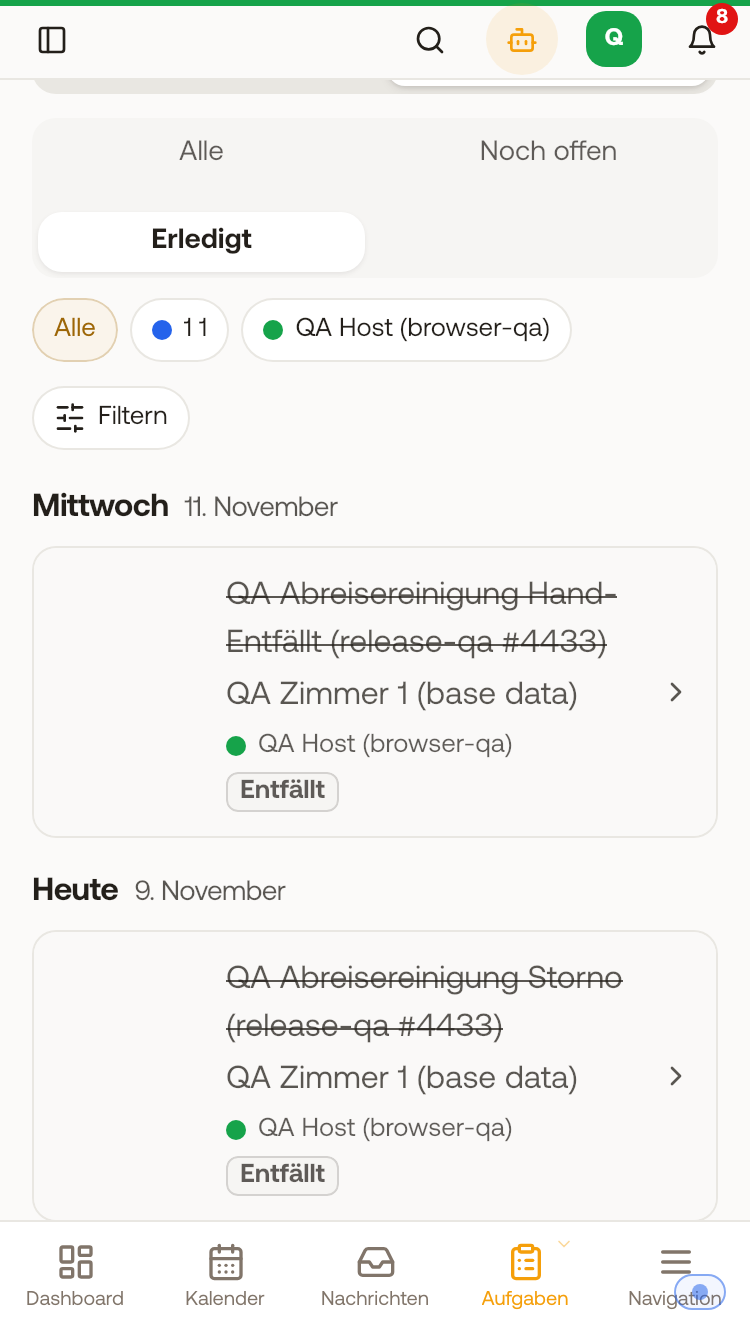 List, Done on mobile: cancelled cleanings gray and crossed out with the label "Cancelled"
In your own schedule, you can find cancelled tasks as before under Schedule, List, Done.