
Check-in form: Travelers and guest count
How the guest specifies adults, children, babies, and dogs in the online check-in and what applies when the number of guests differs from the booking.
Updated on November 13, 2026
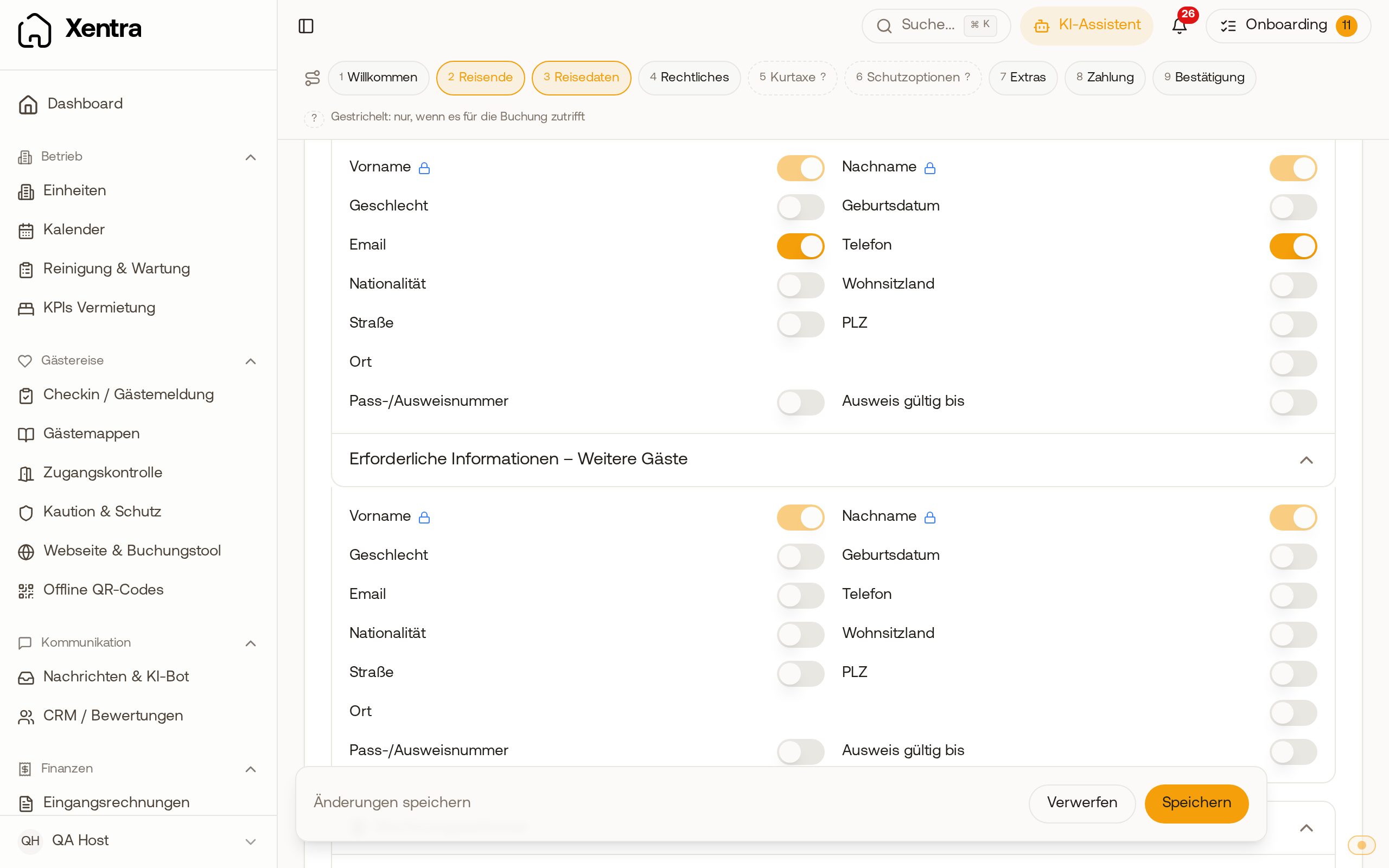
These settings are in your check-in template (Checkin / Guest Registration, tab Forms, open template), tab Guest data. For all other template settings, see "Setting up the check-in form: Guest data, fields, and redirection".
Traveler query and differing guest count
Under Traveler query, the guest specifies how many adults, children, and babies are arriving. With Customize labels & age ranges, you rename the groups. Under When the number of guests differs from the booking, you select:
- Guest may change the number freely (default): The guest may specify fewer people than booked and move children between age groups. Tourist tax and guest registration form depend on their entry.
- Guest must confirm fewer guests than booked: The guest must explicitly confirm a smaller number. The booking then says, for example, "2 booked, 1 specified. Confirmed by guest on ...".
- Take it from the booking, not editable: The guest provides at least a first name and last name for each booked person. What other details you request, for example the date of birth, you set under guest data. If the number changes, they contact you.
More people than booked is not possible with any option. The guest enters at most as many adults and children as are stated in the booking. If it says, for example, "2 adults, 0 children", no child can be added alongside two adults, only the baby counter goes up. If the family arrives with children that the portal did not transmit, you change the number of guests in the booking (Edit, fields Adults and Children). After that, the guest can enter the children in the check-in.
Adults and children are compared, babies do not count. If the booking contains babies that are actually older children (portals often report children without an age as babies), the guest enters them as Children (6 to 15 years) or Children (under 6), even with "not editable". An additional adult will not be created from this. The setting does not apply to units with Chekin. With Query dogs, an additional dog counter appears; for units that are set to "Max. dogs: 0" under Pricing, Xentra hides it. The dog counter starts with the dogs from the booking, and the guest can change the number, even with "Take it from the booking, not editable". If the guest has already saved a number, their specification remains. If the portal does not transmit dogs, the counter starts at 0.
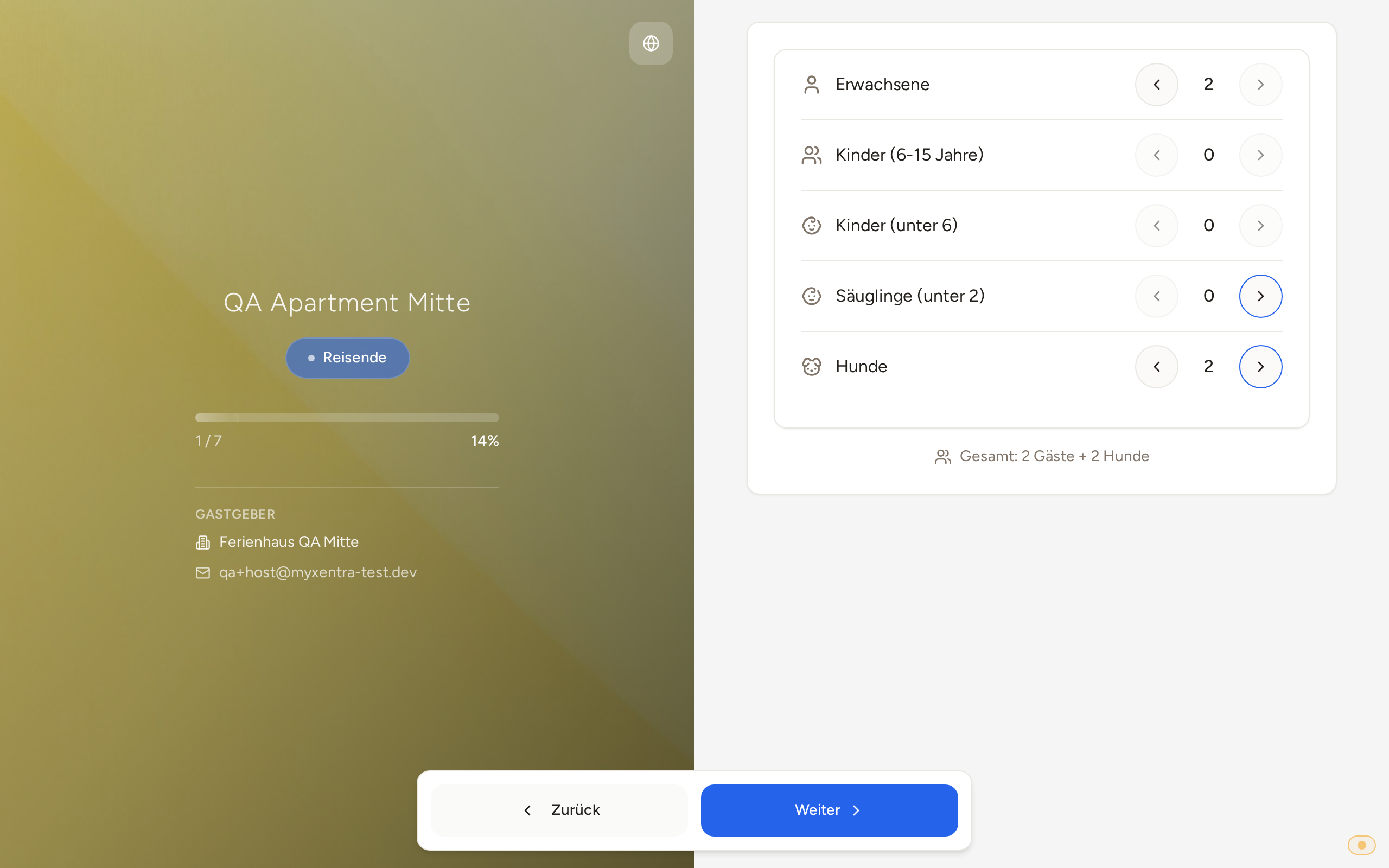 In online check-in, the dog counter starts at the 2 dogs from the booking
Accompanying guests: same nationality and address as the main guest
If you request the nationality or the address (country of residence, street, postal code, city) from the main guest and from additional guests under Required information, each card under Additional travelers has the checkbox Same nationality and address as main traveler. If you only request one of the two, it says "Same nationality as main traveler" or "Same address as main traveler".
- If the guest checks the box, check-in adopts these details from the main guest and hides the fields for the accompanying person. If they later change something for the main guest, it is updated.
- If they uncheck the box, the adopted values remain as regular fields and they can edit them.
- Only details you request from both are adopted. If you do not need the address of accompanying guests at all, simply disable it for additional guests.
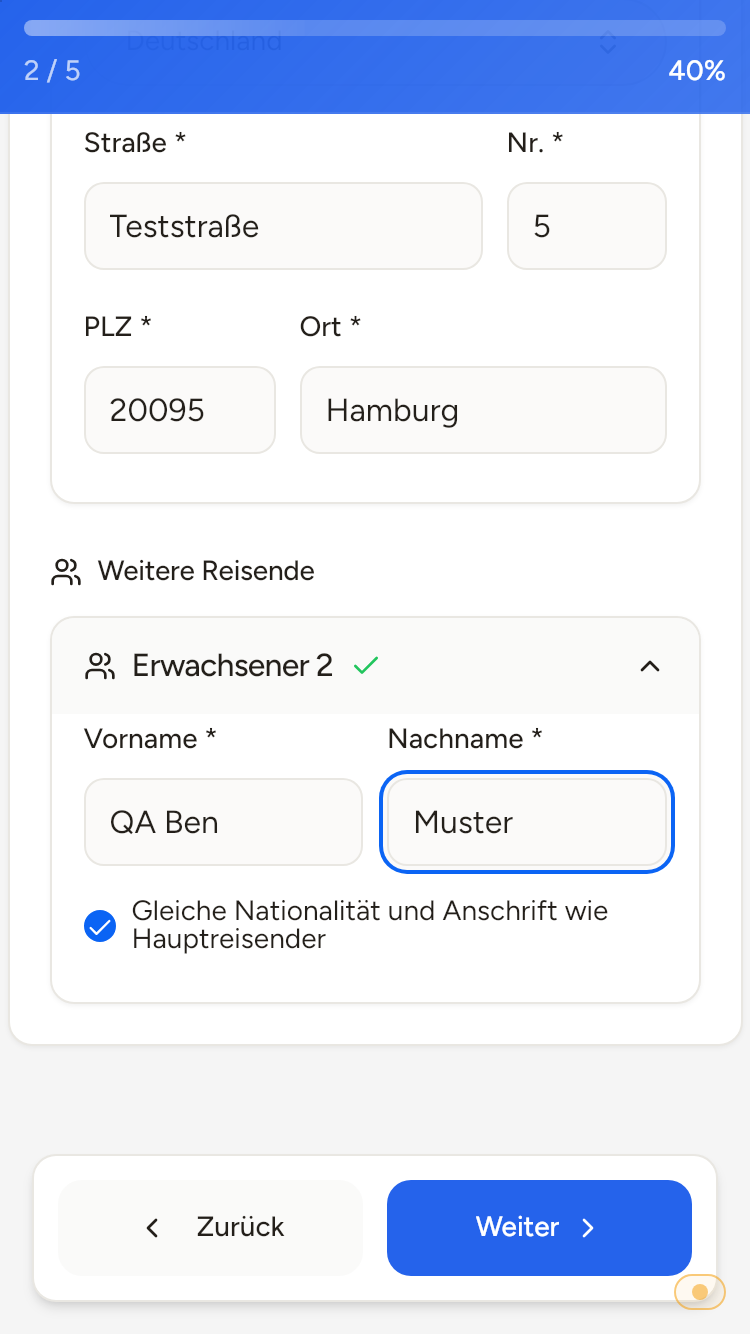 In online check-in, the second adult adopts the nationality and address of the main guest with a checkmark