
Check-in report: do my guests fill in the check-in?
The Report tab: completion rate, payments, split by property and portal, guest registration status and booking list.
Updated on October 19, 2026
In the Report tab under Checkin / Guest Registration you see how many of your guests complete the online check-in, whether they paid, and how guest registration is going.
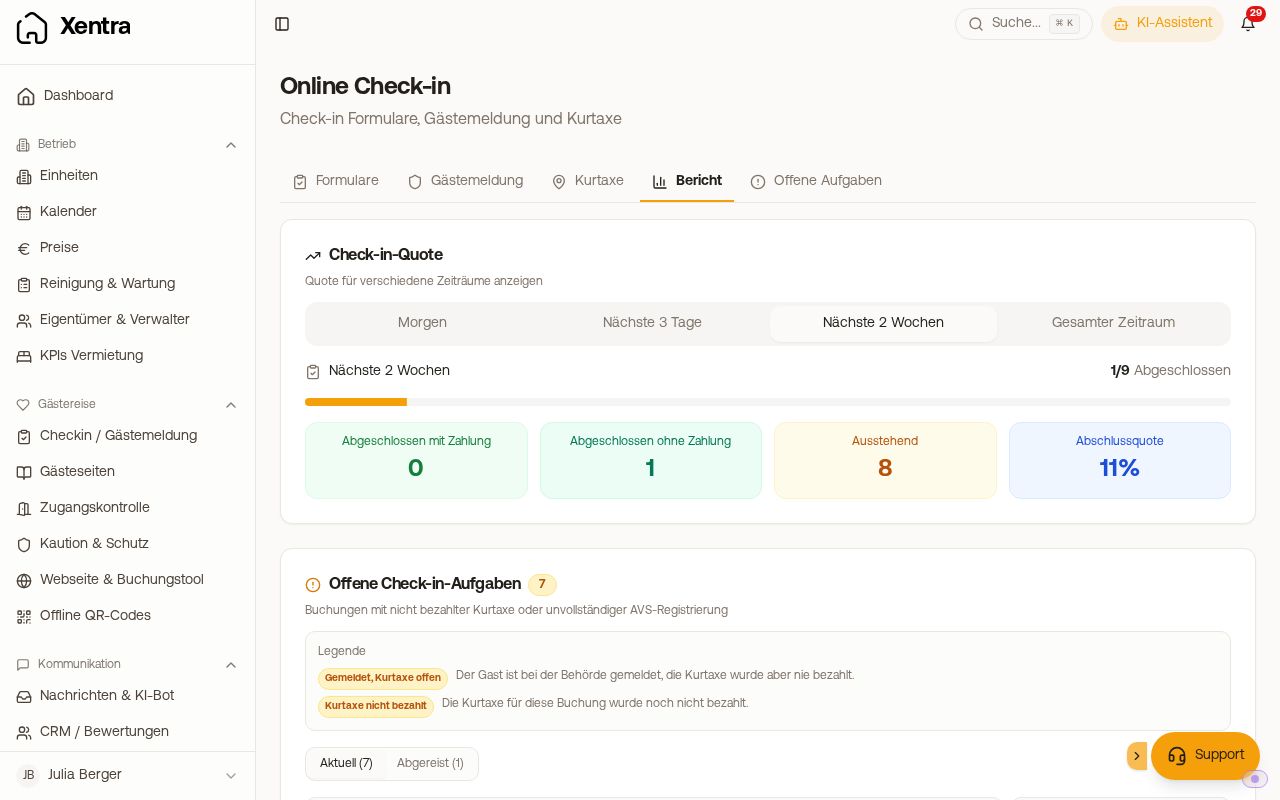 The Report tab with completion rate and booking list
What the report shows
- Period: choose, for example, the upcoming arrivals or All time.
- At the top, the key figures: Completion rate, Completed with payment, Completed without payment and Pending.
- Check-in rate for different periods, and the trend over the last six months.
- Split By property and By portal: so you can see whether, for example, guests from a certain portal fill in the check-in less often.
- Official guest registration: how many registrations are confirmed, pending or failed.
- Bookings: all expected check-ins in the period with status (Completed, Open, Not started), payment and portal, with search and filters.
What you do with the numbers
- Low rate: check when your check-in message goes out and whether it contains the link
{{online_checkin_link}}. Many guests fill in the check-in only shortly before arrival. - Many started check-ins: open the booking. In the Online check-in tab you see where the guest stopped. A common cause is the payment step, see Online check-in: troubleshooting.
- Open points of individual bookings (check-in, tourist tax, registration) are listed in the Open tasks tab, if you use AVS, a mandatory tourist tax, Chekin or a deposit.