
Payment link with custom amount from the booking
Collect an amount without an invoice using a Stripe payment link on the booking.
Updated on November 12, 2026
For an amount without a separate invoice, for example an additional payment for final cleaning or a late check-out, you do not need an outgoing invoice. You create a payment link directly on the booking.
How it works
Open booking, tab "Details", card "Payment links", "Create payment link", enter Amount and Payment reference, "Create link". You copy the finished link with "Copy payment link" and send it to the guest, for example via the inbox.
 The "Payment links" card in the booking
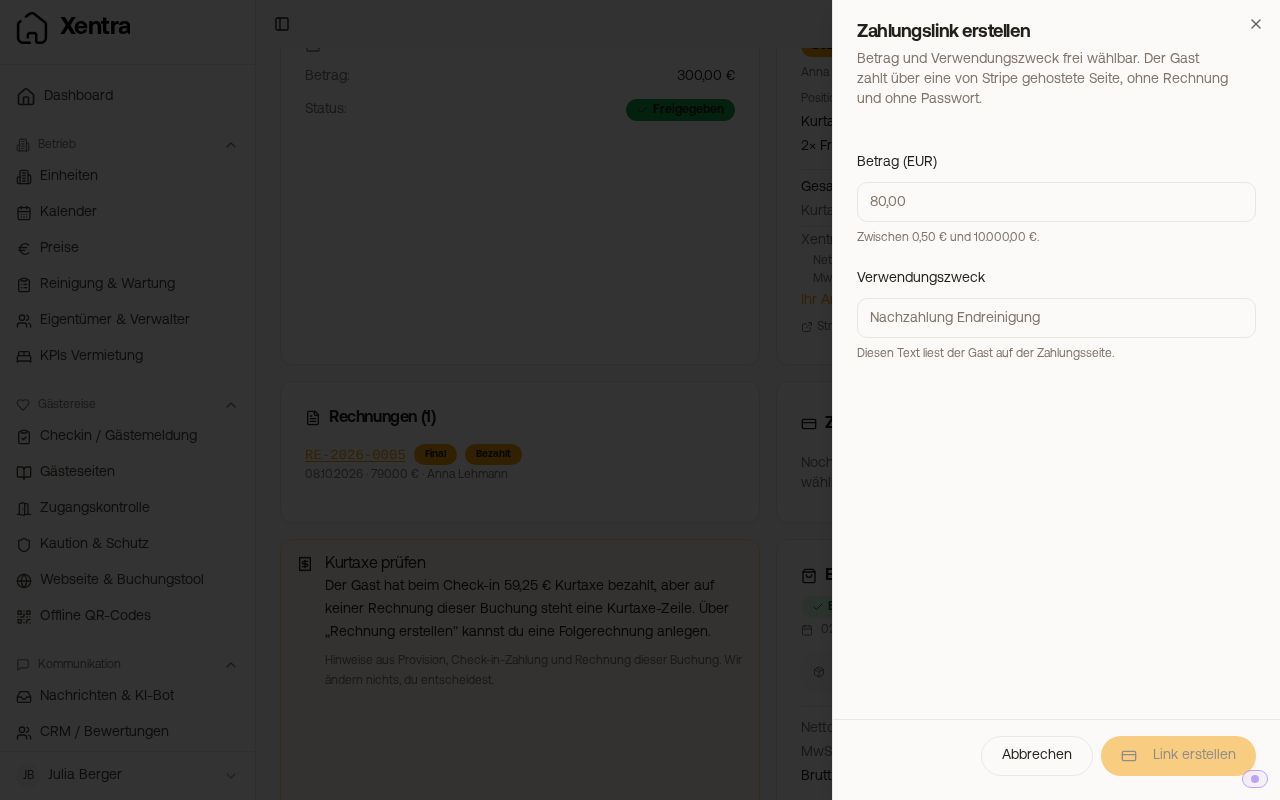 The "Create payment link" window with amount and payment reference
Good to know
- The guest pays on a page hosted by Stripe, without an invoice and without a password. They read the payment reference there.
- Allowed amounts are 0.50 to 10,000 (in your account currency). For higher amounts, you issue an invoice.
- Each link is valid for exactly one payment. Afterwards, it is set to "Paid" in the card. You disable an open link with "Deactivate link". This cannot be undone, you then create a new one.
- A new link does not go to the guest automatically. If you replace a link with a new one, you copy the new one and send it yourself. An old link that the guest has already received no longer works after "Deactivate link".
- If the guest pays, you do not receive a separate notification, and Xentra does not send the guest a confirmation email. You can see the status in the card ("Paid") and under Transactions, tab "Payment links", filter "Paid".
- All payment links at a glance: Transactions, tab "Payment links". At the top are the totals for open, paid, and fees. Below that, you filter by All, Open, Paid, Failed, and Deactivated and download the list with "Export". Via the three dots of a line, you copy or open an open link, jump "Go to booking", or deactivate it.
- The prerequisite is a connected and activated Stripe account under Settings, Payments. If it is missing, the card tells you what to do.
- The same platform fee applies as for invoice payment links (net plus VAT, current rate on the pricing page), shown on your monthly Xentra invoice.
- The link does not generate an invoice or an invoice number. If the guest needs a receipt, you issue an additional outgoing invoice.
Direct Debit (SEPA)
If SEPA direct debit is enabled for your account, the payment page also offers your guest "Direct Debit", alongside card, Klarna, iDEAL, Bancontact, and eps. This applies to new links in euros, never for the tourist tax; links you have already created retain their payment methods. You can get activation via support.
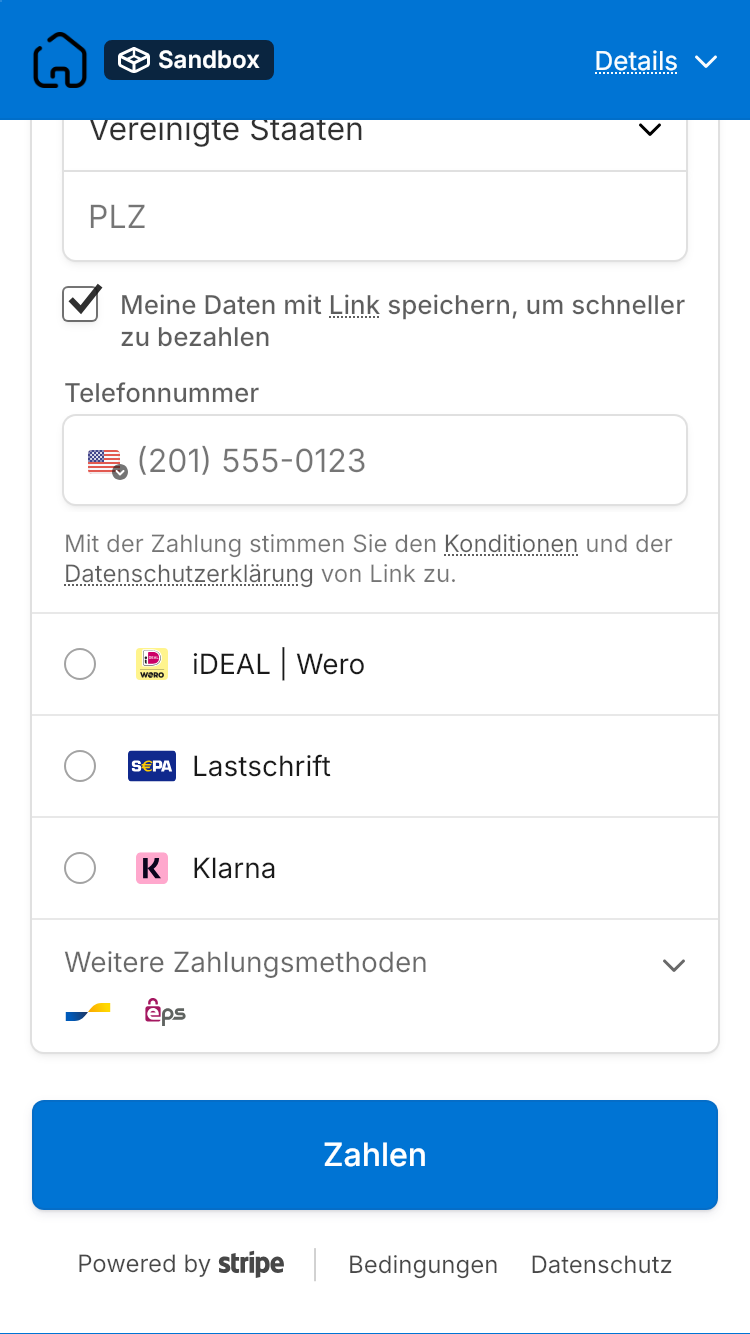 The payment page of a link with "Direct Debit" among the payment methods
- A direct debit takes a few days. Until the money arrives, the link remains open, and you can no longer deactivate it because the guest has already paid.
- If the direct debit fails, the link is set to "Payment failed" and the amount remains open. Then create a new payment link in the booking and send it to the guest.
In contrast, you collect the open amount of an existing invoice using the invoice's payment link, see Change, cancel, or credit an issued invoice.