
Cancel a booking and undo a cancellation
What happens when cancelling, why you cancel channel and PMS bookings there, how you enter a retained amount, and how to undo a cancellation.
Updated on November 6, 2026
How to cancel
Open booking and click "Cancel booking" at the top (on mobile, the red icon with the crossed-out circle), then confirm. Multiple at once: under Calendar, Bookings tab, check the rows on the left and use the red button with the crossed-out circle in the top bar. Cancelling is not deleting: The booking remains in the list with the status "Cancelled", the column "Cancelled on" shows when.
What happens:
- The nights are free again in the calendar, and the free availability is automatically sent to the connected channels.
- Open cleaning and preparation tasks for the booking switch to skipped.
- The guest's access ends, a cancelled stay no longer opens any door.
- If you have an automation with the trigger "On cancellation", this message goes out, but only to the recipients "Custom email", "Custom SMS" or "Custom WhatsApp", for example to your cleaning service. It does not reach the guest. You write a cancellation confirmation to the guest yourself in the booking via messages; for channel bookings, the channel informs the guest.
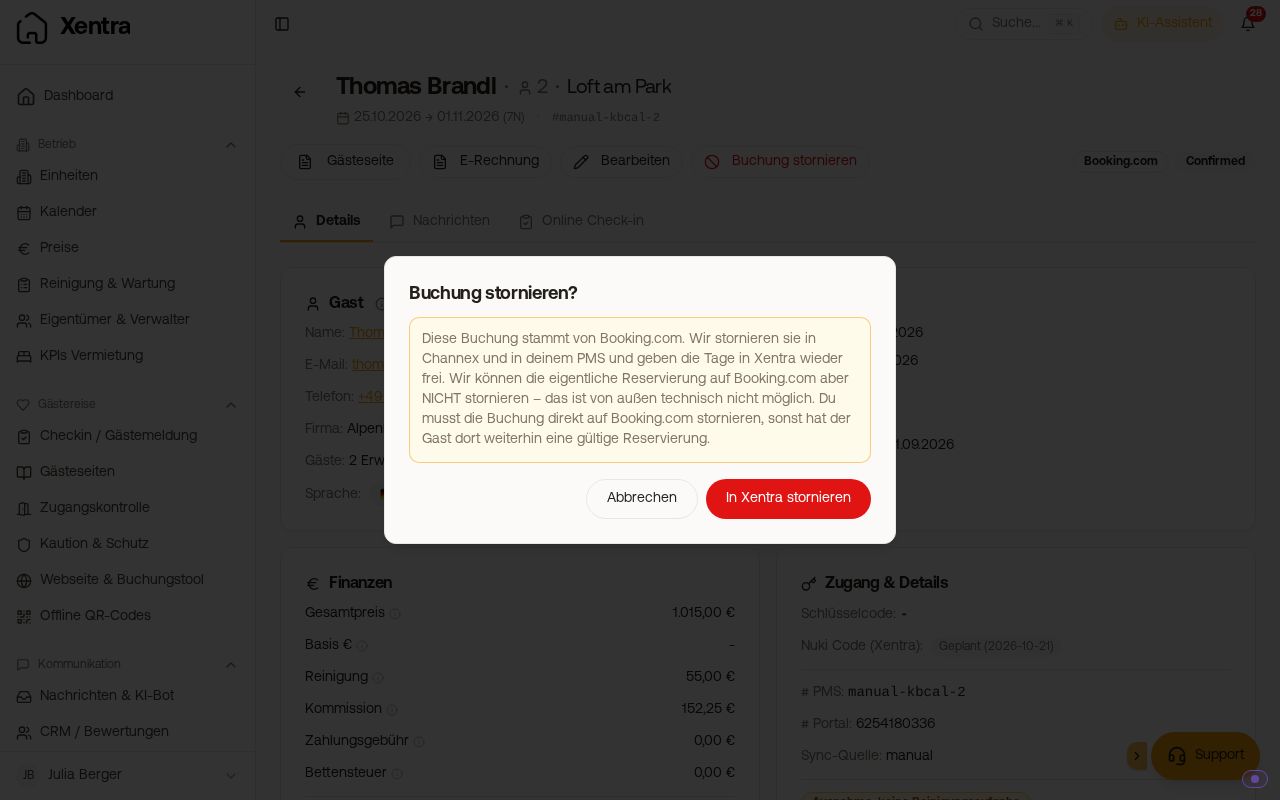 The dialog when cancelling a Booking.com booking with the note about the channel
Never cancel channel bookings in Xentra
For a booking from Airbnb, Booking.com, or VRBO, the dialog shows a yellow warning and the button is called "Cancel in Xentra". The booking is not cancelled on the channel itself: The reservation remains there, the guest is not informed, and we report the nights as free at the same time. They can therefore be sold a second time.
Therefore, cancel a channel booking on the channel. If a guest wants to change dates, they do so in their channel account, or you do so in the extranet directly in the reservation (Booking.com: "Change dates"). The change or cancellation arrives automatically at Xentra.
Cancel bookings and blocks from your PMS in the PMS
If a booking or block comes from a connected PMS (for example Smoobu, Beds24, Guesty, Hostaway, or Lodgify), cancelling in Xentra is greyed out as long as the connection is active. It says, for example, "This booking comes from Smoobu. Cancel it there, Xentra will adopt it during the next sync." A cancellation in Xentra would not reach your PMS, and the next sync would have reversed it again.
This applies to the booking page and the booking list. If you cancel several at once, Xentra skips these rows. If the connection to the PMS is disconnected, you can cancel in Xentra again. Bookings via the Channel Manager and from iCal calendars are not affected by this.
Enter retained amount
If you kept money despite the cancellation (for example a cancellation fee), enter it in the cancelled booking via Edit, card "Finance", in the field "Retained amount", gross. The amount counts towards revenue in evaluations, but not towards occupancy. If you do not know it, leave the field blank. For Airbnb, Xentra handles it itself; details under KPIs and EÜR: how the numbers are calculated.
Undo a cancellation
Open booking -> Edit -> Status to "Confirmed" -> Save. The nights are occupied again and are sent to the channels like this. This also applies if you accidentally cancelled a real channel booking in Xentra.
You have to update one thing manually afterwards: The cleaning and preparation tasks for the booking remain skipped. You can find them under Cleaning & Maintenance, Planning, List, Completed (it says "Cancelled" there): Open task and set the status back to "Open".
Good to know
- For a booking across multiple units, you can cancel an individual unit. See Create a booking across multiple units.
- Whether tourist tax, additional services, or insurance are automatically refunded to the guest upon cancellation is set under Profile & Settings, Payments tab, card "Cancellation & refund". Insurance is only automatically refunded until 3:00 PM on the arrival day. You refund everything else yourself in the booking: see Refunds: refund whole payment or individual line items.
- You remove a block in the same way via cancel. See Blocked periods: enter, remove and why they return.