
BMD export (Austria): Invoices and payments for your tax adviser
For properties in Austria: Export invoices and payments via Xentra as a BMD file for your tax adviser (beta).
Updated on November 12, 2026
For properties in Austria, Xentra creates accounting files that your tax adviser can import directly into BMD NTCS. The export is still in beta: Have your tax adviser check the first files before they are posted.
Where: Guest Invoices (in the sidebar under Finance), in the list "Export". The menu items appear as soon as at least one unit is located in Austria.
Set up: "Export", "BMD settings". You get the accounts from your tax adviser:
- Accounts receivable per channel (Booking.com, Airbnb, direct booking, other channels)
- Revenue accounts per channel and tax rate (10%, 20%, 0%, tourist tax)
- VAT: Tax amount in the "steuer" column (recommended) or as a separate line
- Commissions from Booking.com and Airbnb with reverse charge (optional)
- Cost center per apartment, also as a list to paste
- Include invoice PDFs: The export then comes as a ZIP. Unzip everything into one folder and import from there.
- If you have multiple invoice groups, select the invoice group at the top of the window. Each has its own accounts, because each is a separate client in BMD.
"Test file for your tax adviser" provides the last 20 invoices for a test import.
Export invoices: Select the date range and, if you have multiple invoice groups, the invoice group, then "Export", "BMD export (Austria)". You export invoices from multiple invoice groups individually.
Payments through Xentra: "Export", "BMD payments through Xentra" provides all payments made by guests through Xentra for the selected period (online check-in, booking engine, payment links, shop). Each payment goes against the accounts receivable of its channel, so for example the tourist tax from check-in also offsets the Booking.com item. Enter the clearing account in the settings for this. Optional:
- "Book prepayments separately": Payments before the invoice are posted with VAT to the prepayment account and are resolved with the invoice. Applies from the day you turn this on.
- "Book the Xentra fee per payment": only if your tax adviser does not additionally book the monthly Xentra invoice.
Payouts to your bank account are posted by the bank statement. Xentra does not see payments made via PayPal, bank transfer, or cash. The export lists refunds for payment links and shop orders, your tax adviser posts them manually.
If no file is generated: The export names the invoices or payments and what is missing, for example an account. It highlights missing accounts in red in the settings. You exclude invoices with a tax rate other than 10, 20, or 0% (such as German 7%) from the selection.
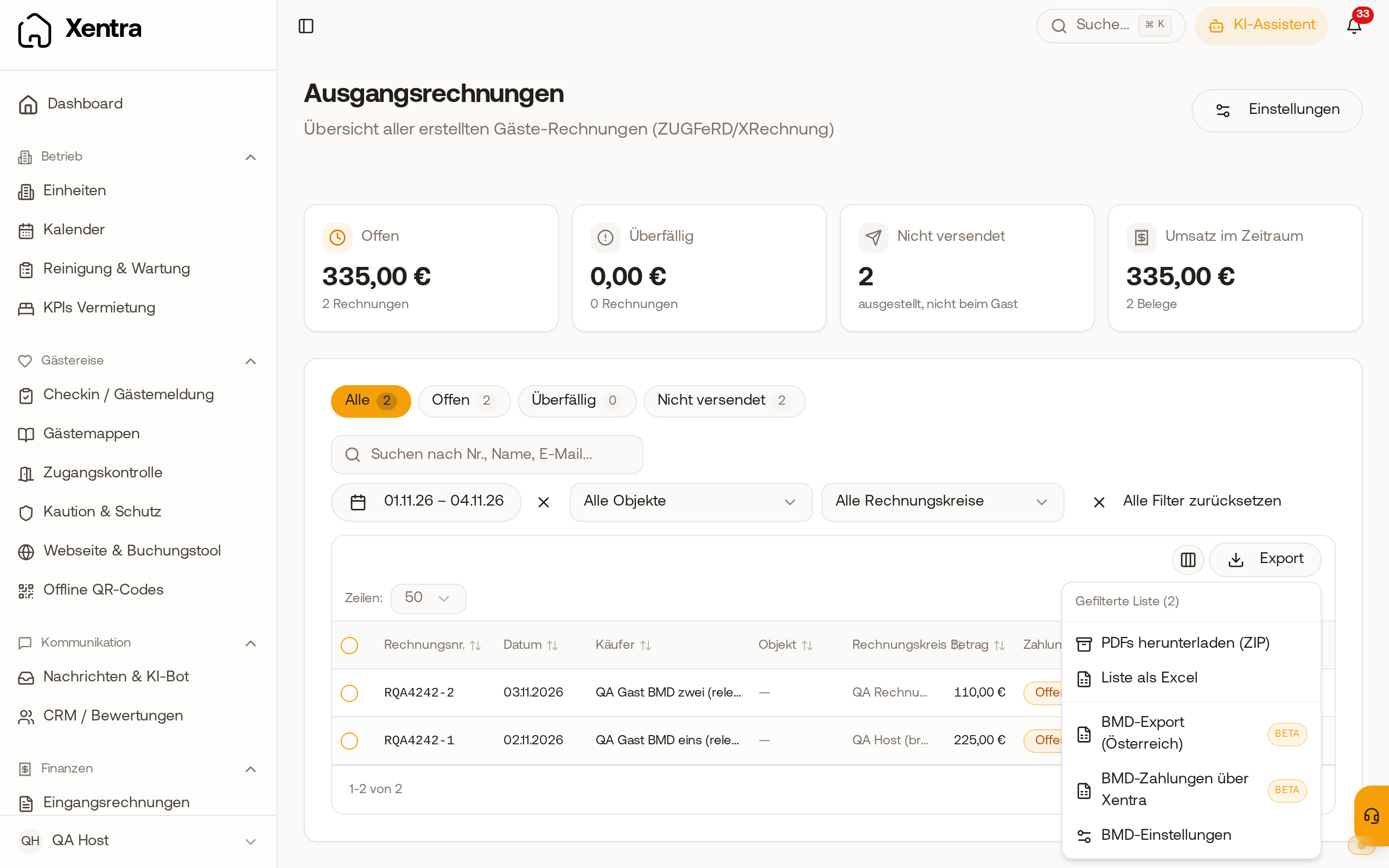 Under Guest Invoices, Export, you will find the two BMD exports and the BMD settings.
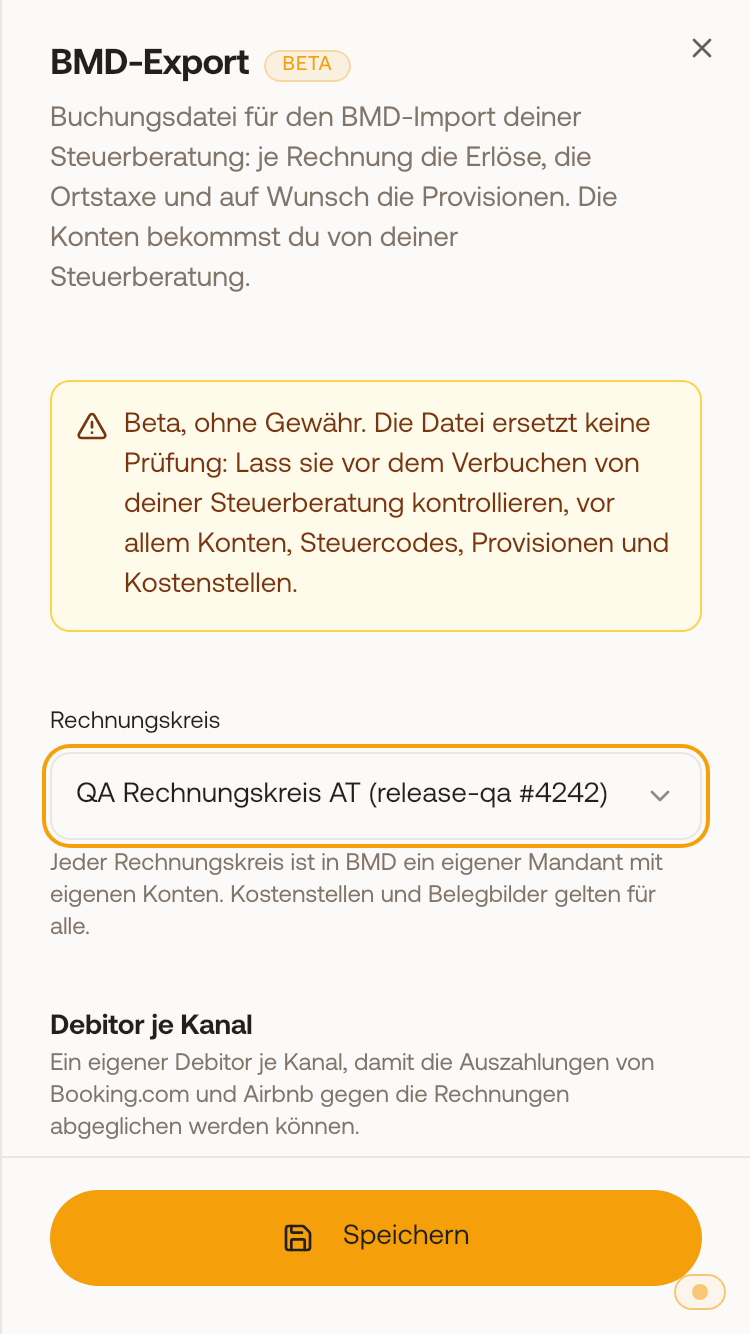 In the BMD settings, you select the invoice group at the top, each has its own accounts.