
Availability calendar for your own website
Show free and booked dates on your own website, via script (JS widget) or direct link.
Updated on October 28, 2026
Availability calendar
Besides the booking tool and the review widget, there is a third website tool: the availability calendar. It shows visitors when your units are free or booked, optionally with a direct link into the booking.
Where to set up
Guest Journey → Website & booking tool → Availability calendar (Open availability calendar).
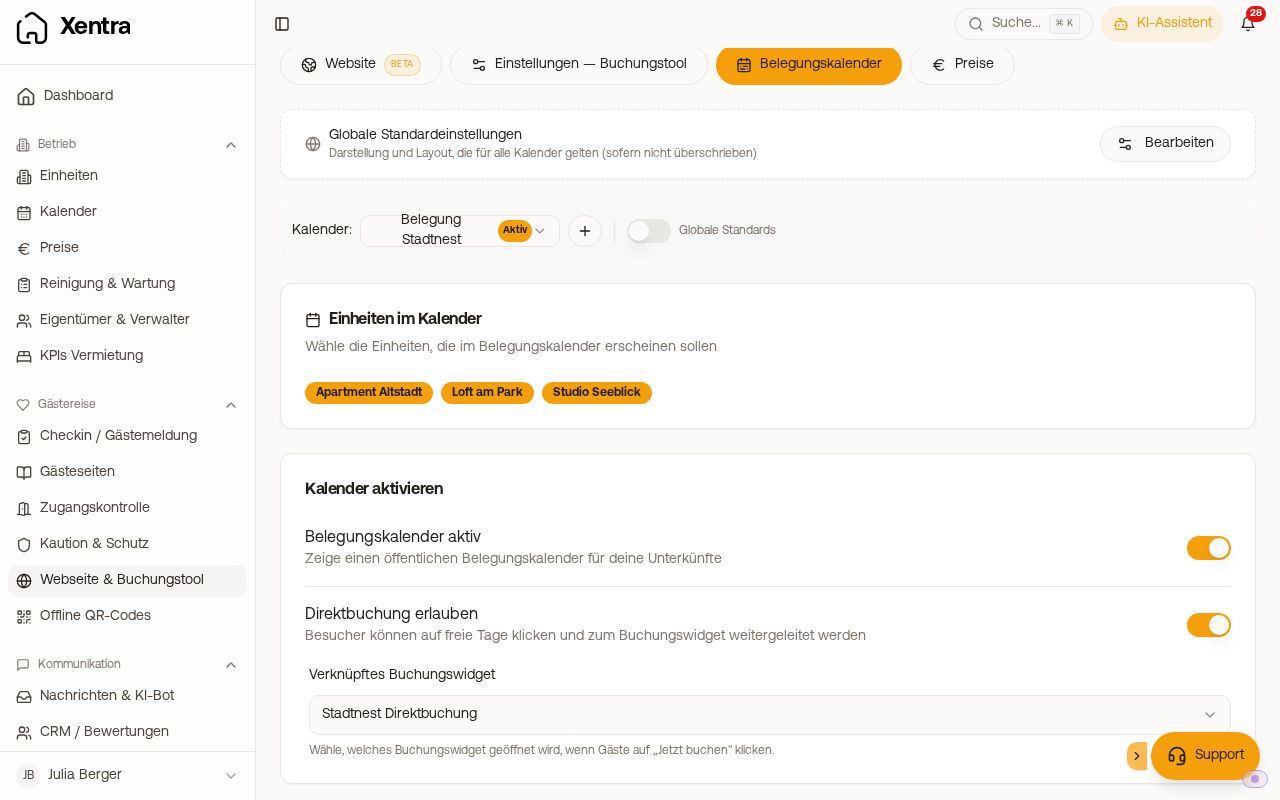 Availability calendar settings with units, linked booking tool and display
You can create several calendars (for example one per property or a combined one): via the three dots next to the name, Add another occupancy calendar. If you have more than one calendar, All occupancy calendars (default) also appears at the top of the selection. There you maintain Colours & shape and Layout once for all calendars where the switch Use the settings of “All occupancy calendars” is on. For these calendars the two areas are locked with a padlock; with Customize for this calendar you give a calendar its own values.
Settings
- Availability calendar active: switch to turn it on and off. If it is off, the app shows a note, and the calendar appears neither on your website nor on guest pages.
- Units in the calendar: which units appear
- Allow direct booking and Linked Booking Widget: one click on a free day leads into this booking tool. If it contains none of the units in the calendar, the app warns you, because then the guest cannot book. If the calendar should only inform, leave direct booking off.
- Colours & shape and Layout (own areas in the navigation on the left): primary colour, background, colours for booked and free, corner radius, calendar title, title size, text alignment, maximum width, months desktop and months mobile, compact mode, show legend, show unit names, show prices, border & background
The calendar does not know a guest count: whether the accommodation is big enough for the group only shows in the booking tool.
Prices in the calendar
If prices are set for a unit, the availability calendar shows "from … €/night" next to the unit name and the day's price when you tap or hover over a day. Under Layout you can hide both with the switch Show prices: switch it off, then Save. After that, neither the calendar page (direct link) nor the JS widget on your website shows a price. Minimum stay and blocked days still apply.
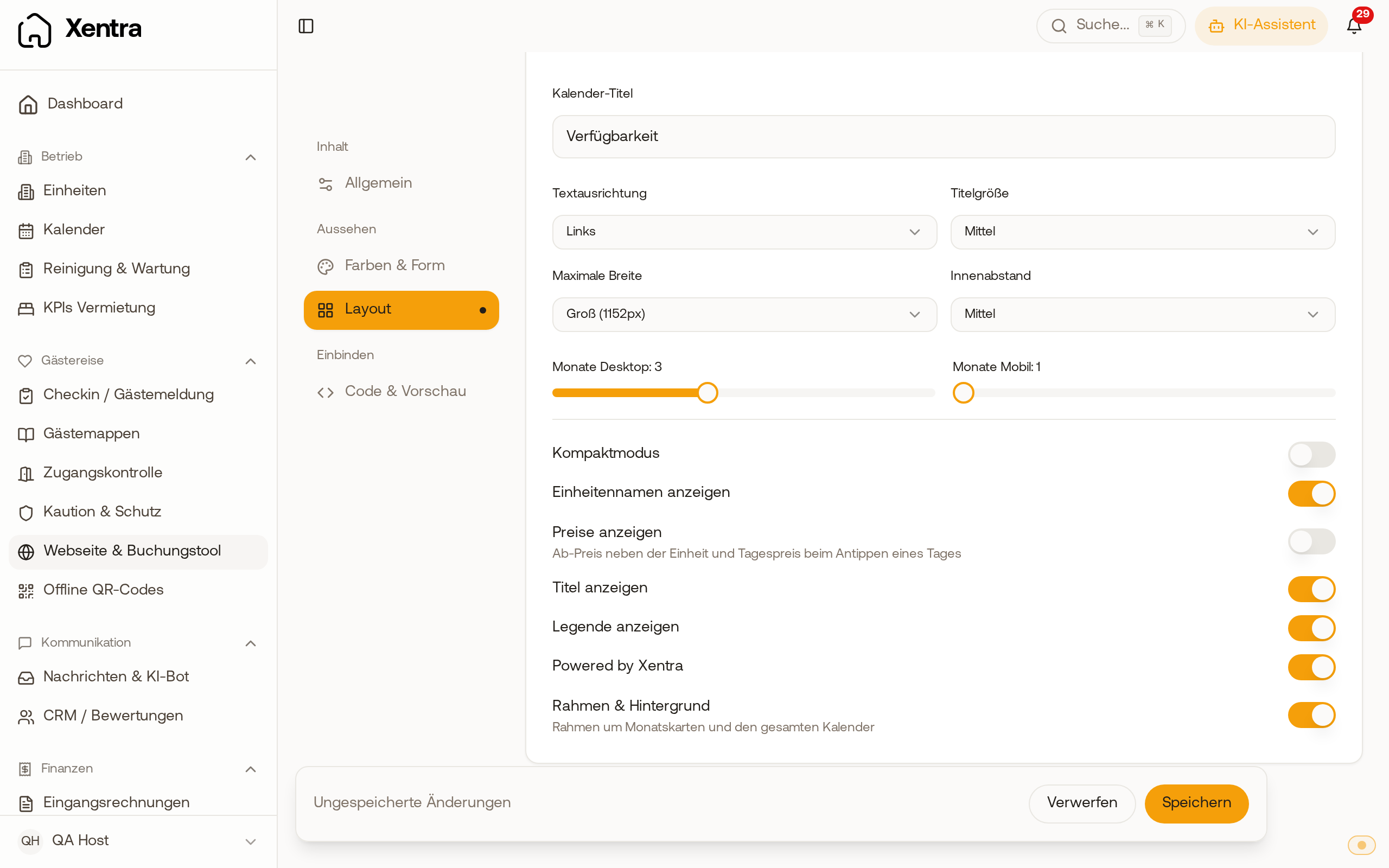 Layout area of the availability calendar with the "Show prices" switch turned off
Embedding
In the area Code & preview, card “Embed & link”, you find two variants:
1. JS widget (the recommended way): a short script code that draws the calendar directly in place and adjusts its height itself, also for large calendars with many units.
2. Direct link: https://app.myxentra.com/availability/DEIN_TOKEN, for example for a menu item or an email.
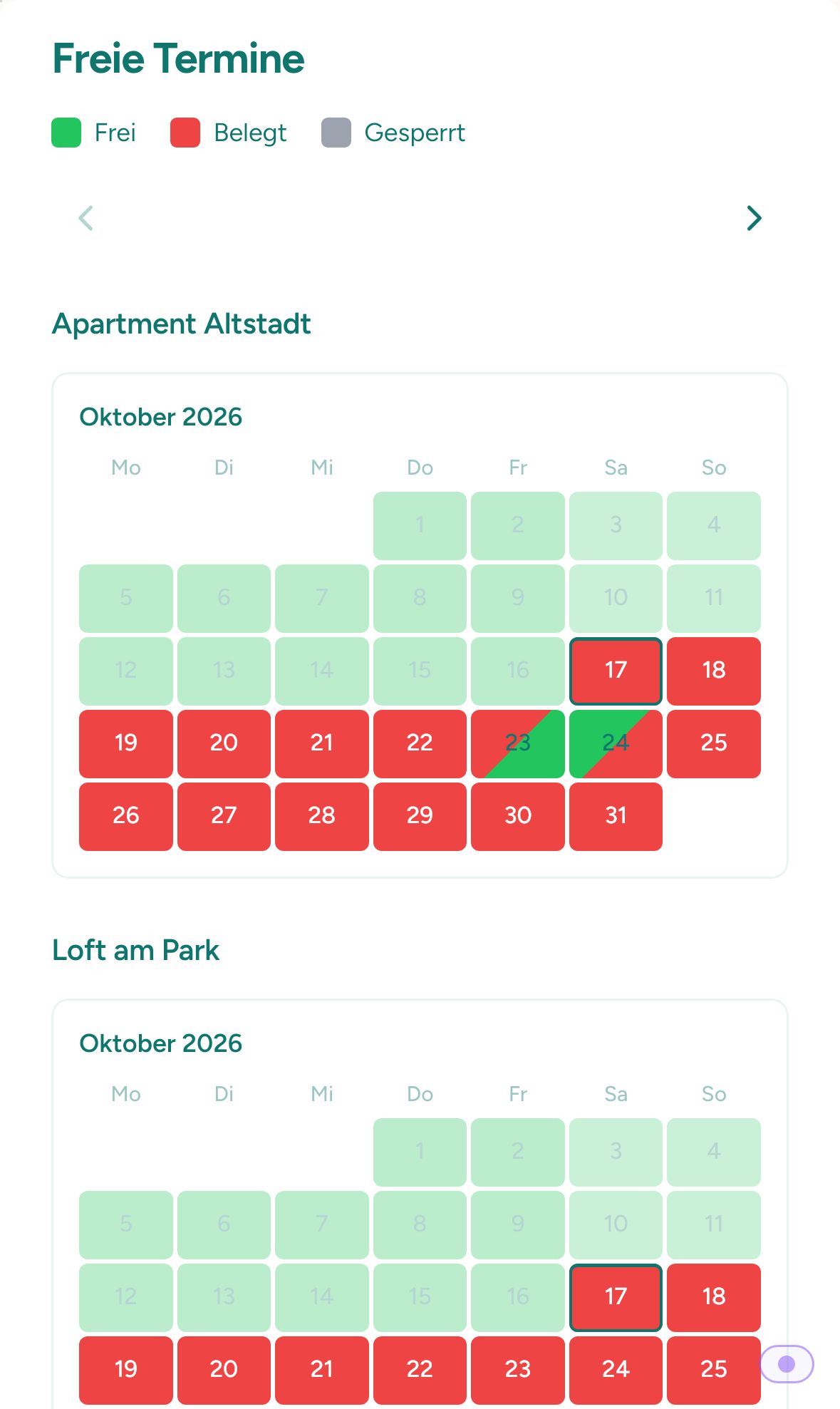 Availability calendar on a guest's phone
The app no longer offers an iFrame code. If you embedded the calendar via iFrame earlier, it keeps running; at the next rebuild of your website, it is best to use the JS widget.
Always copy the code from the app; your calendar's token is already inserted there.
Instead of the calendar, a note appears
If the calendar cannot be loaded, the script shows a short note in its place instead of an empty area:
- “This availability calendar is currently not available.”: The calendar is switched off. Turn it on again via Availability calendar active.
- “This availability calendar does not exist (any more).”: The code belongs to a deleted calendar. Copy the code again from the app.
- “… the embed code is incomplete.”: Part of the code was lost when pasting. Copy it again in full.
- “The availability calendar is temporarily unreachable.”: a brief disruption. Reload the page later.
If the calendar only shows the arrows and no days, no unit is selected in its settings.