
Booking tool: which days the calendar greys out for guests
When your booking page calendar greys out a night and what guests see when their property is taken, including "Show other properties".
Updated on November 6, 2026
The calendar on your booking page greys out nights guests can't book. It follows the bookings and blocks in your Xentra calendar. You find the booking tool under Guest Journey → Website & booking tool (Open booking tool).
With an accommodation picked
If the guest has picked an accommodation under Accommodation at the top, the calendar greys out every night that this accommodation is booked or blocked. After the check-in date it only allows check-out dates up to the next booking; the guest can still check out on the first booked day.
Without an accommodation picked
If it says Browse all accommodations, the calendar only greys out a night when every accommodation of the booking tool is booked that night. A check-out date is possible as long as at least one accommodation is free for the whole stay. A room category (one card per category) only counts as booked when no room of that category is left.
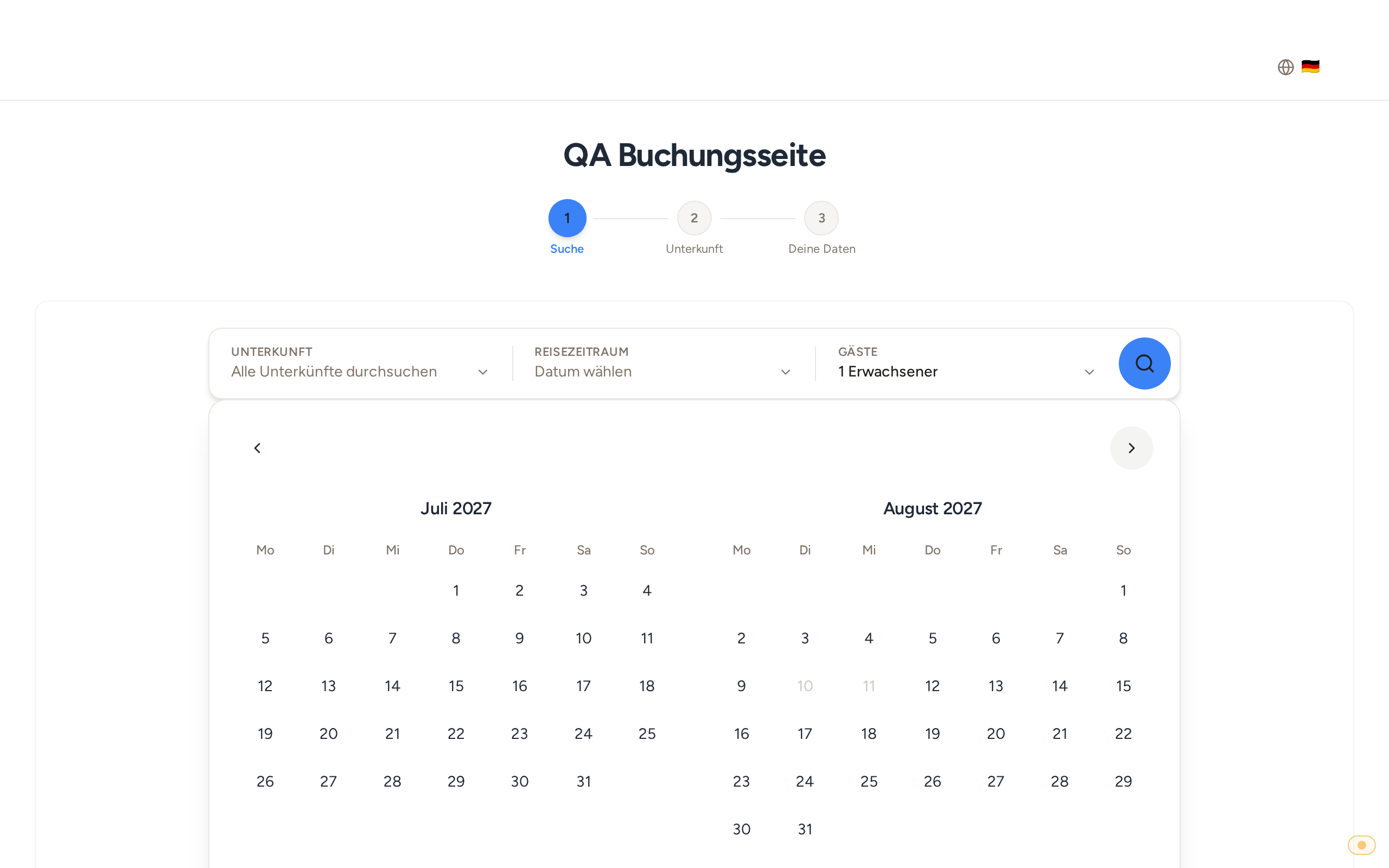 With no accommodation picked, only the nights on which every accommodation is booked are greyed out
Dates first, then a booked accommodation
If a guest picks the dates first and then an accommodation that isn't free in that period, the booking tool clears the dates, opens the calendar again and shows the note "This accommodation is not free for the selected dates". The calendar then greys out that accommodation's booked nights and the guest picks new dates.
Show other accommodations
If an accommodation isn't available for the dates searched, for example through a link with the accommodation and dates filled in, the booking tool shows "This period is not available". If another accommodation is free in the same period and big enough for the guests, the Show other accommodations button appears next to it. It opens the result list with all accommodations for those dates. If all the others are booked, the button doesn't show.
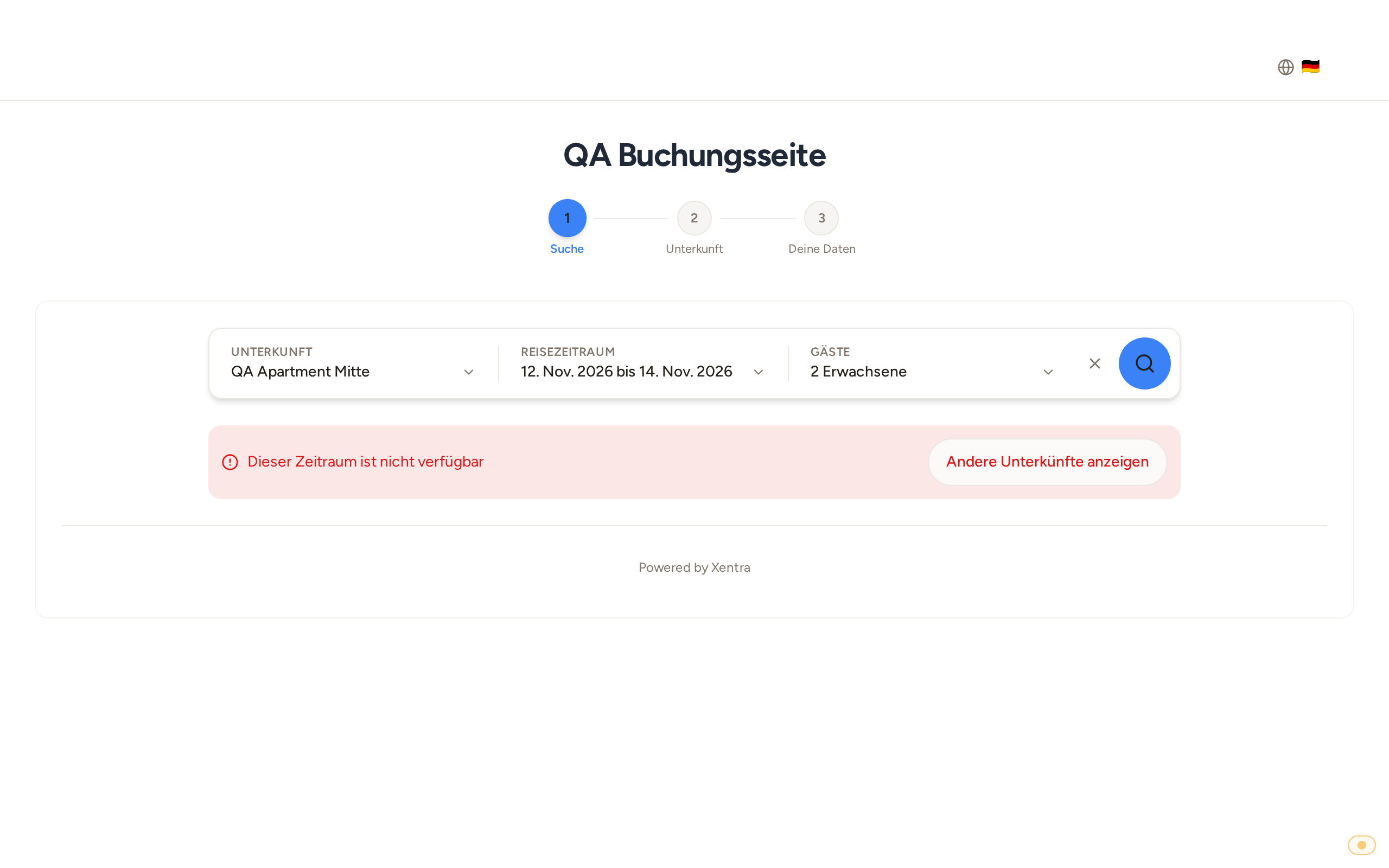 The note "This period is not available" with the "Show other accommodations" button
Free day, still not bookable
The calendar blocks booked nights. Whether a stay can really be booked is checked by the search: it also takes the minimum stay on the check-in day and the accommodation's maximum number of guests into account (see "Booking tool: direct bookings through your own booking page" and "Minimum stay and buffer nights between bookings").