
Markup for Travanto: Adjust prices for Travanto
How you set the price markup for Travanto, for all properties or individually, and what Travanto gets from you via the API.
Updated on November 13, 2026
Markup for Travanto
If you sell via Travanto, you set the markup under Prices, Portals, card "Markup for Travanto" (Open Prices). One value applies to all properties; for individual properties, you enter your own. Travanto gets the same price as Airbnb and Booking.com (your price rules for weekend, holidays, last minute, and early bird are already included) plus this markup. A negative value is a discount. Travanto calculates discounts for longer stays itself per booking.
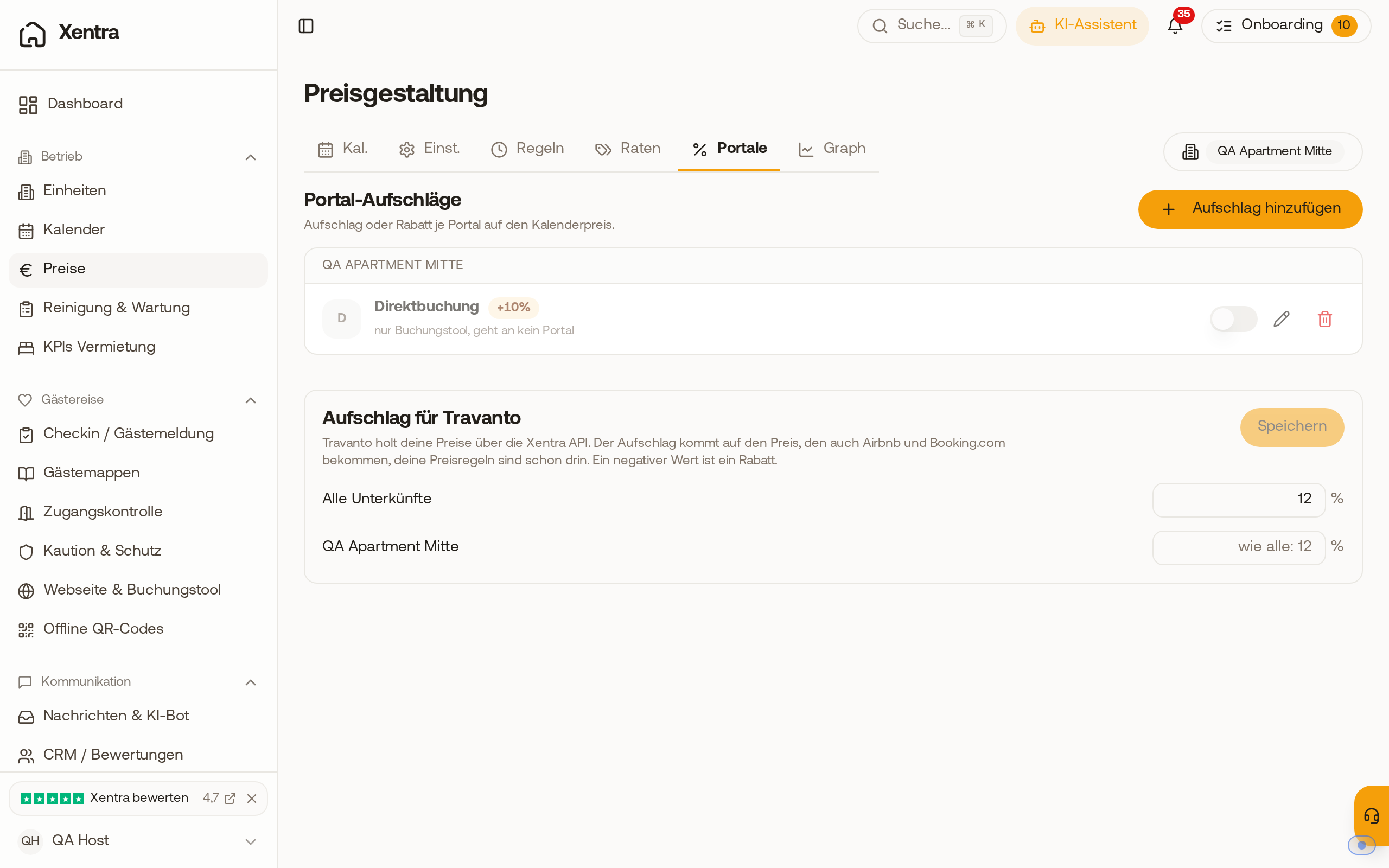 The "Markup for Travanto" card under Prices, Portals: 12 % for all properties, the apartment below adopts the value.
How to set it up
- Open Prices, select the properties at the top, tab "Portals".
- In the "Markup for Travanto" card, enter the percentage value at "All properties", for example 12.
- If a property should get a different value, enter it in its row. An empty field shows what the property gets instead, for example "like all: 12" or "no markup".
- Save. Allowed values are -50 to 200 %.
The markup is not sent to Travanto: Travanto fetches it with your prices via the data API. It changes neither your calendar price nor the prices going to Airbnb or Booking.com.
What else Travanto gets from you
Travanto reads your prices and availability, your price rules, your extra services from the booking tool, and the data of your properties (bedrooms, beds, bathrooms, pictures) via the API. Bookings from Travanto arrive with Travanto as the source and with the commission that Travanto retains. More on this: Data API: Key, access, and documentation.