
Automatic guest review (Airbnb)
Xentra reviews your Airbnb guests automatically 48 hours after departure, with your own texts. One switch in the settings is enough.
Updated on October 19, 2026
Xentra can review your Airbnb guests automatically, so you don't have to think about it after every departure. This is the classic way to make mutual reviews visible faster.
For clarification: what is automated is the review of the guest by you. The review of your accommodation is still written by the guest, which no provider can automate.
Where to switch on
Settings → Reviews (Open reviews in the settings), switch Enable automatic review. You don't need anything else; no activation by support is necessary.
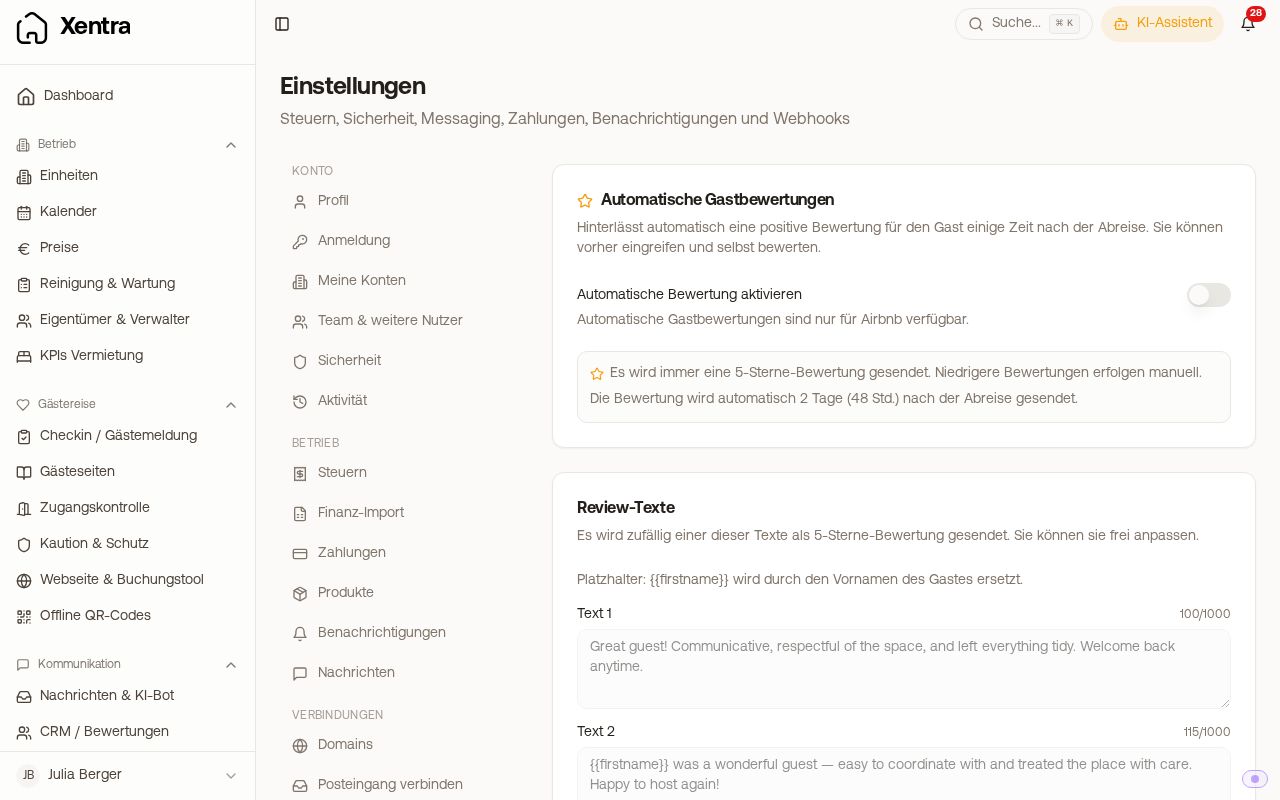 Settings, Reviews: automatic guest review with review texts
What can be set
| Setting | Description |
|---|---|
| Enable automatic review | Global switch, off by default |
| Per Accommodation: Default / On / Off | Individual units can differ; “Default” follows the global switch |
| Review texts (Text 1 to 5) | Pre-filled with five English texts, freely editable, each at most 1000 characters (Airbnb's limit). You can edit them as soon as the switch is on. For each review Xentra picks one at random, so that your reviews don't look identical |
Placeholder {{firstname}} |
Replaced by the guest's first name. If the name is missing, the placeholder disappears cleanly |
Switching off or stopping
The automatic review comes from these settings, not from your message automations and not from Airbnb.
- Completely off: switch Enable automatic review off. Then check under Per Accommodation that no accommodation is set to On: that one is still reviewed even with the main switch off. Set it to Default or Off.
- Only for individual accommodations: set Off under Per Accommodation. Reviews of this accommodation that are already scheduled are then no longer sent.
- Stop a scheduled review: open the booking, tab “Reviews”, “Cancel automatic review”.
Xentra cannot withdraw reviews already published on Airbnb. Also, a team member with the right to edit reviews may have switched it on.
What is fixed
- Always 5 stars. Lower ratings you write yourself, deliberately.
- Always 48 hours after departure (counted from midnight local time of the accommodation).
- Airbnb only. Booking.com and Expedia do not allow a guest review by the host.
- Only if the departure was at most 14 days ago; after that Airbnb no longer accepts a host review.
- There is no star threshold: the automation does not depend on how the guest rated you.
Process
- Airbnb opens the review window after departure; Xentra gets this via Channex.
- Xentra schedules the review for departure + 48 hours.
- In the booking → tab “Reviews” you see the note “Automatic review scheduled” with the time and preview text, plus the button “Cancel automatic review”.
- At the scheduled time, Xentra publishes the review on Airbnb (5 of 5 for cleanliness, communication and adherence to house rules, with recommendation).
Manual beats automatic: if you write a review yourself or cancel the scheduled one, nothing is sent automatically.
Requirements
- Active Channex connection with the Airbnb channel
- Channex app “Messages & Reviews” installed for the accommodation