
Automations: Conditions and time modes
Which conditions an automation can check, such as check-in, payment, or deposit, and when it sends using the three time modes.
Updated on November 12, 2026
An automation under Open automations can get a condition in the step "What is sent?". Here you will find which conditions exist and when they are checked. How the editor is structured and which triggers exist: see Automations: Triggers, conditions and time modes.
Conditions
Via "Add condition", an automation receives one condition. Check-in status is preselected, and you can find the others in the Condition type field:
| Condition | What is checked |
|---|---|
| Check-in status | Is the online check-in completely completed, including tourist tax and guest registration requirements? |
| Guest page visited | Has the guest already opened their guest guide? |
| Phone number available | Is a phone number available for the guest? |
| Booking portal | Does the booking come from the selected portal? |
| Number of guests | Adults plus children, compared with your value. Babies do not count. |
| Booking lead time | Days between booking and arrival |
| Length of Stay | Nights between arrival and departure |
| Nights after departure free | Are the nights from the departure day free, without follow-on booking, block, or open inquiry? |
| Returning guest | Has the guest stayed with you before? |
| Final invoice exists | Is there a final invoice? Drafts and canceled invoices do not count. |
| Extra service booked | Has the guest booked an extra service, optionally only specific ones? |
| All invoices paid | Is there at least one final invoice and is every final invoice paid, including deposit and monthly invoices? Drafts, canceled invoices, and credit notes do not count. For multiple rooms, the invoices of all non-canceled rooms count. |
| Booking marked as paid | Is the booking marked as paid, by you on the booking page or by your PMS? For multiple rooms, the main room counts. |
| Deposit received | Has every deposit for the booking been received or already settled? At least one deposit must be requested. A room without a deposit does not block, deposits of canceled rooms do not count. |
With the three payment conditions and "From the scheduled time, wait until met", the message goes out automatically as soon as the payment or deposit is recorded, at the earliest at the set time. Typical: Arrival info with key code only after payment of the first invoice or after receipt of the deposit.
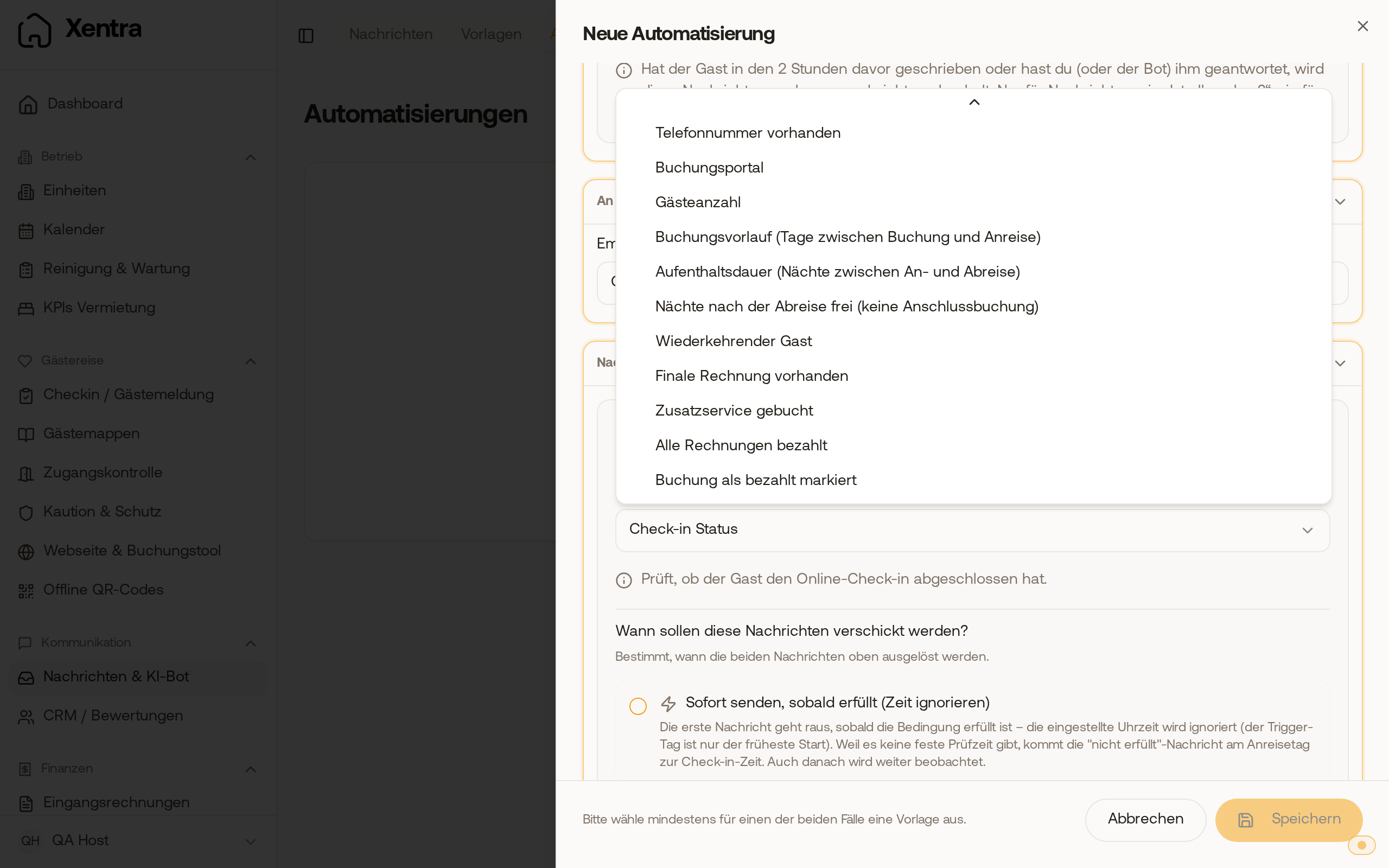 The conditions "All invoices paid" and "Booking marked as paid" at the end of the field "Condition type".
For number of guests, booking lead time, and length of stay, you select the comparison: "is more than (>)", "at least (≥)", "less than (<)", "at most (≤)", or "exactly (=)".
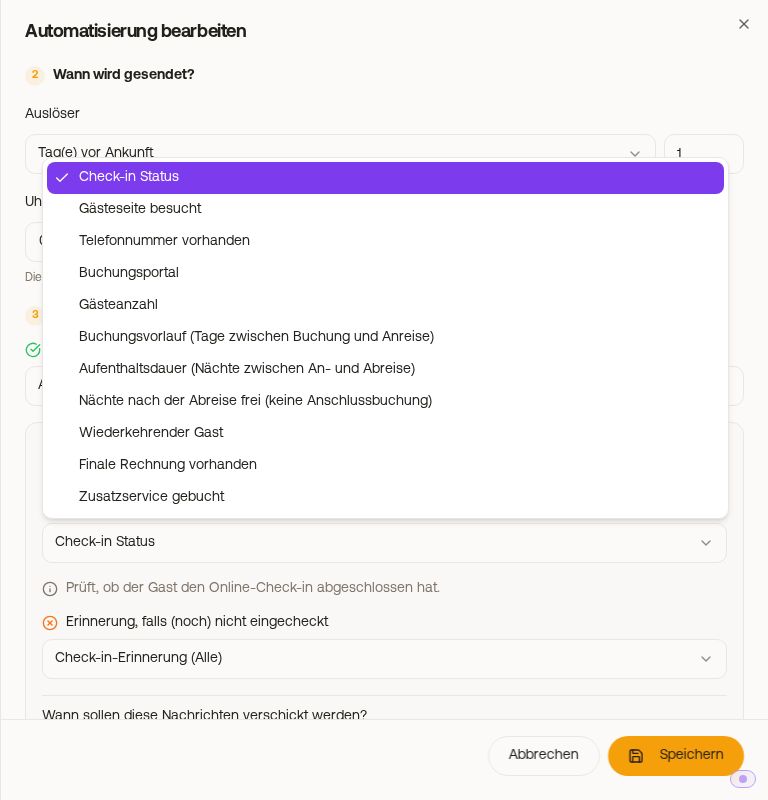 All conditions in the field "Condition type"
A condition includes two templates: at the top the message when the condition is met, in the condition block the message when it is not met. "No Message" is a valid choice in both cases, in which case intentionally nothing goes out in that event. An automation with a condition therefore covers both cases. If you nevertheless create a separate automation for the second case and enter a template there in the "not met" branch again, every guest will receive two messages.
The three time modes
Under "When should these messages be sent?", you select when to check:
| Mode | Behavior |
|---|---|
| Send immediately once met (ignore the time) | The first message goes out as soon as the condition is met. The trigger day is only the earliest start, the field "Time" is hidden. The "not met" message arrives on the day of arrival at check-in time. |
| Check once at the set time | At the time, a check is performed once and the matching template is sent. After that, the rule is completed for this booking. Selectable only together with a message for "not met", otherwise a guest without a met condition would receive nothing at all. |
| From the scheduled time, wait until met | At the time, a check is performed and the matching template is sent. If the condition is met later after all, the first message still arrives. For triggers around departure, it waits until 00:00 UTC on the 7th day after departure, for all others until 00:00 UTC on the day after departure. After that, this message no longer goes out. |
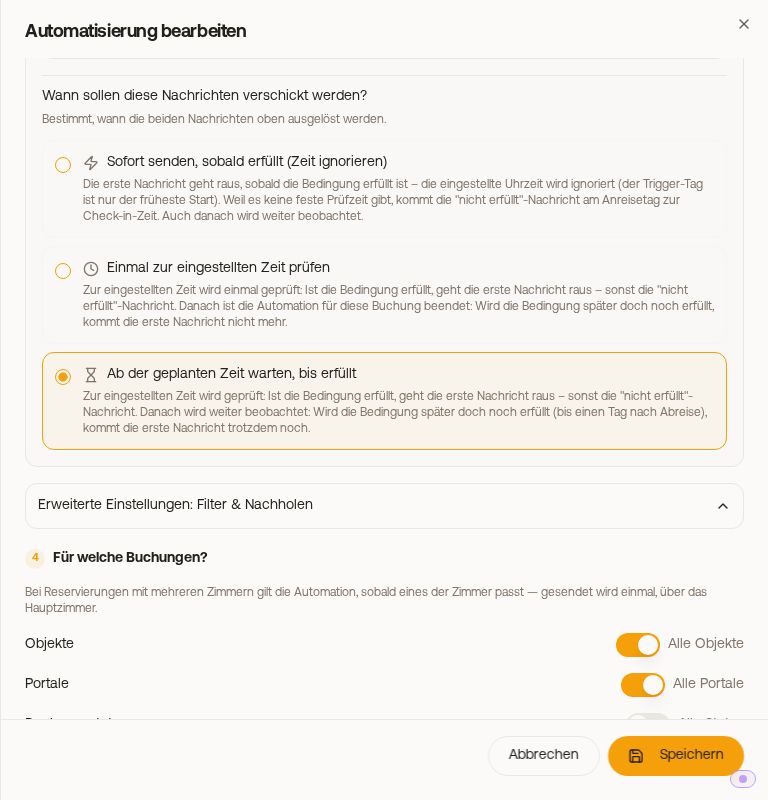 The three time modes of a condition
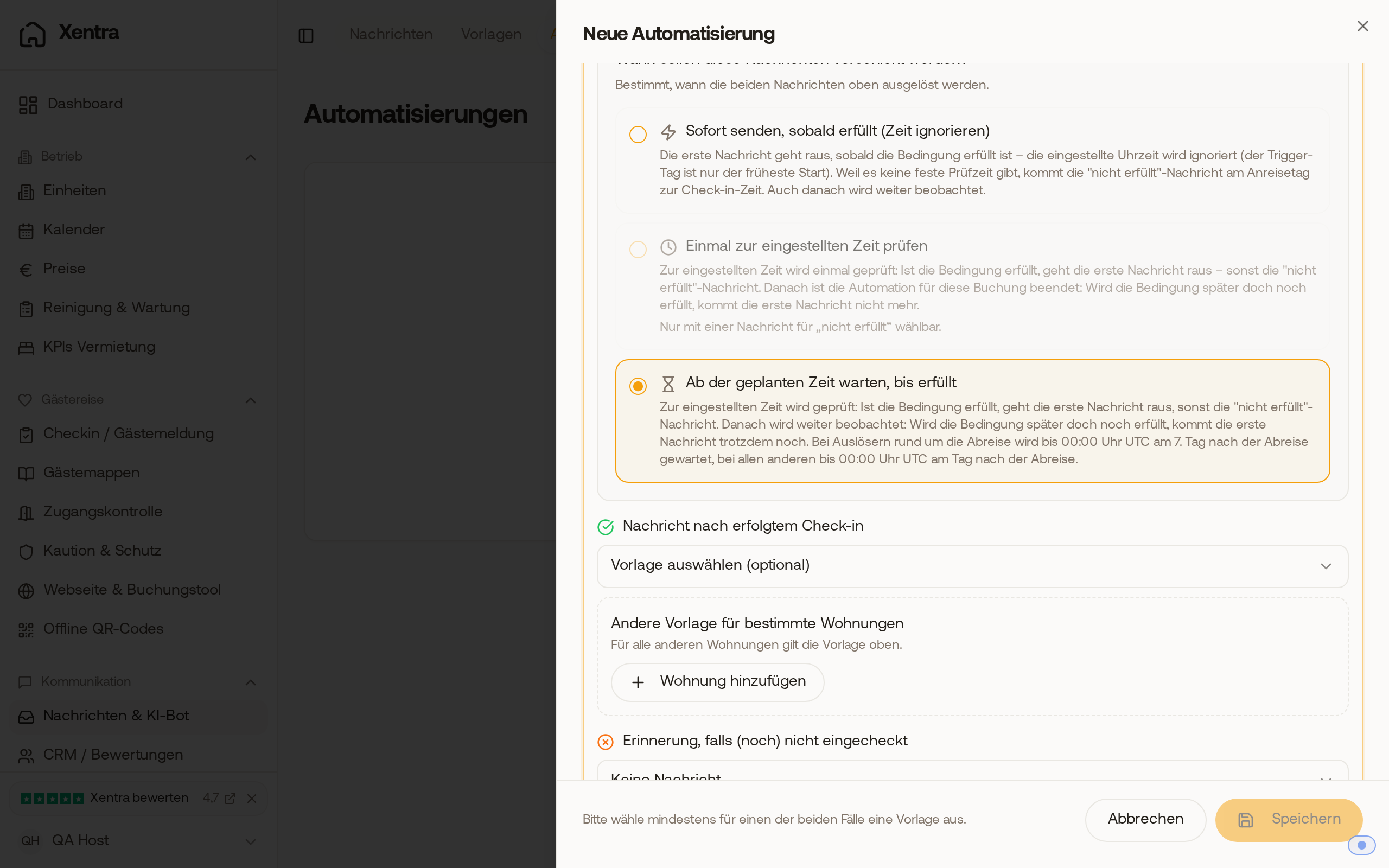 The mode "From the scheduled time, wait until met" states in the note until when after departure it will wait.
For Booking lead time, Length of Stay, and Nights after departure free, there is only "Check once at the set time", the selection is hidden there. In "at once" mode, the message for check-in status goes out without delay; for the other conditions, it can take up to 5 minutes.
If a guest completes the check-in, a waiting message is triggered immediately. Even if someone checks in shortly before arrival, they will still receive their arrival info in time.
Door code after departure: An automatic message to the guest with a door code or door link no longer goes out in any mode once their access is over (check-out time plus buffer for door codes), not even via "Try again". It is then shown on the booking as "Skipped" with the note "Never sent: The message contains a door code or door link, and the stay was already over."
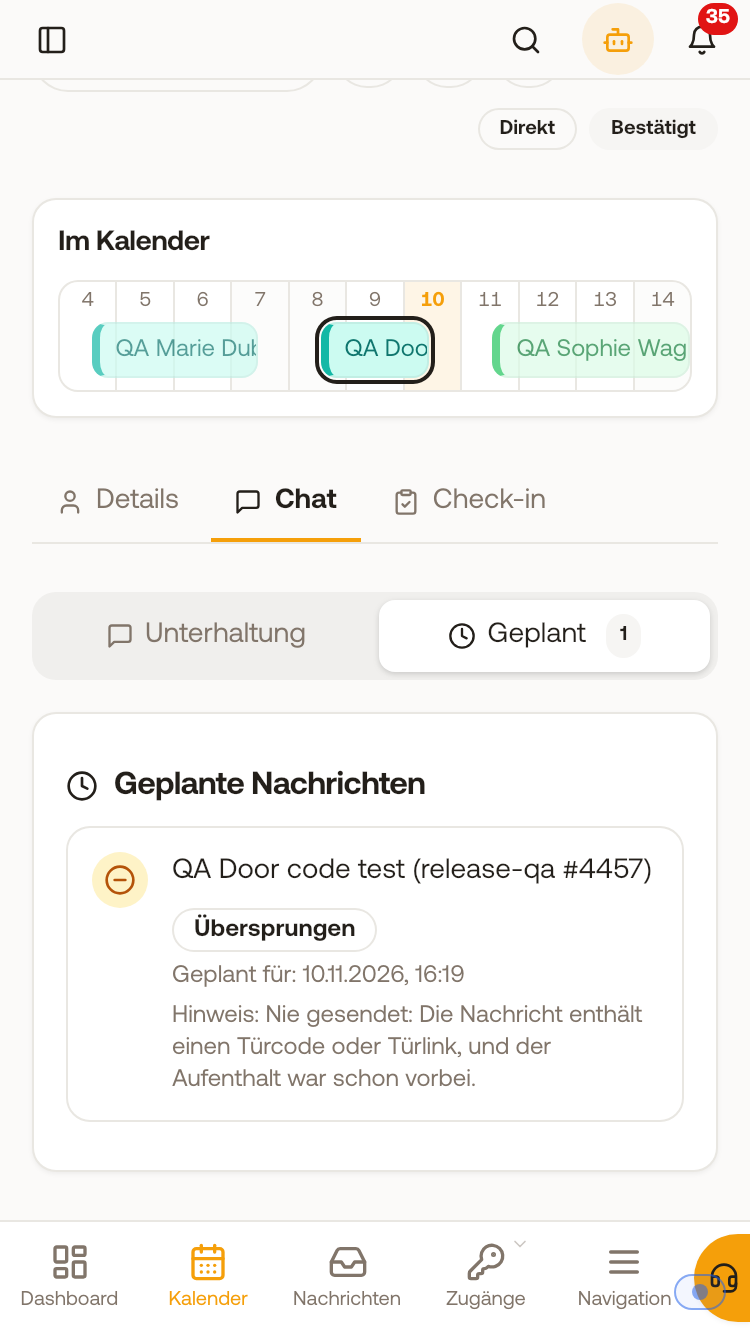 On the booking, a message with a door code after the stay is marked as "Skipped", with the note why.