
Messaging Bot: messages without a booking and prices
When the Messaging Bot answers WhatsApp inquiries without a booking and how it quotes prices and availability like your booking page.
Updated on November 6, 2026
Messages without a booking (WhatsApp only)
If someone writes to you on WhatsApp and the message cannot be matched to a booking, for example an inquiry about new appointments, it lands as an unassigned conversation in the inbox. In review mode, the bot writes a draft for it there, which you can accept or discard.
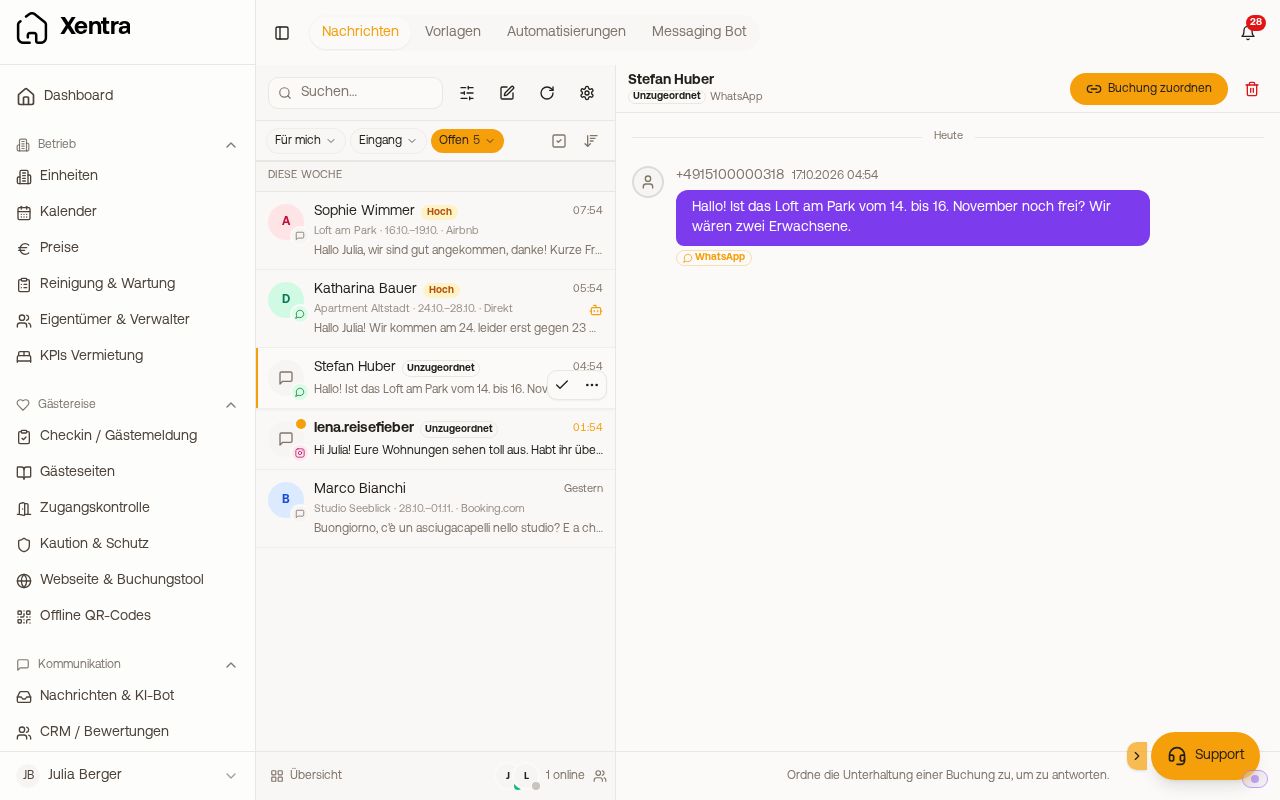 A WhatsApp inquiry without a booking in the inbox
You can reply to such a conversation directly, as long as your WhatsApp is connected. Otherwise, the bottom says “Assign the conversation to a booking to reply.”, and you assign it with “Assign to booking”.
- Send by itself, the bot may only do such replies in automatic mode, and only if you switch on the switch “Also reply to messages without a booking” under Operations and confirm that you have checked your global FAQs and instructions. This applies to messages that arrive after switching it on.
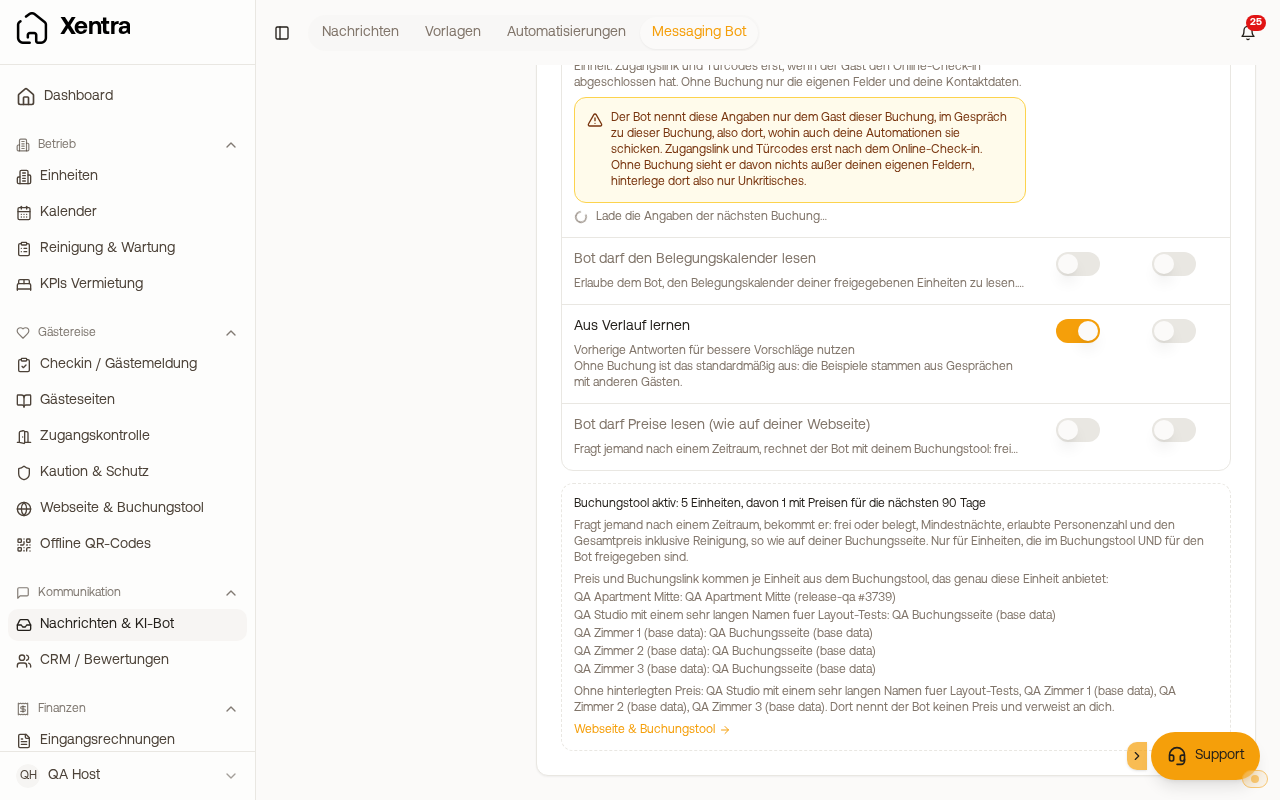
- Under Knowledge and Autonomy there are two columns, “With booking” and “Without booking”. Each column only applies to itself. Without a booking, everything is off until you switch it on there, including prices. “Learn from history” is off by default without a booking, because the examples come from conversations with other guests.
- Without a booking, the bot uses your global FAQs, your global instructions and what you release in the column “Without booking”. It never gives out access codes, passwords or the exact address. As long as the switch is on, global instructions and FAQs without a unit reference must not contain anything confidential. Xentra warns you there.
- Under Channels you see for WhatsApp whether the bot answers messages without a booking itself, or makes you a suggestion.
On Airbnb and Booking.com messages without a booking, on Instagram and on SMS, the bot does not reply. You answer those yourself in the inbox. Pre-booking inquiries that your channel manager or PMS delivers as an inquiry for a booking (for example Airbnb inquiries), on the other hand, the bot answers like a normal booking.
Prices (optional, off by default)
Under Knowledge switch on “Bot may read prices (as on your website)”, separately for the columns “With booking” and “Without booking”. If someone asks about a period, the bot calculates with your booking tool: free or occupied, minimum nights, allowed number of guests and total price including cleaning, exactly as on your booking page.
- It never names other amounts. If an amount other than these still appears in a reply, the reply becomes a draft.
- If the topic “Price questions” under Autonomy is off, it presents the price to you as a draft instead of sending it itself.
- The prerequisite is an active booking tool under Website & booking tool, otherwise the switch is grey. Under the switch you see which units are released in the booking tool and for the bot, and which of them have prices for the next 90 days. For units without a price, the bot names none and refers the guest to you. If you have several booking tools, the bot takes price and booking link for each unit from the booking tool that offers this unit and has the fewest units (on a tie, the older one). Which booking tool applies per unit is also shown under the switch, plus the units that are in no booking tool. For these, the bot names neither a price nor a booking link.
Availability calendar
With “Bot may read the availability calendar” the bot answers questions such as “Is the apartment free next weekend?” with real calendar data for the next 90 days. For free periods, it refers to your booking page. Without an active booking page, it asks the guest to contact you directly to book. It never confirms or changes a booking.
In Airbnb and Booking.com conversations
There, the bot does not send its own booking link or any payment route past the portal on its own. Instead, it refers to the portal. Otherwise, Airbnb rejects such messages.