
Automations: don't send in the middle of a conversation
With "Don't send while a conversation is going on", no automation cuts into a chat. When it applies and where you see skipped messages.
Updated on November 6, 2026
A message like "Good morning, is everything okay?" feels odd when you are chatting with the guest right now. For that, every automation sent to guests has the option "Don't send while a conversation is going on".
How to switch it on
Messaging & AI Bot, Automations, open the automation with Edit, expand the block "When is it sent?", below "Also send if the send time has already passed" switch on "Don't send while a conversation is going on" and Save. The option starts off on every automation.
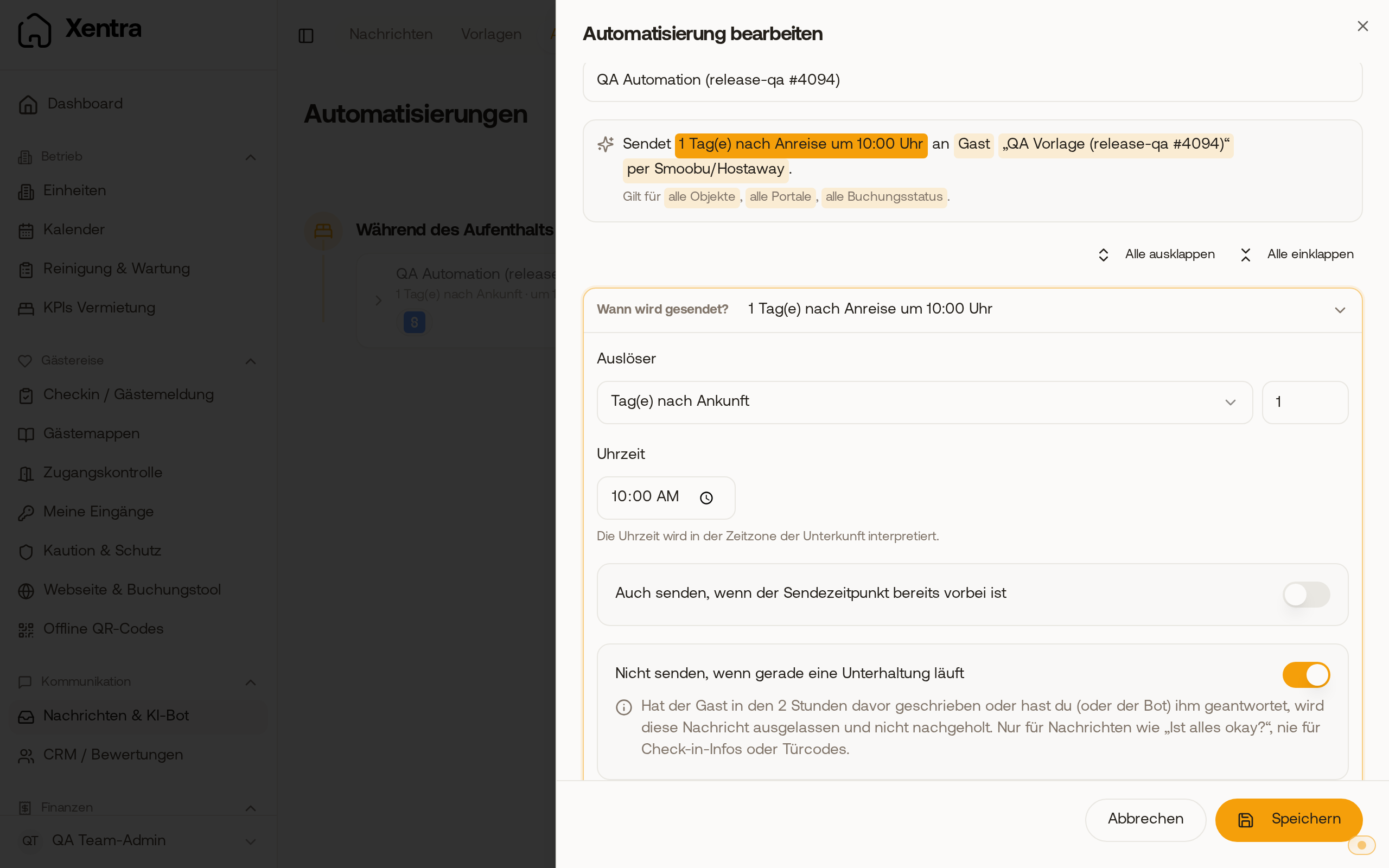 In the block "When is it sent?" the option sits right below "Also send if the send time has already passed".
When a message is skipped
With the option on, Xentra checks the last 2 hours just before sending: if your guest wrote, or you or the bot replied to them, the message is skipped and not sent later. Replies you write in the Airbnb app, the extranet or your PMS count too. Other automations and internal notes do not count.
You can spot skipped messages by the note "Skipped because a conversation was going on".
What it is meant for
For messages that are unnecessary in an ongoing conversation, such as "Is everything okay?" the day after arrival. Never switch it on for check-in info, door codes or arrival instructions: they would otherwise be dropped.
The option only exists when the message goes to the guest. With "Host (own email)", owner, manager or a custom address it disappears and is off. If the automation has an additional channel (for example WhatsApp), it takes over the setting.
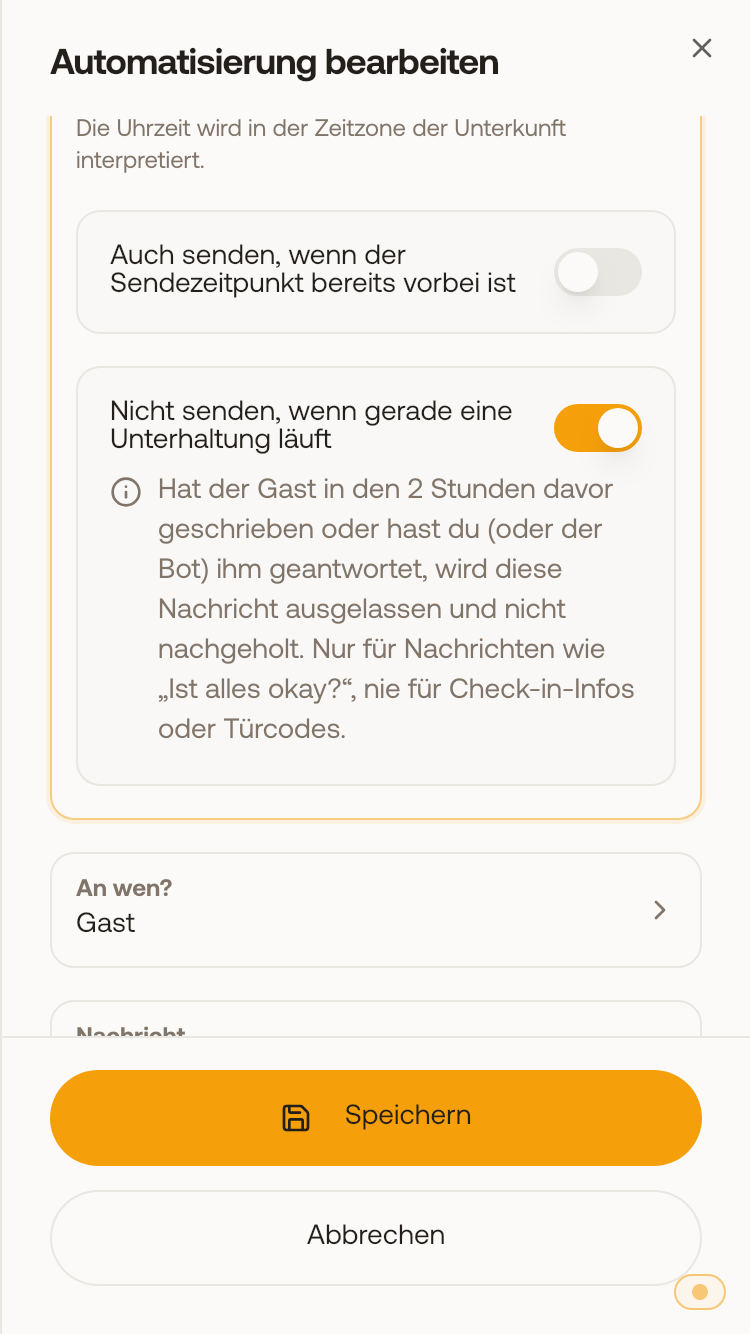 On the phone: the option switched on with its explanation.
Pausing the bot in a conversation only applies to the bot. You hold back automations with this option.