
Pause the AI bot for a booking or a guest
Mute the AI bot for a single booking or guest without switching it off for the whole account.
Updated on October 19, 2026
Sometimes the AI bot should not take part in a conversation with a particular guest, for example with regulars or in a delicate exchange. You do not have to switch the bot off for your whole account for that: you pause it for this booking only.
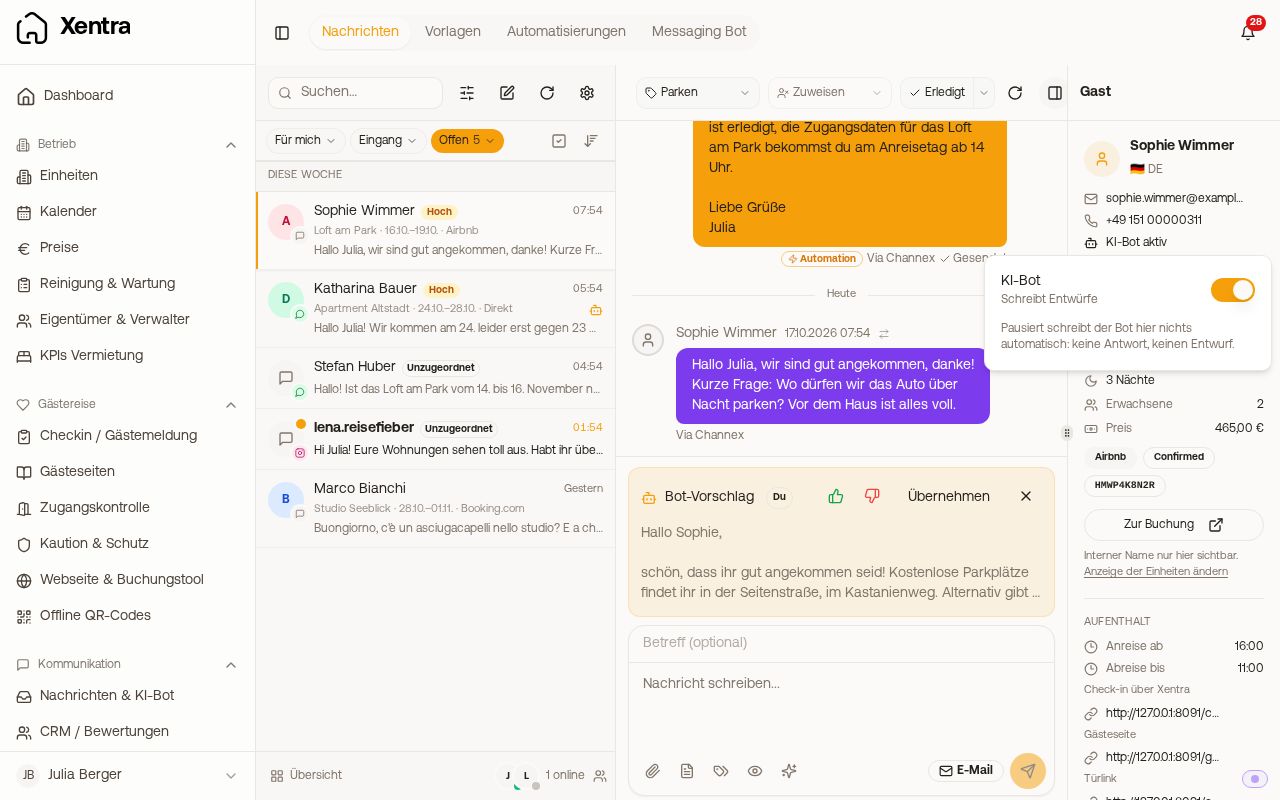 The “AI bot” row in the sidebar of the conversation with the pause switch
How to pause the bot
- In the inbox, open the conversation, open the conversation menu at the top and choose “Pause bot for this booking”.
- Or click the row “AI bot active” in the sidebar of the conversation or on the booking page and flip the switch.
While the pause applies, “AI bot paused” shows there (orange), and a note with a button to resume appears above the input field.
Also for future bookings of this guest
If the bot is paused, you can additionally tick “Also for future bookings of [guest name]”. Then the bot stays silent for all bookings of this guest, including later ones, until you switch it on again. The option only appears if an email address or phone number is stored for the guest.
What the pause does
- The bot no longer replies to this guest and does not create drafts for them either. It keeps replying to all other guests as usual.
- Messages that arrive during the pause count as handled. After resuming, the bot only replies to the guest's next new message.
- Scheduled messages from your automations keep running normally. The pause only affects the bot's replies.
- “Resume” lifts the pause for the booking and for the guest.
When you do not see the option
The row and menu item only appear if the bot replies for this booking's unit at all: bot switched on (draft or automatic mode) and the unit selected. Only someone who is allowed to reply to the guest can pause and resume.