
Several accounts: "All accounts"
For logins with several accounts: All accounts in the account switcher, tasks from all accounts with account chips, bell and pushes from all accounts.
Updated on November 4, 2026
Several accounts: account switcher and "Notifications from all accounts"
If you work for several hosts, or have a team membership next to your own account, the account switcher always shows the account you are currently working in: the tile in the account's color, the name and your role there. On a computer you find it at the top of the sidebar, on a phone at the top next to the bell (the colored tile). If you only have one account, nothing changes for you.
If you tap it, you see all your accounts under Your accounts, the current one with a checkmark. If you tap another one, the app briefly shows Switching to: with the name and color of the account and then You are now in: with the name. Calendar, messages, dashboard and settings always show only the account you are currently in.
Notifications from all accounts
Under your accounts you find the switch Notifications from all accounts. It is on at the start. Then you get the bell and push notifications from all your accounts, each with the name of the account. If you tap a notification from another account, the app switches there and opens it. If you switch it off, you only get notifications from the account you are currently in. The switch never changes the account. Your switches under Notifications still apply to each account.
My tasks
With several accounts, under My tasks you always see your own tasks from all accounts, no matter how the switch is set. Each card shows with a colored dot and a name which account it belongs to. At the top there are account chips: All and one chip per account, which you use to narrow it down to one account. If you tap a task from another account, the app switches to that account and opens the task there. Requests, team pool and Mark done always apply to the account you are currently working in.
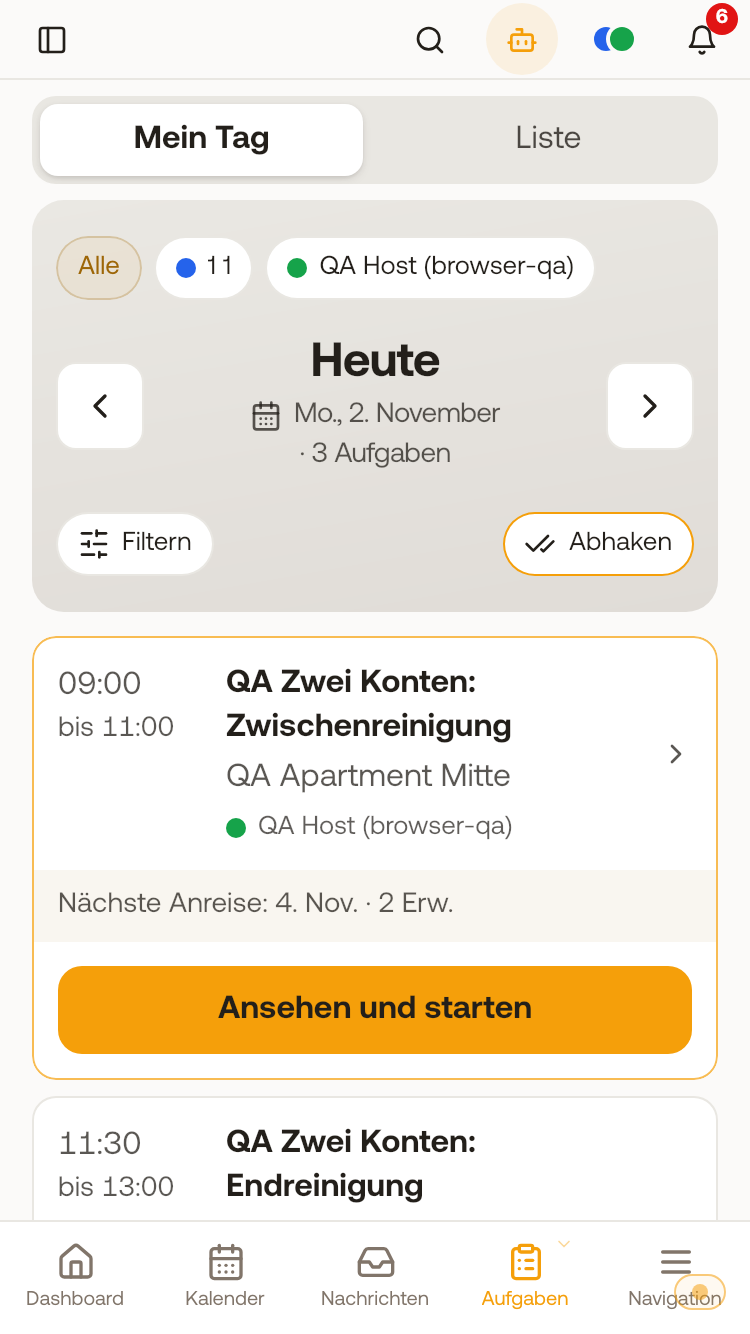 My day on a phone with several accounts: the account chips at the top, a colored dot and account name on every task.
Keys from your hosts
Door links a host sent you are under My Entrances in the Shared with me area, see Opening doors with "My Entrances".
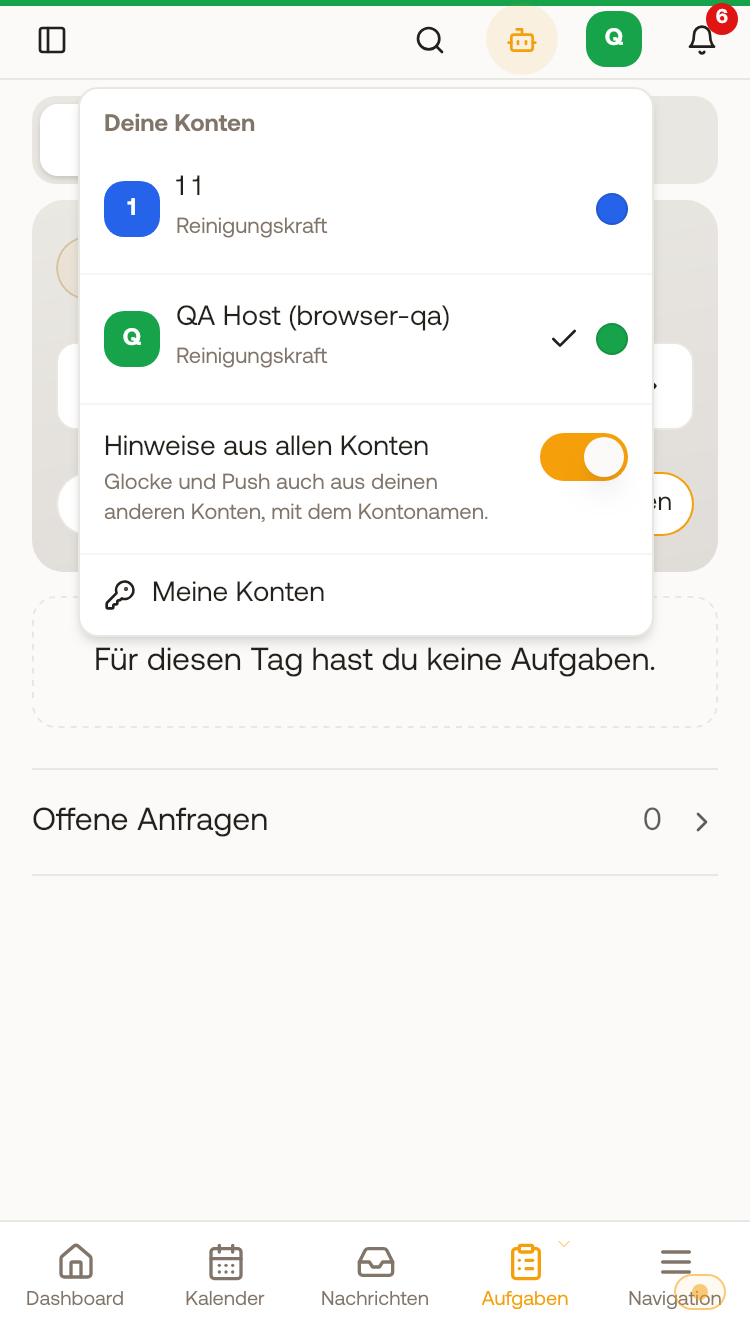 The account switcher on a phone: your accounts, the current one with a checkmark, below it the switch "Notifications from all accounts".
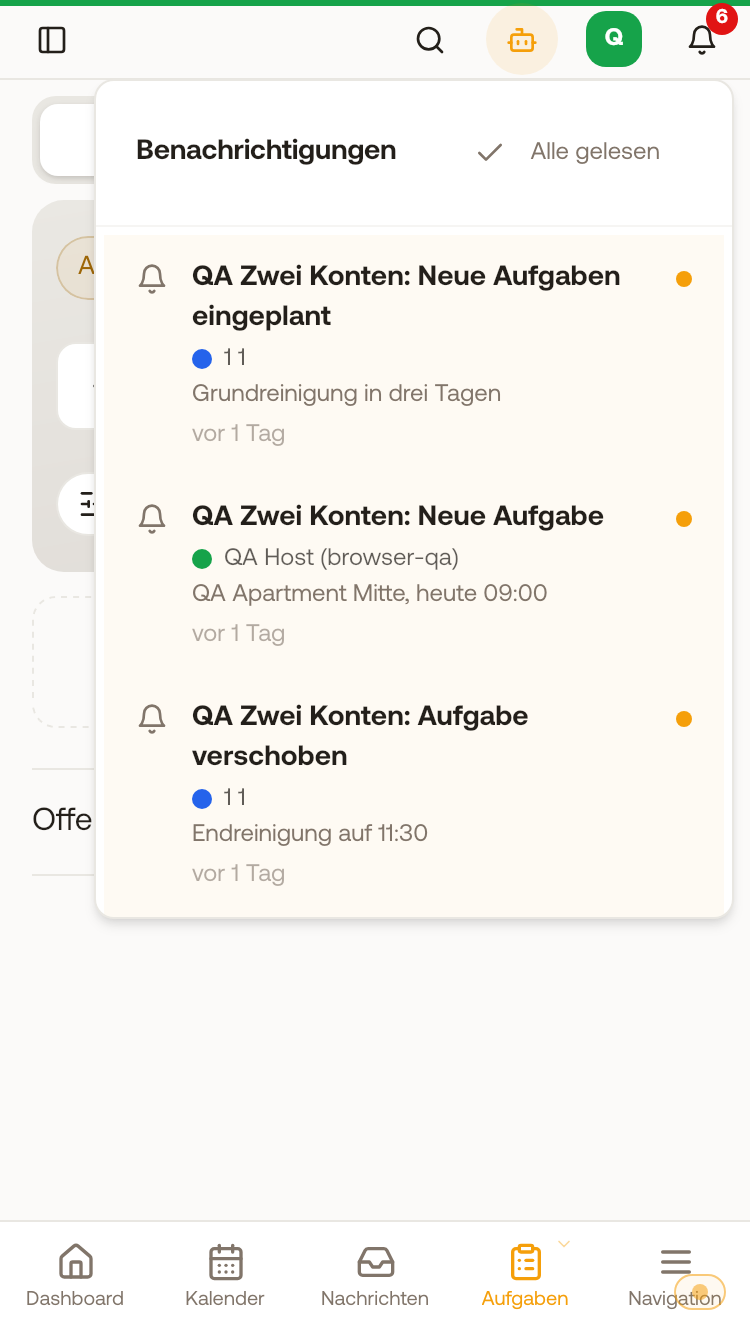 The bell with "Notifications from all accounts": every notification carries the colored dot and name of its account.