
Setting up tourist tax: Calculation type, mandatory status, and service fee
Step by step to setting up tourist tax: Assign units, select fixed amount, percentage, or tiered rate, mandatory status in check-in, VAT, and custom service fee.
Updated on November 13, 2026
Setting up tourist tax
Under Checkin / Guest Registration → Tourist tax, create a tourist tax using "New configuration". A configuration per municipality is common, where you assign all units of that municipality. Click "Edit" on a card to open it again, or use the copy icon next to it to create a complete copy: with all settings, age groups, price tiers, seasons, seasonal prices, and exemptions. The copy is initially inactive so it does not conflict with the original.
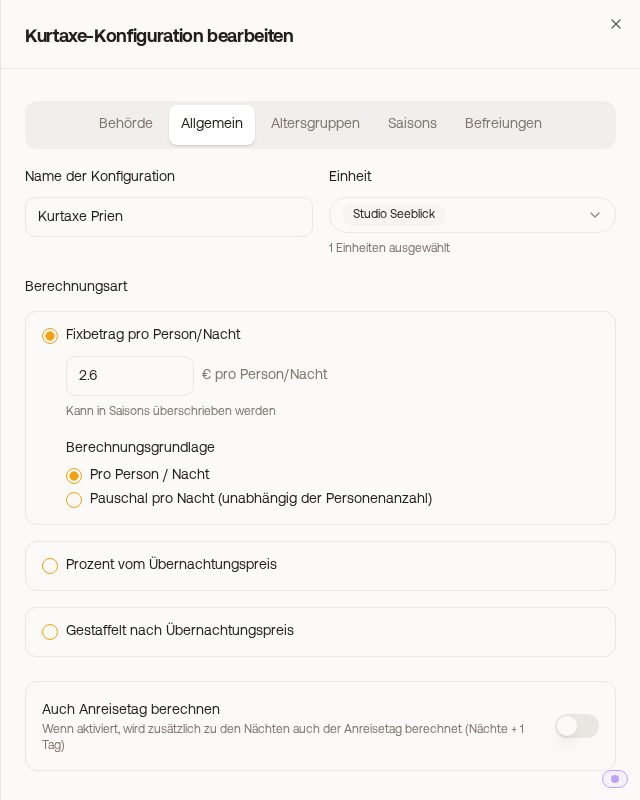 "General" tab of a tourist tax configuration
Assigning units
In the "General" tab under "Unit", select the properties. Without a selection, the configuration applies to all units. A unit can only belong to one active configuration, and per account there is at most one active configuration for all units.
Calculation type
| Calculation type | What it does |
|---|---|
| Fixed amount per person/night | Fixed amount per guest and night. Under "Calculation basis", you can alternatively select "Flat per night (regardless of number of guests)": The amount then applies once per night for the whole accommodation; age groups and multipliers do not apply, but seasonal amounts do. |
| Percentage of accommodation price | Percentage of a booking price that you select under "Calculation basis" (see below) |
| Tiered by accommodation price | Amount per guest and night, depending on the average price per night. You set up the price tiers per age group in the "Age Groups" tab; seasons and multipliers do not apply in this mode. |
Calculation basis for percentage and tiered rate
-
"Gross stay total": the full booking price including cleaning, services, and portal markups.
-
"Net accommodation only": only the pure accommodation price, excluding cleaning and extra services. The surcharge for additional guests (on Airbnb the "Additional Guest Fee") counts toward the accommodation.
-
"Net accommodation, excluding VAT": the same price minus included VAT. You enter the rate below, in Germany usually 7%. Some portals, for example Airbnb, already display the accommodation price as net and add VAT as a separate amount ("Other fees"). To prevent VAT from being deducted again there, check these portals under "Portals that calculate VAT on top" via "Select portals" and save. For all other portals, Xentra continues to deduct VAT. This applies to new calculations; already paid check-ins remain as they are.
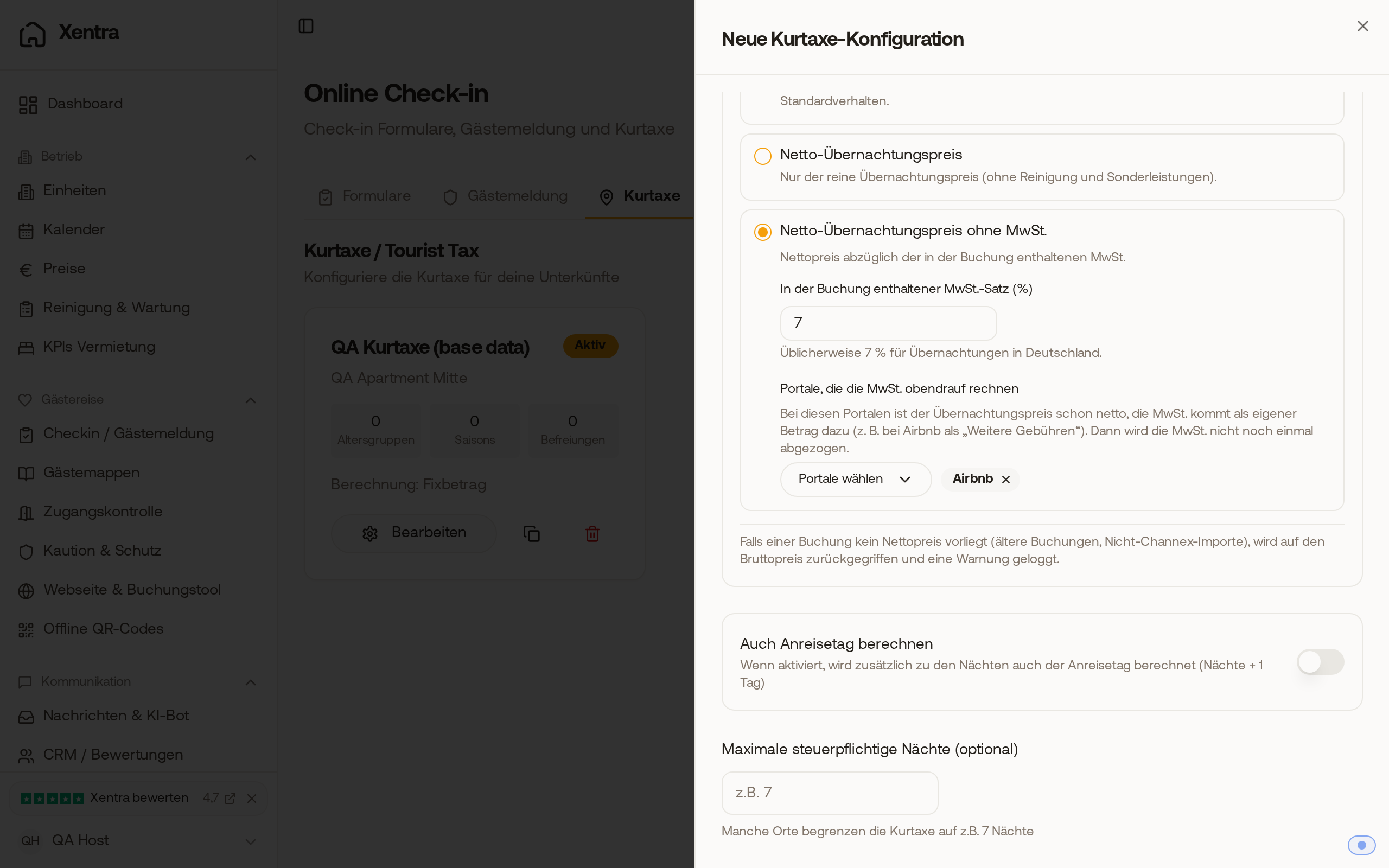 Calculation basis "Net accommodation, excluding VAT" with 7% and Airbnb under "Portals that calculate VAT on top"
-
"Gross total minus commission" (only for percentage): the full booking price minus portal commission. With "Also deduct VAT", Xentra also deducts the included VAT.
If a booking lacks a net price, Xentra calculates using the gross price.
Other switches in the "General" tab
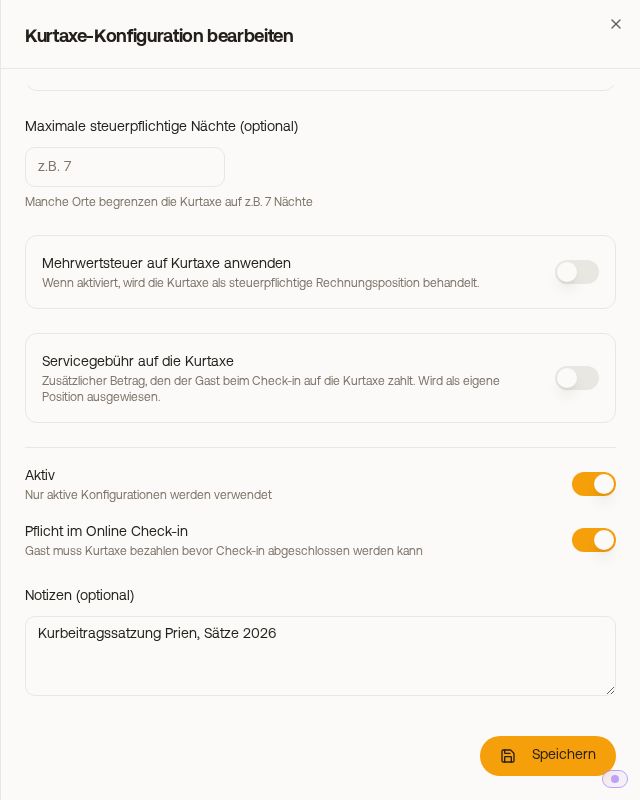 Lower part of the "General" tab with VAT, service fee, and "Mandatory in online check-in"
- "Also calculate arrival day": Xentra calculates nights plus one day.
- "Maximum taxable nights (optional)": limits the nights, for example to 7. This only applies to units whose tourist tax Xentra calculates itself. For AVS Direkt and Feratel, the municipality calculates and does not apply this limit.
- "Reduced rate from a certain night" with "From night" and "Share of the rate (%)": From this night on, only a share of the rate is charged, for example the Ecotasa in the Balearic Islands. See Tourist tax: reduced rate from a certain night (Ecotasa).
- "Apply VAT to tourist tax" with "VAT rate (%)": The tourist tax appears on the guest invoice as a taxable line item. The guest still pays exactly the calculated amount; VAT is calculated out of it. If the switch is off, the "Bed-tax VAT treatment" under Outgoing Invoices → Settings, section "Line items" applies (see Tourist tax on guest invoice: source, channel amount, and notes).
- "Active": Only active configurations are used.
- "Mandatory in online check-in": The guest must pay the tourist tax before completing check-in.
A mandatory configuration with a fixed amount that has no amount anywhere (no amount per night, no amounts under seasons or age groups) cannot be saved, as otherwise no guest could complete check-in. Exception: All selected units calculate via AVS Direkt, Feratel, Tramino, or WinTOP, where the amount comes from the municipality.
Service fee on the tourist tax
You set up your own surcharge on the tourist tax, such as for payment fees or a second tax like accommodation tax, in the "General" tab under "Service fee on the tourist tax". See Tourist tax: service fee on the tourist tax.
The other tabs
- "Age Groups" and "Seasons": see Tourist tax: age groups, seasons, and rate changes.
- "Exemptions" (with authority "Portals"): see Tourist tax: exemptions, proof, and portal exclusion.
- "Authority": specifies whether an authority or registration office defines the guest categories. For most configurations, "No authority" remains selected here.
How Xentra then collects the tourist tax from the guest is explained in Tourist tax in Xentra: How it works.