
Calculated tourist tax only for specific units
Apply a tourist tax or city tax calculated by Xentra only to units in locations that charge it.
Updated on November 12, 2026
Calculated tourist tax or city tax only for specific units
If you have Xentra Calculate the tourist tax (city tax, bed tax) in the financial import of a portal, Xentra applies it automatically on the guest invoice, in the cash-basis accounting, and in key figures. If your units are located in different places and only one of them charges the levy, you specify which units the rate applies to.
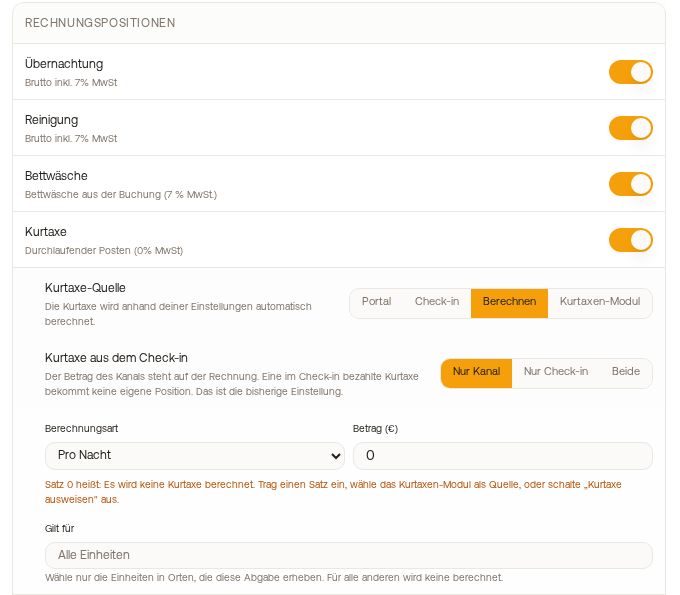 Tourist Tax Source "Calculate" with note on rate 0 and selection "Applies to"
How to set it up
Settings → Financial Imports, card "Booking price per channel", tab of the portal (for example Airbnb), under "Tourist Tax Source" select "Calculate". Below under "Applies to", check only the units in the locations that charge this levy.
For all other units, Xentra will no longer calculate any tourist tax, neither on new invoices nor in cash-basis accounting and key figures.
Good to know
- "Applies to" appears as soon as you have at least two units. Without a selection, the rate applies to all units as before.
- If the portal provides a tourist tax itself for a booking, it remains for units outside the selection. Only the calculation by Xentra is omitted.
- Invoices that have already been created do not change.
- If the rate for "Calculate" is set to 0, Xentra calculates no tourist tax. The invoice will then show at most a tourist tax provided by the portal itself. The card informs you of this directly below the rate. Enter a rate, select "Tourist Tax Module" as the Tourist Tax Source, or turn off the "Tourist tax" item under Guest Invoices → Settings, section "Line items".
Custom taxes and levies per portal
You create additional levies, such as a bed tax, as a custom rule under Settings → Financial Imports, card "Taxes & Levies", with "New Tax". Under "Scope", you choose which bookings the rule applies to: "Global" for all bookings or individually Airbnb, Booking.com, Vrbo, Expedia, Feratel, Agoda, or Direct. "Direct" applies to direct bookings, bookings via your website, and via the booking tool. Portals that reach you only via your PMS are covered by a rule set to "Global".
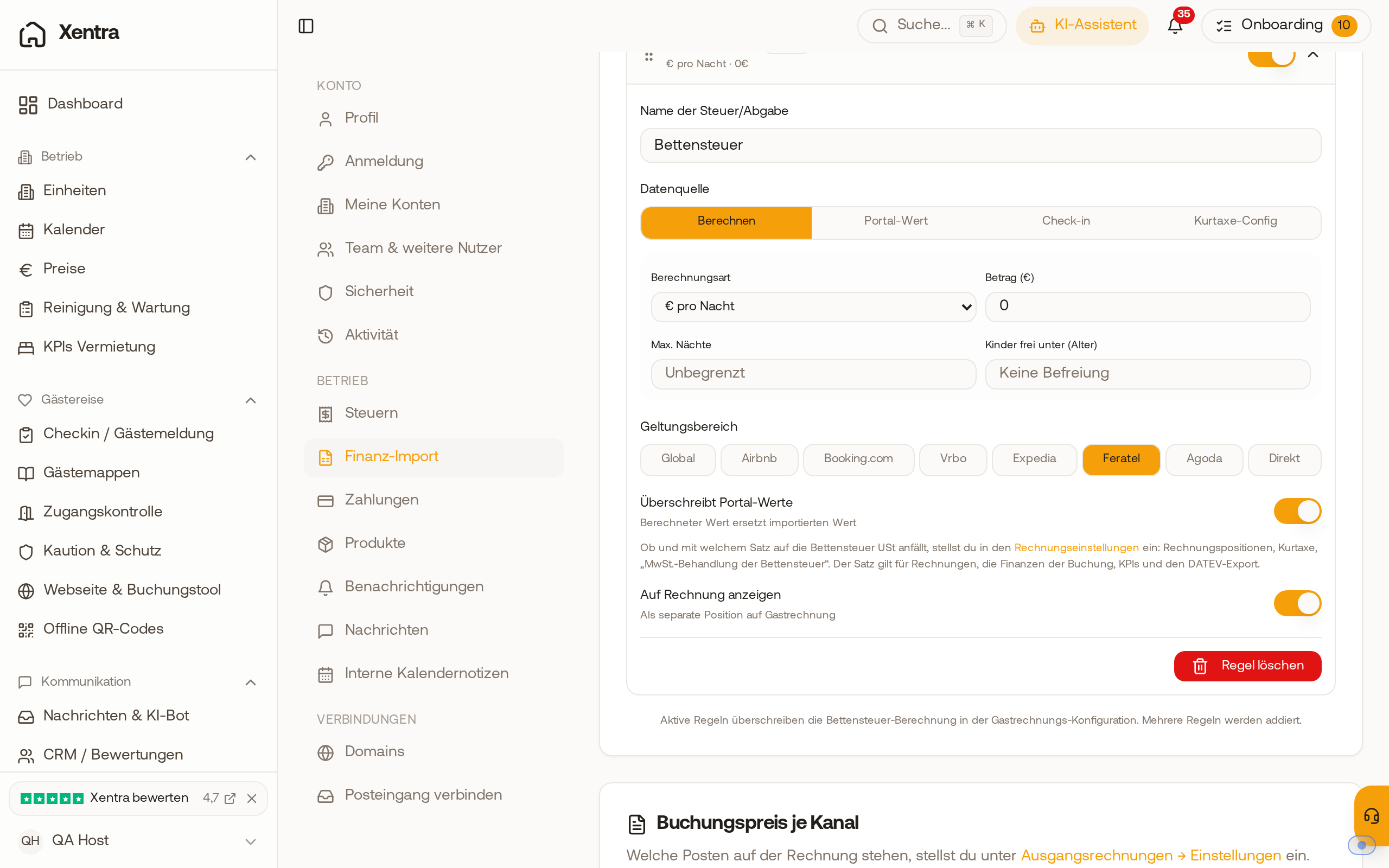 A custom tax rule with the scope "Feratel" under "Taxes & Levies"
Percentage: deducted or added on top
For the calculation type "% of Accommodation", the toggle "Included in portal gross" decides how Xentra calculates:
- On: The tourist tax is already included in the price. Xentra calculates it out, so accommodation price × rate ÷ (100 + rate). Example: €1,548 accommodation including 7.5% city tax results in €108.00 city tax and €1,440.00 accommodation.
- Off: The tourist tax is added on top, so accommodation price × rate.
If the tourist tax on an already created invoice is incorrect, cancel it and create it again. The other tourist tax sources are explained in Tourist tax on the guest invoice: Source, channel amount, and notes.