
Booking tool: tourist tax notice for guests
Which tourist tax notice guests see in the booking tool and how to replace it with your own text.
Updated on October 30, 2026
Tourist tax notice in the booking tool
If the tourist tax is on in the booking tool (Open the booking tool, tab Settings, section Pricing & Payment, switch “Enable Tourist Tax”), guests see a short tourist tax notice: in the Your Details step above the booking button and on the confirmation page after booking.
Which default text appears
- Tourist tax on arrival: “Tourist tax is calculated on-site and payable upon arrival. The exact amount depends on the number and age of guests.”
- Tourist tax in the online check-in: If all accommodations the booking tool offers collect the tourist tax as mandatory in the online check-in, the notice reads: “Tourist tax is calculated and paid in the online check-in before arrival. The exact amount depends on the number and age of guests.” If that applies to only some of them, the arrival text stays.
Whether the tourist tax is mandatory in the check-in is set in your tourist tax settings, see “Kurtaxe einrichten: Berechnungsart, Pflicht und Servicegebühr”.
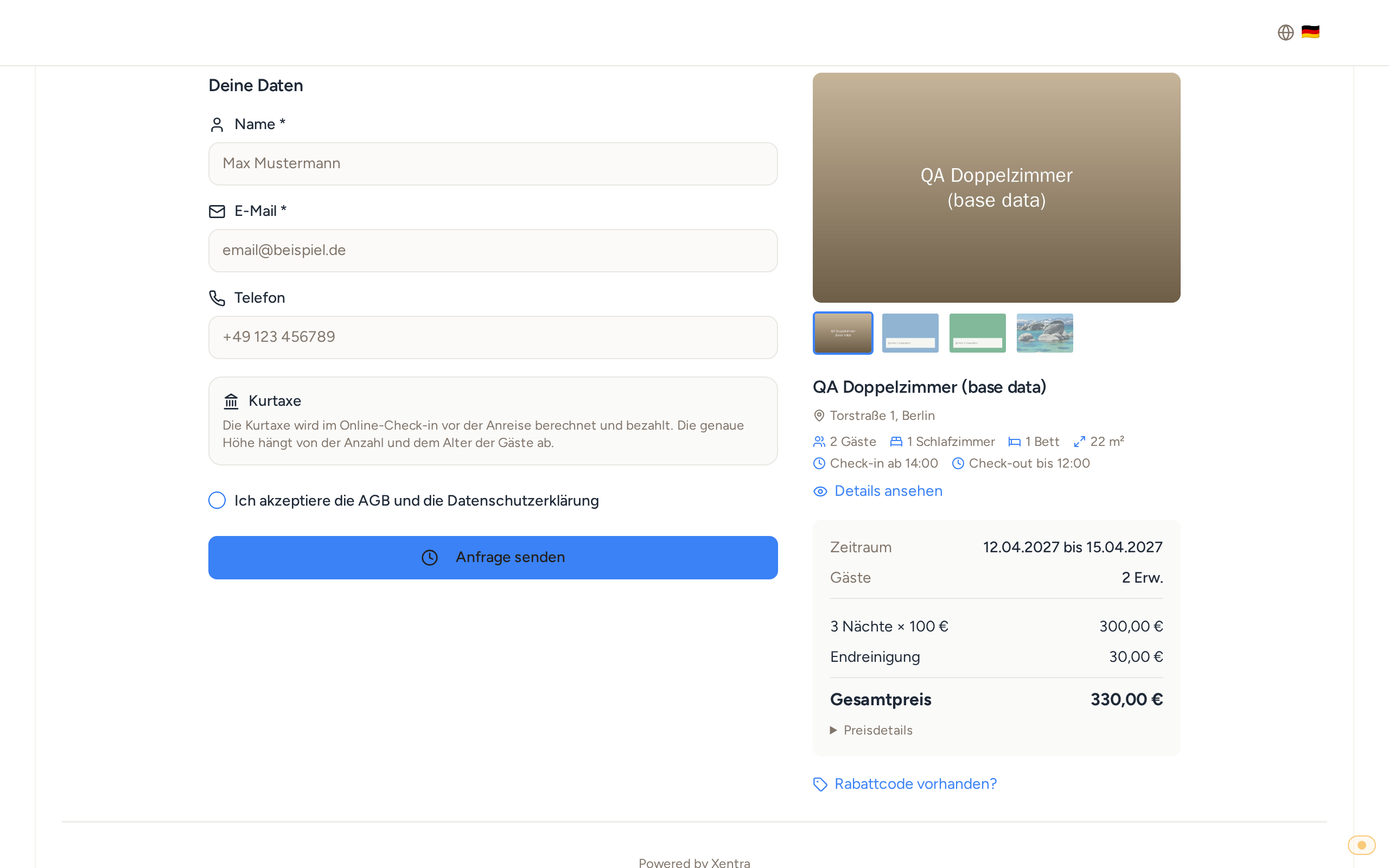 Booking page, Your Details step: the notice that the tourist tax is paid in the online check-in
Write your own text
If neither text fits, write your own: tab Settings, section Texts & Legal, field “Tourist tax notice”, then Save. The field only appears while the tourist tax is on in the booking tool. Your text replaces the default text everywhere. Like the other texts there, you can enter it per language; if a language is missing, guests see your German text. Clear the field again and the default text returns.
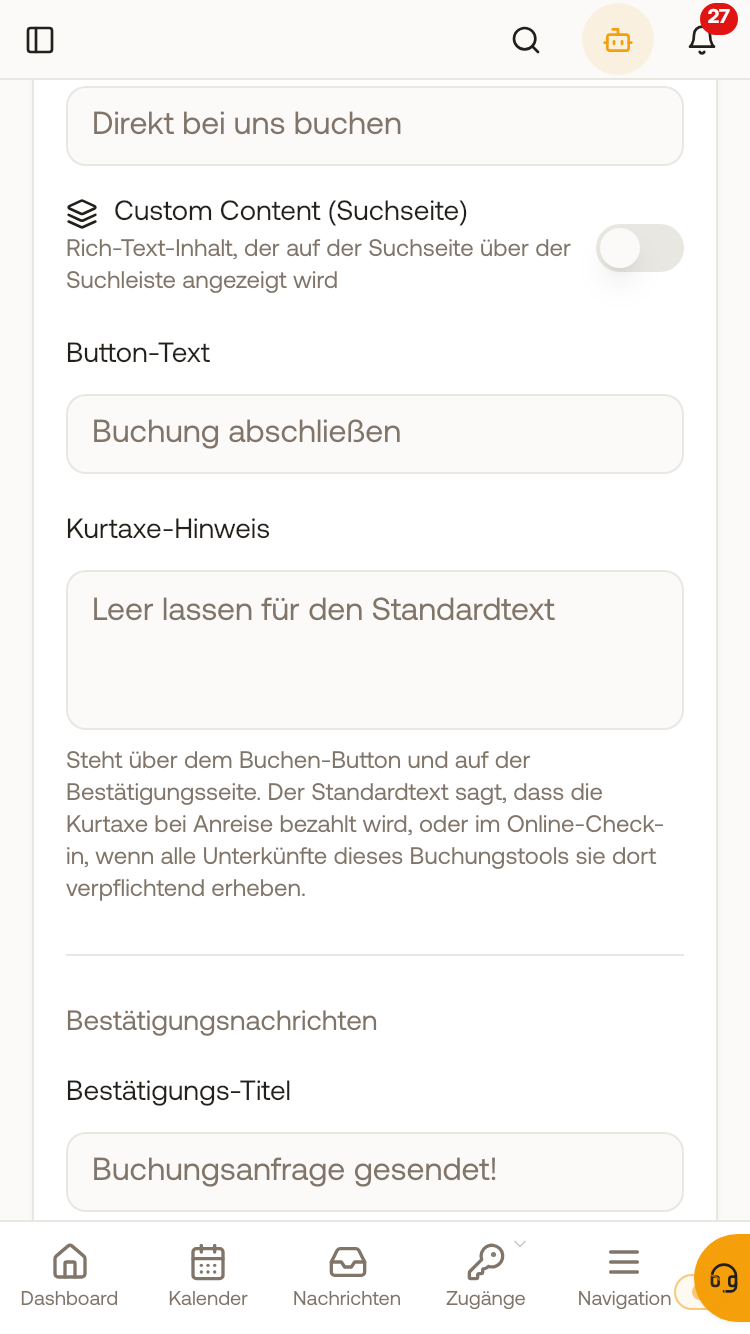 Texts & Legal: the field “Tourist tax notice”, leave empty for the default text